 ztrztr



Is the placement destructive? What if I make a mistake or want to adjust objects after painting?
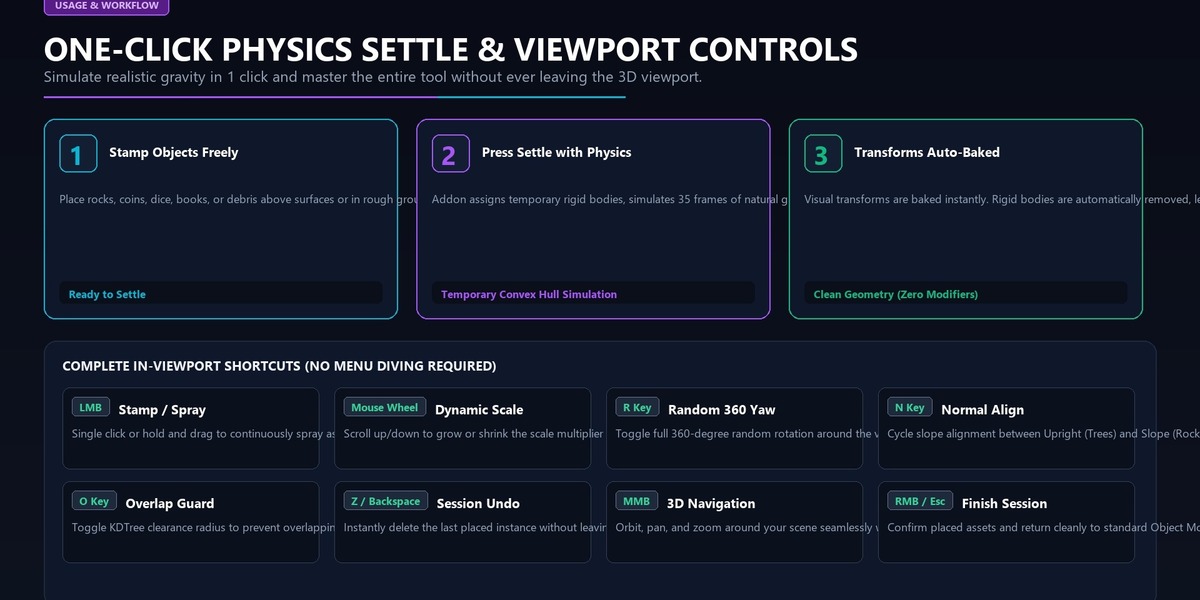
It is completely non-destructive and flexible. While actively painting, press Z or Backspace to step backward and undo placements live without leaving the tool. Once finished, every instance is a standard, fully editable Blender object organized neatly in your target collection. Furthermore, when using Physics Settle, final transforms are cleanly baked and all temporary rigid-body simulation modifiers are automatically stripped away, leaving your scene 100% clean.
Can I use assets from external libraries, the Blender Asset Browser, or third-party packs (like Megascans, KitBash3D, or Botaniq)?
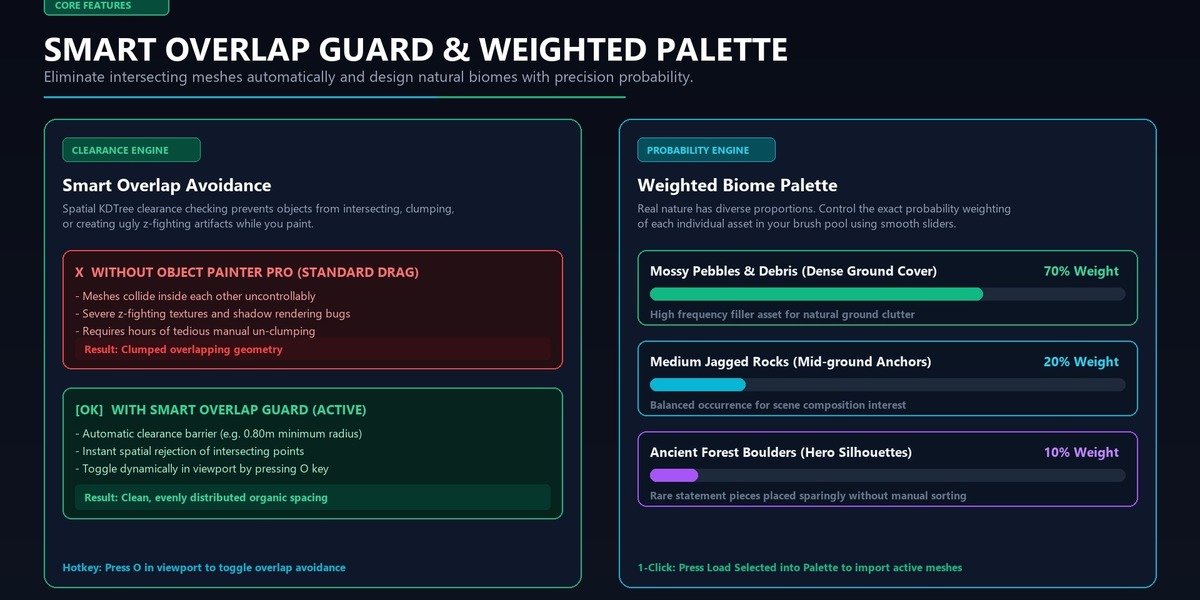
Absolutely. Object Painter Pro works with any mesh or curve object in your Blender scene. Simply drag assets from your Asset Browser or import your favorite asset packs, select them in the viewport, and click "Load Selected into Palette" (or designate any existing Collection as your brush pool). You're ready to paint and scatter in seconds.
How does this handle high-poly assets and massive scenes? Will painting thousands of objects slow down my viewport or bloat my .blend file?
Not at all. Object Painter Pro uses Linked Duplicates (Alt+D) by default. This means thousands of painted trees, stones, or props all share the exact same underlying mesh datablock in memory. Viewport FPS stays fluid, GPU VRAM usage remains minimal, and your .blend file size barely increases. (You can also toggle this off if you ever need unique mesh duplicates).
Have questions about this product?
Login to message
| Published | about 10 hours ago |
| Blender Version | 4.0 - 5.2 |
| Extension Type | N/A |
| Render Engine Used | Cycles, Eevee |
| License | GPL |
