 Tesselune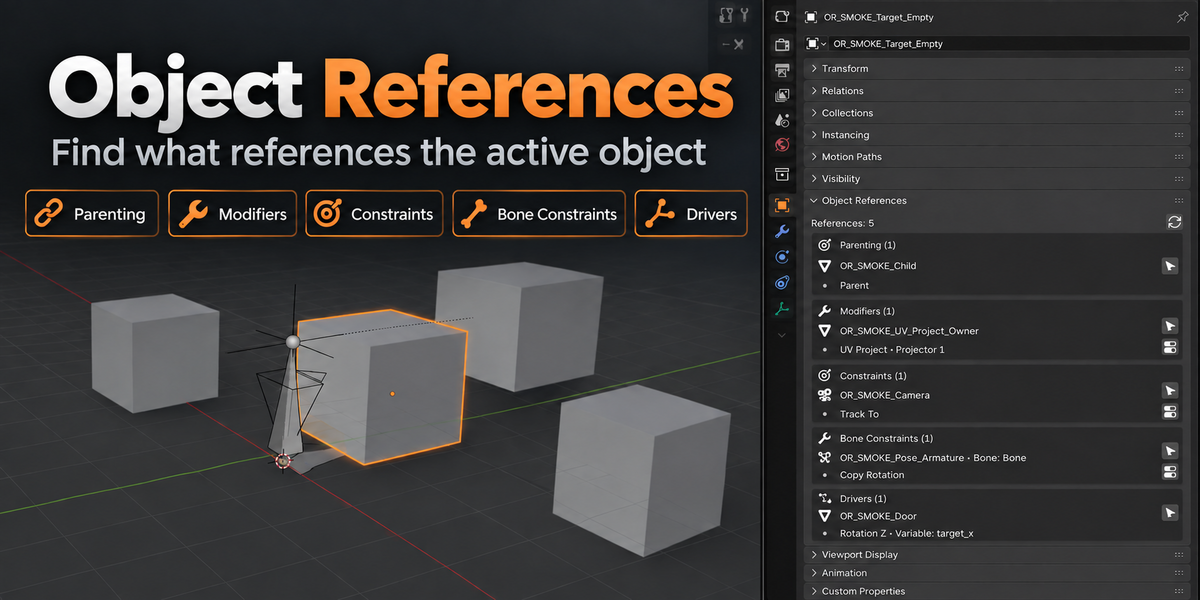
Object References — Documentation
Version 1.2.0
Maintainer: Tesselune
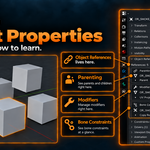
Object References is a read-only reverse-reference inspector for Blender Objects.
Select an Object to see where it is referenced, inspect the owner, and navigate directly to supported Modifier or Constraint locations without changing the reference itself.
Installation
Open:
Edit → Preferences → Get Extensions / Extensions
Choose Install from Disk, select the Object References ZIP, and enable the extension if necessary.
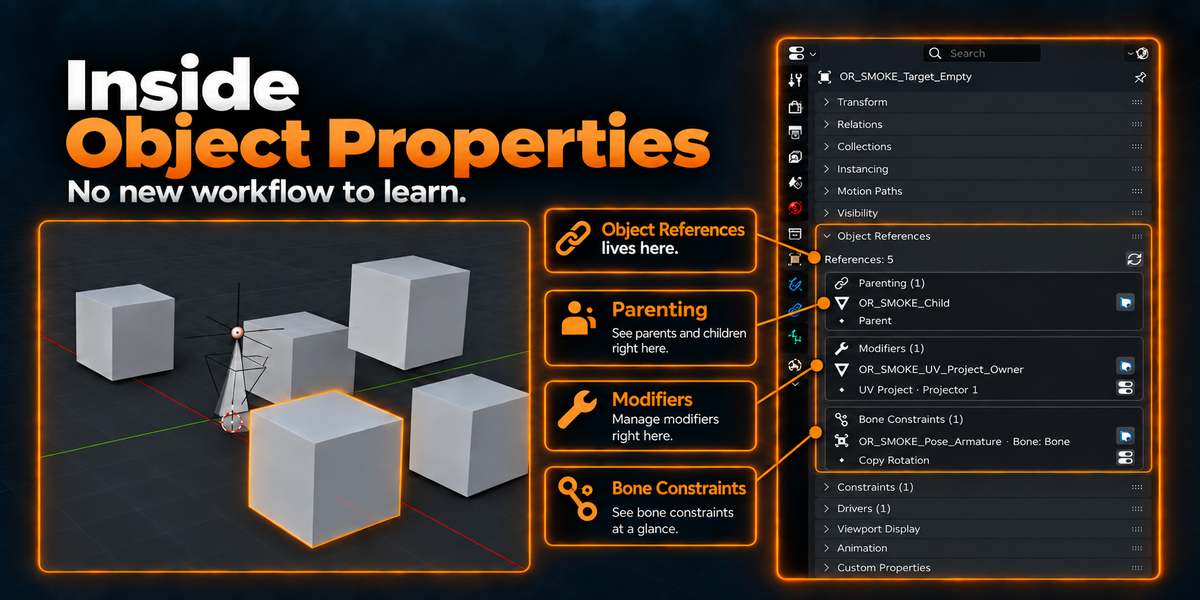
After installation, select an Object and open:
Object Properties → Object References
Quick Start
Select the Object you want to inspect.
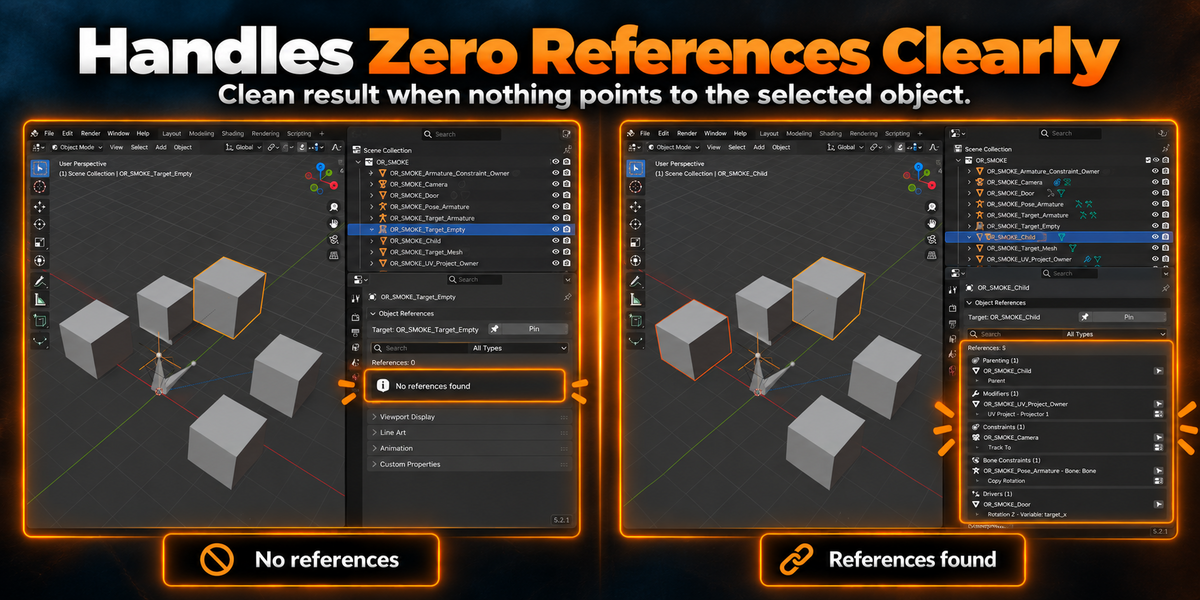
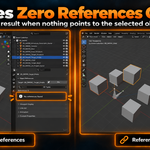
Open the Object References panel in Object Properties. The panel scans the selected Object and groups the results by reference type.
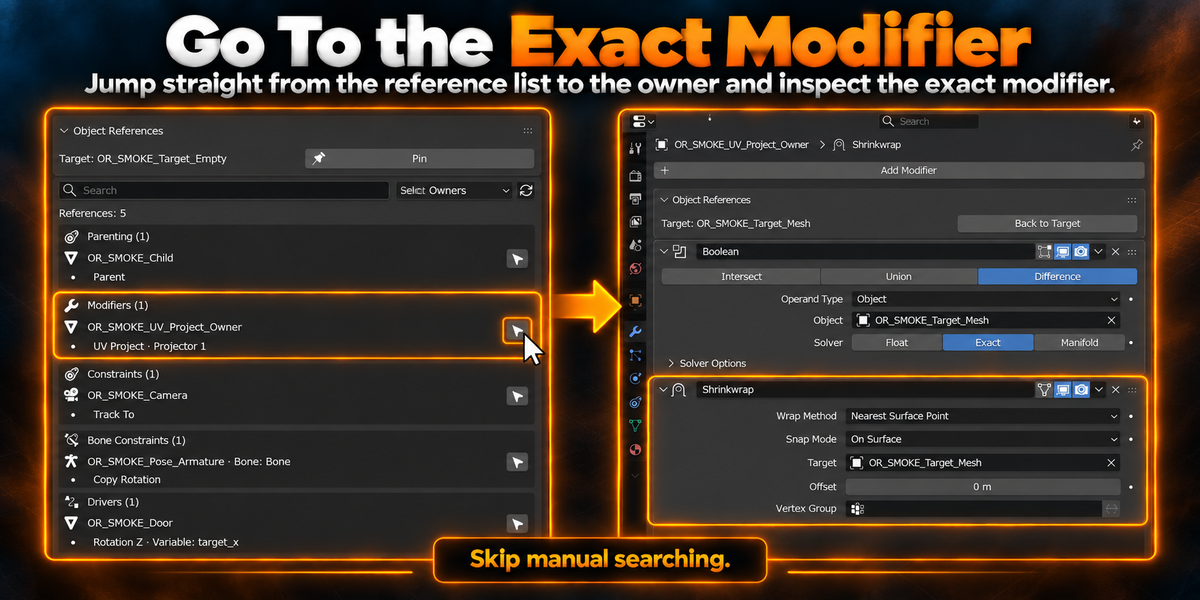
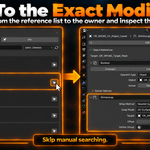
From the result list, you can select the referencing owner or use Go To where supported.
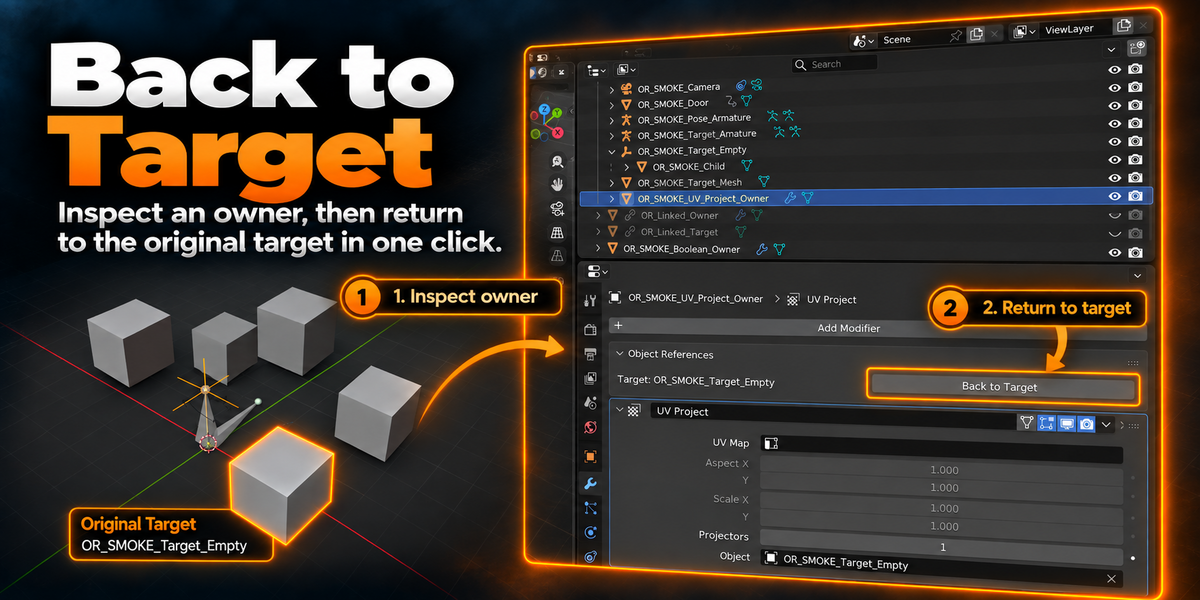
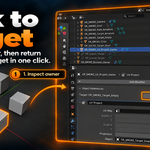
After navigating away from the original Object, use Back to Target to return.
Supported Reference Types
| Reference Type | Detected | Select Owner | Go To Exact Reference |
|---|---|---|---|
| Parenting | Yes | Yes | — |
| Modifiers | Yes | Yes | Yes |
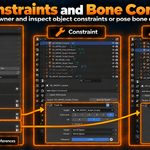
| Object Constraints | Yes | Yes | Yes |
| Bone Constraints | Yes | Yes | Yes |
| Driver variable targets | Yes | Yes when the owner is an Object | — |
Each concrete reference slot is kept separately.
For example, if one Object references the Target through two different Modifiers, both references are shown instead of being merged into one result.
Selecting and Navigating
Select Owner activates the Object that contains the reference.
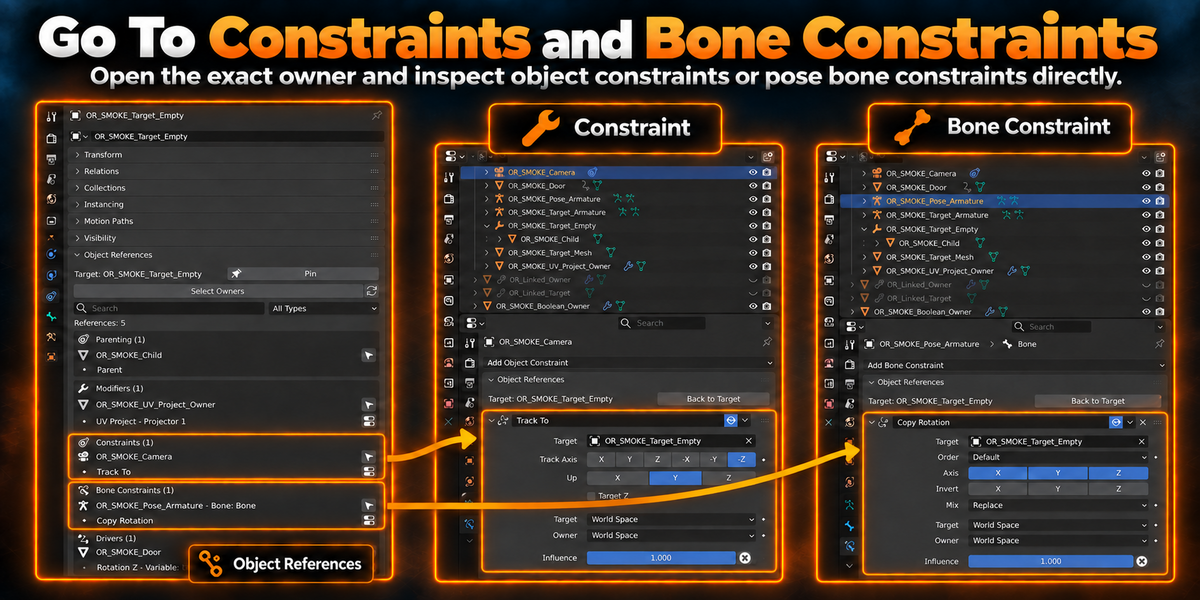
For Modifiers, Object Constraints, and Bone Constraints, Go To opens the corresponding Properties context and attempts to activate the exact referenced item.
Parenting and Driver results are inspection results and do not have dedicated Go To navigation.
Back to Target
When you navigate from the inspected Target to a Modifier or Constraint owner, Object References remembers the original Target.
A Back to Target control is shown in the relevant Properties context so you can return to the inspected Object without manually finding it again.
Pin Target
Use Pin when you want Object References to continue inspecting the same Target while you select or navigate to other Objects.
While pinned, changing the active Object does not replace the inspection Target.
Use Unpin to return to normal active-Object tracking.
Pin state is session-only and does not write custom properties or persistent IDs into the .blend.
Search and Type Filter
The Search field filters the existing reference results by information such as owner name, bone name, Modifier, Constraint, Driver information, or property path.
The Type Filter can limit the display to Parenting, Modifiers, Constraints, Bone Constraints, or Drivers.
Search and filtering do not rescan the scene.
Select Owners
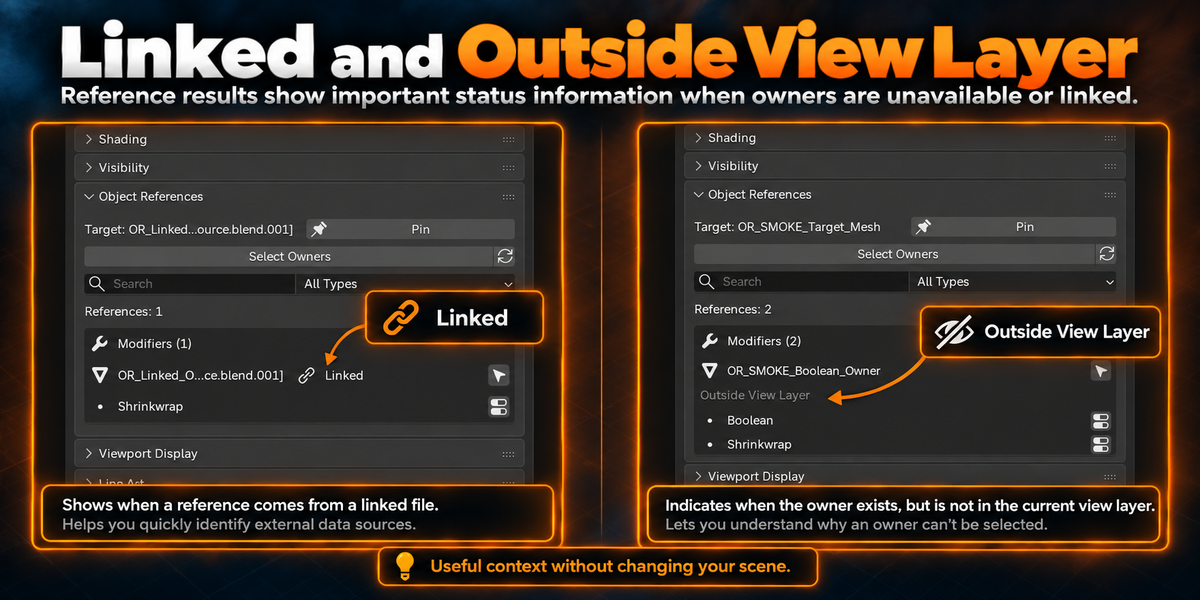
Select Owners selects the unique Object owners represented by the current reference results when they are available in the current View Layer.
Object References does not automatically change scene state to make unavailable owners selectable.
Owner Status
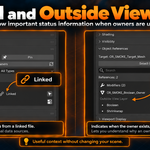
Object References may display additional status information when a reference owner cannot be handled like a normal selectable Object.
Typical states include:
| Status | Meaning |
|---|---|
| Linked | The owner comes from linked library data |
| Hidden | The owner exists but is hidden |
| Unselectable | Selection is disabled for that Object |
| Outside View Layer | The Object exists but is not available in the current View Layer |
| Missing | The previously scanned owner can no longer be resolved |
| Data-block | The reference owner is not an Object |
These statuses are informational. Object References does not automatically unhide Objects, change View Layers, or create Library Overrides.
Refresh and Cache Behavior
The panel scans lazily when it is opened for a new Target.
Results are cached in memory for the same Target. Use Refresh when you want to rebuild the result list after scene changes.
Undo and Redo mark the cache for refresh, and loading another .blend clears the runtime cache and navigation state.
No continuous scene-wide background scan is used.
Read-Only Behavior
Object References is an inspection and navigation tool.
Scanning does not replace, delete, or edit reference targets.
Explicit navigation can change the active Object, selected Object, active Modifier or Constraint, active Bone, and current Properties context, but it does not modify the reference relationship itself.
Linked data is never edited and Library Overrides are not automatically created.
Object References vs Reference Remapper
Object References and Reference Remapper have separate responsibilities.
Object References answers:
Where is this Object referenced?
It is used to inspect, filter, select owners, and navigate to reference locations.
Reference Remapper answers:
Which of these references should point to another Object instead?
Reference Remapper handles Preview, reference-slot selection, validation, replacement, rollback, and Undo.
Object References is not required for Reference Remapper to work, and Reference Remapper is not required for Object References to work.
When compatible Tesselune Suite workflow integration is available, the two products may provide a direct handoff between the current Object References Target and Reference Remapper Source.
Current Scope
Object References currently covers direct Object references through Parenting, Modifiers, Object Constraints, Pose Bone Constraints, and Driver variable targets.
It does not currently inspect Geometry Nodes internal Object references, Shader or Compositor node references, Collection-mediated indirect references, Python string references, arbitrary add-on custom data, or Material / Image / Node Group usage.
Reference replacement and safe-delete workflows are outside the responsibility of Object References.
Compatibility
Supported extension range:
Blender 4.5.11 or newer, below Blender 5.3.0
Primary validated versions:
| Blender | Validation |
|---|---|
| 4.5.13 LTS | Tested |
| 5.0.1 | Tested |
| 5.1.2 | Tested |
| 5.2.1 LTS | Tested |
Basic Troubleshooting
If the reference list appears outdated after changing the scene, use Refresh.
If an owner is shown as Outside View Layer, Hidden, or Unselectable, Object References intentionally does not alter the scene to make that Object available.
If Go To can no longer resolve a Modifier or Constraint after the scene was edited, return to the Target and refresh the results.
If a linked owner is shown, it can be inspected but Object References will not modify the linked data.
Have questions about this product?
Login to message
| Blender Extension Compatible | Yes |
| Published | 1 day ago |
| Blender Version | 4.5 - 5.2 |
| Extension Type | Add-on |
| Render Engine Used | Cycles |
| License | GPL |
Discover more products like this
drivers Workflow bone-constraints blender object references reverse lookup Object Properties constraints addon dependencies modifiers parenting