
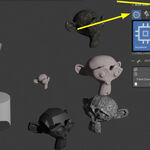
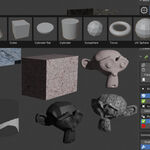
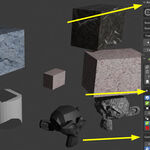

Ocp "1-Click Proxy" Clone Your Exact Mesh With a Low Poly Proxy!

Mr. Steve 3D in Presets


Item Rating

This item has an average rating of 5 from 3 ratings by the community.

100%
0%
0%
0%
0%

Purchase this item to leave a review!

  • EUNOIA Creative
    10 days ago

    This extension is much too cheap for what it offers. Real dev quality and upgrades, long-term support and maintainance. great support, immediate reply and problem solving. Support these products over all those new AI generated mass ware at low quality to cash in and then leave it alone. If you're looking for what OCP does, buy this one.

    • Mr Steve 3D

      9 days ago

      Thank you so much for the support and kind words! I put a lot of care into building, maintaining, and supporting OCP for the long haul, so reviews like this truly make my day. Glad to have you on board—reach out anytime if you need anything!

  • Marko
    about 2 years ago

    Well Mr. Steve! :)

    I just got the Addon after watching Your Tutorial...
    And it's Really Really Amazing!!!

    I tested it with little / small Scenes and then with Epic Big Scenes... and the Proxys work Perfectly Fine...

    It's Amazing especially when you got, like in my actual case, some Big Islands in the Ocean with each over 3 Million Verts.. then with the Selcted Proxy Applied, You get 800 Verts witch Convex Hall; and 8 Verts with Cube / Bounding Box!!! :))

    So You can free up Your Memory.. and Concentrate on Lighting and Camera Work.. and work on other Objects in the Scene..

    And the Fact, that You can Choose between: Cube / Convexhall.. and then also change their Size/Scale.. and apply the Material... is literally Mind Blowing.. and that Speeds Up Your Workfolw Significantly!!!

    So Thanks Mr. Steve for this Amazing Proxy Addon & Your Inspiring Creative Work / Coding!!! ;)

    Cheers!!!

    • Mr Steve 3D

      about 2 years ago

      Thank you, Marko, for your kind words and review of OCP.

      It is so good to hear how you are using it and the Vert count. My goal is to save you and everyone time that could be spent better on other attributes of your scene, and now you can do just that.

      Thanks again for picking up the addon and supporting Blender Market creators and the Dev Fund :)

      Sincerely
      Mr. Steve_3D

  • Mr CleanMesh
    almost 3 years ago

    Easy enough and I can delete all the proxies off my car model in one click so I like that.
    Also, I have never seen an addon with buttons that switch to a different icon, cool.

    Well done...

    Can you add more low poly objects for the proxy?

    • Mr Steve 3D

      almost 3 years ago

      Thanks for the feedback, more low poly options coming soon, in the next release!

  • Displaying 3 ratings
  • Studio version with Auto Scan algorithm for the highest mesh(s) and adds a proxy instance based on face count. Auto-save selects all viewport objects, adding proxies before blender close if checked on. NEW Favorites quick set proxies.

    $15
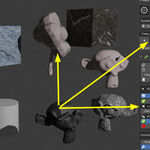
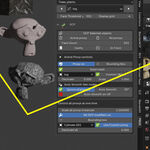
  • "One Click Proxy" creates proxy instances by selection and face-count to speed up large scenes in the 3D Viewport, custom controls for each proxy or use global controls for all proxies. Transfers material index 0, automatically to the proxy

    $10
  • This is the FULL version 5 but will only work for a limited amount of time, the v1 trial is availible too

    $1
$15

Have questions about this product?
Login to message

Details
Blender Extension Compatible Yes
Sales 100+
Rating
3 ratings
Dev Fund Contributor
Published almost 3 years ago
Blender Version 3.3 - 5.2
Extension Type Add-on
Render Engine Used Cycles, Eevee
License GPL