 jrFrancesco




# OCSynth - Blender Addon
Blender addon for one-click import of Syntheyes 2024 Python scripts
## ✨ Features
- Direct import of Syntheyes `.py` scripts
- Automatic file validation
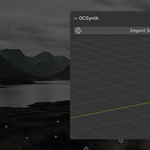
- Unified interface in sidebar (N > "OCSynth")
- Security checks against malicious scripts
- Compatible with Blender 4.4 LTS
## ⚙️ Installation
1. Download the [latest release](https://github)
2. In Blender:
- `Edit > Preferences > Add-ons > Install...`
- Select the ZIP file
3. Enable the addon in `Import-Export > OCSynth`
## 🚀 Basic Usage
1. In Syntheyes: `Export > Python Script (.py)`
2. In Blender:
- Press `N` to open sidebar
- Navigate to "OCSynth" tab
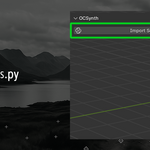
- Click "Import"
- Select your `.py` file
## 🔧 Compatibility
| Software | Tested Version |
|----------------|----------------|
| Blender | 4.4 LTS |
| Syntheyes | 2024.1.5 |
| Python | 3.10.12 |
⚠️ **Not tested with older versions**
## 📄 License
Distributed under [GNU GPLv3]