OCSynth
 jrFrancesco



# Technical Documentation - OCSynth Importer
## Table of Contents
1. [System Requirements](#requirements)
2. [Detailed Installation](#installation)
3. [Workflow](#workflow)
4. [Technical Architecture](#architecture)
5. [Troubleshooting](#troubleshooting)
6. [FAQ](#faq)
## 🖥️ Requirements <a name="requirements">a>
- Blender 4.4 LTS (x64)
- Syntheyes 2024 (Build 2024.1.5+)
- Python 3.10.12
- 4GB VRAM minimum
## 📥 Detailed Installation <a name="installation">a>
### Method 1: Via ZIP
Download the .zip package
Edit > Preferences > Add-ons > Install
Navigate to the .zip file
Enable the addon checkbox
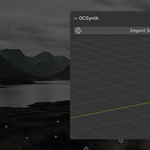
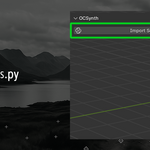
## 🔄 Workflow <a name="workflow">a>
graph TD
A[Syntheyes: Export .py] --> B[Blender: Open sidebar]
B --> C[Select file]
C --> D{Validation}
D -->|Valid| E[Import cameras/tracking]
D -->|Invalid| F[Show error]
## 🧱 Technical Architecture <a name="architecture">a>
### Script Validation
The addon checks for:
- Syntheyes-specific headers
- `sizzle.exportTrackerCameras` functions
- Basic .py file structure
## 🚨 Troubleshooting <a name="troubleshooting">a>
| Error | Solution |
|-------------------------------|-----------------------------------|
| Panel not visible | Check System Console for errors |
| Script validation fails | Verify UTF-8 encoding |
| Blender crashes on import | Test with sample scripts |
## ❓ FAQ <a name="faq">a>
**Q:** Works with older Blender versions?
**A:** Not tested, developed exclusively for 4.4+
**Q:** Compatible with Syntheyes 2023?
**A:** Not tested, may require script adjustments
---
Discover more products like this
blender BlenderAddon #syntheyes #oneclickimport #importsyntheyes