Opticlean For Blender — Scene Analysis & Optimization
 Ivan Matukhnov


Does it work with my Blender version / render engine?
OptiClean is a single build for Blender 4.2 LTS and newer, and works with both EEVEE and Cycles. It's pure Python with no external dependencies, so it runs on Windows, macOS, and Linux.
Why does Auto-Connect Textures find nothing?
The most common cause is a pattern without a *. Patterns use * as a wildcard: *_BC matches a suffix, BC_* a prefix. A pattern with no * matches the file name exactly. Also check that the source folder is right and enable "Search subfolders" if your textures are nested.
Does it actually speed up my renders?
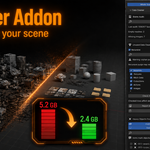
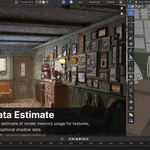
OptiClean optimizes what it can measure: it reduces VRAM usage, file size, duplicate materials, and heavy data. Whether that speeds up a given render depends on your scene and hardware (for example, fitting textures into VRAM can let you render on the GPU). It does not promise a fixed speed-up, and the Render Data estimate is clearly labeled as an estimate, not a measurement.
Can I undo what it does?
Object-level actions (deleting meshes, merging slots, connecting texture nodes, re-pointing missing textures) are undoable with Ctrl+Z. Actions that remove file-level datablocks — orphan purge and material datablock merging — may not undo cleanly; OptiClean warns you before running those.
Will OptiClean delete anything automatically?
No. Every destructive tool scans first and shows a checklist; it only acts on the rows you tick, after you press the apply button. Some actions also ask for confirmation. Nothing is removed without your input.
$15
Have questions about this product?
Login to message
| Blender Extension Compatible | Yes |
| Published | 3 months ago |
| Blender Version | 4.2 - 5.1 |
| Extension Type | Add-on |
| Render Engine Used | Cycles, Eevee |
| License | GPL |

Discover more products like this
blender scene optimization scene cleanup scene cleaner Blender scene cleanup