Optiploy Pro: Universal Rig Spawner
 hisanimations



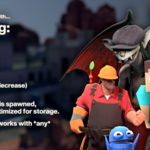
Why not just use the asset browser?
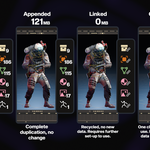
The asset library is indeed a native alternative to OptiPloy, but it does not have the optimizing process that OptiPloy does.
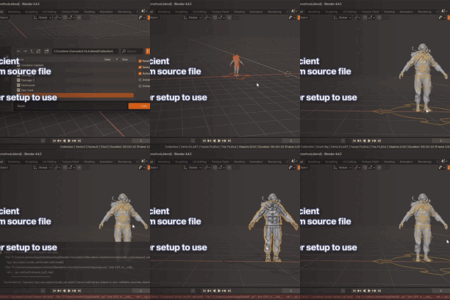
Appending works right off the bat, but you are duplicating it entirely and it takes up twice the space.
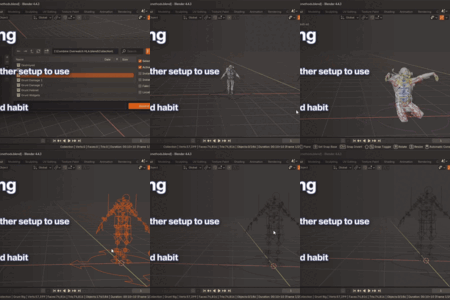
Linking is much more efficient, but requires more effort to get it set up. A process that isn't very friendly to new users.
In one click, OptiPloy spawns your rig by first linking, then duplicating as little data as possible to ensure it is usable. It also takes more precautions to make sure bone shapes aren't duplicated, and to execute rig scripts for a fully functioning rig. Again, all in one click.
Can it really spawn any rig?
I haven't found a rig that doesn't, and no one has submitted a report about a rig not functioning.
This addon has been out since September 2024, and at the time of writing, the free version has 6k installs on Blender Extensions. I have not heard anything about any problems. But hey, maybe you could have the first!
How do you edit materials? My changes aren't staying when reloading!
Make sure your materials have been localized! Overridden/linked materials won't save your changes unless you have localized what you are trying to edit. Until then, the data doesn't truly belong to the active .blend file.
You can localize materials by clicking the chain icon next to the materials name, or by right-clicking the material in the outliner and making it local.
How do you edit meshes? I can't enter edit mode!
Make sure the mesh you are trying to edit has been localized. The above applies! Localize the mesh by clicking the chain icon, or through the outliner.
For future reference, consider enabling "Localize meshes" in the settings.
Why can't I edit custom properties?
Custom properties need their Library Overridable option set to True in the source file. This can be done with the Edit Property tool.
Localized vs. Library Overrides vs. Linking?
Localized = The data-block fully belongs to the current file.
Library Overrides = The data-block is partially linked, partially localized. You can make some edits on certain data-blocks. As a benefit, library overridden data-blocks exist to be separate from linked data-blocks, while not using as much storage as fully localized data-blocks. They can also be updated with new changes from the source file.
Linked = The data-block exists in another file, and can only be edited in that file. Simply put, recycling.
Discover more products like this
3D asset management rig manager 3d rigs animation import cleanup blender blender-import rigs spawner 3D importer