Orbit360 - One Click Turnaround Animation Export From Viewport
 Salman Naseem


🌍 Orbit360
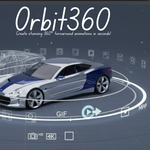
✨ Create stunning 360° turnaround animations in seconds!
⚡ Transform your 3D models into professional animations with just a few clicks.
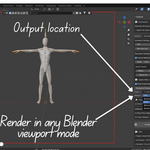
🎥 Export as PNG sequences, GIFs, or MP4 videos directly from Blender’s viewport.
🎯 Perfect For
-
🖼️ Portfolio Presentations – Showcase your models
-
📦 Product Visualization – Engaging demos
-
📱 Social Media – Eye-catching Insta, X, ArtStation posts
-
👨💻 Client Reviews – Quick previews for approvals
-
📚 Technical Docs – Game asset turnarounds
-
🛒 E-commerce – 360° product views
✨ Key Features
📤 Export Formats
-
🖼️ PNG Sequence – Max quality & flexibility
-
🎞️ GIF – Web & social sharing
-
🎬 MP4 – Pro H.264 encoding
🛡️ Smart MP4 Export (triple fallback)
1️⃣ imageio (auto)
2️⃣ FFmpeg (industry standard)
3️⃣ Blender Sequencer (backup)
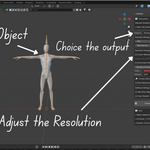
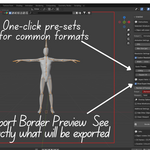
📐 Instant Resolution Presets
-
🔹 1080p (HD)
-
🔹 720p (Web)
-
🔹 4K (Ultra)
-
🔹 1K & 2K Square (Instagram ready)
🎨 All Shading Modes
-
🧵 Wireframe
-
⚪ Solid
-
🎭 Material Preview
-
🌅 Rendered
🖌️ Wireframe Control
-
🎨 Custom BG & line colors
-
📑 Perfect for tech & blueprints
🧹 Clean Output
-
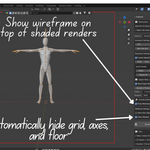
🚫 Hide grid/axes/floor
-
🔲 Border preview
-
👓 Overlay wireframe on shaded
🚀 How It Works
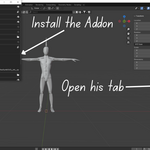
1️⃣ Select object
2️⃣ Position camera 🎥
3️⃣ Choose format (GIF/MP4/PNG)
4️⃣ Pick settings ⚙️
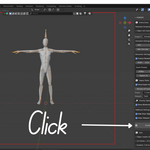
5️⃣ Click “Render Turnaround” ✅
📂 Auto-saved in timestamped folders
💡 Why Orbit360?
⚡ Speed – Seconds, not minutes
🎥 Quality – Viewport or render engine
🛡️ Reliability – Triple MP4 fallback
👌 Simplicity – One clean panel
📂 Professional – Organized outputs
🎓 Use Cases
👨🎨 3D Artists – Portfolio, WIPs, client work
🛍️ Product Designers – E-commerce, marketing, docs
🎮 Game Devs – Character refs, showcases
🎓 Students/Educators – Tutorials, submissions, practice
⚙️ Technical Highlights
-
🛡️ Non-destructive
-
🔄 Auto state restoration
-
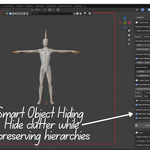
🧩 Smart hierarchy handling
-
⚡ OpenGL fast rendering
-
📂 Timestamped output
-
🧹 Memory-efficient cleanup
📊 System Requirements
-
🌀 Blender 4.2.0+
-
💻 Windows | macOS | Linux
-
🎬 Optional: FFmpeg (MP4)
-
🎞️ Optional: Pillow (GIF)
🎨 Perfect Results Every Time
✅ Aspect ratio & resolution handled
✅ Frame timing & duration
✅ Color space & format optimization
✅ Temp files auto-cleaned
👉 You create. Orbit360 handles the rest.
📞 Support
👤 Developer: Salman Naseem
🌐 Website: salmannaseem.com
▶️ YouTube: BeingAnimator
📧 Email: [email protected]
📄 License
🆓 GPL-3.0-or-later
Use, modify & share freely under open-source license.
🌟 Join the Community
▶️ Subscribe to BeingAnimator on YouTube
📦 Version: 1.2.1
🗂️ Category: Render
📅 Updated: 2025
❤️ Made with love by Salman Naseem
Have questions about this product?
Login to message
| Blender Extension Compatible | Yes |
| Sales | 10+ |
| Published | about 1 year ago |
| Blender Version | 2.9 - 5.2 |
| Extension Type | Add-on |
| Render Engine Used | Cycles, Eevee |
| License | GPL |
