 guillaume martin



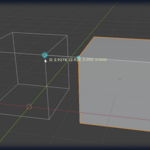
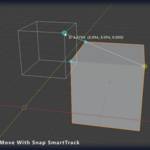
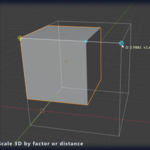
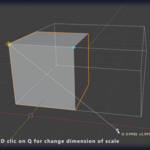

ABOUT OSNAP+
CAD-grade precision modeling, native to Blender.
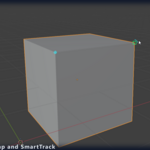
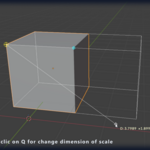
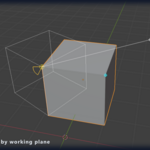
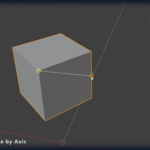
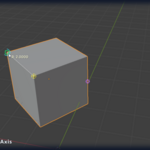
OSnap+ brings the precision-first workflow of CAD software directly into Blender's viewport. Every tool — from simple Move to complex NURBS Patch — operates through a unified snap system that locks onto vertices, edge midpoints, face centers, perpendiculars, intersections, and projected alignment guides. No more eyeballing positions or hunting for the right modifier.
Built for architects, product designers, and technical artists, OSnap+ replaces dozens of fragmented Blender shortcuts with a coherent toolkit: snap-aware primitives (Box / Sphere / Cylinder / Torus in multiple construction modes), surface generation (Loft, Patch, Sweep, Revolve, Boundary), solid modeling (Push/Pull, Shell, Inset, Boolean-clean operations), and precision transforms (Move / Scale / Rotate / Mirror / Array with origin-destination workflow and numeric input).
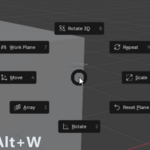
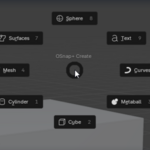
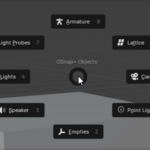
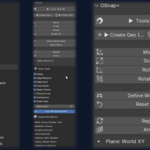
Everything is accessible from a collapsible sidebar (press N) organized into thematic sections, or through 5 pie menus bound to Alt+W/A/E/C/X. Every operator has a full F9 redo panel for non-destructive adjustment.
WHAT'S NEW IN v1.8
A brand-new snap engine. Built for heavy scenes.
v1.8 is the largest update OSnap+ has had. The snap core has been re-architected around a raycast engine that stays instant on dense imported meshes and large scenes — the same technique Blender's native snapping and CAD applications rely on. It ships alongside a saved Work Plane manager, a Gumball, coordinate input, a redesigned Loft, and dozens of fixes.
⚡ Raycast Snap Engine
The old engine scanned every visible object vertex by vertex in Python, with a hard vertex limit that silently dropped dense objects — the cause of "some objects won't snap" on imported CAD geometry. The new engine casts a ray under the cursor (C-level BVH, O(log n)) and analyzes only the face it hits.
| ▸ Dense meshes just work | Imported CAD models, sculpts and sync-tool meshes snap instantly — no vertex limit needed for surface snapping. |
| ▸ Objects beat the plane | A new "On Surface" snap means an object under the cursor always wins over the Work Plane behind it. |
| ▸ Sees everything natively | Modifiers and collection instances (e.g. imported blocks) are snappable out of the box via the evaluated depsgraph. |
| ▸ Cached & budgeted | Vectorized (numpy) extraction and spread-out KDTree construction keep large scenes fluid. A Legacy engine toggle remains as a fallback. |
✦ New in v1.8+ Raycast snap engine — O(log n), instant on dense meshes + "On Surface" snap — objects always take priority over the Work Plane + Saved Work Planes — name, store and restore planes from the sidebar (saved in the .blend) + Always-visible Work Plane — your custom WP stays on screen permanently + Persistent Auto-WP — the Edit-Mode auto plane can stay active after the tool + Gumball — native combined gizmo, pivoted at selection center, aligned to the WP + Coordinate input — press = to type exact X / Y / Z in the WP frame + Loft v2 — auto seam/direction alignment (no spiral), smooth interpolation + Loft: Closed Loft + Cap Ends for sealed looping volumes + Knife — snap-precise surface cutting that follows your drawn path exactly + Split by Plane — 3-point cut plane: incise (Edit) or split-separate-cap (Object) + Redo panels added to every creation tool (cylinder, cone, sphere, pyramid, tube, polygon…) | ⚙ Fixed in v1.8→ Dense imported meshes (CAD/sync) failing to snap — root cause removed → Snap reaching through objects to the ground plane behind them → Latency on large scenes — vectorized extraction + cached lite KDTree → Inset Face deformed after a 1D/2D scale — now computed in world space → Mirror axis followed the camera instead of the Work Plane → Array freezing the viewport on large counts (preview now budgeted) → Icosphere creation moving an existing object instead of creating one → Eight F9 redo panels that displayed but did nothing → Custom Work Plane only visible while a tool was running → Edge Point snap drifting on receding edges (now perspective-correct, exact under the cursor) → NxM array parsing unified; dead code removed; version strings corrected |
v1.8 SPOTLIGHT
The features you'll feel every day.
▦ Saved Work PlanesSet a plane on a façade, a roof slope or a section cut, name it, and recall it instantly from the sidebar list. Update or delete entries as your project evolves. Stored in the .blend, so they survive across sessions — one ordered set of construction planes per scene. | ◎ GumballA single sidebar checkbox brings up Blender's combined Move / Rotate / Scale gizmo, pivoted at the center of the selected geometry and aligned to the active Work Plane. Define a plane on an inclined surface and every manipulation happens in that frame. |
⊂ Loft v2Closed-section lofts no longer spiral: section direction and seam are optimized together, so circles and profiles stack cleanly. Adds smooth Catmull-Rom interpolation through sections, a Closed Loft option that loops back to the first section, and Cap Ends for watertight volumes. | ⌨ Coordinate InputDuring any tool that asks for a point, press = and type exact X / Y / Z values expressed in the active Work Plane frame (or world if none). Tab between axes, then click to place — CAD-style numeric entry, right in the viewport. |
✂ KnifeDraw a cut path across a surface by clicking snapped points. The seam follows your line exactly — segment by segment, only on the faces you draw over — and the mesh stays joined. Resolves each segment from its midpoint so cuts spanning shared edges land cleanly, with no spill onto adjacent faces. | ▱ Split by PlaneDefine a cut plane with three snapped points (origin, X, Y) with a live plane preview. In Edit Mode it incises every surface the plane crosses; in Object Mode it splits the whole object, separates the two halves into distinct objects, and caps each section into a closed volume. |
SIDEBAR & PIE MENUS
Two ways to access every tool.
Press N in the 3D View to open the OSnap+ sidebar, with collapsible sections organized in a 3-column grid. All tools are also bound to pie menus for keyboard-driven workflows.
| Alt+W Quick ToolsMove, Scale, Rotate, Rot 3D, Mirror, Measure, Repeat, Array, Work Plane (+ saved planes, Gumball) | Alt+A Create GeometryBox, Sphere, Cylinder/Cone, Circle, Plane, Torus, Draw — all variants | Alt+E Create ObjectsLights, Camera, Empties, Armature, Light Probes, Lattice |
| Alt+C SurfacesExtrude (5 modes), Loft, Patch, Boundary | Alt+X ModifiersBy category: Curves, Sweep, Tween, Solid, Cut (Knife, Split by Plane) | Editable Custom ShortcutsInline keymap editor inside the sidebar. Search, modify, reset per-key. |
UNDER THE HOOD
One file. No dependencies.
| 131 Classes | 101 Operators | 53 F9 Redo Panels | 287 Properties |
Single-file Blender extension · Blender 4.2+ / 5.x · Python 3.11–3.13 · No external dependencies
Snap with precision. On any scene.
Get OSnap+ v1.8Free update for existing customers · Blender 4.2+ / 5.x