 Skava
Skava

OverrideProof 1.2.2 — documentation
What it is for
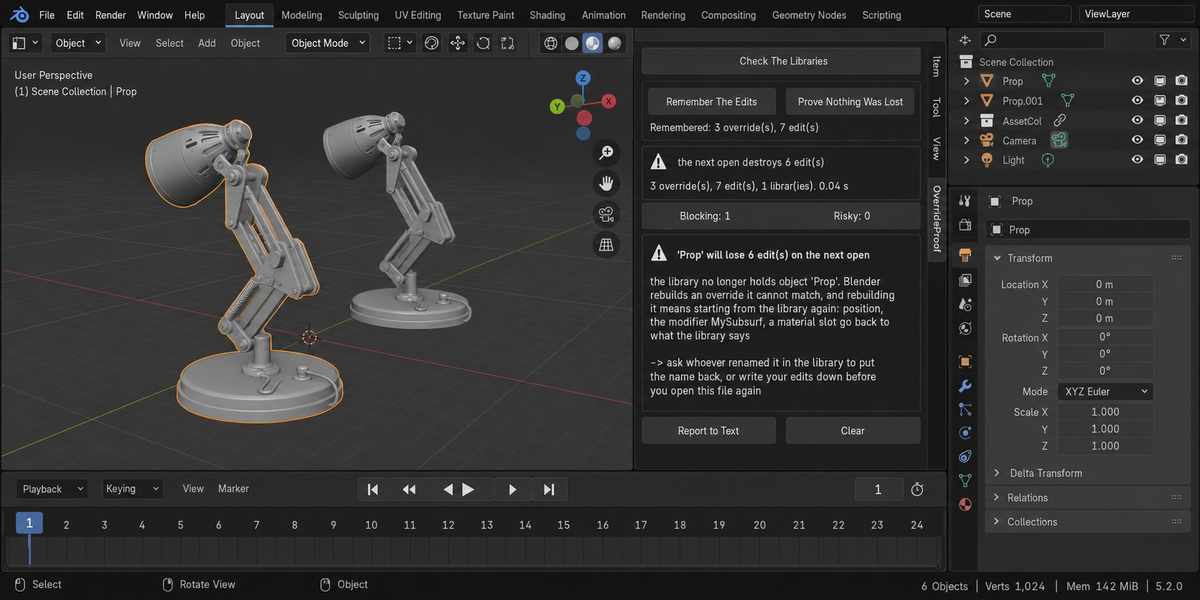
A library override lets you change a linked asset inside your own scene. Blender records each change as an override edit and ties the whole override to the library by name. If that name stops existing in the library, the override cannot be matched on the next open: Blender builds a fresh one from the library and your edits are gone, silently.
OverrideProof answers two questions. Before: what would the next open destroy. After: what did it destroy. It changes nothing and fixes nothing.
Where it lives
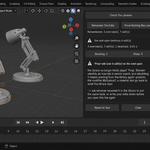
Press N in the 3D Viewport and open the Overrides tab in the sidebar.
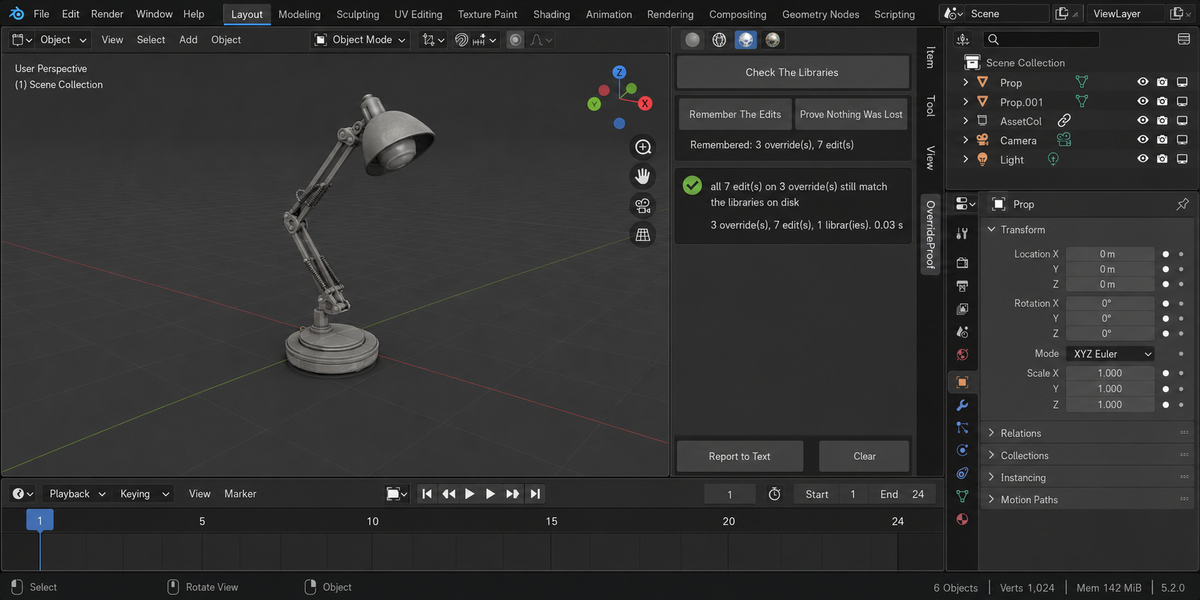
Check The Libraries
This is the one to press when someone tells you the asset library changed, or before you close a file you care about.
It walks every override in the file, opens each library file on disk in read only mode, lists the names inside it, and compares. Nothing is linked and nothing is loaded into your scene. For every override whose original is no longer in the library it reports the object, how many of your edits are on it, and what those edits are.
The summary is one of four things: all your edits still match the libraries; the next open destroys a given number of edits; some overrides no longer stand on anything; or one or more libraries could not be read, in which case it says plainly that the file was not fully checked.
Remember The Edits
Writes a snapshot of every override and every edit into a text block inside your .blend. It has to live in the file rather than in memory, because the loss happens while the file is closed.
Press it when your overrides are in the state you want to keep. Save the file afterwards, the same as any other change.
Prove Nothing Was Lost
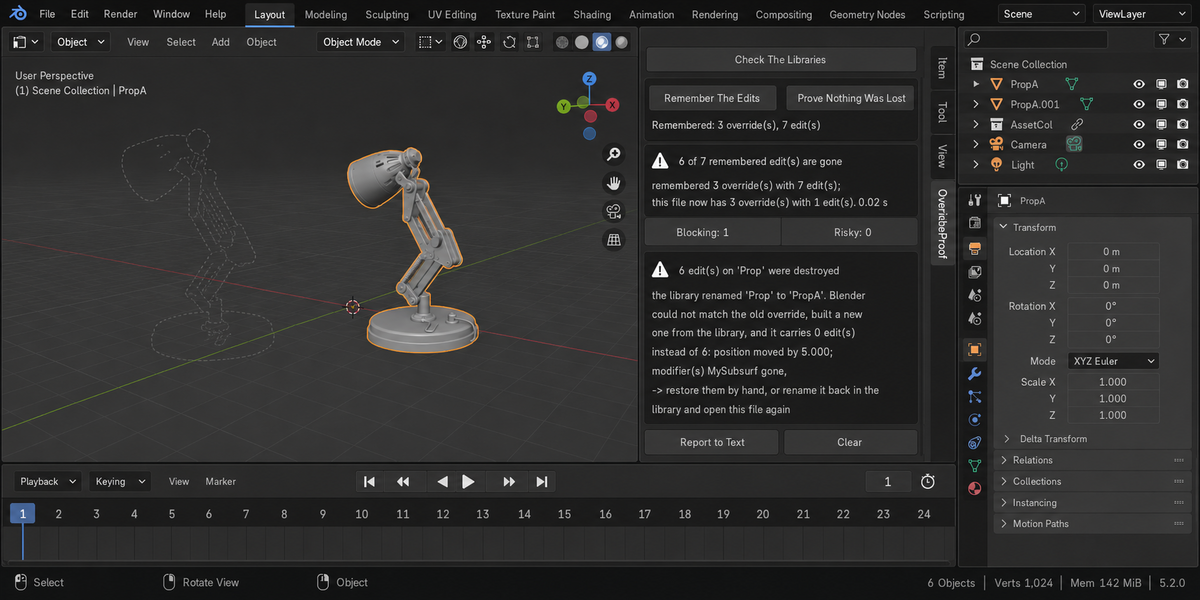
Compares the file as it is now against that snapshot. For each override it reports edits that are no longer recorded, and for each override that could not be matched at all it reports how many edits died with it, together with the new name the library gave it and what changed in numbers.
Records are matched by what they were built from in the library, not by the name you gave them locally, so renaming an override in your own file is not reported as a loss. If the same asset is in the scene twice, both copies are tracked separately.
Report to Text
Puts the whole report into a text block called OverrideProof Report inside your file, for pasting into a message to whoever maintains the library.
What it never does
- it does not resync anything — that decision is yours
- it does not write to library files, ever
- it does not change your scene: the only things it writes are the snapshot and the report text blocks, and only when you press the button
- it does not report a library it could not read as a library that matches — neither when checking nor when proving
Two things worth knowing
It asks Blender to tidy its own bookkeeping. Blender writes down an override edit when you save the file or when an action goes onto the undo stack. Before that the list is empty, and an add-on reading it would say you have no edits at all while six of them are about to die. So the check asks Blender to work the list out now. Measured: the list that comes back is exactly the one saving produces, and not one value in your scene changes. What Blender records for itself — the object list of an overridden collection, which modifier is currently active — is not counted as an edit of yours.
Not every missing name means a loss. For an overridden collection Blender substitutes a placeholder and keeps your edits: measured across two opens in a row, every edit survived. That case is reported as a note, not as a loss. And when the library has lost one asset and gained another, the add-on compares what your override was built from against the newcomer before calling it a rename — otherwise it says plainly that this is a different thing.
Reading the findings
Blocking means edits of yours are at stake: either the next open will destroy them, or they are already gone, or a library could not be checked at all.
Risky means the override still stands on the same thing in the library, but some edits that were in the snapshot are no longer recorded. If you did not undo them yourself, they were dropped.
Plain notes cover the harmless cases: an asset that left the library while you had no edits on it, or an override that is new since the snapshot.
What was measured
Renaming an object in the library and reopening the scene: six recorded edits became zero, the position went from 5.0 back to 0.0, an added modifier disappeared and a material reverted to the library one. Moving the same object into a sub-collection of the library instead: all six edits kept, position, modifier and material intact — which is why the add-on stays quiet in that case. Deleting a different object from the library: your edits untouched, and no finding about them.
Sixty-nine checks run on Blender 4.2, 5.1 and 5.2 with no problems, and nineteen deliberate breakages of the add-on all turn that suite red.
Limits worth knowing
It compares names, because that is what Blender itself matches on. If an asset is renamed and then renamed back before you open the file, nothing was ever at risk and nothing is reported.
A snapshot written by a different version of the add-on is not compared against; it says so rather than guessing.
Requires Blender 4.2 or newer.
Checking a whole folder
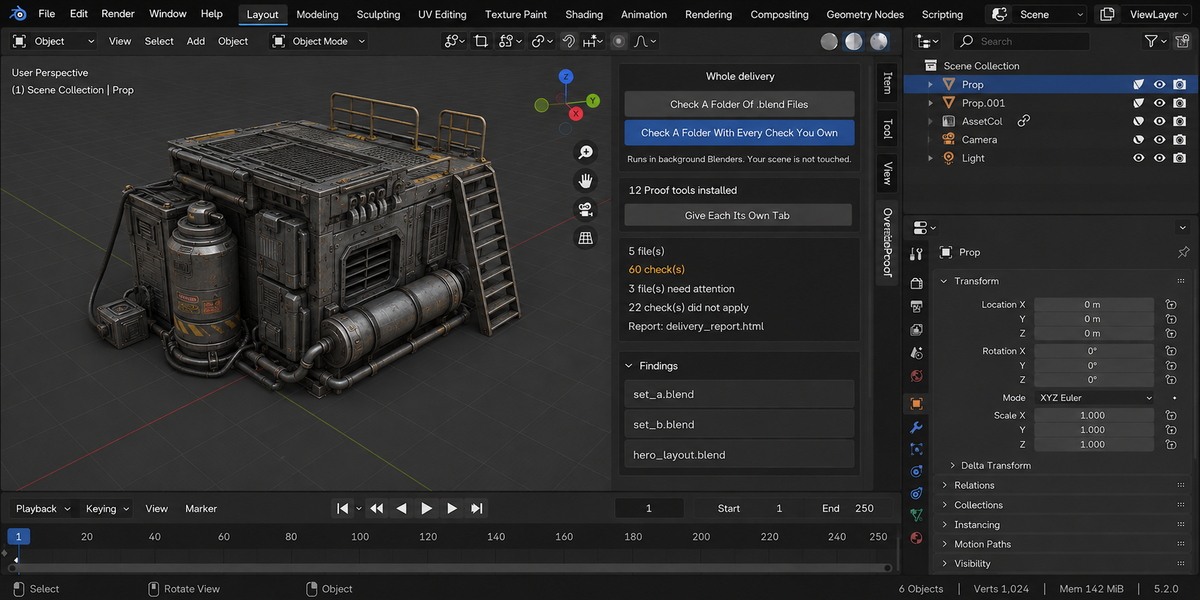
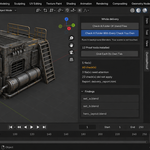
The sidebar has a Whole Delivery panel. It has two buttons.
Check A Folder Of .blend Files runs this product over every .blend in the folder you pick. Check A Folder With Every Check You Own runs every tool from this line that you have installed, over the same files, in one pass — one report, one verdict.
Each file is opened in its own background Blender. Your open scene is never touched: not opened over, not saved, not modified in any way. This is also why a file that will not open costs you only that file — the rest of the delivery is still checked. Press Escape to stop; nothing partial is written, because a report covering half a delivery is a report nobody should trust.
When it finishes, an HTML report named override_proof_report.html is written into the folder you picked. If a file with that name is already there, it is left as it is and the new report takes the next free name (override_proof_report_2.html, override_proof_report_3.html and so on); the message at the bottom of Blender names the file it wrote. The same goes for the baseline file when Save As Baseline is ticked. It is one file with nothing loaded from the internet, so it can be attached to an email, put in the delivery folder, or opened years later on a machine that has never seen this add-on.
Running it from a pipeline
The same check runs headless, with no interface and no person, and finishes with a code your build system can read: one code for clean, another when something blocking was found, and a third when a file could not be checked at all. Those last two are deliberately different. A check that did not run has not passed, and a gate that treats silence as success will one day wave through the delivery it existed to stop. The command is blender --background --factory-startup --python-expr "import override_proof; override_proof.proofkit_cli()" -- --folder /shots --report report.html. Return codes: 0 clean, 1 something blocking, 2 a file could not be checked, 3 the command itself was called wrongly.
Comparing against last week
Any run can be saved as a baseline. A later run then reports what changed: which numbers moved and in which direction, which findings are new, and which ones you have fixed since. Direction matters and is not guessed — each measurement carries its own sense of which way is worse, so rising coverage reads as better and rising drift reads as worse.
Signing a file off
When a file is clean you can sign it off. The record lives inside the .blend itself, not in a folder next to it, so it travels with the file: open it next month and it tells you when it was checked, by which version, and how it came out. If the file is saved after that, the record says plainly that it is out of date — a sign-off that survives an edit it never saw would be worse than no sign-off at all.
One tab instead of twelve
Every tool in this line can put its panel under a single shared sidebar tab instead of its own. One button does it for all of them at once, and each panel arrives collapsed, so twelve tools cost you one tab and no scrolling. Your choice is remembered, and a tool that you later use on its own can be given its own tab back the same way.
What is deliberately not claimed
A check that could not run is reported as exactly that, never as a pass. If a tool from this line is not installed, or is an older version that predates the combined run, the report names it in a list of checks that did not take part, so the gap is visible rather than quietly absent.
Changelog
v1.2.2 — The Whole Delivery folder check no longer replaces a file in the folder you pick. Before, the report was always written as override_proof_report.html (and the baseline as override_proof_report_baseline.json), and a file with that name already there, such as an earlier report you kept, was overwritten. Now a free name is taken (override_proof_report_2.html and so on), the message at the bottom of Blender names the file it wrote, and a run that fails while writing removes only the file it created. The report is written as UTF-8, as the page declares. The report and the baseline keep one number (override_proof_report_2.html with override_proof_report_2_baseline.json). A folder that cannot be written to is now refused in words instead of a Python error (and no empty report is left behind when only the baseline cannot be created), a folder that already has the report's name is skipped like a taken file, and the closing message is shown: before, a run with no problems or with unchecked files ended in a Python error instead of the message. Checking a folder no longer stalls on a file whose check prints a lot: on Windows such a file sat until the 30-minute limit and was reported as not finished. A file Blender cannot open, or one with nothing to check, is now explained in words instead of a Python error.
v1.2.1 — maintenance release. The package ships the full licence text and an updated README (install, first run, uninstall). No changes to the tools.
Have questions about this product?
Login to message
| Published | about 2 months ago |
| Blender Version | 4.2 - 5.2 |
| Extension Type | N/A |
| Render Engine Used | Cycles |
| License | GPL |