 Skava
Skava
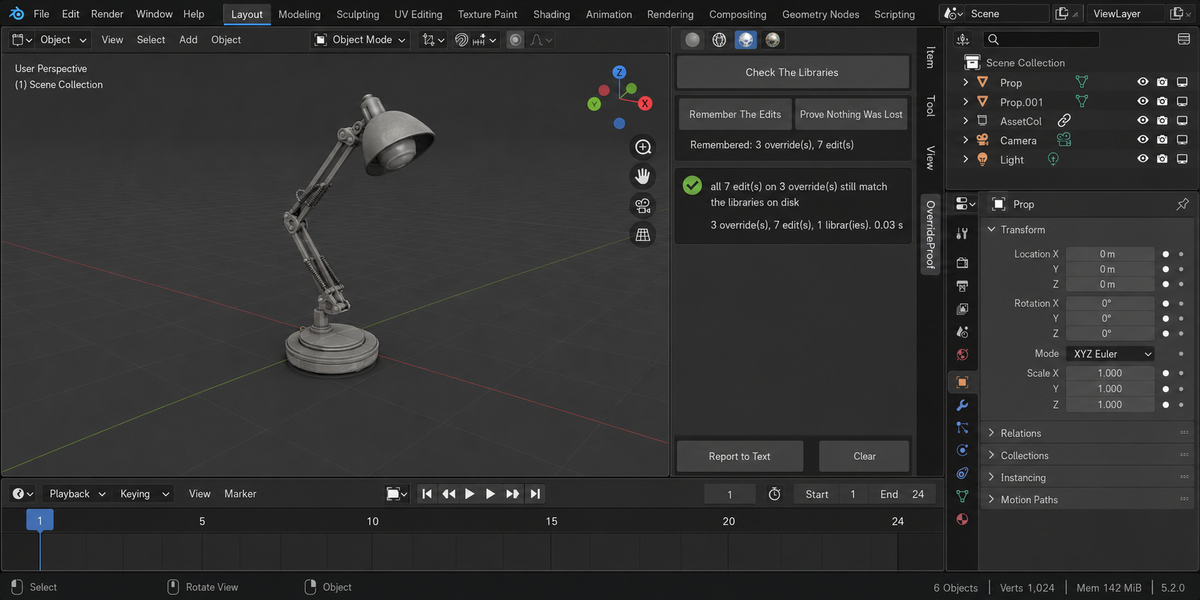
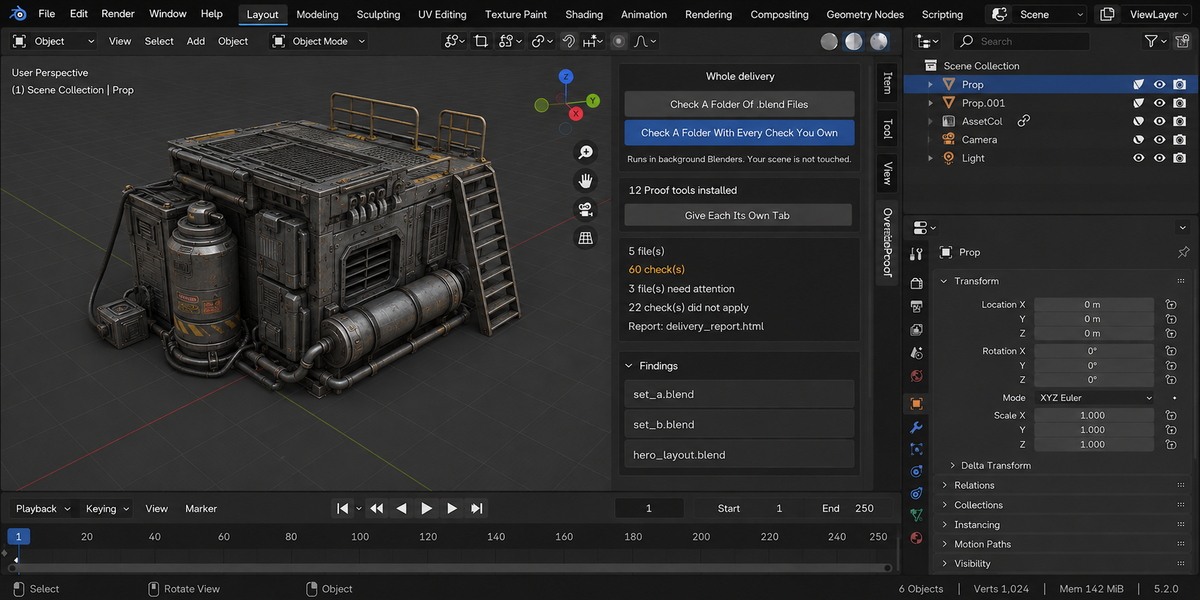
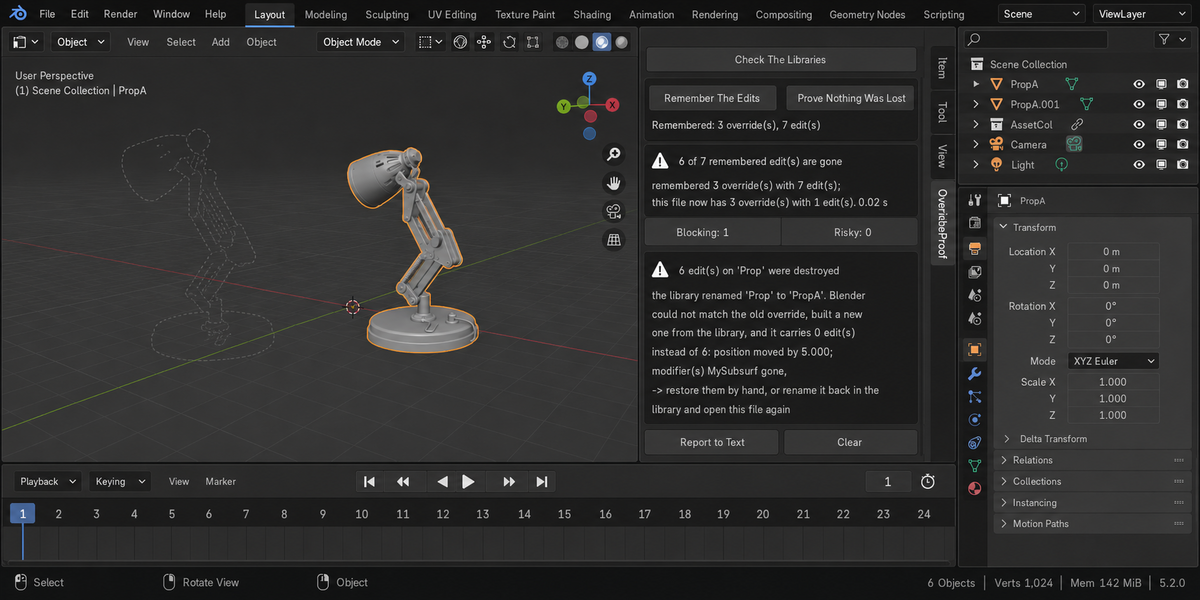
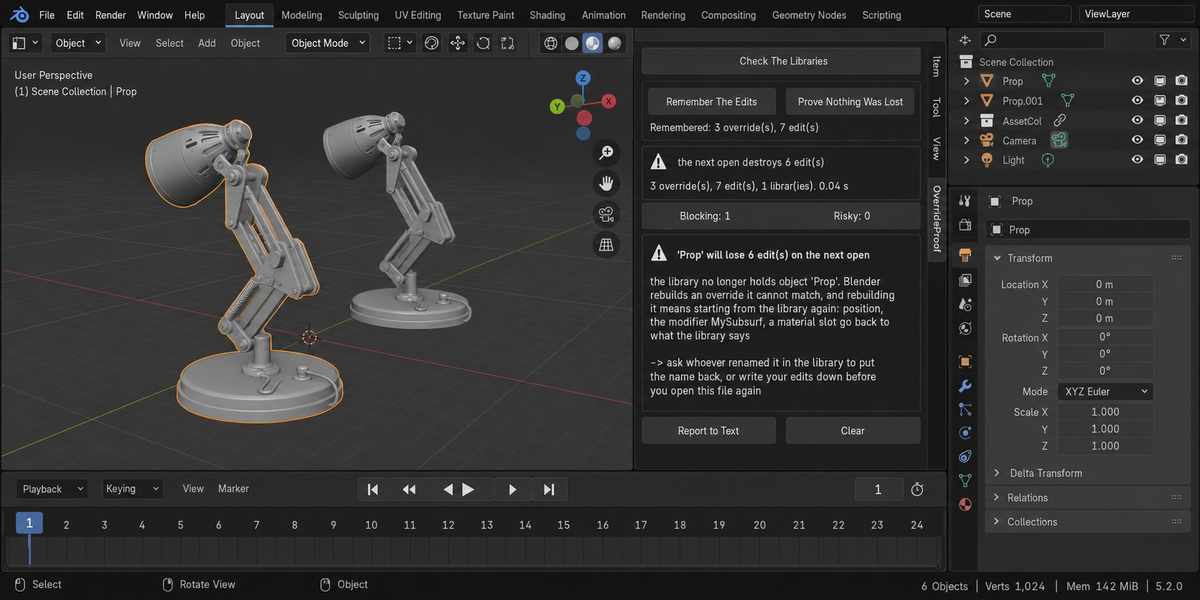

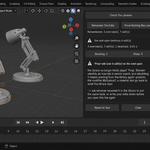
Download the zip and do not unpack it. In Blender open Edit > Preferences > Add-ons, click the drop-down arrow in the top-right corner and choose Install from Disk, then pick the zip. Tick the checkbox next to OverrideProof. Press N in the 3D Viewport and open the Overrides tab in the sidebar.
Blender 4.2 or newer. The test suite was run on Blender 4.2, 5.1 and 5.2.
A library override is tied to the library by name. Rename the asset in the library file, and on the next open Blender cannot match your override, builds a fresh one from the library, and your edits are gone without a message. Measured on one file: six recorded edits became zero, the position went from 5.0 back to 0.0, an added modifier disappeared and a material reverted. Check The Libraries tells you before that open what would be lost; Remember The Edits and Prove Nothing Was Lost tell you afterwards what actually was.
It opens each library file on disk only to list the names inside it; nothing is linked into your scene. It compares that list with what your overrides were built from. If an original is no longer in the library, it reports the object, how many of your edits are on it and what they are. If a library cannot be read, it says the file was not fully checked instead of reporting a match.
No. It does not resync overrides and never writes to library files; whether to rename the asset back or redo an edit is your decision. The only things it writes are two text blocks inside your .blend, and only when you press the button: OverrideProof Snapshot (from Remember The Edits) and OverrideProof Report (from Report to Text).
It is tested against that. Moving the object into a sub-collection of the library kept all six edits, and the add-on stays quiet; deleting a different object from the library leaves your edits alone and produces no finding about them. Renaming an override in your own file is not a loss, because records are matched by what they were built from, not by your local name. If the same asset is in the scene twice, both copies are tracked separately.
No. The add-on makes no network connections; everything runs on your computer. Apart from the two text blocks inside your .blend, the only file it writes is the optional HTML report from Check A Folder Of .blend Files in the Whole Delivery panel, which opens each file in a separate background Blender on your machine and saves the report into the folder you picked.
Yes. OverrideProof is licensed GPL-3.0-or-later; the full text is in LICENSE.txt inside the zip. The license covers the add-on code; what you create with it is yours. Full documentation is on the Documentation & FAQ tab of this product page, and README.txt inside the zip covers install, first run and uninstall.
Have questions about this product?
Login to message
| Published | about 2 months ago |
| Blender Version | 4.2 - 5.2 |
| Extension Type | N/A |
| Render Engine Used | Cycles |
| License | GPL |