 Skava
Skava


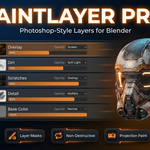
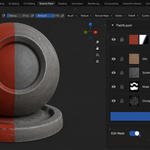
PaintLayer Pro — Photoshop-Style Layers for Blender Texture Painting
Non-destructive paint layers with blend modes, masks, opacity, groups, and a live preview compositor. The texture-painting workflow Blender always needed.
New in v1.1.0: painted layers are now automatically wired into the material, so your work shows on the object right away (set the viewport to Material Preview or Rendered). Plus fixes for mixed-resolution layers and masks, correct blend math on darken-style layers, and a more robust flattened export.
Why PaintLayer Pro
Blender's built-in texture painting flattens every stroke onto a single image — no Multiply layer for shadows, no Overlay for tints, no mask to confine a colour to a region. PaintLayer Pro brings the Photoshop / Krita / Substance Painter workflow into Blender natively: stack layers, blend, mask, group, merge.
Features
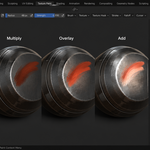
- Layer stack with full blend mode list (Mix, Multiply, Screen, Overlay, Soft Light, Add, Subtract, …)
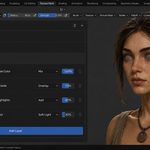
- Per-layer opacity, visibility, lock
- Layer masks — paint masks separately, mix freely
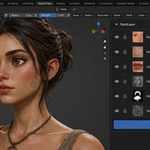
- Layer groups — collapse and toggle multiple layers at once
- Direct + stencil paint modes
- Custom snapshot-based undo system (per-image history, independent of Blender's global undo)
- Live Preview — toggle in main panel; viewport texture updates instantly as you change opacity, blend mode, or visibility
- Update-on-edit (not on draw) — UI stays smooth even with deep stacks
- Non-destructive — original layer images stay separate until you explicitly merge
Compatibility
- Blender: 3.2 and later
- OS: Windows / macOS / Linux
What you get
- PaintLayer Pro add-on (Python only, no DLL)
- README with full quick-start guide
- Free updates for v1.x
- Support through marketplace messaging
Install
Preferences, Add-ons, Install, pick the downloaded ZIP, enable. Press N in the 3D Viewport → PaintLayer tab.
License
GPL-3.0. Standard for Blender add-ons.