PaintLayer Pro
 Skava


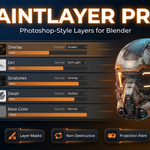
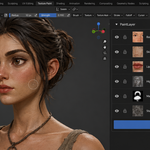
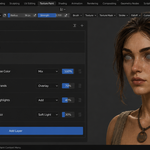
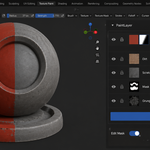
Download the zip and do not unpack it. In Blender open Edit > Preferences > Add-ons, click the drop-down arrow in the top-right corner and choose Install from Disk, then pick the zip. Tick the checkbox next to PaintLayer Pro. Press N in the 3D Viewport and open the PaintLayer tab.
Blender 4.2 LTS and newer. The README inside the zip records tests on 4.2.9 and 5.2.0. It is pure Python with no compiled binaries.
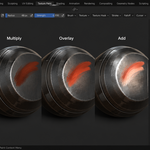
Yes. Each layer is its own image, with its own blend mode, opacity, visibility and optional mask. Composite Layers builds the result texture from the stack and connects it to the material's Principled BSDF input for the active channel; the layers themselves stay editable. Merge Down flattens a layer into the one below when you want to finalise it. Set the viewport to Material Preview or Rendered to see the result on the object.
It can, if Live Preview is on. Live Preview re-composites the whole stack every time you change opacity, blend mode or visibility; the documentation recommends it for stacks under about 30 layers. On heavier stacks turn Live Preview off and press Composite Layers after a batch of changes.
Use Export Flattened in the Export panel. The format follows the file extension you type: PNG, JPG, TGA, BMP, TIFF, EXR or HDR (PNG if the extension is not recognised). Export All Layers writes every layer to a folder, and Import Layer brings an image in as a new layer.
Every layer is a full-resolution image held in memory, so memory grows with the number of layers and their resolution. Merge layers you have finished refining. Paint Undo and Paint Redo keep their own per-image snapshot history, separate from Blender's global undo; the number of steps is set by Undo Steps in the add-on preferences (default 20).
No. The add-on contains no network code; all painting and compositing happen inside Blender.
Yes. The add-on is GPL-3.0 (full text in the LICENSE file inside the zip). The license covers the add-on code; the textures you paint are yours. The full guide is in the Documentation & FAQ tab on this product page, and README.md inside the zip covers install and first steps.
Have questions about this product?
Login to message
Discover more products like this
non-destructive layer-mask Substance Alternative Texture Painting undo system stencil texture-artist blend modes paint-layers symmetry-paint projection-painting pbr-painting