 NovaStrikes


🆓 Try Before You Buy
Not sure yet? Download Palette Manager Free on GitHub — no payment, no account needed. When you're ready for JSON export, 50 premium palettes, image color sampling, and more, you're already in the right place.
FREE VERSION INCLUDES
✅ Create up to 2 named palettes ✅ 6 colors per palette ✅ One-click apply to object ✅ Eyedropper from object ✅ Persists in .blend file ✅ Works on Windows, Mac & Linux
No account needed • GPL v3 License • Blender 4.0 – 5.1+
🎨 Palette Manager
The color memory Blender never had.
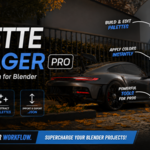
Blender has no built-in color palette system. Every session, artists manually re-enter the same hex codes over and over — even Microsoft Paint solved this 20 years ago. Palette Manager gives you a persistent, named color system directly inside Blender. Save colors, build palettes, apply to objects in one click, and carry your palettes across every project forever.
🧠 What Is Palette Manager?
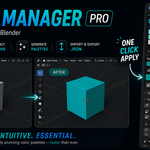
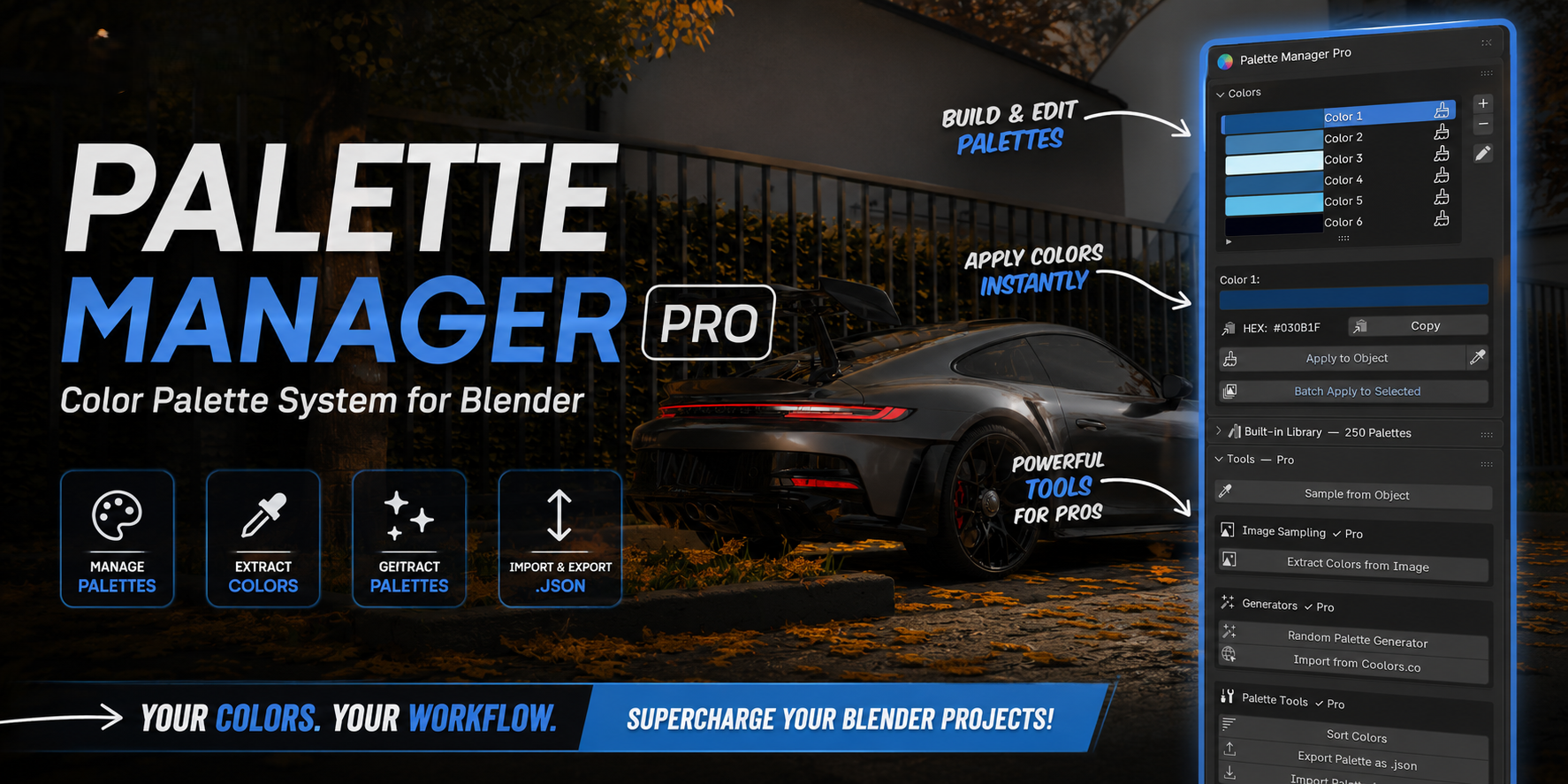
Palette Manager is a Blender addon that replaces manual color picking with a properly named palette system — think Photoshop swatches, but built right into Blender's material tab. Create palettes, name your colors, apply them to objects instantly, and export/import palettes as JSON files to carry them across every project.
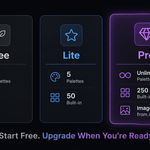
Available in three tiers: Free, Lite ($4.99), and Pro ($9.99).
🆓 Free Tier — Palette Manager
The starting point. Zero cost. Gets you solving the daily frustration immediately.
How it works: Palettes are stored directly inside your .blend file — no manual save needed. Open your file next week, and your colors are right there. Everything lives in the Material tab → Properties panel. Select a mesh, scroll down, and Palette Manager is ready.
- Create up to 2 named palettes
- Up to 6 colors per palette
- Name your colors — no more mystery hex codes
- Apply to Object — one click sets the material base color, no shader editor needed
- Eyedropper — sample a color FROM an object INTO your palette slot
- Saves automatically with your
.blendfile - Works with EEVEE and Cycles · Blender 4.0+ and 5.1
⚠️ Palettes are per .blend file only — opening a new project starts fresh. Lite solves this with JSON export/import.
⬇ Download Free on GitHub💙 Lite Tier — $4.99
PORTABLE PALETTESEverything in Free, plus the ability to take your palettes with you — across projects, across machines, forever.
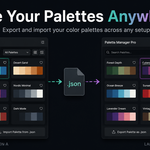
JSON Export / Import: Save any palette as a .json file. Open any new project, import it, and your entire palette loads instantly with all color names intact. Your colors become fully portable.
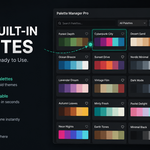
50 Built-in Premium Palettes: Lite ships with 50 hand-crafted palettes across 8 categories. Browse by category, hit Preview to see all colors with hex codes before committing, then Load to add it to your stack.
Categories: 🌿 Nature · 🌆 Urban · 🏠 Interior · ☀️ Exterior · 🎮 Game & Stylized · 🎨 Art Styles · ⚙️ Materials · 🌙 Mood
- Everything in Free
- Up to 5 palettes · 12 colors per palette
- HEX code display per color
- Export palette as .json — take it to any project
- Import palette from .json — load saved palettes anywhere
- 50 built-in premium palettes with live preview popup
- Category filter + Preview popup with hex codes before loading
💜 Pro Tier — $9.99
MOST POWERFULEverything in Lite, plus four killer features that make Pro a completely different league.
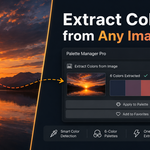
- 🖼️ Extract Colors From Image
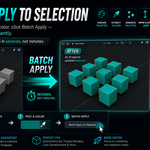
Drop in any image — a photo, a mood board, a brand guide — and the addon extracts the dominant colors into a ready-to-use palette. One click. No eyedropper hunting. This is the feature that makes people open their wallets mid-demo. - 🎯 Batch Apply to Selection
Select 10 objects, pick a color, click Batch Apply — all 10 get that color instantly. Scene-wide color changes in seconds, not minutes. - 🎲 Random Palette Generator
Generate harmonious color palettes using color theory — Analogous, Triadic, Complementary, Split-Complementary, or Synthwave. Mathematically balanced palettes around a base hue. Great for game devs, stylized renders, and breaking creative blocks. - 🔗 Import from Coolors.co URL
Paste a URL from the world's most popular color palette website, and all colors load instantly. No copy-pasting hex codes one by one.
250 Built-in Premium Palettes: Everything from Lite's 50 palettes plus 200 Pro-exclusive palettes across 10 categories, including 🏛️ Architecture and 🚀 Sci-Fi & Space — 25 palettes per category.
Monthly Palette Drops: Every update adds more palettes to the Pro library. Buy once, get more content every month — no subscription, no extra cost.
- Everything in Lite
- Unlimited palettes + Unlimited colors per palette
- 250 built-in palettes across 10 categories
- Extract colors from image 🔥
- Batch apply to multiple selected objects 🔥
- Random palette generator (5 color theory modes)
- Import from Coolors.co URL
- Sort colors by hue, brightness, or saturation
- Copy HEX to clipboard
- Monthly palette drops — more palettes every update
📊 Tier Comparison
| Feature | Free | Lite $4.99 | Pro $9.99 |
|---|---|---|---|
| Max Palettes | 2 | 5 | Unlimited |
| Colors per Palette | 6 | 12 | Unlimited |
| Apply Color to Object | ✅ | ✅ | ✅ |
| Eyedropper from Object | ✅ | ✅ | ✅ |
| HEX Code Display | ❌ | ✅ | ✅ |
| Export Palette as .json | ❌ | ✅ | ✅ |
| Import Palette from .json | ❌ | ✅ | ✅ |
| Built-in Palette Library | ❌ | 50 palettes | 250 palettes |
| Preview Popup Before Loading | ❌ | ✅ | ✅ |
| Category Filter | ❌ | 8 categories | 10 categories |
| 🔥 Extract Colors from Image | ❌ | ❌ | ✅ |
| 🔥 Batch Apply to Multiple Objects | ❌ | ❌ | ✅ |
| 🔥 Random Palette Generator | ❌ | ❌ | ✅ |
| 🔥 Import from Coolors.co URL | ❌ | ❌ | ✅ |
| Sort Colors (hue / brightness / sat) | ❌ | ❌ | ✅ |
| Copy HEX to Clipboard | ❌ | ❌ | ✅ |
| Monthly Palette Drops | ❌ | ❌ | ✅ Every update |
⚔️ Why Palette Manager Wins
We researched every color palette addon on the market. Here's what we found — and what we fixed.
| Feature | Palette Manager Pro | Most Competitors |
|---|---|---|
| Free tier to try before buying | ✅ Always free on GitHub | ❌ Paid only, no trial |
| Create your own custom palettes | ✅ | ⚠️ Some only offer fixed presets you can't edit |
| Extract colors from the image | ✅ Fully working | ⚠️ Missing entirely or still listed as "beta" |
| Export / import palette as file | ✅ JSON — works anywhere | ❌ Not offered by most |
| Blender 5.1 support | ✅ Fully tested | ❌ Several last updated for Blender 4.0 or 4.1 |
| Safe during rendering / compositing | ✅ 100% — no pipeline interference | ⚠️ Some report compositor crashes and black renders |
| Actively maintained with updates | ✅ Regular updates + monthly palette drops | ❌ Several have gone months or years without an update |
| Built-in premium palette library | ✅ 250 curated palettes | Varies — most have none or only a handful |
💡 The pattern we kept seeing: Paid-only with no way to try first. Image extraction missing or broken. Outdated Blender support. Render crashes. None of that here — and we have a free version so you can verify it yourself before spending a single dollar.
⚡ Key Features at a Glance
- 🎨 Named Palettes & Colors
No more mystery hex codes. Name your palettes ("Cyberpunk City") and individual colors ("Neon Pink"). Your color language stays consistent across every session. - 🖱️ One-Click Apply to Object
Pick a color, select a mesh, click Apply. Material creation is handled automatically — no shader editor, no manual hex entry. - 💾 Persistent Storage
Free: palettes save inside your .blend file. Lite/Pro: export to JSON and import anywhere, anytime. Your colors travel with you. - 📚 250 Hand-Crafted Premium Palettes (Pro)
From Forest Depth to Midnight Melancholy to Brutalist Grey — every palette carefully curated for real 3D work across 10 categories. - 🖼️ Extract Colors from Any Image (Pro)
Drop in a reference image and get the dominant colors as a ready-to-use palette. The most-requested feature in every color tool — done right. - 🔗 Coolors.co Integration (Pro)
Paste a URL from the world's most popular color palette website. Done in one click.
📦 Installation
- Download the
.zipfor your tier - Blender → Edit → Preferences → Add-ons → Install
- Select the zip → tick the checkbox to enable
- Select any mesh → go to Properties → Material tab → scroll down
- Palette Manager panels appear immediately — no scene setup required
Compatible with Blender 4.0+ and fully tested on Blender 5.1. Works on Windows, macOS, and Linux.
🤖 AI Assistance Disclosure
This addon was developed with the assistance of Claude AI (by Anthropic). AI was used to help architect the project across 5 separate files (__init__.py, properties.py, operators.py, panels.py, library.py) Instead of cramming everything into a single file, keep the codebase clean, readable, and maintainable. AI also assisted with the color preview pop-up system and iterative bug fixing throughout development. All features were manually tested and verified by the developer before release.
📜 License
Licensed under the GNU General Public License (GPL v3). The free version is fully open source on GitHub.
💡 Created with ❤️ by NovaStrikes