 hodgson3d

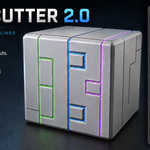

How to use:
- Choose the set of edges where you want to create panel lines. Right-click to open the menu and select the "Panel Cutter" tool. By default, this tool will create basic panel cuts without support loops for subD.
- To add support loops you have 2 options:
1) Increase the bevel segments to 4
2) Enable the subdivision checkbox which will subdivide your model but at the same time also add support loops.
- To add more edges to the panel lines, simply select the additional edges
and run the tool again. To remove edges from the panel lines, select
the edges and run the tool again, this time checking the "Remove Panel Lines" option.
- To add thickness to your panels simply tick the Solidify option. Users have full control over all relevant settings of the solidify.
- All the modifier options are available in the pop up panel each time the tool is run so you don't need to dig through the modifier stack to change settings.

Discover more products like this
cuts procedural modeling bolt cutter aircraft Panel non-destructive seams nondestructive panels line