ParamOps
 Alternative Pack



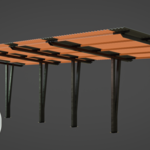
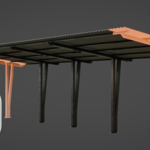
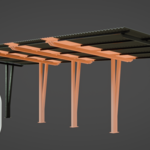
ParamOps — Documentation
ParamOps is a parametric scatter system that distributes geometry along curves. No Geometry Nodes required.
Installation
- Open Blender (5.0 or newer).
- Go to Edit > Preferences > Get Extensions.
- Click the dropdown arrow in the top-right and choose Install from Disk.
- Select the
paramops-1.0.0.zipfile. - Make sure the add-on is enabled (checkbox active).
- ParamOps now appears in the 3D Viewport > Sidebar (N) > ParamOps tab.
Quick Start
- Create a curve in your scene (or select an existing one).
- Open the ParamOps tab in the Sidebar (press N in the viewport).
- Add a new scatter and assign your curve in the Path section.
- Assign a mesh to the Default sample.
- Press Generate. The mesh is now distributed along the curve.
Enable Live Update to see changes in real time as you edit.
Samples
Samples are the meshes that ParamOps places along the curve. Assign your own objects to each slot.
- Default — The main module that repeats along the curve. It stretches and adapts to fit any length.
- Start & End — Samples placed at the beginning and at the end of the scatter to close it cleanly.
- Evenly — A module placed at regular intervals along the curve.
- Corner — A sample placed at the corners of the curve.
Advanced Controls
- Segment IDs — Change the Default sample in specific parts of the curve. Mix different geometries in one scatter.
- Markers — Pin a sample to a specific point of the curve.
- Round Corners — A non-destructive, procedural way to round the corners of your scatter with a custom radius.
- Vertical & Slopes — Detects climbs and slopes along the curve and orients the scatter to follow the rise of the path.
- Flat Top / Bottom / Center — Keeps the top or bottom of the sample flat when the curve goes up or down a slope.
Main Buttons
- Generate — Builds the scatter along the curve.
- Refresh — Updates the scatter after you change settings.
- Clear — Removes the generated geometry.
- Live Update — Automatically updates the scatter as you edit.
- Max Polygons — Safety limit to avoid generating too much geometry at once.
Included Presets
ParamOps comes with a file containing 28 ready-made scatters. Open the file, pick a preset, and use it as a starting point or assign your own meshes.
Copy / Paste
You can copy a scatter setup from one curve and paste it onto another, even across different files, using the Copy ParamOps and Paste ParamOps buttons.
Support
This is an early access release. It has been heavily tested, but updates and improvements are still on the way. If you run into any issue, please reach out through the product page on Blender Market or send me an email at [email protected]
Have questions about this product?
Login to message
| Blender Extension Compatible | Yes |
| Sales | 30+ |
| Dev Fund Contributor | |
| Published | 5 months ago |
| Blender Version | 5.0 - 5.1 |
| Extension Type | Add-on |
| Render Engine Used | Cycles, Eevee, Octane, Vray |
| License | GPL |