 Crane Design


Blender has no clipboard image support. If you want a screenshot in front of you while you work — a reference photo, a client markup, a spec sheet, a shot of someone else's node graph — you save it out of the Snipping Tool, pick a folder, invent a filename, switch to Blender, open the file browser, navigate back to that folder, and load it. Six steps, every time, for something you'll look at for ninety seconds and never open again.
Paste Screenshot collapses that to one keystroke.
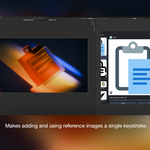
Hover the Image Editor, press Ctrl+V, and whatever bitmap is on your Windows clipboard appears immediately — loaded, named, and framed to fit. It works with everything that puts an image on the clipboard: PrtScn, Win+Shift+S, the Snipping Tool, right-click → Copy Image in any browser, copied cells from Excel, screenshots pasted to you in Slack or Teams.
Pasted images are packed into the .blend by default, so they survive a restart and travel with the file when you hand it off. A toggle in the F9 redo panel turns packing off if you'd rather keep the .blend lean and treat the paste as session-only.
It installs as a Blender Extension. Drag the .zip into Blender and it's ready.
Why this is useful
It removes a decision you shouldn't have to make. The real cost of the current workflow isn't the clicking, it's the naming. Every throwaway reference forces you to choose a filename and a folder for something with a ten-minute lifespan. That's why everyone's Downloads folder is full of Screenshot 2026-03-14 112309.png. Paste Screenshot lets transient references stay transient.
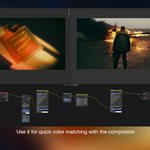
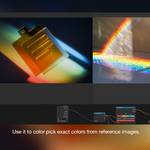
Reference-heavy work gets faster in a way that compounds. If you're matching a material to a photo, checking proportions against a package shot, or working from a client's marked-up render, you're not pasting once — you're pasting twenty times across a session, refining as you go. Cutting six steps to one at that frequency changes how freely you reference things. Friction makes people reference less than they should.
Review cycles stop being a file-management problem. A client sends a screenshot with red circles on it. Currently that's: download, find it, load it. Now it's Ctrl+V into a second Image Editor beside your viewport, and you're comparing directly.
It's the piece Blender is missing. Every other application on your desktop accepts Ctrl+V for images — Photoshop, Figma, Discord, PowerPoint, your browser's address bar. Blender is the outlier, and the muscle memory is already in your hands. The add-on just makes the keystroke you're already pressing do something.
It handles sources that have no file at all. A screenshot region you snipped, an image copied out of a PDF viewer, a frame grabbed from a CAD viewer, a chart copied from a spreadsheet. None of these exist as a file anywhere. Without clipboard support, getting them into Blender means creating a file that shouldn't need to exist.
