Paste Screenshot Into Image Editor
 Crane Design


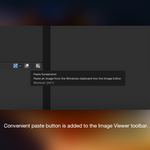
Can I change the shortcut?
Yes. Edit → Preferences → Keymap, search for image.paste_screenshot, and rebind it.
I copied an image file in File Explorer and nothing pasted. Why?
Copying a file puts a file path on the clipboard, not image data. Open the image in any viewer and copy the image itself, or use Win+Shift+S to snip it.
Does the paste button also appear in the UV Editor?
Yes. The UV Editor and Image Editor share a space type, so both the button and the shortcut are available there.
Will Ctrl+V conflict with anything?
Not in the Image Editor, where Ctrl+V has no default binding. The keymap entry is scoped to the Image Editor space only, so Ctrl+V continues to work normally everywhere else in Blender.
Why does it ask for clipboard and file permissions?
Blender Extensions declare what they touch up front. This one reads images from the clipboard, and writes a temporary PNG so Blender has something to load. It makes no network connections.
My workplace restricts PowerShell scripts. Will it still run?
Almost certainly. The script is invoked with -ExecutionPolicy Bypass, which covers the common corporate policy settings. If your organization enforces execution policy through Group Policy at the machine level, that can override it — in which case this is a question for your IT department rather than a fixable add-on problem.
Does a PowerShell window flash on screen every time I paste?
No. The subprocess is created with the CREATE_NO_WINDOW flag, so it runs invisibly.
Does this work on macOS or Linux?
No. Clipboard access is entirely OS-specific and this implementation targets Windows. The extension manifest declares Windows-only platforms, so it won't appear as installable elsewhere. I am working on adding macOS functionality currently.

Discover more products like this
screenshot ctrlv reference image paste screenshot image viewer