Peek A Node
 Trestle Trotter




Does Peek replace the node editor?
Partially.
Peek is not a replacement for the node editor, when creating nodes. The node editors remain as the place where nodes are built.
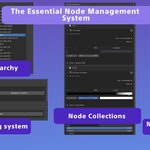
Peek can replace or complement management. It gives you visibility, organization, and hierarchical control from the sidebar.
Is Peek only useful for large or complex node trees?
Peek becomes more valuable as complexity increases, but it’s useful from the start.
Even small node setups benefit from centralized control, reduced context switching, and clearer structure. As projects grow, Peek scales naturally with them, preventing the gradual buildup of friction that usually appears over time.
It’s easier to keep an organized structure from the start than trying to manage it later.
How does Peek handle material iteration and variants?
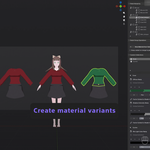
Peek includes a non-destructive material iteration system.
You can create material variants to explore ideas freely, then merge successful changes back into the parent material, promote variants into new independent materials or keep variants and switch between them as needed. Structure and lineage are preserved throughout the process.
What Problem does Peek solve?
Blender’s node system scales in power, but not in control.
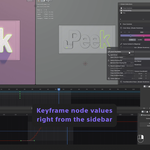
As node trees grow, simple actions become fragmented across editors. Adjusting values, managing node groups, and iterating materials often requires constant context switching, which breaks creative flow and makes large node setups harder to reason about.
Peek introduces a centralized management layer. It brings nodes, node groups, and materials into a single sidebar, allowing you to structure and control them without navigating complex graphs.
Peek doesn’t change how nodes work. But it changes how they are managed.

Discover more products like this
hierarchy shader-node Add-on material-management materials collections hierarchy-organization Blender Shader Addon Panel