 yujie studio



Weld it once. Change it forever.
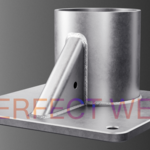
The weld is what sells a hard-surface model. It's the tiny detail that turns "a bunch of parts" into something that looks welded, machined, and real. And it's almost always the part nobody wants to do — placing beads by hand, fighting boolean seams, redoing them every time a part moves.
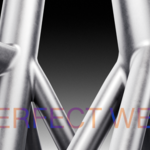
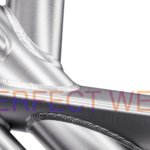
Perfect Weld takes that whole job off your plate. Select two intersecting objects, and it lays a proper weld bead along the joint between them — automatically, and in seconds. Then it stays live. Nudge a pipe, rotate a bracket, scale a plate, and the weld re-seats itself to match. Your original meshes are never touched.
What it feels like to use
You drop two parts together so they overlap. You click Create Weld. A clean fillet bead appears exactly where they meet, hugging both surfaces like real weld metal sitting in the corner.
From there it's all sliders:
- Make it thicker or thinner.
- Make the bead rounder or flatter.
- Give it a concave or convex profile.
- Blend its edges so it melts seamlessly into the parts — no visible line where the weld ends and the surface begins.
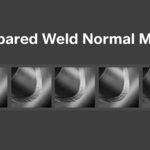
Then open the weld map library and drop a real weld-bead normal map onto it — stringer, stacked-dimes, and more — so it reads as an actual TIG or MIG bead under lighting. Two sliders scale the texture to fit.
Not happy with a change three steps later? Everything is still editable. Nothing is baked until you say so.
Built to survive a real project
Most weld tricks fall apart the moment your geometry isn't perfectly clean, or the moment you move something. Perfect Weld was built the other way around:
- It reads the real intersection between your two meshes, so it doesn't depend on tidy topology or matching resolutions. Messy imported CAD, mismatched densities, curved surfaces — it follows the actual seam.
- It never edits your source objects. The weld is its own object. Delete it and your parts are exactly as they were. No rounded edges, no boolean scars.
- It updates live. Move or edit a part and the weld follows within a fraction of a second. Turn that off with one click when you want to lock it down.
- The bead has clean, even topology and seamless shading — so it holds up in close renders, not just wide shots.
Feature list
Welding
- Procedural fillet weld between any two intersecting objects
- Follows the true surface-to-surface intersection (topology-independent)
- Fully non-destructive — source meshes are never modified
- Live auto-update as you move or edit the parts (toggleable)
- Weld multiple objects at once — select several and get a weld at every junction

Shaping — all live, all adjustable at any time
- Weld Size — thickness of the bead
- Roundness — smoothness of the cross-section
- Length Density — how finely the bead follows the seam
- Concavity — concave dish through to convex bead
- Edge Blend — how softly the weld dissolves into the surfaces (seamless transition, no hard shading line)
Texturing
- Built-in library of ready weld normal maps, chosen from a visual thumbnail picker
- Auto-generated clean UV unwrap for every weld — no manual unwrapping
- Normal Strength and UV Scale / Offset controls
- Copies your source object's material and slots the weld map in correctly — including respecting an existing Bump node so your surface detail survives
Workflow
- Copy settings from one finished weld to another, or push one weld's look onto many selected welds at once
- Freeze / bake to a normal mesh when you're done
- Live updating survives saving and reopening your file
Who it's for
Hard-surface, product, mechanical, sci-fi, and environment artists — anyone who builds things out of metal and needs welds that look right without the busywork. If you've ever hand-placed a weld bead loop around a pipe, this replaces that afternoon with a click.
What's included
- The Perfect Weld add-on (installable .zip)
- [N] ready-made weld normal maps
- [Video walkthroughs covering setup and every parameter]
- [Free future updates]
Requirements
- Blender [4.2]+
- Works in [EEVEE and Cycles]