Perfect Weld
 yujie studio



Do you offer support and updates?
Yes, we will work on more normal maps and boolean options.
Which Blender versions are supported?
Blender [4.2]+.
Will it slow down on heavy scenes?
The live update recomputes the weld when parts change. On very heavy meshes that can lag slightly — just turn Auto Update off and use Update Now when you're positioned. Baked/frozen welds have no overhead at all.
Can I use my own weld textures?
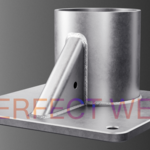
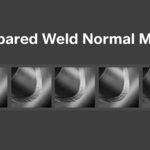
It ships with a library of ready weld normal maps you pick from a thumbnail grid. You can extend the library by adding your own images to the add-on's maps (and previews) folder.
Does it work in EEVEE and Cycles?
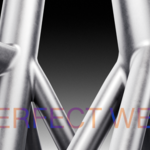
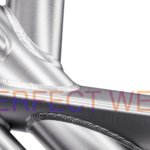
Yes — the weld and its normal-map material render in both.
Can I bake it to a regular mesh?
Yes. Freeze turns the weld into standard geometry you can export, sculpt on, or hand off like any other mesh.
Do my meshes have to be clean / high-poly / matched?
No. Perfect Weld follows the real surface-to-surface intersection, so it doesn't care about topology, how the parts were made. They just need to actually overlap (not merely touch).
Does the weld update if I move a part?
Yes. With Auto Update on, the weld re-seats itself within a fraction of a second as you move or edit either object. You can switch it off and refresh manually with an Update button whenever you prefer.
Does it change my original objects?
No. The weld is created as its own separate object. Your parts are never modified.
$12.99
Have questions about this product?
Login to message
| Sales | 10+ |
| Published | about 2 months ago |
| Blender Version | 4.2 - 5.2 |
| Extension Type | N/A |
| Render Engine Used | Cycles, Eevee |
| License | GPL |
Discover more products like this
weld seam weld weld generator mechanical welding non-destructive procedural seam metal fillet sci fi hard surface