Photoshop Bridge
 Tachyon Studio


What does the Photoshop bridge do?
It sends images, renders, render passes, UV layouts and layered PSDs from Blender to Photoshop, and pulls your edits back. Edit Image opens a texture in Photoshop and reloads it in Blender the moment you save — a live, hands-free round-trip with no manual exporting or importing.
Do I need a Photoshop plugin?
No. The bridge is entirely file-based, so it works with a stock Photoshop. There's an optional "Send to Blender" script that adds a one-click export to Photoshop's File ▸ Scripts menu, but you can also just Save or Export into the inbox folder yourself.
How does the live reload work?
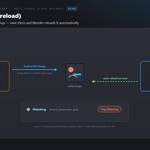
When you Edit Image, the add-on watches that file. Every time you save it in Photoshop, Blender reloads the image in place automatically — no clicking Get. Click "Stop Watching Edits" to end the link. You can also choose to keep each save as a versioned copy (`_v001`, `_v002`, …) instead of reloading in place.
Can it work with render passes and layered PSDs?
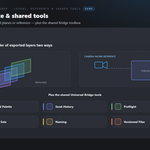
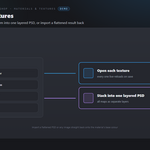
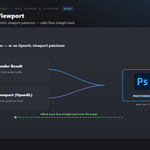
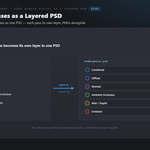
Yes. Send Render Passes renders the enabled passes of the active view layer and opens them as one layered PSD, each pass on its own layer (the individual PNGs are dropped alongside). Send Textures can also stack a material's maps into a single layered PSD. The layered PSD is built in-house, so no Photoshop plugin is needed.
Can I paint against my UVs?
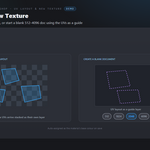
Yes. Edit with UV Layout opens the texture together with the mesh's UV layout — in Photoshop the UVs arrive stacked as their own layer. New Texture with UV Guide creates a blank document at 512–4096 px with the UV layout as a guide layer, then assigns the painted result to the material's base colour on save.
Can I paint a height map and get a normal map back?
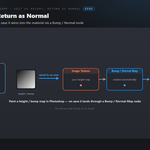
Yes. Edit as Height, Return as Normal opens the image in Photoshop to paint a height/bump map; when you save, it's wired into the active material through a Bump/Normal-Map node automatically and set to Non-Color.
How do I get files from Photoshop back into Blender?
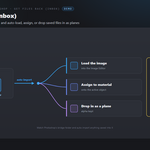
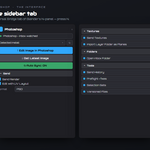
Use Get Latest Image, or turn on Watch Inbox to auto-import anything Photoshop saves into the bridge folder. The "On Get" setting decides what happens: load the image, assign it to the active material's base colour, or drop it in as a plane.
What are the material and texture tools?
Send Textures opens every image texture on the active material for live editing; As PSD stacks them into one layered document; and Import PSD / Image to Material wires a flattened PSD or image straight onto the material's base colour.
Can I bring in exported layers or reference art?
Yes. Import Layer Folder as Planes turns every image in a folder into its own plane (alpha kept, stacked in order), or places them as camera-facing, shadeless reference in a "Reference" collection.
Which Blender versions are supported?
Blender 3.3 through 5.2. On 4.2+ it installs as a modern Extension; on 3.3–4.1 as a classic add-on. Windows.
Which Photoshop versions work?
Any modern Photoshop — Creative Cloud or a recent perpetual release. The add-on auto-detects the install from the registry and Program Files, or you can point it at Photoshop.exe by hand. Photoshop is Adobe Photoshop is required and sold separately. You need your own licensed copy from Adobe. No Adobe Photoshop licence is included with this product - it is the Blender-side bridge only, and is not affiliated with, endorsed by, or a reseller of Adobe.
Can I use it for commercial work?
Yes. Like all Blender add-ons it's licensed under the GPL, so you can use it in any commercial project. Photoshop is Adobe Photoshop is required and sold separately. You need your own licensed copy from Adobe. No Adobe Photoshop licence is included with this product - it is the Blender-side bridge only, and is not affiliated with, endorsed by, or a reseller of Adobe.
Do I need Adobe Photoshop, and is a licence included?
You need your own Adobe Photoshop - it is sold separately by Adobe and is not included with this product. This add-on is the Blender side of the bridge only, and is not affiliated with, endorsed by, or a reseller of the vendor. It is also Windows only: macOS and Linux are not supported.
Can I change the icons, or turn them off?
Yes. Preferences ▸ Button Icons offers Brand Colours (the default, each bridge in its own colour), Mono with a colour swatch you pick, and Blender Built-ins if you would rather have no custom icons at all. Colour-code Status decides whether link and modifier icons keep their green / amber / red. The icons are drawn from masks and tinted as they load, so any colour stays crisp.
Discover more products like this
Texture Painting render-passes Material photoshop bridge Texturing image editing live reload pipeline psd UV layout height to normal