PhysForge — Blender Rigid Body Physics That Keeps Working in Unity: Bodies, Hinges, Springs, Motors and Breakable Links, Measured Against Blender's Own Simulation
 Skava
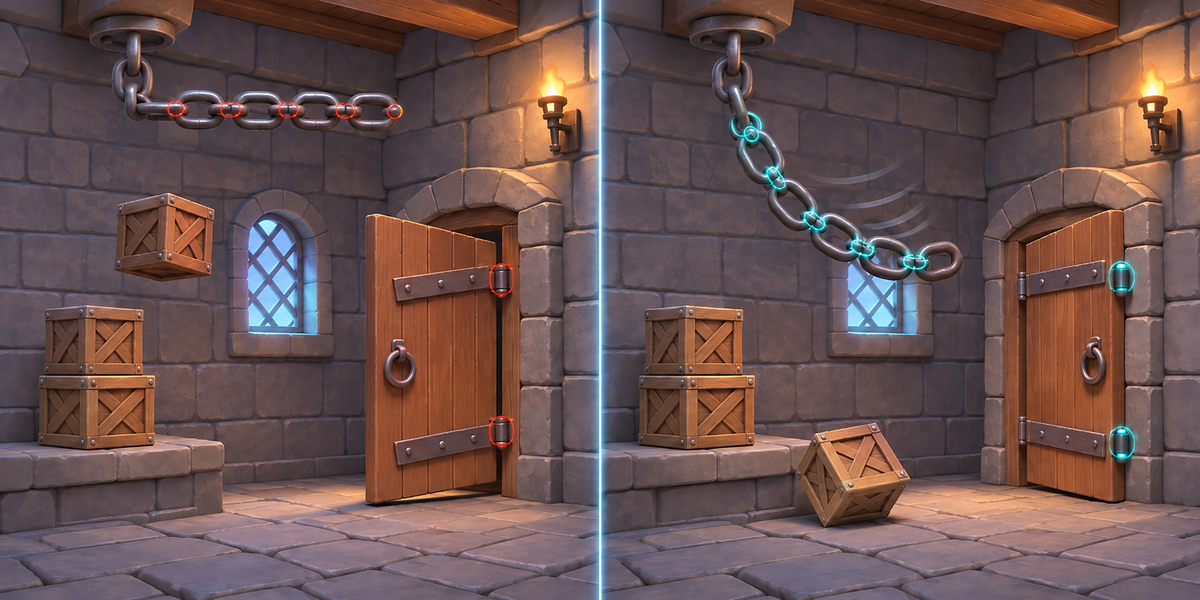
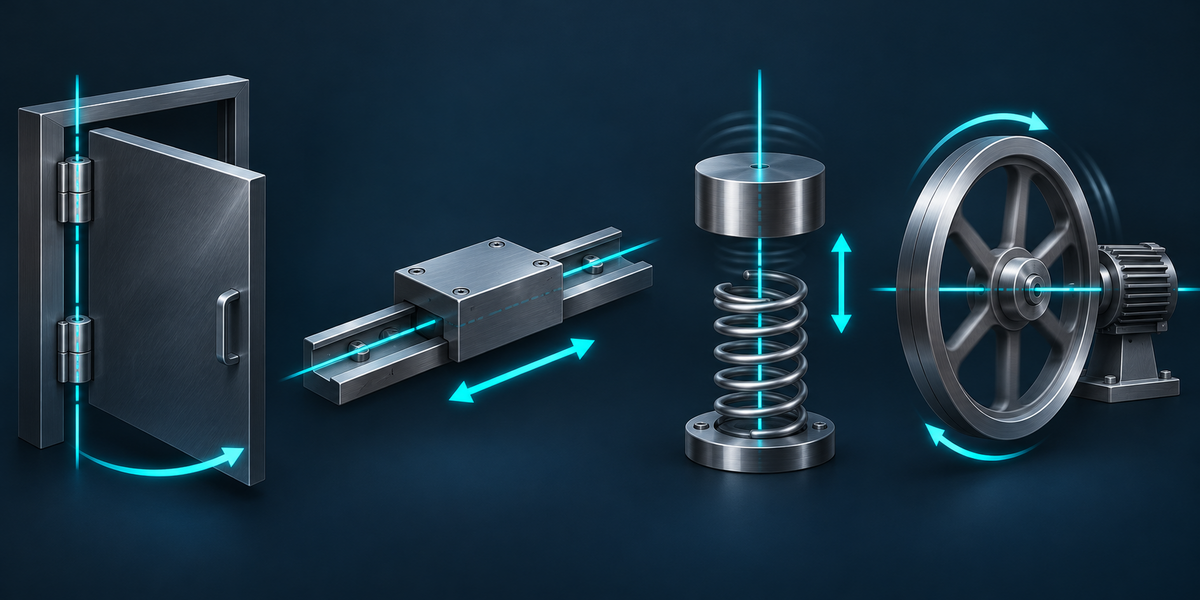
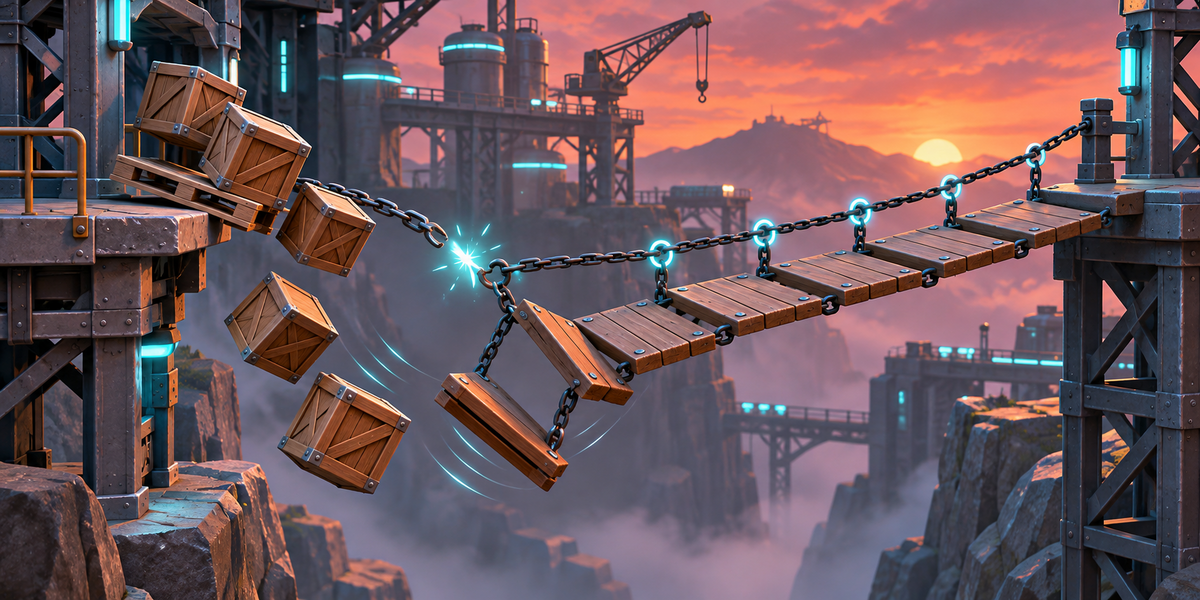



PhysForge
v1.0.0 · Blender 4.2 LTS and later (tested on 4.2.9 and 5.2.2) · Unity 6 (tested on 6000.0, 6000.4 and 6000.6; no render pipeline involved) · Windows / macOS / Linux
1. What it does
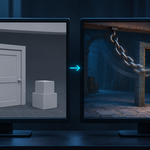
PhysForge takes a Rigid Body setup made in Blender (the bodies, their collision shapes and settings, and the Rigid Body Constraints between them) and rebuilds it in Unity with Rigidbodies, colliders and joints, translating every setting by rules measured in both engines. In Blender it reads the setup, says what it cannot take and where the engines differ, and records Blender's own simulation. In Unity one menu builds a prefab, another simulates it and measures every body against Blender's recording, in millimetres.
2. Installing
Edit, Preferences, Add-ons, the arrow in the top right corner, Install from Disk, pick the downloaded archive, tick the checkbox. The panel is in the 3D Viewport sidebar (N), tab PhysForge.
3. Quick start
- Select the rigid bodies in Object Mode, or the object they are parented under. Constraints whose objects are selected come along.
- Press Analyze. The panel shows how many bodies (how many of them move) and constraints there are, by type; anything PhysForge cannot take, with the reason; and notes where Unity's physics will differ. It also records Blender's simulation (the first four seconds from the cache's start frame) and shows how far the bodies move.
- Choose a Folder (inside your Unity project's Assets saves a copy step) and a Name, and press Export for Unity. Your scene is not changed: the frame, selection, visibility and gravity are as they were, and the bodies show the same simulated pose (the cache is simulated again up to your frame; frames after it are simulated again when you play them).
- In Unity: select <name>.physforge.json in the Project window and choose Tools > PhysForge > Set Up Physics. A prefab pf_<name>.prefab appears next to it.
- Choose Tools > PhysForge > Check Physics. The report <name>.physforge_check.txt is written next to the passport and printed to the Console.
- Optionally Tools > PhysForge > Match Project Physics to Blender: sets the project's Fixed Timestep, default solver iterations, Default Contact Offset (2 mm), Bounce Threshold (5 cm/s) and Sleep Threshold (0) to match Blender. Put the prefab in a scene and press Play.
4. What PhysForge takes across
- Shapes: Box, Sphere, Capsule (about Z), Cylinder and Cone (round convex hulls, as Bullet's are round), Convex Hull and Mesh. A Convex Hull is built as Blender builds it for Bullet (measured): from the mesh its Source names, with Margin off the faces stay where the mesh is at any scale and every edge and corner is rounded by 0.04 whatever the margin field says (a body thinner than 8 cm stays sharp); with Margin on the hull grows by the margin, after the object's scale. It is sent as up to 128 points (PhysX allows 255 faces); a hull too dense for that (a sphere, a scan) goes as the mesh's own hull, where the rounding hardly shows (with Margin on, the panel says the hull is that margin smaller in Unity). Blender centres the Box, Sphere, Capsule, Cylinder and Cone on the object's origin, whatever the mesh, and so does PhysForge. Bullet grows a Cone by its collision margin (Blender always applies it: the default 0.04 rests a 0.5 cone 4 cm higher), and PhysForge grows it the same way. A moving body with the Mesh shape gets a convex collider (Unity cannot move a concave one; a note says so).
- Mass and inertia: the mass as set; the centre of mass at the object's origin (where Bullet has it); the inertia Bullet uses: exact for a sphere and a cylinder, the bounding box's for the other shapes (a cone's counting its margin, as Bullet does).
- Friction and bounciness: PhysX acts on friction at about twice the product of the two materials, so each gets its friction divided by the square root of two, combined by multiplying as Bullet does. Bullet bounces at about the product of the two restitutions to the power 0.82 (measured on 12 pairs: 0 on a floor of 0, 0.14 for 0.1 on 0.9, 0.62 for 0.8 on 0.7), so each material gets its restitution to the power 0.82 and PhysX multiplies them; a ball on a floor at Blender's default restitution 0 does not bounce in either. Two materials both at 1 bounce higher than they fell in Bullet, which PhysX cannot do.
- Damping: Bullet scales the velocity by (1 - damping) each second; PhysX's damping is set to give the same decay.
- Body types: Active bodies become dynamic Rigidbodies; Passive ones and Animated ones become kinematic; a body with Dynamic off becomes kinematic.
- Constraints, as Configurable Joints (a Fixed one as a Fixed Joint) on the right axes (Blender's right-handed axes become Unity's left-handed ones, with turn directions and limit signs kept): Fixed; Point; Hinge (turns about the constraint's Z, with its limits); Slider and Piston (along the constraint's X, a Piston also turning about it, with limits); Generic (each slide and turn locked, limited or free; a range that does not sit around zero is kept by moving the joint's anchor or its turn's lower and upper); Generic Spring (Blender 2.8 springs, on slides and turns, with damping); Motor (target speed and maximum impulse, on the turn and the slide); breaking thresholds; Disable Collisions between the joined bodies.
- Springs: stiffness as set; damping set for the solver the project uses (PhysX's default solver damps more than Bullet by the stiffness times the step, and gets that much less; the other solver gets Blender's damping as it is).
- Contact offset: Unity's default (1 cm) starts contacts, and bounces, before the bodies touch; Bullet's touch. A collider's own offset is not kept in a prefab, so it is the project's Default Contact Offset that counts: Check uses 2 mm and says if the project differs, Match Project Physics sets it.
- Joint limits: Bullet stops a body dead at a limit; a PhysX limit left on auto contact distance throws it back off with the newer solver, so PhysForge sets a small one.
- World: gravity, frames per second, substeps and solver iterations are in the passport. Unity does not keep a body's own solver iterations, sleep threshold or contact offset in a prefab: they come from the project (Default Solver Iterations, Default Contact Offset), as do the Fixed Timestep, Bounce Threshold and Sleep Threshold (Blender lets nothing sleep). Check uses Blender's values for its run and says when the project's differ; Match Project Physics sets them. Measured: with Unity's default 6 iterations the newer solver throws a hinge off its stop (308 mm), with Blender's 10 it does not (15 mm).
5. What it refuses, and why
- A Generic slide limited along two axes at once: Unity limits a slide by distance (a circle or ball), not a box per axis. Give one axis a range and lock or free the others.
- A Generic that turns unevenly about two axes, or holds two turns turned: a Unity joint has one turn with its own lower and upper; the other two are even both ways.
- A Generic turn past 177 degrees, the most a Unity joint allows.
- Two Generic Spring turn springs with different settings, when both can turn and neither is the twist: a Unity joint has one spring for those two turns.
- A constraint joining a selected body to one that is not selected: select it too.
- Breakable on a constraint that holds no slide (a Motor, or a Generic with every slide free or ranged): its break cannot be seen in Blender's simulation. A Hinge or Piston turn limit past 177 degrees. A name with a '/' in it (Unity reads it as a path). An object in a collection excluded from the view layer, or linked from another file. A simulation that blows up in Blender itself (a body goes to infinity): there is nothing to prove against.
- The Compound shape; a Convex Hull or Mesh shape on an object that is not a mesh; a scene without a Rigid Body World, or with it turned off.
- Every refusal Analyze finds is listed in the panel with the body or constraint, and Export is not done until it is resolved. Three are found only when exporting, and Export says so: an object under a selected body that is excluded from the view layer, linked from another file, or in a collection hidden in the viewport.
6. Notes: where Unity's physics parts from Blender's
- Bounce: the first bounce matches. Bullet's bounce weakens as the impact slows (measured 0.62 of the speed at 5.7 m/s, 0.40 at 2 m/s); PhysX keeps one restitution, so in Unity a ball bounces a little longer before it rests.
- Cone: Unity has no cone collider; resting on its rim or rolling, a cone moves apart from Blender by about 10 to 16 centimetres in a second (measured).
- Mesh shape (or a Convex Hull sent as the mesh's own hull: a dense one, or one thinner than 8 cm with Margin off) with modifiers: Blender's shape uses the mesh its Source setting names (by default before modifiers), the exported model has all of them; set Source to Final to match.
- Turn springs on two or three free axes: Blender measures the turn as three Euler angles, Unity as a twist and a swing; they agree for small turns and part for large ones (a soft spring turned past 45 degrees: tens of centimetres in a second; stiffer springs turn less and part less). A turn spring's frequency also differs by 0.2 to 4 percent between the engines, on one axis too: the swing drifts by millimetres to centimetres in the first second.
- A Generic slide between two moving bodies: Blender shares the slide's push between the two by their masses, Unity's joint does not. Slider and Piston constraints match; use one of those for a slide.
- Spring Type Blender 2.7 (Spring1) damps differently from PhysX; switch to Blender 2.8 to match.
- Both Generic swing turns with a range: Blender keeps each turn in its own range (a box), Unity keeps the two inside one cone; the corners of the range differ.
- A constraint that starts outside its own range: Blender pulls it in over its first steps, Unity at once.
- A constraint with one of its two object fields blank, or naming an object that is not a rigid body in the Rigid Body World: Blender does not apply it (measured: the body falls free), so PhysForge leaves it out and says so.
- Keyed switches: Animated, Dynamic, a constraint's Enabled or Breakable can be keyed; PhysForge takes them as they are at the cache's first frame, and Unity does not switch them later (switch them from a script at that moment). Check does not judge a body that starts with Dynamic off, and moves a body that starts Animated along Blender's record to its end, release included: a PASS says nothing about such a body's own motion after the switch.
- A box on Convex Hull sliding on a body set to Box: Bullet slides that mixed pair differently from any other (measured on the same slope: a hull crate on a Box ramp 8.40 m in 4 s and drifting sideways, a Box crate on a Box ramp 8.93 m, a hull crate on a hull ramp 8.96 m, a Box crate on a hull ramp 8.96 m; with no friction all four slide the same). Blender gives a passive body Convex Hull by default too, so a scene left at the defaults is a hull on a hull and matches (13.0 mm in a second); PhysForge gives Unity a box for a box-shaped hull, which stacks like Blender's (five bricks 1.1 mm). Only when the floor or ramp is set to Box does the slide part (60 mm in a second); the panel says so then: set the moving body's Shape to Box too.
- A box on Convex Hull dropped turned: it lands and settles differently in Unity (128.7 mm off at 1 s whether the floor is a hull or a Box, against 28 mm of spread in Blender itself). The same crate on Box tumbles chaotically in Blender itself (413 mm of spread) and passes. The cause in Bullet is not found yet; sending the rounded hull instead of a box makes it worse (299 mm).
- A Passive body with keys but Animated off: Blender's simulation ignores the keys, and so does PhysForge.
- Animated bodies: Unity gets them as kinematic Rigidbodies; their keys are not carried. Animate them in Unity (an Animator with Animate Physics, or MovePosition from a script). Check moves them as Blender recorded.
- Unit scale other than 1: Blender simulates in scene units, Unity in metres; Check scales gravity accordingly.
- Unapplied, uneven scale: Blender's simulation of a scaled body differs from the same body with the scale applied (measured on a Box plank sliding down a slope: 2.08 m against 2.15 m in 4 s); Unity follows the applied one. Apply the scale (Ctrl+A, Scale) to match; the panel says so.
- The origin away from the mesh's middle: Blender centres the shape on the origin and so does PhysForge; set the origin to geometry if that is not what you meant.
7. Export
- <name>.fbx: the bodies (and their children) at the cache's start frame, Blender's axes (forward Y, up Z) and FBX All, plus four small marker empties that tell Unity the axes, the handedness and the scale. <name>.physforge.json: the passport: every body and constraint with Blender's own numbers, the world settings, and Blender's simulation frame by frame, twice (as set, and with gravity tilted by 0.006 degrees). PhysForge/Editor: the Unity script.
- A baked cache is read as it is; it cannot be re-run with gravity tilted, so its passport has no chaos yardstick and the report says so.
- A file of the same name that PhysForge did not write is never replaced: the export refuses and says which file. When the folder is inside a project's Assets that already has the script, it is not copied again.
- A body in a collection hidden in the viewport cannot be exported: the export says which and asks you to show the collection.
8. In Unity
- Set Up Physics turns on Bake Axis Conversion for the model (and turns off cameras and lights), finds every body by its path, works out from the markers how Blender's space maps onto Unity's, adds a Rigidbody, a collider and the joints, and saves the prefab with a physics materials asset next to it. A prefab of the same name that PhysForge did not make is not replaced. The prefab remembers which export, which Solver Type and which PhysForge it was set up with; when any has changed, Check Physics measures a fresh copy and says so, and leaves your prefab (and anything you added to it) alone until you run Set Up Physics. The prefab holds only Unity's own components: it keeps working without the script.
- Check Physics simulates the prefab in a scene of its own (your open scene is not touched) at Blender's step, solver iterations, contact offset, bounce threshold and sleep threshold, with Blender's gravity, and moves animated bodies along Blender's record. For every moving body it measures, at each frame, how far its corners are from where Blender has them; the report gives the worst at 0.5, 1, 2 and 4 seconds and what doing nothing gives (the bodies left where they start). In brackets: Blender against itself with gravity tilted by 0.006 degrees, how far the motion itself drifts from a change too small to see.
- The limit for each body: 2 mm plus 1 percent of how far it moves, or three times how far Blender parts from itself, whichever is larger, plus three times how far Blender's own joints that hold that body (and the bodies jointed to it) give in the first second (Bullet's joints are soft, PhysX's hold harder); a body with no joints that rests on or is pushed by a jointed body (a box on a seesaw, a box on that box) takes that body's give from the frame it first touches it. Motion is judged up to 1 second; 2 and 4 seconds are shown, not judged, because two physics engines part ways in long chaotic motion. A breakable joint must break in the same frame (one frame either way); the bodies it joins and the bodies jointed to them (not through a passive body) are judged up to the frame before the break, and a body the falling pieces touch in Blender's record (their collision boxes within 2 cm) up to the frame before the touch; all are shown after it, and the report names them with their frames; other bodies are judged as usual. After a break the pieces fly apart differently in the two engines (in our test a shelf knocked off its wall is 3.3 m from Blender's two seconds later): the break matches, the free fall after it is shown, not promised. Blender's break is seen in its record when the two ends part by 1 cm: a link that breaks while its bodies stay together, or part slowly, can read as a different frame.
- Solver: Check runs under the project's solver (Project Settings, Physics, Solver Type), then under PhysX's other one, and the report gives both. PhysX's default (Projected Gauss Seidel) bleeds a little energy from a fast swing; the other (Temporal Gauss Seidel) keeps it, as Bullet does, but throws a fast chain about more. When the other solver passes and the project's does not, or is at least twice as close, the report recommends it (Project Settings, Physics, Solver Type); after switching, run Set Up Physics again (spring damping is set for the solver; until then Check measures a fresh copy and says so). The newer solver throws a piston's turn back off its stop (134 mm, measured), so it is not recommended there.
- Notes in the report: when the project's Fixed Timestep, Bounce Threshold, Sleep Threshold, Default Contact Offset or default solver iterations differ from what Blender's simulation needs, the report says so: in play mode the motion differs by that. Match Project Physics to Blender sets all five.
- Batch mode: Unity -batchmode -quit -projectPath <project> -executeMethod PhysForge.EditorTools.PhysForgeSetup.Batch -physforge Assets/…/<name>.physforge.json; exit code 0 when every body is within the limit, 1 otherwise.
9. Measured
- 59 scenes in Unity 6000.0, 6000.4 and 6000.6, in projects with Unity's default settings, against Blender 5.2, with Unity's default solver; the same 39 pass in all three (the reports are identical to the last digit: all three run the same PhysX). Without PhysForge the bodies stay where they start: up to 72 m from where Blender has them.
- Worst body after one second, in Unity 6000.4: pendulum 2.0 mm, damped pendulum 1.8 mm, door with limits 8.0 mm, hinge with uneven limits 15.6 and 1.5 mm, 5-link chain 12.9 mm, motor 0.0 mm, slider on a slope 3.8 mm, piston 1.3 mm, piston on its uneven turn stops 1.6 mm both ways, linear spring 0.7 mm, stack of five crates 1.6 mm, bouncing ball 13.8 mm, a ball on a floor of restitution 0 4.3 mm, a low bounce 7.7 mm, capsule 1.8 mm, cylinder rolling 16 m 35 mm, ball rolling over a mesh floor 11.5 mm, a tumbling convex hull 399 mm (it passes because Blender's own tumble spreads 287 mm from a 0.006-degree tilt of gravity: chaotic motion, judged against Blender's own spread), a box riding a seesaw 29.3 mm (within its limit), five bricks stacked on Convex Hull 1.1 mm, a crate on Convex Hull sliding down a ramp on Convex Hull 13.0 mm, a crate on Box dropped turned (it passes on Blender's own 413 mm spread: chaotic), a UV sphere on a dense Convex Hull 1.5 mm, Generic slide and turn limits 0.45 to 17.5 mm, a ball on an animated lift 4.6 mm; a breakable fixed link and a breakable slider break in the same frame as in Blender, a pendulum beside the breaking shelf and a door swinging on the same wall are still judged in full (2.0 and 0.3 mm), and a crate the falling shelf lands on is judged up to the touch (0.01 mm).
- The other 20, and why: boxes on Convex Hull sliding on a ramp set to Box (a crate 60 mm at 1 s, a long thin plank 83 mm at 1 s: Bullet slides a hull on a Box differently, see above; the panel advises the Box shape); a box on Convex Hull dropped turned, onto a Box floor and onto a hull floor (68.5 mm at 0.5 s, 128.7 mm at 1 s: the landing, cause not found); a seesaw plank under a loose box (23.3 mm against a 20.2 mm limit at 1 s: the hinge and the contact, a few millimetres apart); a crate on Convex Hull with its origin at its base falling onto an edge (46.4 mm at 0.5 s, 106 mm at 1 s: it bounces differently on the impact); a rock on Convex Hull with its origin at its sharp lowest corner (267 mm: balanced on that corner it rocks differently even on the rounded hull); a pendulum swinging through half a turn (20.6 mm; 1.6 mm with the other solver, which the report recommends), with its origin off the mesh and without; a crate shoved by an animated block (it starts moving one physics step apart from Blender, 5.8 mm, over the 2.3 mm limit at that moment, and stays 5.85 mm off along its 0.9 m slide); a Generic that starts outside its own range (32.2 mm, the pull into range); a Generic that both slides and turns (26.7 mm); a Generic slide between two moving bodies; two turn-spring scenes, one on a single axis and one on two (14.1 mm, the frequency difference); two turn springs on two free axes turned far; a cone at the default and a large margin (160 and 98 mm); a crate sliding down a slope (4.1 mm at 0.5 s against a 3.4 mm limit, 13.7 mm at 1 s: the friction contact; it moved between 7.2 and 13.7 mm with nothing but the order of the collider's axes, which is how sensitive a sliding box-on-box contact is in PhysX); a Blender 2.7 spring. A cone with no margin passes only because Blender's own motion is chaotic there.
- Refusals in words for a slide limited along two axes, two uneven turns, differing swing springs, a hinge limit past 177 degrees and a breakable motor.
- The add-on's own checks in Blender 4.2.9 and 5.2.2: 79 of 79, from the source and installed from the zip (Analyze and Export leave the scene as it was, foreign files are never replaced, refusals and notes, a baked cache, a cache starting later, the break frame of a fixed link and a slider, objects outside the view layer, keyed switches read at the cache start, a constraint with an empty end, the rounded hull and its margin rule, a dense hull, a zero scale).
10. Limits
- The keys of animated bodies do not travel to Unity (see 6).
- Rigid Body World effector weights, collision collections and per-constraint solver iterations are not translated.
- Soft bodies, cloth and particles are not rigid bodies and are not taken.
- Physics is not exact between any two engines: long chaotic motion (a tumbling pile, a long chain) parts ways after a while; Check judges the first second and shows the rest.
Have questions about this product?
Login to message
| Published | about 9 hours ago |
| Blender Version | 4.2 - 5.2 |
| Extension Type | N/A |
| License | GPL |
Discover more products like this
unity physics Game Engine game-dev constraints hinge rigid body Export Joints simulation fbx springs