 Blender Procedural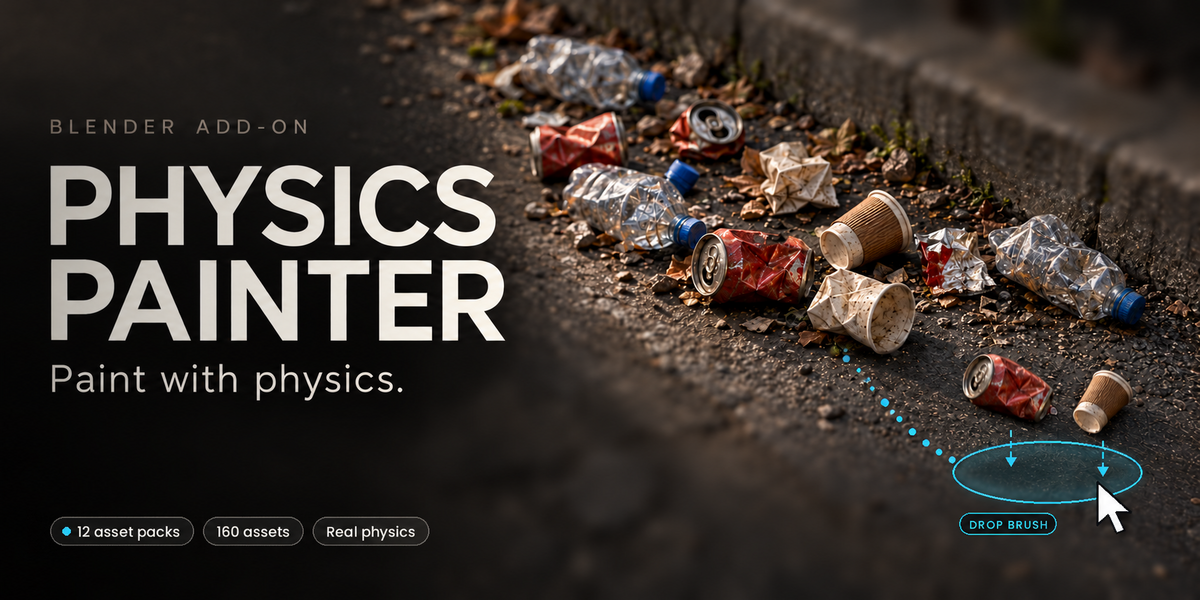
BLENDER ADD-ON
Physics Painter
Paint assets. Drop props. Let physics place them.
Paint assets across real geometry or drop groups into your scene, then let Blender's rigid-body physics create natural arrangements.
| 160 INCLUDED ASSETS | 12 KITBASH PACKS | 2 VIEWPORT BRUSHES | 4.5+ BLENDER |
Physics Painter is a scene-dressing add-on that replaces repetitive manual placement with direct, interactive viewport tools.
Use the included kitbash library or build reusable asset pools from your own mesh collections. Control the eligible surfaces, density, size variation, spacing, orientation, collision behavior, gravity and simulation quality while keeping the final result editable.
Watch Physics Painter in action
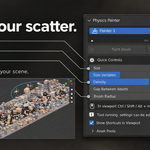
Paint and drop directly in the viewport
- Paint Brush places assets along a stroke on valid scene surfaces.
- Drop Brush releases a group from a configurable height and radius.
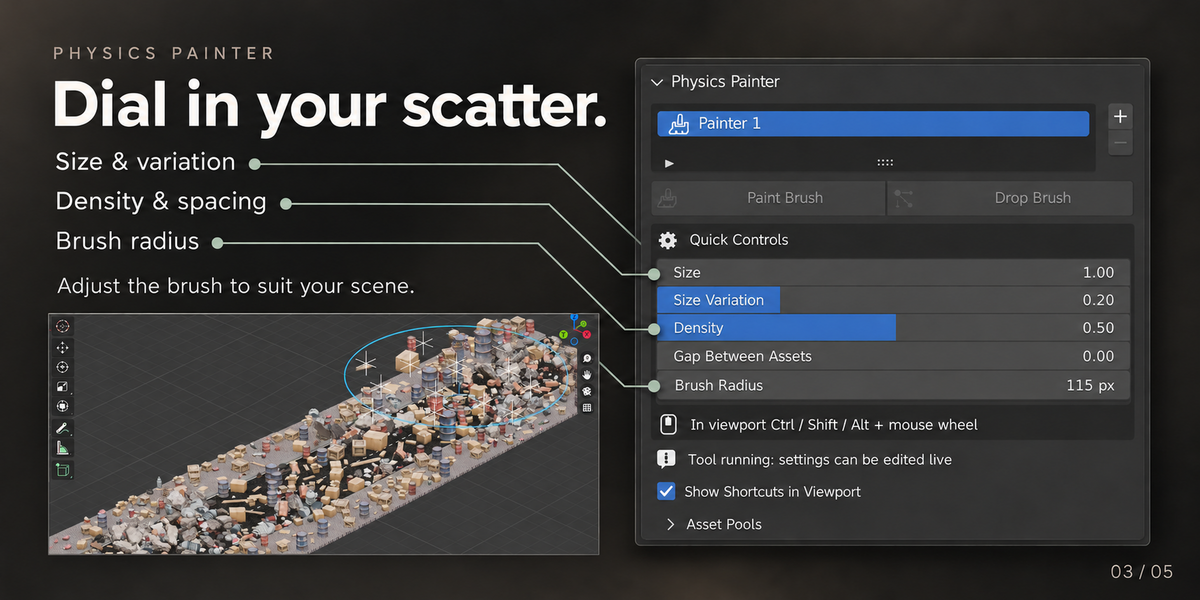
- Adjust brush radius, density, asset size, size variation and spacing while the tool is running.
- Use fixed-count placement or fill an area according to the real size of each asset.
- Paint static placements, paint with live simulation, delete under the brush or re-simulate assets beneath the cursor.
Placement that respects your geometry
| Rest on Surface Assets are lowered until their collision shape touches the receiving surface. | Slope Limit Prevent placement on walls and surfaces that exceed the selected angle. |
| Fully Supported Keep assets from hanging over ledges, holes and steps. | Never-Overlap Placement Test placements before creation and again before simulation. |
| Stack on Assets Allow new objects to build on top of previously painted objects. | Surface Orientation Align assets to the surface normal, stroke direction or randomized rotation. |
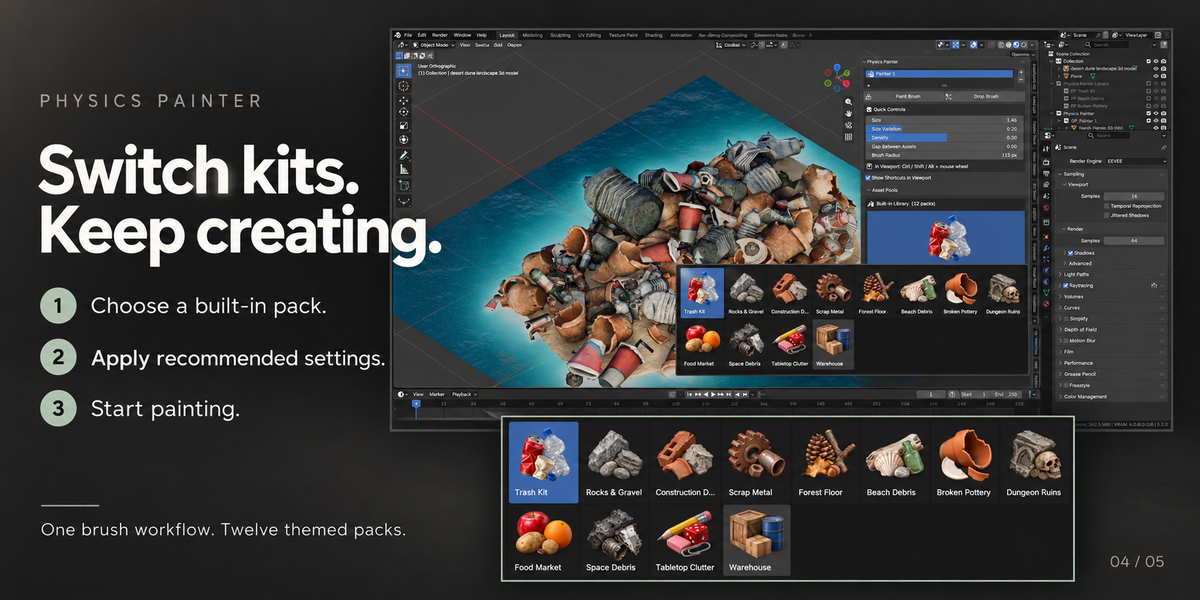
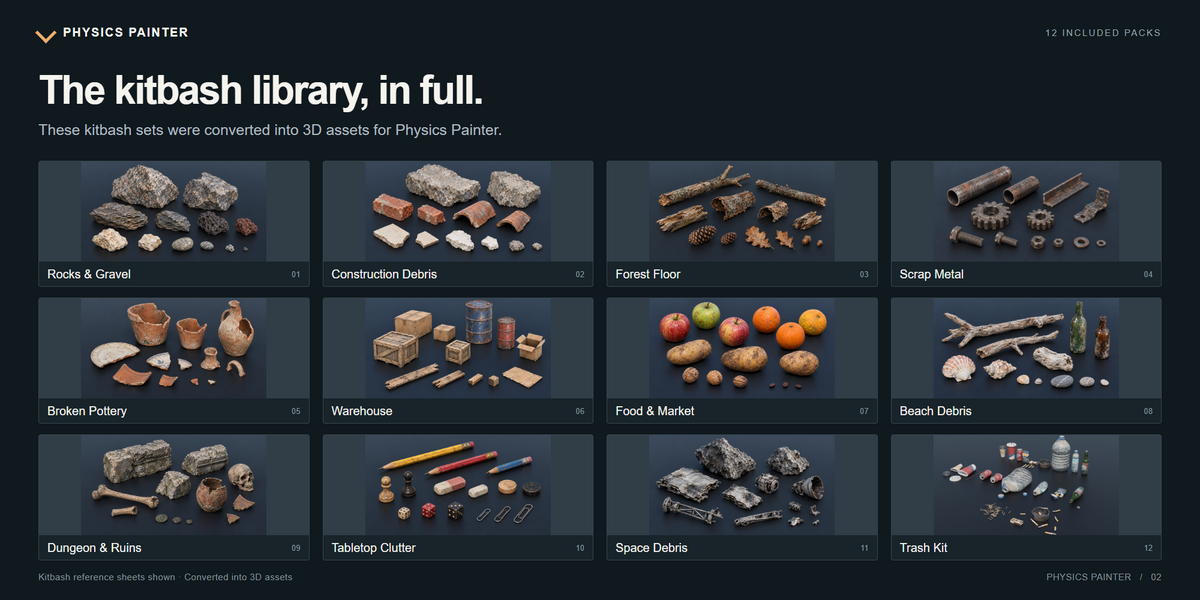
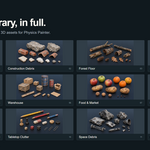
The complete kitbash library
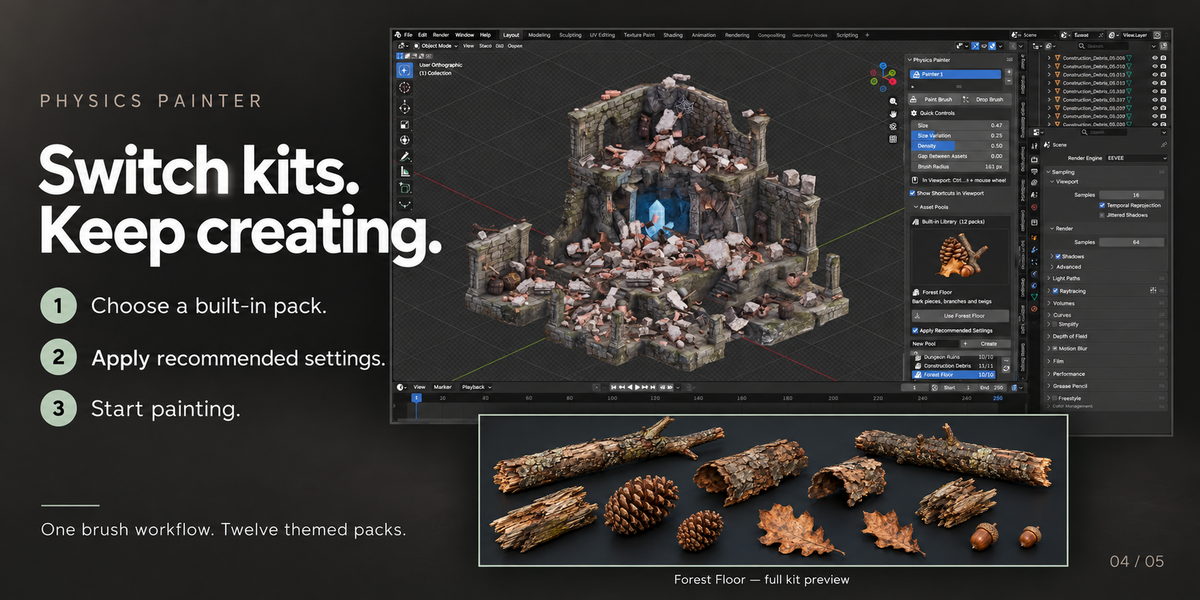
Start painting immediately with 160 ready-to-use assets across 12 included packs.
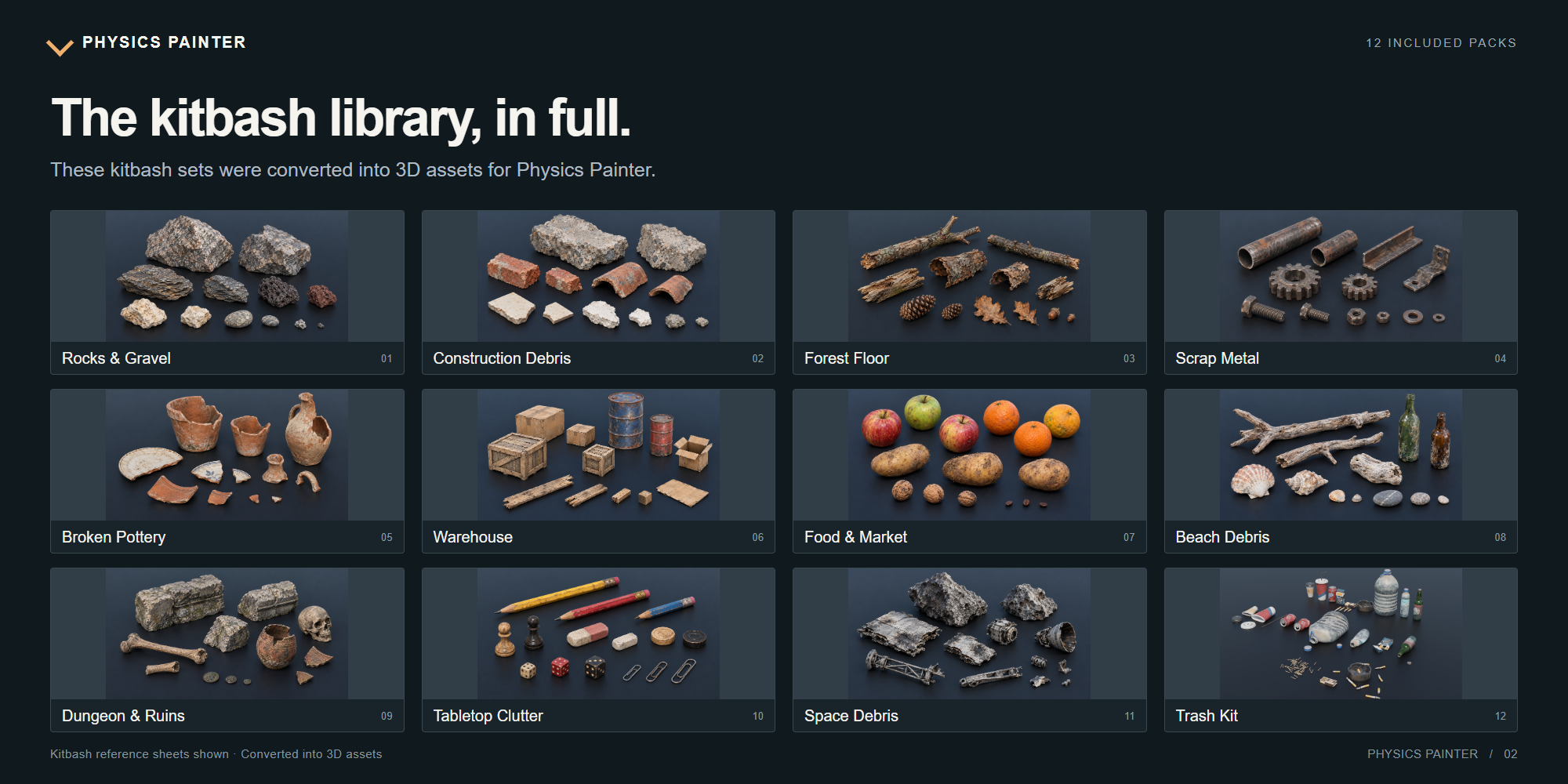
Rocks, debris, forest assets, metal parts, pottery, warehouse props, food, beach objects, dungeon pieces, tabletop clutter, space debris and trash.
| Pack | Assets | Contents |
|---|---|---|
| Rocks & Gravel | 11 | Granite rocks, shale stones and pebbles |
| Construction Debris | 11 | Bricks, roof tiles and concrete chunks |
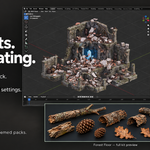
| Forest Floor | 10 | Bark pieces, branches and twigs |
| Scrap Metal | 12 | Rusty pipes, gears, bolts and plates |
| Broken Pottery | 10 | Terracotta pots, jugs and shards |
| Warehouse | 11 | Wooden crates, barrels, boxes and planks |
| Food Market | 12 | Apples, oranges, potatoes and nuts |
| Beach Debris | 10 | Driftwood, shells, stones and bottles |
| Dungeon Ruins | 10 | Skulls, bones and carved stone blocks |
| Tabletop Clutter | 25 | Pencils, erasers, dice and paper clips |
| Space Debris | 18 | Meteorite chunks and hull fragments |
| Trash Kit | 20 | Crushed cans, bottles, cups and wrappers |
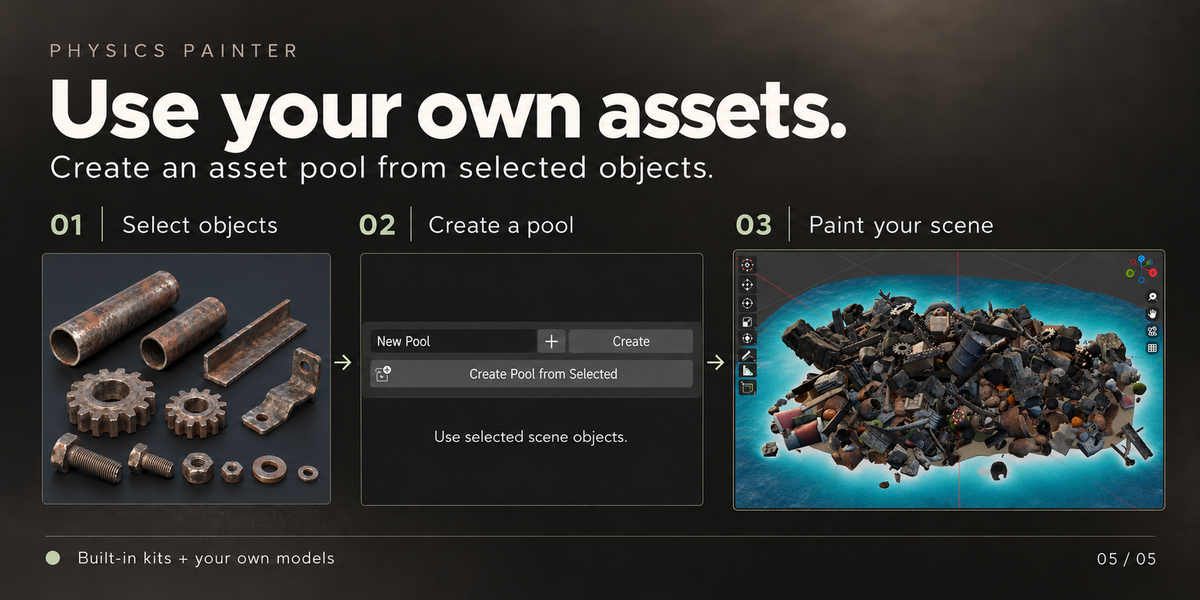
Built-in assets or your own collection
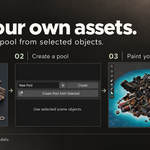
Create an asset pool from selected meshes or link an existing Blender collection.
- Synchronize pools with Blender collections.
- Include objects from nested child collections.
- Enable or disable individual assets.
- Set a relative selection percentage for every asset.
- Search and filter large pools.
- Apply changes to multiple highlighted assets at once.
Physics controls for art-directed results
- Scene, directional or spherical gravity with adjustable acceleration.
- Gravity, Attract and Explode force modes.
- Mass, friction, bounciness, linear damping and angular damping.
- Convex Hull, Mesh, Box, Sphere, Capsule, Cylinder and Cone collision shapes.
- Per-collider collision shape controls.
- Automatic stopping when objects settle.
- Anti-Slide freezing to prevent slow movement after landing.
- Optional moving and settled state colors.
- Automatic cleanup of fallen objects.
- Post-simulation location and rotation axis locks.
Non-destructive simulation optimization
Simulate complex assets using automatically generated low-poly proxies without changing the original meshes.
- Set a separate simulation vertex target for each asset.
- Switch painted results between Low and High display.
- Restore the original meshes automatically after simulation.
- Use faster collision geometry while preserving the final visual result.
Keep the result editable
| Re-Simulate Re-simulate the active Painter, selected painted objects or every painted object. | Convert Convert painted results to linked instances or independent copies. |
| Replace Replace painted assets using the mesh of an active source object. | Merge Merge the result per source asset or collapse everything into one mesh. |
| Release Turn painted assets into regular Blender objects that Physics Painter no longer manages. | Presets Save and reuse complete brush and physics configurations. |
Designed for scene dressing
- Rocks, gravel and natural ground detail
- Rubble and construction debris
- Forest floors and beach environments
- Warehouse props, crates, boxes and barrels
- Dungeon ruins, bones and broken pottery
- Trash, scrap metal and urban clutter
- Food, tabletop objects and small props
- Environment art, level design, concept art and set decoration
Quick workflow
- Open the 3D Viewport sidebar and select Physics Painter.
- Load an included kitbash pack or create a pool from your own meshes.
- Select or list the surfaces that should receive the assets.
- Start Paint Brush or Drop Brush.
- Adjust size, density, spacing and physics while working.
- Keep the result editable, convert it, merge it or release it as regular Blender objects.
Technical information
| Version | 1.5.0 |
| Blender | 4.5 or newer |
| Panel | 3D Viewport > Sidebar N > Physics Painter |
| Simulation | Blender's built-in Bullet rigid-body system |
| Format | Blender Extension compatible |
Important notes
- Physics Painter is a visual placement tool, not an engineering simulator.
- Free a baked rigid-body cache before starting a new simulation.
- Scene Objects mode can use visible scene meshes as collision surfaces automatically.
- Very small assets may require a custom collision margin.
- Unrelated rigid-body setups outside the Physics Painter workflow are left untouched.
Support
Support is available through the Superhive product inbox. For bug reports, include your Blender version, operating system, Physics Painter version, relevant collision settings and the steps needed to reproduce the issue.
Paint. Drop. Scatter.
Build detailed Blender scenes with assets that settle naturally.
