Pianoflare – Cinematic Midi Piano Vfx For Blender
 Egon Castle


Where do I get support?
Use the support/contact option on the Superhive product page. Include your Blender version, operating system, and a screenshot or description of the issue.
Does PianoFlare include music?
No. PianoFlare does not include music tracks. You need to use your own MIDI and audio files.
Can I customize the scene?
Yes. You can adjust materials, colors, camera, lights, note speed, glow strength, particles, and other visual settings.
Are the piano notes physically accurate?
PianoFlare is designed mainly for cinematic visuals. It aims to represent MIDI notes visually, but it is not intended as a professional music notation or DAW replacement.
Why is Blender slow after importing a MIDI file?
Large MIDI files can create many animated objects. Try using a shorter MIDI file, reducing note density, disabling sparks, or lowering particle settings.
Can I resell or redistribute the add-on?
No, unless the license specifically allows redistribution. You may not reupload, resell, or share the add-on files as your own product.
Can I sell videos made with PianoFlare?
Usually yes, depending on the license you purchased from Superhive. Check the product license terms before commercial use.
Can I render videos for YouTube, TikTok, or music videos?
Yes. You can render the animation from Blender and use it in music videos, social media videos, or visualizer content.
Can I change the direction of the notes?
Yes. Notes can be set to move horizontally from left to right or right to left.
Can I change the note colors?
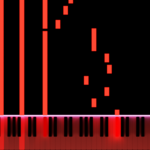
Yes. PianoFlare includes controls for note color, key glow color, and glow strength.
Why is MIDI import not working?
MIDI import may require the Python package mido. If it is missing, install it into Blender’s Python environment and restart Blender.
Why is the glow not visible?
Make sure bloom is enabled if you are using Eevee. Also check the emission strength and scene exposure.
Does it work in Cycles?
Yes, but Eevee is usually better for fast glowing visualizer previews and renders.
Does it work in Eevee?
Yes. Eevee or Eevee Next is recommended because PianoFlare uses glow and emission-based visuals.
Which Blender version is supported?
Blender 3.6 or newer is recommended. Blender 4.x is supported where possible.
Does it work with Novation Launchkey?
It can work with MIDI devices such as Novation Launchkey if live MIDI input is supported and the required MIDI packages are installed correctly.
Does it support live MIDI keyboard input?
Live MIDI support depends on your version/setup of the add-on and your Blender Python environment. Some systems may require additional Python packages such as mido and python-rtmidi.
Can I use it without a MIDI file?
Yes. PianoFlare includes test note generation so you can preview the visualizer without importing MIDI.
Does PianoFlare create audio?
No. PianoFlare creates the visual animation. You need to add your music/audio separately in Blender or in video editing software.
Can I use MIDI files?
Yes. PianoFlare is designed to support MIDI file import and convert MIDI notes into animated visual note bars.
Does PianoFlare generate a piano keyboard?
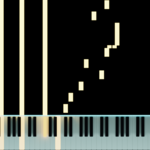
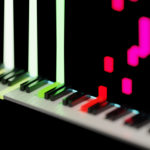
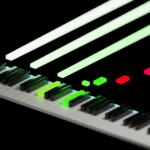
Yes. PianoFlare can generate a 3D piano keyboard inside Blender.
What is PianoFlare?
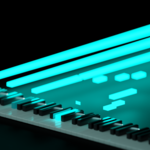
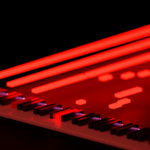
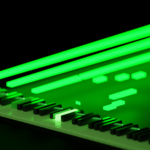
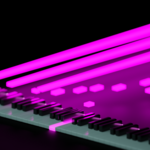
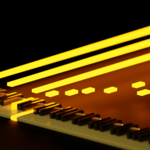
PianoFlare is a Blender add-on that creates cinematic MIDI piano visualizer animations with glowing note bars, light-up piano keys, sparks, and camera-ready VFX.
$15
 Included
Includes 12 months of
- Support from Egon Castle
- Product updates
Extend this product’s Support Period +12 months: 25% of product price
Have questions before purchasing?
Login to message
| Published | 3 months ago |
| Blender Version | 3.6 - 5.1 |
| Render Engine Used | Cycles, Eevee |
| License | GPL |
Discover more products like this
music animation Procedural Animation visual effects eevee animation tools MIDI Visualizer Piano VFX motion graphics keyboard animation Blender Add-on music video Piano Visualizer