 Jian
Jian



Pre-Delivery Inspection for Blender Assets
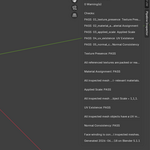
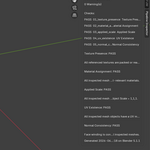
Pipeline Inspector is a Blender pre-delivery inspection add-on designed to help artists check common asset handoff problems before export, upload, or client delivery.
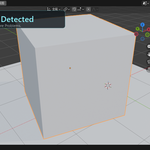
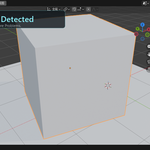
Before sending a model to a client, marketplace, game engine, or another DCC pipeline, Pipeline Inspector gives you a clear delivery status:
READY FOR DELIVERY
or
NOT READY FOR DELIVERY
It focuses on practical production risks that can easily cause rework after delivery.
What it checks
Texture Presence
Detects missing or unreachable texture references before the asset is delivered.
Material Assignment
Checks whether visible mesh objects have export-relevant materials.
Applied Scale
Detects objects with unapplied object scale.
UV Existence
Checks whether mesh objects have usable UV maps.
Normal Consistency
Detects inconsistent face winding / normal direction issues.
Why use Pipeline Inspector?
Many asset problems are easy to miss inside your own Blender scene, but become obvious after export or handoff.
Examples include:
Missing textures
Empty or disconnected materials
Unapplied scale
Missing UV maps
Normal direction issues
These problems can lead to broken assets, incorrect imports, marketplace rejection, or extra back-and-forth with clients.
Pipeline Inspector helps you catch these issues before delivery.
Key features
One-click inspection from the Blender N-panel
READY / NOT READY delivery status
Score-based inspection result
Blocking issue and warning count
Per-check result details
Read-only validation: the add-on reports issues but does not modify your scene
Important note
Pipeline Inspector is a validation tool, not an automatic repair tool.
It helps you find potential delivery risks, but you should review and fix the reported issues manually before final export or handoff.
Tested environment
Tested in Blender 5.1.1
137 automated tests passed
Runtime validation completed
Release package structure verified
Installation
Method A: ZIP Install
Open Blender.
Go to Edit > Preferences > Add-ons.
Click Install from Disk.
Select PipelineInspector_MVP_v1.0.0.zip.
Enable Pipeline Inspector.
Open the 3D Viewport sidebar with N and find the Pipeline Inspector tab.
Method B: Manual Install
If Blender does not recognize the ZIP package correctly, use the manual installation method.
Extract PipelineInspector_MVP_v1.0.0.zip.
Find the pipeline_inspector folder.
Copy the entire pipeline_inspector folder into your Blender add-ons directory.
Windows example:
C:\Users<YourName>\AppData\Roaming\Blender Foundation\Blender\5.1\scripts\addons\
Restart Blender.
Go to Edit > Preferences > Add-ons.
Search for Pipeline Inspector.
Enable the add-on.
Known limitations
Pipeline Inspector reports issues but does not automatically repair them.
ZIP installation may not be recognized correctly in some Blender / Windows environments. If this happens, use the manual installation method.
Normal consistency checks can be conservative on complex meshes. Please review reported objects manually when needed.
License
GPL-3.0
Version
v1.0.0 MVP