 Jian
Jian


Which Blender version is supported?
Pipeline Inspector v1.0.0 was tested in Blender 5.1.1.
It may work in nearby Blender versions, but Blender 5.1.1 is the confirmed tested environment for this release.
How should I read the PASS, FAIL, and WARNING results?
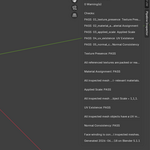
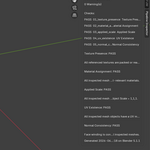
PASS means the check did not find a problem.
FAIL means a blocking issue was found. The asset should be reviewed before delivery.
WARNING means a non-blocking issue or uncertainty was found. Manual review is recommended.
Please pay attention to the detailed messages under each check. The overall status, score, blocking issue count, and warning count may change depending on the scene.
Does Pipeline Inspector automatically fix the detected issues?
No. Pipeline Inspector is a validation tool, not an automatic repair tool.
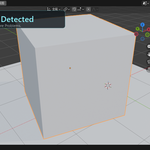
It reports delivery risks such as missing textures, material issues, unapplied scale, missing UV maps, and normal consistency problems.
It does not modify your scene automatically.
Please review the reported objects and fix them manually in Blender before export or delivery.
Blender does not recognize the ZIP file. What should I do?
If Blender does not recognize the ZIP file correctly, please use the manual installation method.
First, extract PipelineInspector_MVP_v1.0.0.zip.
Then find the pipeline_inspector folder and copy the entire folder into your Blender add-ons directory.
Windows example:
C:\Users\AppData\Roaming\Blender Foundation\Blender\5.1\scripts\addons\
After that, restart Blender, go to Edit > Preferences > Add-ons, search for Pipeline Inspector, and enable it.
$5
Have questions about this product?
Login to message
| Dev Fund Contributor | |
| Published | 3 months ago |
| Blender Version | 4.2 - 5.2 |
| Extension Type | N/A |
| Render Engine Used | Cycles, Eevee |
| License | GPL |