 ORM3DCreations


Stop Wasting Time Fixing Pivots Manually in Blender!
Setting up object origins, snapping meshes to the floor, or lining up assets shouldn't slow down your 3D workflow.
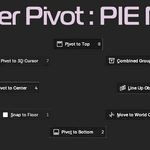
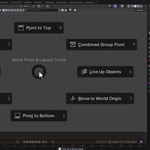
Pivot Master (Pie Menu) is a lightweight Blender add-on designed to handle your pivot points and mesh positioning in a single click. No more navigating nested menus, setting the 3D cursor, or undoing misaligned origins. Just hit Shift + Alt + X and flick your mouse.
Key Features:
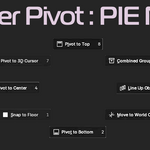
1. Pivot to Bottom: Snap object origin directly to the bottom-center of its bounding box.
2. Pivot to Top: Move origin to the top-center for hanging props or ceiling assets.
3. Pivot to Center: Recalculate mesh origin to the center of mass in one click.
4. Line Up Objects: Auto-arrange multiple selected meshes in a clean row with uniform gap spacing.
5. Combined Group Pivot: Treat multiple selected meshes as a single group to set a shared base pivot.
6. Snap to Floor (Z=0): Place floating objects flush on the ground plane while keeping your pivot unchanged.
7. Move to World Origin: Instantly drop selected meshes back to $(0,0,0)$ in world space.
What’s Included:
PivotMaster_v2.5.zipadd-on file (Ready for Blender4.x+)Free future updates
Compatibility: Blender 4.0+