Pivot Master: Blender Pie Menu Tool
 ORM3DCreations





Installation Guide
Download the
.zipfile after purchase (do not extract or unzip it).In Blender, go to Edit > Preferences > Add-ons.
Click Install... at the top right and select
PivotMaster_v2.5.zip.Enable the checkbox next to 3D View: Pivot Master.
How to Use
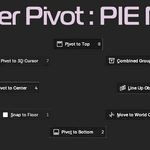
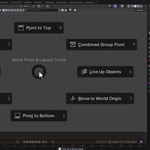
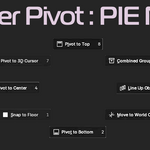
Default Shortcut: Press Shift + Alt + X in 3D Viewport (Object Mode) to open the Pie Menu.
Tool Functions
Pivot to Bottom: Snaps the origin to the bottom-center of the mesh bounding box.
Pivot to Top: Snaps the origin to the top-center of the mesh bounding box.
Pivot to Center: Recalculates the origin to the center of mass.
Snap to Floor (Z=0): Drops the mesh flush to ground level without altering its custom pivot.
Line Up Objects: Organizes selected objects in a neat row with equal gap spacing along the main axis.
Combined Group Pivot: Sets a shared base or center pivot across all currently selected meshes.
Move to World Origin: Instantly sends selected meshes back to $(0,0,0)$ in world space.
Troubleshooting & Support
Shortcut Conflict: If Shift + Alt + X doesn't trigger the menu, check Edit > Preferences > Keymap to ensure no other active add-on overrides the shortcut.
Compatibility: Tested and supported on Blender 3.0 through 4.x+.
Have questions about this product?
Login to message
| Published | about 2 months ago |
| Blender Version | 4.0 - 5.2 |
| Extension Type | N/A |
| Render Engine Used | Blender-Internal |
| License | GPL |