Place Director Pro
 Steven Seidler (Blendscapes3D)
Place Director Pro
Drop, align, distribute and scatter objects in one click.
Every tool measures real world-space bounding boxes, so rotated, scaled, parented and modified objects land where you can see them.
What it does
| Tool | What it does |
|---|---|
| Drop to Floor | Lowest point of each object to a floor height. Optionally drop the whole selection as one block (Keep Relative Heights) |
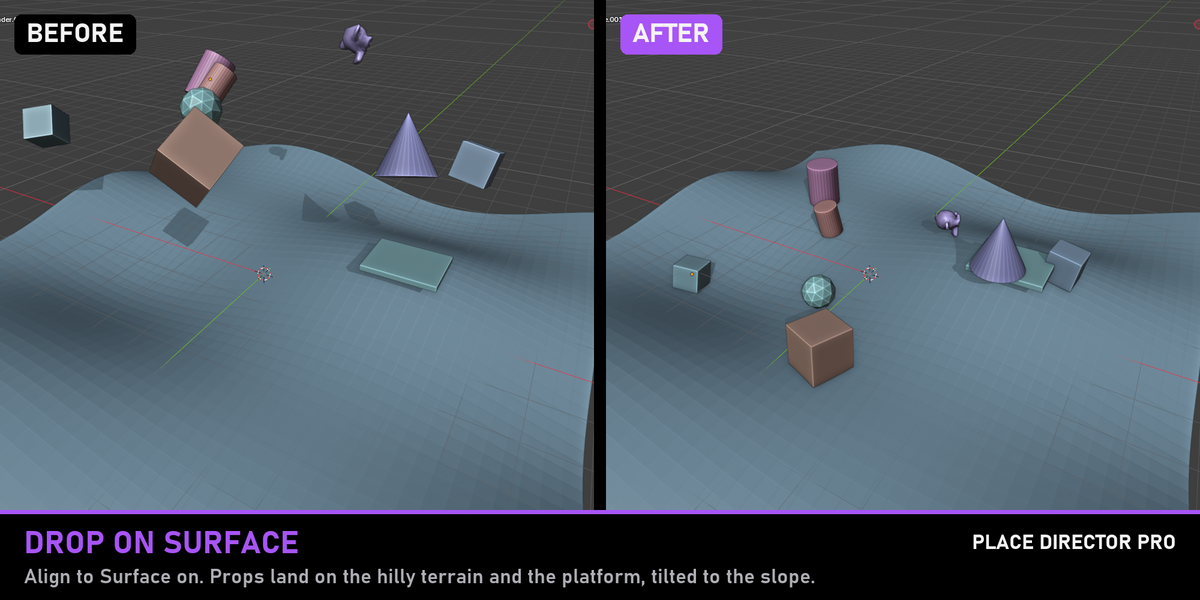
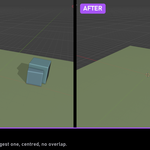
| Drop on Surface | Objects fall onto whatever is below them: terrain, tables, shelves. Samples 9 points of the footprint, so a box half over a table rests on the table. Optional Align to Surface and Offset |
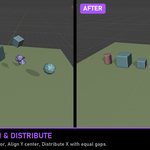
| Align | Min / Center / Max on X, Y, Z or All, to the Active Object, Selection Bounds, World Origin or 3D Cursor |
| Distribute | Equal Gaps or equal Centers along an axis, or a Fixed Spacing |
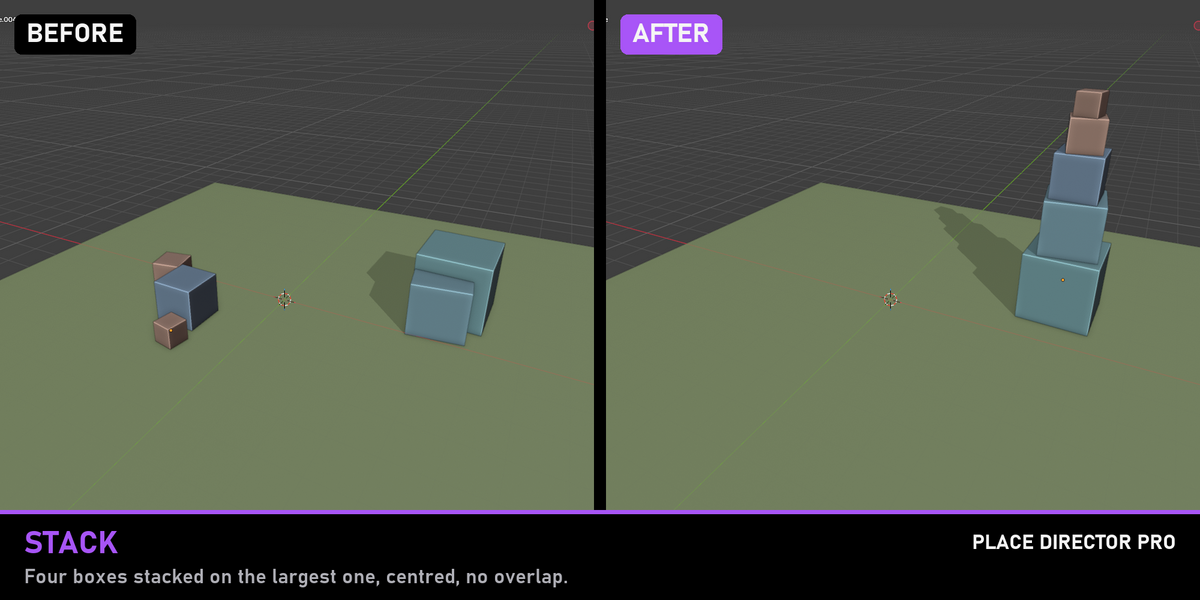
| Stack | Stack objects on the active one along any axis, with a gap, optionally centred on the base |
| Set Origin | Bottom Center, Bounds Center, Geometry, 3D Cursor or World Origin. Geometry and children stay put |
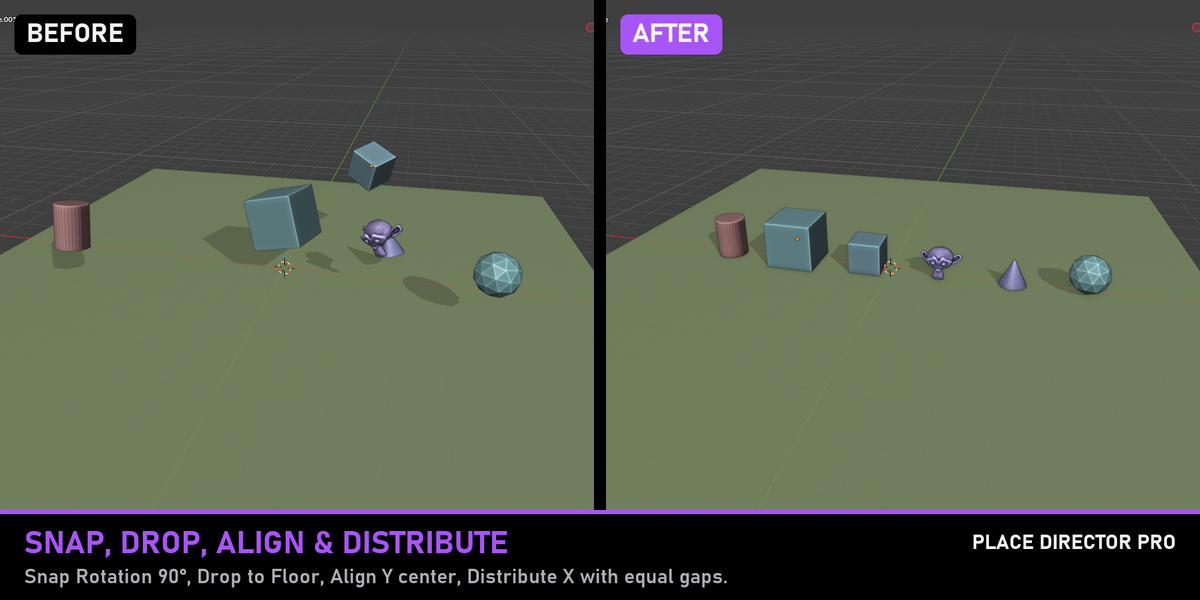
| Snap Rotation | Round rotations to 90°, 45° or 15°. Works with Euler, quaternion and axis-angle |
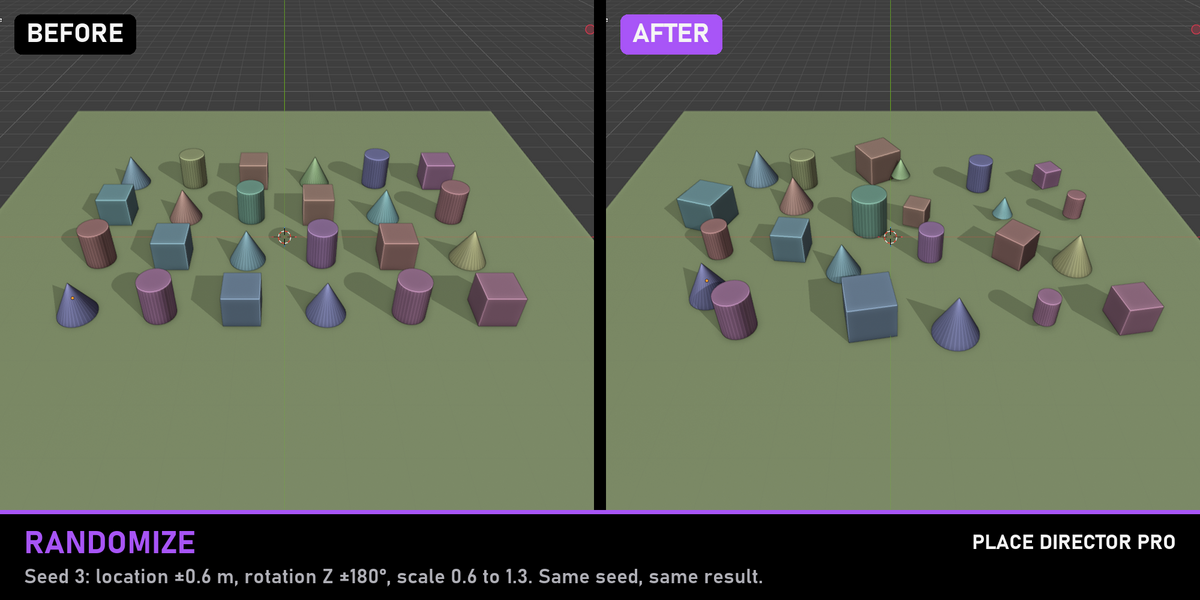
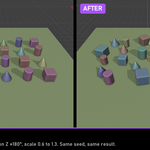
| Randomize Transforms | Random location, rotation and scale within limits. Seeded: the same seed always gives the same layout |
| Zero Transforms | Location and rotation to 0, scale to 1, each switchable |
| Copy Transform from Active | World location, rotation and scale from the active object to the other selected objects |
| Center in World | Centre the selection on the world origin on the axes you pick, as a group or per object |
Install
Download
PlaceDirectorPro-1.0.0.zipIn Blender: Edit → Preferences → Get Extensions → drop-down (top-right) → Install from Disk
Pick the
.zipOpen a 3D Viewport → press N → click the Place tab
Requires Blender 4.2 or later. Tested on 4.5 LTS and 5.2 LTS.
Usage
All tools work in Object Mode on the selected objects. Set the options in the sidebar panel, then click the button. After clicking, the redo panel (bottom left of the viewport) lets you change the values and see the result live. Every tool is also available from Object → Place Director.
Drop props onto a scene
Select the props (not the ground)
Drop section → enable Align to Surface if they should tilt with the slope
Click Drop on Surface
The selected objects never count as a surface for each other. If you want props on top of each other, use Stack.
Line up and space a row
Select the objects, make the one that should stay put active (click it last)
Align → To: Active Object → Center → click Y
Distribute & Stack → Axis X → Gaps → Distribute Objects
Without Fixed Spacing, the first and last object stay where they are and the rest are spaced between them (needs at least 3 objects).
Stack boxes
Select the boxes, click the base object last so it is active
Distribute & Stack → Axis Z → set a Gap → Stack Objects
Set the origin to the bottom
Select the objects → Origin section → Bottom Center → Set Origin
Objects that share their mesh with other objects, linked library data and objects with zero scale are skipped, and the report tells you which ones.
Scatter
Select the objects → open Randomize
Set the limits: Location (± metres), Rotation (± degrees per axis), Scale Min / Max
Click Randomize Transforms. Change the Seed for a different layout
Configuration
Edit → Preferences → Add-ons → Place Director Pro
Sidebar Tab (default "Place"): rename the tab, or type an existing one such as "Item" to move the panel there
Measure With Modifiers (default ON): bounding boxes include modifiers such as Subdivision, Array or Displace. Turn off to measure the base mesh only
Add to Object Menu (default ON)
Have questions about this product?
Login to message
| Blender Extension Compatible | Yes |
| Published | 12 days ago |
| Blender Version | 4.2 - 5.2 |
| Extension Type | Add-on |
| Render Engine Used | Cycles, Eevee |
| License | GPL |
Discover more products like this
drop to floor snap to surface addon blender productivity align randomize scatter distribute placement stack Set Origin