Ahp Playblast & HUD – Render Viewport in Blender
 raha realistis studio


📘 Documentation – AHP Playblast & HUD
AHP Playblast & HUD is a professional tool for rendering viewport previews in Blender with customizable HUD and audio support. This documentation will guide you through its key features and how to use them effectively in your animation pipeline.
🔧 Installation
-
Download the
.zipfile from Blender Market. -
Open Blender →
Edit→Preferences→Add-ons. -
Click “Install...” and select the
.zipfile. -
Enable the checkbox for AHP Playblast & HUD.
🧰 Main Features & How to Use
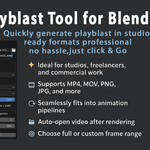
1. Playblast Button
-
Renders the active viewport with all current settings.
-
Automatically opens the video file or folder after playblast.
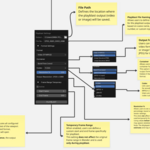
2. File Format Options
-
Choose between:
-
Video: MP4, MOV, MKV
-
Image Sequence: PNG, JPEG, etc.
-
-
When video is selected, container and codec settings will appear.
3. Codec & Container (Video only)
-
Choose your preferred codec: H.264, MPEG-4, ProRes, DNxHD.
-
Container options: MP4, MOV, MKV.
4. Custom Frame Range
-
Temporarily override the timeline frame range for the playblast.
-
Doesn’t affect your actual project settings.
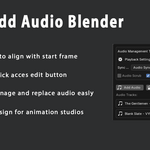
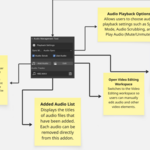
5. Audio Support
-
Easily attach an audio file to sync with your animation.
-
Useful for lipsync, timing, and blocking animation.
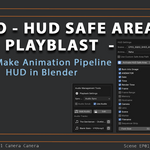
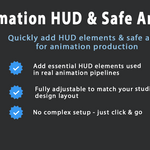
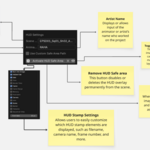
6. HUD Display
-
Automatically overlays important metadata:
-
Scene name, artist name, camera info, timecode, file name, resolution, and custom notes.
-
-
Customize which elements appear.
7. Safe Frame Image
-
Load your own image guide for safe area or compositional framing.
-
Toggle visibility anytime.
8. Toggle HUD/Guide Visibility
-
Dedicated buttons to turn HUD and safe image ON/OFF without changing settings.
💼 Best Use Cases
-
Animation blocking and timing review
-
Shot previews for directors/supervisors
-
Team communication in studio pipelines
-
Presentation for clients and feedback sessions
📌 Notes
-
This tool is non-destructive: no changes to render settings, timeline, or scene data.
-
You can safely use this in any production without breaking existing setups.
Have questions about this product?
Login to message
| Published | about 1 year ago |
| Blender Version | 4.2 - 5.2 |
| Extension Type | N/A |
| License | GPL |
Discover more products like this
hud animation preview animation pipeline Animator Tools animation HUD Blender-animation-tools render overlay Blender playblast preview render playblast frame range audio sync