Ahp Playblast & HUD – Render Viewport in Blender
 raha realistis studio


Why are Blender 4 and Blender 5 separate Personal variants?
Following Superhive's guidance for major Blender version updates, Personal licenses are separated by major Blender version.
Personal – Blender 4: Blender 4 only
Personal – Blender 5: Blender 5 only
Studio: Blender 4 + Blender 5 included
If you own the Personal Blender 4 version and want to use the addon with Blender 5, you will need to purchase the Blender 5 Personal version.
Studio License users receive both versions in one license, allowing them to work with both Blender 4 and Blender 5.
new AHP_v03_Blender_4+
✨ New Update:
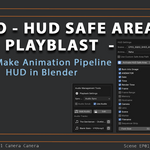
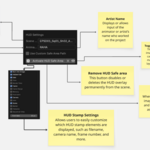
HUD Tools now supports Custom Stamp Color 🎨
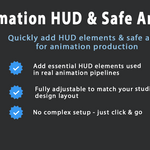
Easily change HUD text color from the panel — make your renders more professional & match your style!
🔒 License & Usage Notice (Extended EULA)
🔒 License & Usage Notice (Extended EULA)
This add-on is licensed under the [GPL/MIT] license, as required by Blender Market. However, the following ethical and contractual terms also apply:
❌ Redistribution is strictly prohibited. Do not share, resell, or upload this add-on to any other platform.
❌ Modifying and redistributing this add-on, even in part, is not allowed.
✅ This add-on is intended for use only by the original purchaser from my official Blender Market store.
📌 Commercial use is permitted, but please respect the integrity of the code and the creator's work.
By purchasing and using this add-on, you agree to these terms. Your support helps me continue to develop and maintain professional-quality tools for the Blender community.
Thank you for respecting this work 🙏
❓Troubleshooting HUD not visible?
❓Troubleshooting
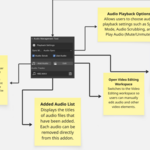
HUD not visible? Ensure overlays and HUD options are enabled in the panel.
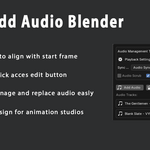
Audio not syncing? Make sure the audio file is compatible and correctly trimmed.
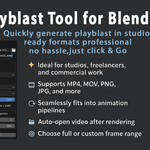
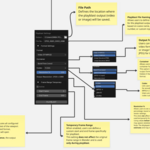
Output file not opening? Some systems may block automatic opening—check your OS file associations.
Have questions about this product?
Login to message
| Published | about 1 year ago |
| Blender Version | 4.2 - 5.2 |
| Extension Type | N/A |
| License | GPL |
Discover more products like this
render overlay Animator Tools animation HUD playblast preview render Blender playblast hud frame range Blender-animation-tools animation preview audio sync animation pipeline