 Roka
Roka


PolyExact
Precision free-form extrusion and movement tool for Blender.
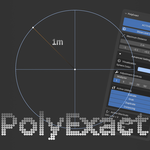
PolyExact lets you set a numerical distance value and locks your extrusions and movements to that exact length. A spherical visual guide shows the boundary of your possible action in real time, removing guesswork when working with vertex distances. It's especially useful for rapid, repetitive actions.
Blender 4.2+
Features
- Distance-locked operations — Fixed max distance for extrude, grab, duplicate, & instance
- Visual limit guide — Real-time reach indicator
- Unit-aware — Works with metric, imperial, or none
- Adjustable on the fly — Fast distance tweaks with multiplier
- Per-operation keybinds — Enable/disable tools individually
- Custom toggle shortcut — Set your own hotkeys
- Edit & Object mode — Works on vertices and objects
Use Cases
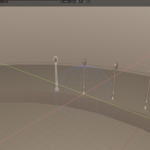
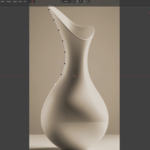
- Reference tracing — Clean base meshes from images
- Light retopology — More uniform quads
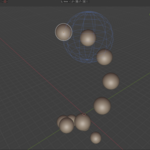
- Uniform placement — Even spacing for repeated objects
Installation
- Download
PolyExact.zip - Edit → Preferences → Add-ons
- Install from Disk → select zip
- Enable PolyExact
Panel location: View3D → Sidebar → PolyExact
Usage
Quick Start:
- Open the PolyExact panel
- Toggle ACTIVE
- Set Maximum Distance
- Use default shortcuts
| Shortcut | Operation | Mode |
|---|---|---|
E |
Extrude | Edit |
G |
Grab | Edit/Object |
Shift+D |
Duplicate | Edit/Object |
Alt+D |
Instance | Object |
Ctrl+Alt+V |
Toggle | Edit/Object |
Distance Adjustments
Use increment buttons to adjust distance. The multiplier scales step size for faster changes.
Visual Guide
- 3D Perspective: Sphere
- 2D Orthographic: Circle + guides
Advanced Settings
- Guide Color
- Multiplier (1×–100×)
- Active Utilities
License
GPL + PolyExact
Author
Have questions about this product?
Login to message
| Blender Extension Compatible | Yes |
| Sales | 70+ |
| Rating | 2 ratings |
| Dev Fund Contributor | |
| Published | 5 months ago |
| Blender Version | 4.2 - 5.2 |
| Extension Type | Add-on |
| Render Engine Used | Arnold, Blender-Internal, Blender-Game-Engine, Cycles, Eevee, Freestyle, Luxrender, Mental-Ray, Octane, Vray, Yafaray |
| License | GPL |
Discover more products like this
modeling-constraint exact measurements constraint action-constraint exact cap polyexact limiter 3d cap