 Roka
Roka


Is the distance exact or just a guide?
It’s exact. The value you set is a hard cap~ your action will not exceed it.
Why would I use this instead of snapping?
Snapping depends on existing geometry. PolyExact gives you consistent, repeatable distances even in empty space or during rapid workflows.
What is the visual guide?
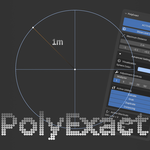
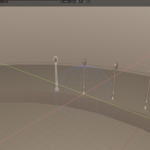
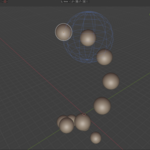
It’s a real-time boundary indicator that shows the maximum reach of your current action. In 3D perspective view it appears as a sphere; in 2D orthographic view, as a circle with cardinal guides.
How do I use the limit multiplier?
Open the PolyExact tool > Navigate to "Advanced Settings" > Select "Multiplier" and enter your desired value.
- The multiplier controls how much the distance changes when using the increment/decrement buttons
- For example, with a multiplier of 10×, each step increases/decreases the distance by 10 units instead of 1
- It snaps to clean values (e.g. multiples of 5) for faster adjustments
Have questions about this product?
Login to message
| Blender Extension Compatible | Yes |
| Sales | 70+ |
| Rating | 2 ratings |
| Dev Fund Contributor | |
| Published | 5 months ago |
| Blender Version | 4.2 - 5.2 |
| Extension Type | Add-on |
| Render Engine Used | Arnold, Blender-Internal, Blender-Game-Engine, Cycles, Eevee, Freestyle, Luxrender, Mental-Ray, Octane, Vray, Yafaray |
| License | GPL |
Discover more products like this
action-constraint constraint modeling-constraint exact exact measurements 3d cap cap limiter polyexact