 Hlopes
2.12.20 – big update since 2.8.2
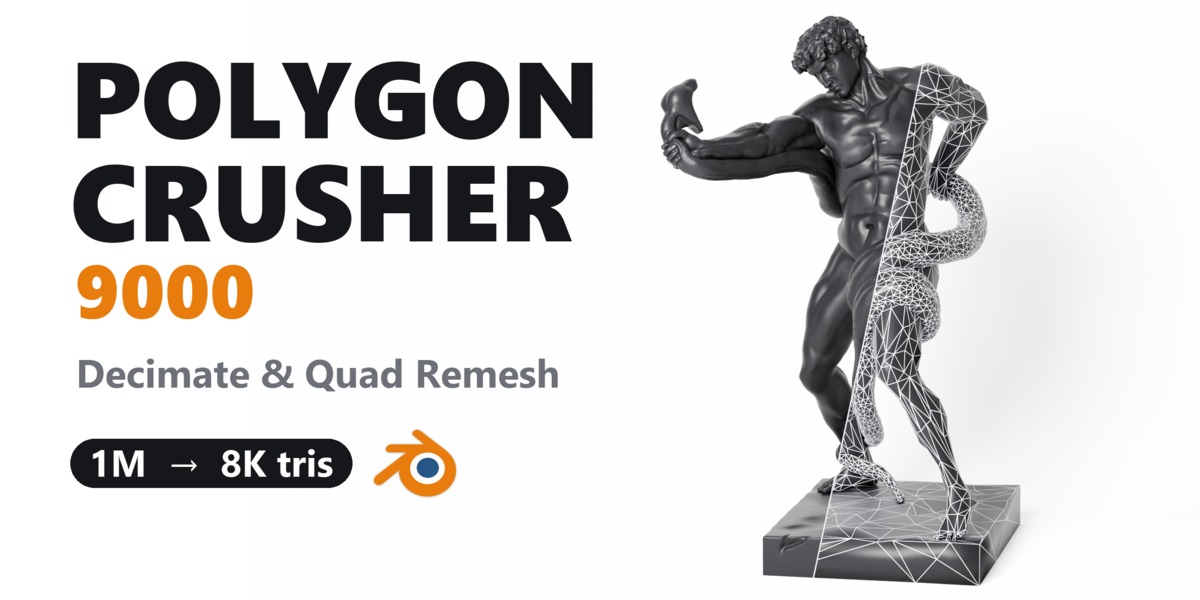
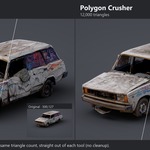
- Quadify (quad remesh): cleaner quads on CAD parts, scans, cloth and multi-part models; Mirror, Show Lines preview, Cloth Panels, Separate Parts, follows marked Sharp edges.
- Keeps UVs and materials on Quadify, with optional texture bake; new Roughness/Metallic bake and Undo Bake.
- Keep > Sharps: hard edges held with clean shading.
- Fill Holes: closes openings and scan cracks before crushing.
- Show Hard Edges: live viewport preview of the edges that will be kept.
- Much faster on big models (no more freeze at 99%), and runs can be cancelled.
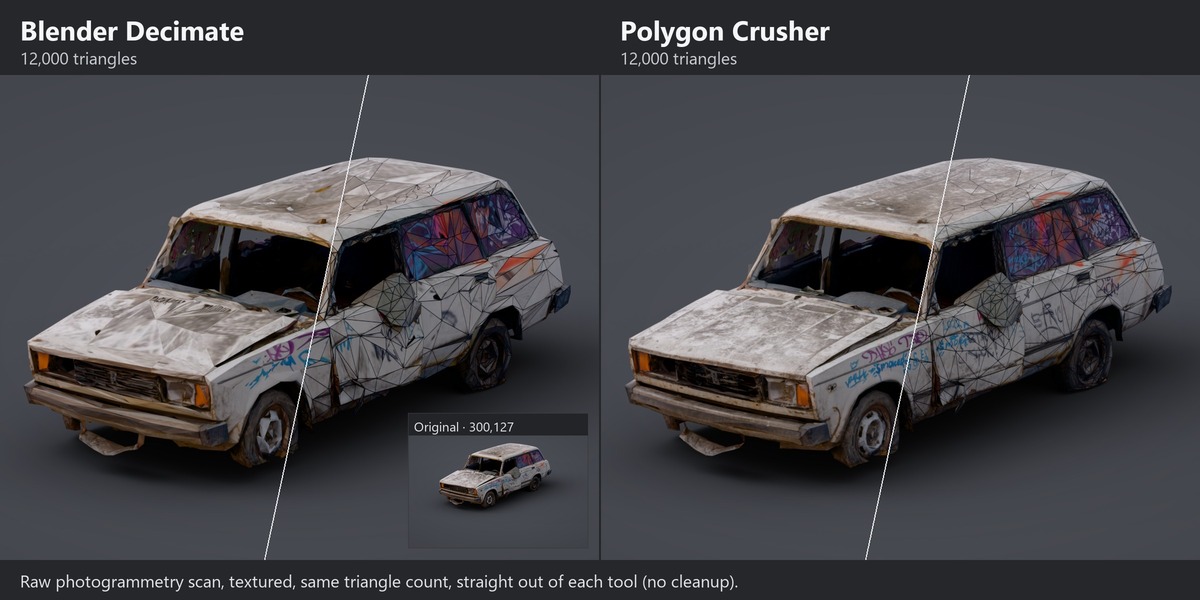
- Better results on scans and cloth: clean shading, folds that bend, exact triangle counts.
2.8.1: Polygon Crusher now has its own sidebar tab, separate from the old shared toolkit tab.
2.8.2: Fixed hairline cracks and streaks that could appear on hard-surface crushes.
v2.8.0: Symmetry
- New Symmetry switch (Advanced > Preserve): a mirrored model stays mirrored after the crush. Both halves are crushed the same way, and the center line stays straight, closed and smooth.
- Pick the axis with X / Y / Z: the object's own axes through its origin, the same as Blender's Mirror modifier and Decimate's Symmetry.
- If the object has a Mirror modifier, its axis is used automatically (also when it mirrors across another object).
- The report warns you when the model isn't actually mirrored on the chosen axis.
- Great for characters, vehicles and props you rig, retopo-check or texture with mirrored UVs. Same accuracy as without Symmetry.
- Not used by Scene Budget or Import and Crush yet.
Enjoying it? A rating on Superhive helps a lot.
v2.7.1: a stronger engine for hard-surface models
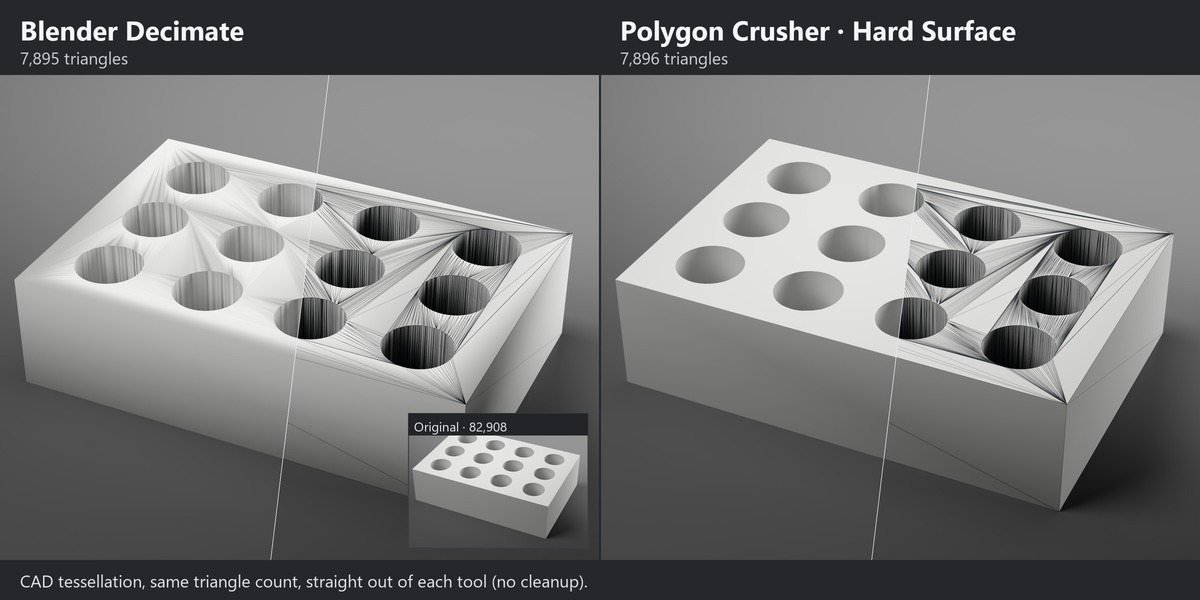
- Edges you keep (borders, material edges, UV seams, sharp edges) are now a cost instead of a hard lock: Hard Surface mode always reaches the count you ask for, holes stay round, and collapses run along a crease instead of across it.
- Every connected piece keeps a minimum number of triangles until the error budget runs out, so small parts no longer vanish at heavy reductions while bigger ones survive.
- Models with UVs no longer stop short of the target when the no-UV-fold protection is on.
- Measured against meshoptimizer (the open-source simplifier behind Godot and glTF tools) on 8 test models; scans and sculpts unchanged.
v2.7.0: pick a mode, or let Auto pick it
- A Mode menu at the top of the panel: Auto, Scan, Sculpt, Hard Surface, Custom. No more guessing which switches suit your model.
- Auto looks at the selected mesh for about a second and tells you what it sees in plain words ("Looks like a scan: rough surface all over. Found: 120 spikes, 11 small holes"), then switches on only the repairs it found.
- Scan: Clean Mesh with the scan repairs, Keep UVs with Low Distortion. Sculpt: smooth shading kept, nothing forced, Protect Area and Bake ready. Hard Surface: borders, material edges, UV seams and sharp edges stay exactly in place.
- Advanced is grouped by job (Preserve, Protect Area, Bake, Clean Mesh, LODs, Output), each group says what it is for, and a mode opens the groups it uses.
- Import and Crush has the same Mode menu; in Auto the engine looks at the file first.
v2.6.0: crush scans straight from disk, repair them on the way, keep textures crisp
Import and Crush (File > Import > Crush OBJ/PLY/STL)
- Scans too big for Blender's own importers now go straight from the file into a crushed mesh. A 2.5 GB, 32-million-triangle OBJ imports in 5 seconds and lands in the scene as a 200k-triangle mesh about a minute later (about 10 GB of RAM for that size).
- OBJ, PLY (ASCII and binary) and STL. UVs, vertex colors and the texture named in the .mtl come along.
Scan Repair (under Clean Mesh)
- Cut Floor removes the table or turntable captured under the model, found by itself or cut at a height you set.
- Remove Spikes pulls points shot out of the surface back onto it and deletes the long stretched faces that bridge gaps.
- Fill Holes closes small missing patches up to a size you choose, so the open bottom of a bust stays open.
Textures
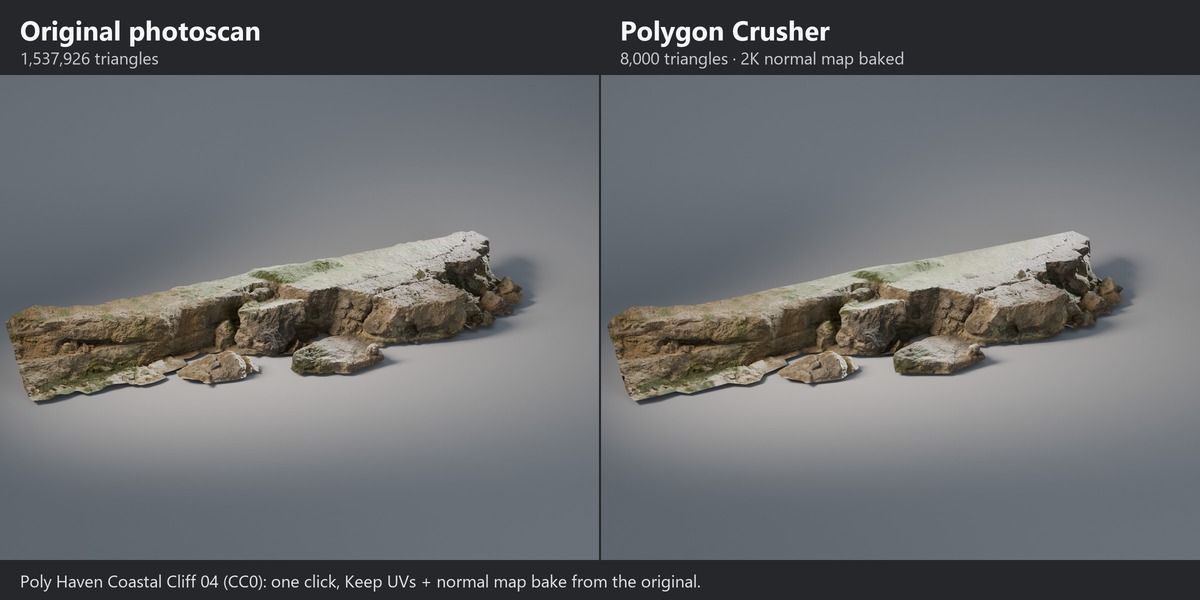
- Low Distortion (under Keep UVs, on by default): a heavy crush no longer leaves smeared or mirrored texture patches on scans. Folded texture faces on a 1.26M-triangle rock crushed to 5k: 13 before, 0 now.
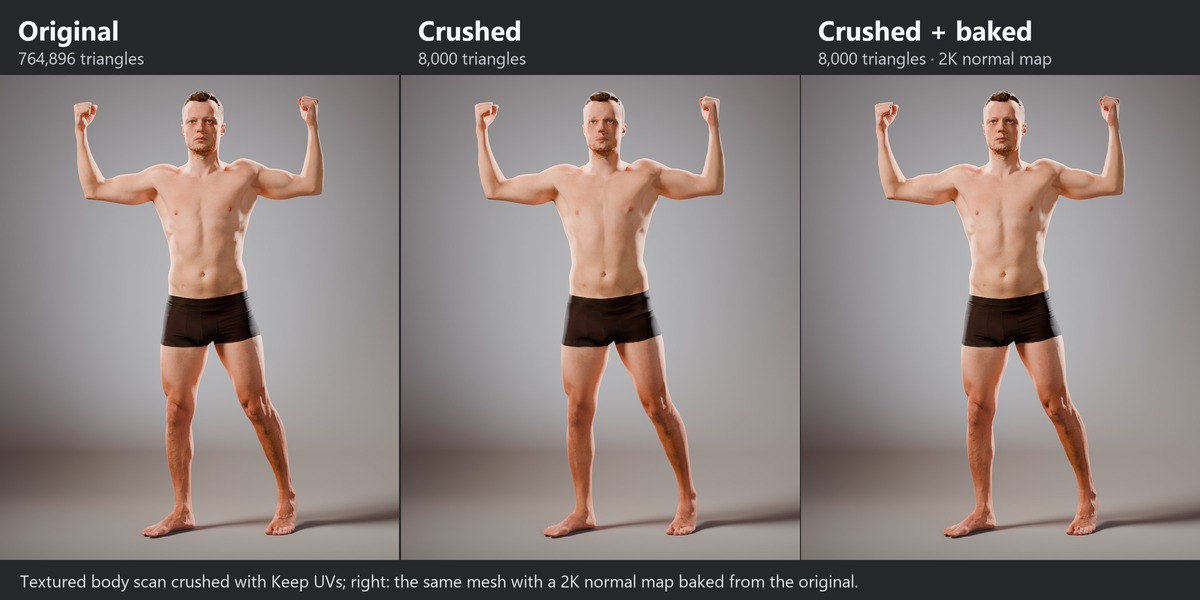
- Base Color bakes from image textures (2.5.0): a textured scan or asset keeps its look after the crush, with the original's textures transferred onto the new UVs. Scans no longer shatter into thousands of tiny UV islands when baking.
Enjoying it? A rating on Superhive helps a lot.
v2.4.2: rigged characters stay rigged, vertex colors survive, scans clean themselves
Rigs, shape keys and colors
- Rigged characters stay rigged: the crushed copy keeps the skin weights, the Armature modifier and the parent, so it poses and animates like the original.
- Crush in any pose: the character is read in its rest shape, so the pose is never baked in twice.
- Shape keys carry over, with their values, ranges and masks.
- Vertex colors survive a crush (scan colors, polypaint, AI-model colors), no bake needed.
Scans and broken meshes
- Scans split along their UV seams are welded automatically: no more cracks along seams.
- Meshes full of zero-area triangles (quantized OBJs, coarse scans) now crush instead of stopping with "Unable to reduce mesh".
- No more stray spike vertices on split meshes.
Protect Area
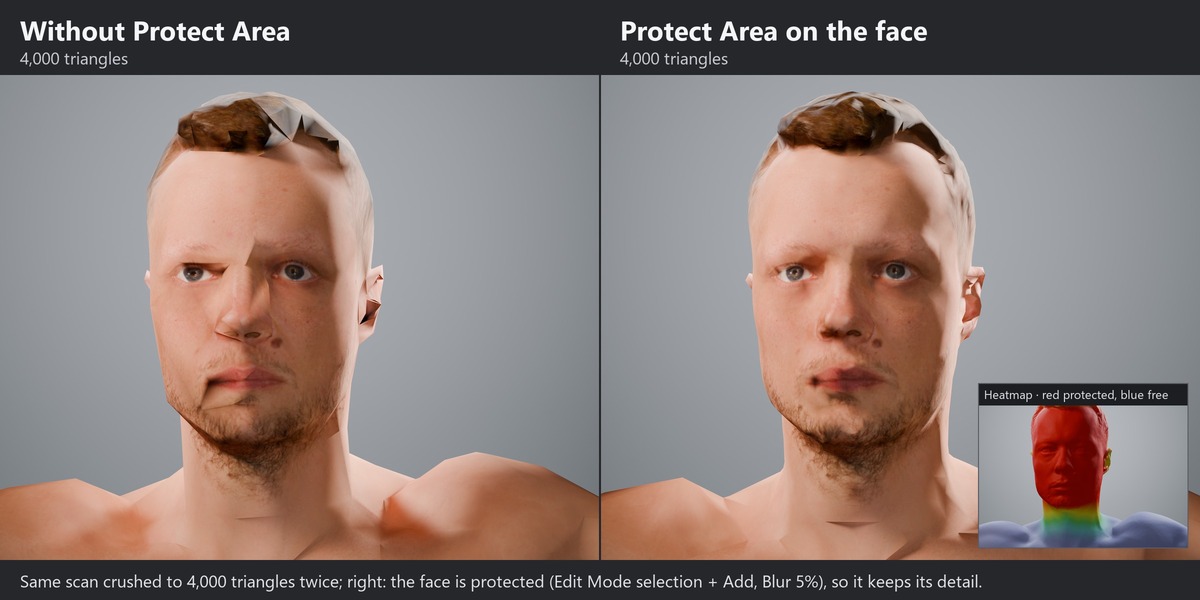
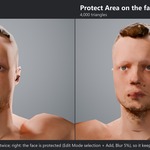
- Big protected areas (a whole head, half a sculpt) keep much more of their curvature: cleaner faces at the same triangle count.
Enjoying it? A rating on Superhive helps a lot.
v2.4.1: a simpler panel, clean bakes, clean textures and hard-surface shading
A simpler panel
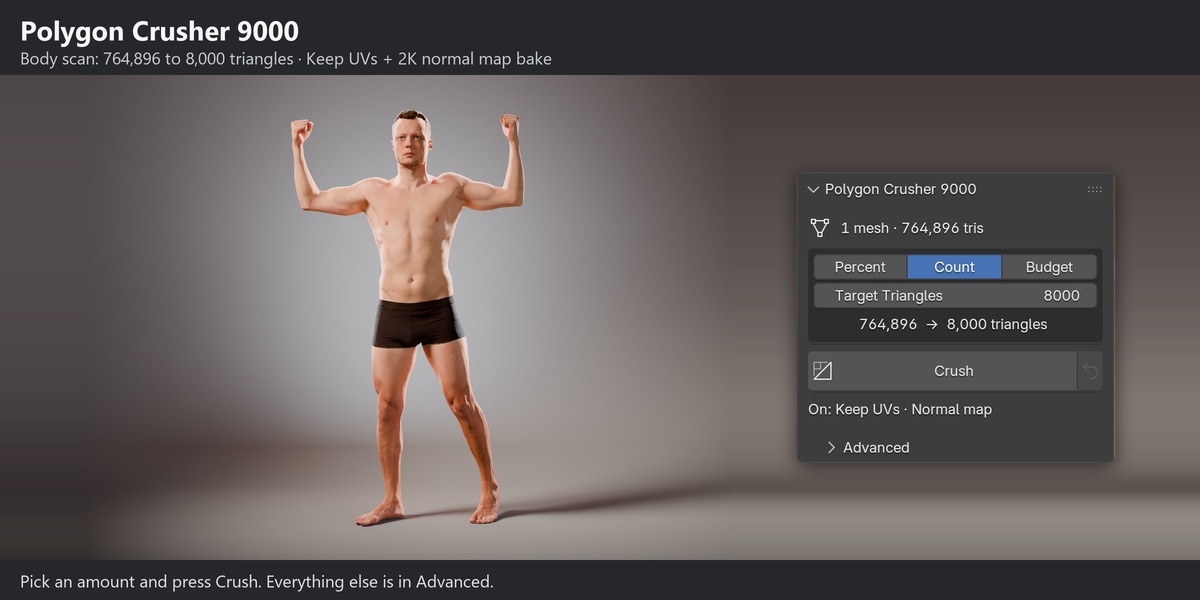
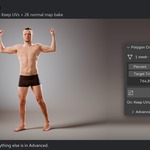
- Pick an amount and press Crush. Everything else is in one collapsed Advanced section.
- A status line says what is selected; a line under Crush lists what is switched on in Advanced.
- Four clear presets: Light 25%, Medium 50%, Heavy 75%, Extreme 90%.
- Keep UVs is now off by default (Keep Normals stays on). Turn it on when the crushed mesh must keep its UV layout.
- Protect Area works from your selection: in Edit Mode, select faces and click Add. Blur fades the protection out softly, and Show Heatmap shows it in the viewport before you crush.
Baking
- Auto-UV bakes are fast: a 79-part Scene Budget bake that never finished now takes 12 seconds.
- CAD creases stay hard after a bake; only real creases are marked sharp.
- Bakes warn when the UV map overlaps (stacked or mirrored islands), where a baked map would be wrong.
- Clean normal map bakes on flat-shaded scans: no dark lines along thin triangles.
Shading and textures
- Clean textures on scans: no thin slivers where UV islands meet.
- Keep Normals on CAD: no soft bands on flat faces next to small rounds, and no light streaks on the walls of drilled holes.
- Sharp Edges works on scans: noise no longer locks the mesh, so noisy scans reach the target.
- Lower targets on CAD: meshes full of thin triangles reach a few hundred triangles with far fewer folded faces.
Reports and fixes
- Clearer reports: skipped objects, Scene Budget parts, and a warning when a very low target leaves non-manifold edges.
- Fix: Revert on a crushed copy of a crushed copy.
Enjoying it? A rating on Superhive helps a lot.
-
Bake normal and color maps. Crush can bake the original's detail onto the low-poly copy as a normal map, and turn vertex colors (scans, AI models) into a base color texture. The maps are hooked up in the material automatically.
-
Automatic UVs. Meshes without UVs get clean, projection-based UVs with smoothing split along the seams, so bakes come out seam-free. Crush asks before it unwraps.
-
Choose where maps are saved. Next to the .blend or in any folder. Unsaved files pack the maps into the .blend.
-
Hard-surface / CAD preservation. Keep borders, material borders, UV seams and sharp edges exactly in place while the rest gets crushed. Corners never move, and sharp edges stay marked Sharp on the result. One click on Hard Surface turns it all on.
- User presets now remember the preserve settings.
- The report warns when the preserve options keep the mesh well above the target.
New engine, Scene Budget, LODs, Protect, Clean, Revert
- New crush engine. Exact results: 80% means 80%, 5,000 triangles means 5,000. It always removes the least visible detail first, so surfaces look better at the same count. Aggressiveness and Iterations are gone. There's nothing to tune.
- Scene Budget. One triangle total for the whole selection. Detail is removed where it costs least across all objects, so hero objects keep more.
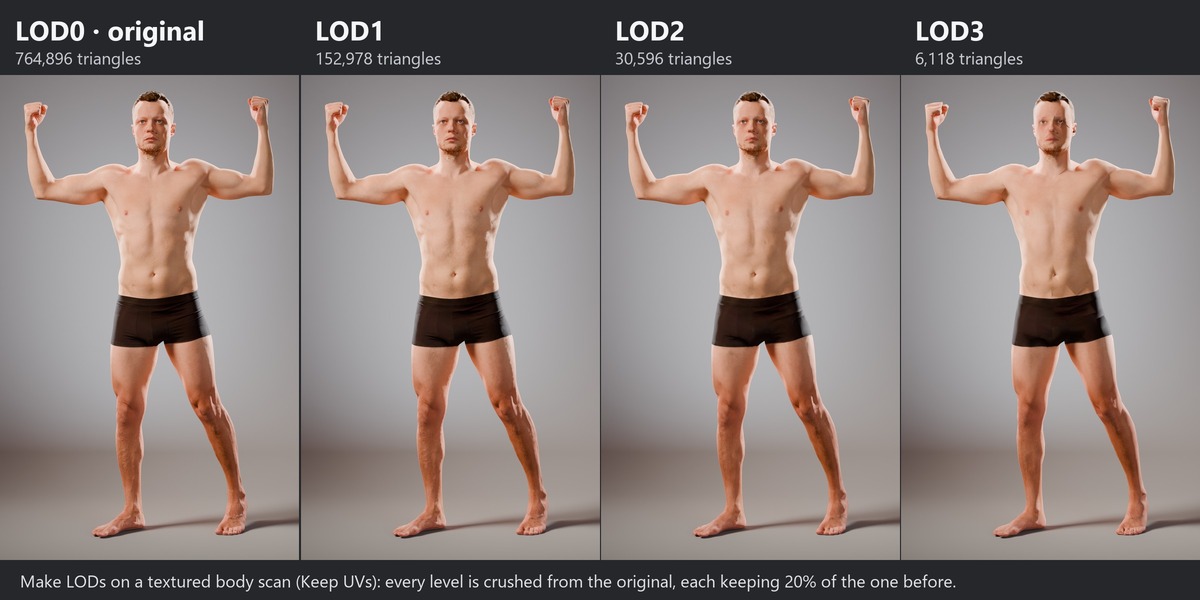
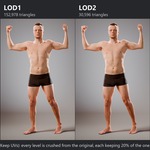
- LODs in one click. Tick Make LODs and Crush builds a 1–8 level LOD chain in its own collection. The original stays as LOD0.
- Protect vertex group. Paint faces, hands or text into a vertex group to keep their detail, with an adjustable Strength.
- Clean Mesh. Repairs AI-generated and scanned models before crushing (duplicate vertices, broken/flipped faces) and can remove small floating pieces.
- Revert. One click deletes a crushed object and brings back the original.
- Cleaner panel. One Crush button for every mode, grouped sections, a live before → after triangle readout, and the panel starts collapsed.
- Fix: re-enabling the add-on in the same session could make Crush fail.
**v2.1.2 — Bug fix**
- Fixed "Crush apply failed: 'NoneType' object has no attribute 'select_set'" when crushing with **Keep original** turned off. Crush now finishes cleanly and selects the crushed result whether Keep original is on or off.
Linux support.
This release adds the missing Linux binaries. Linux users on 2.1.0 and earlier got "Native simplify binary not found for this platform" when clicking Crush, because the extension only shipped Windows and macOS builds of the native simplifier. Both x86_64 and arm64 Linux builds are now included.
The Linux binaries are statically linked against libstdc++/libgcc and built against glibc 2.35, so they run on any reasonably current distribution.
No functional changes on Windows or macOS — if Crush already worked for you, this update changes nothing.
Have questions about this product?
Login to message
Discover more products like this
Polygon Reduction low poly LOD optimization 3D Scan reduce polygons quad remesh decimate remesh decimation photogrammetry retopology