 IXEZED
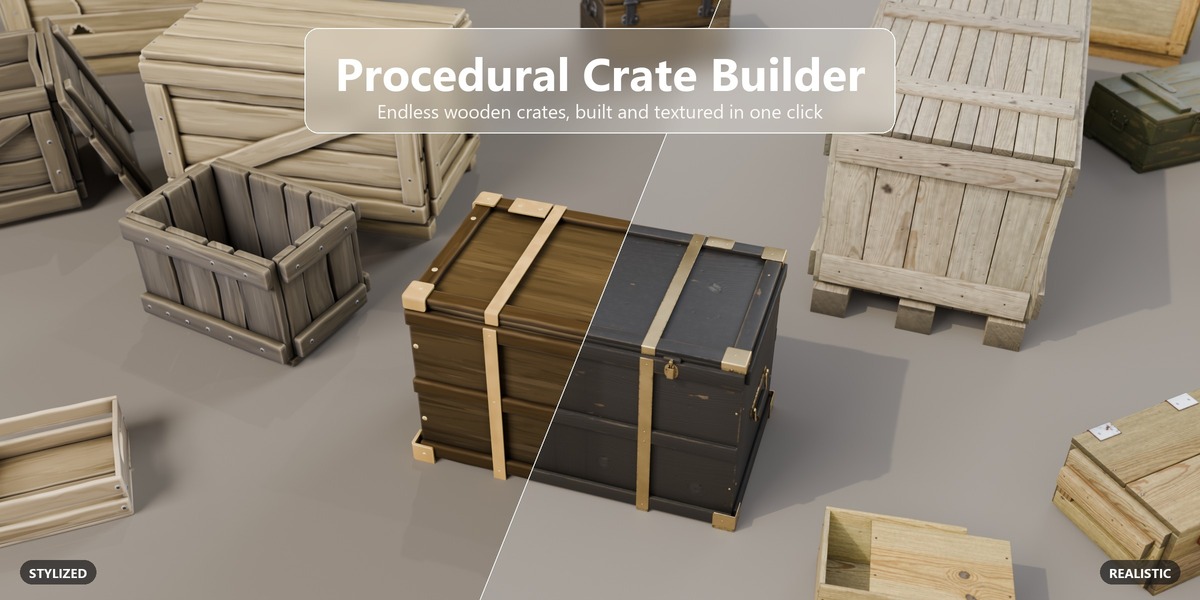
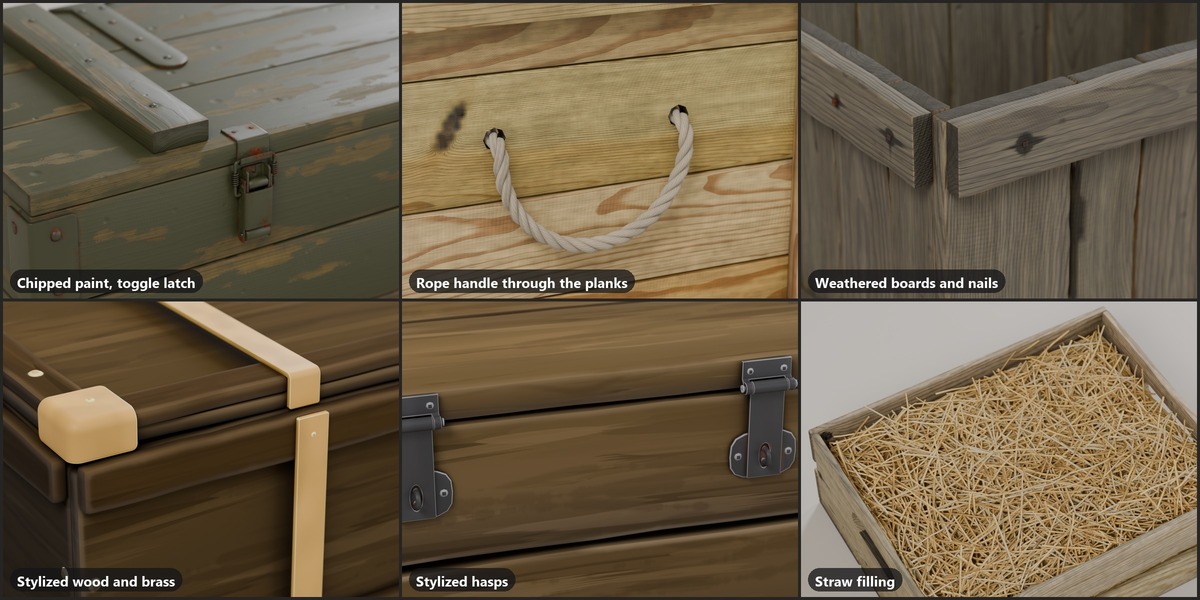
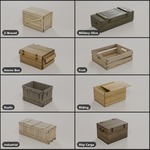
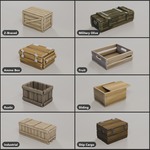
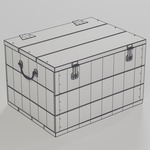
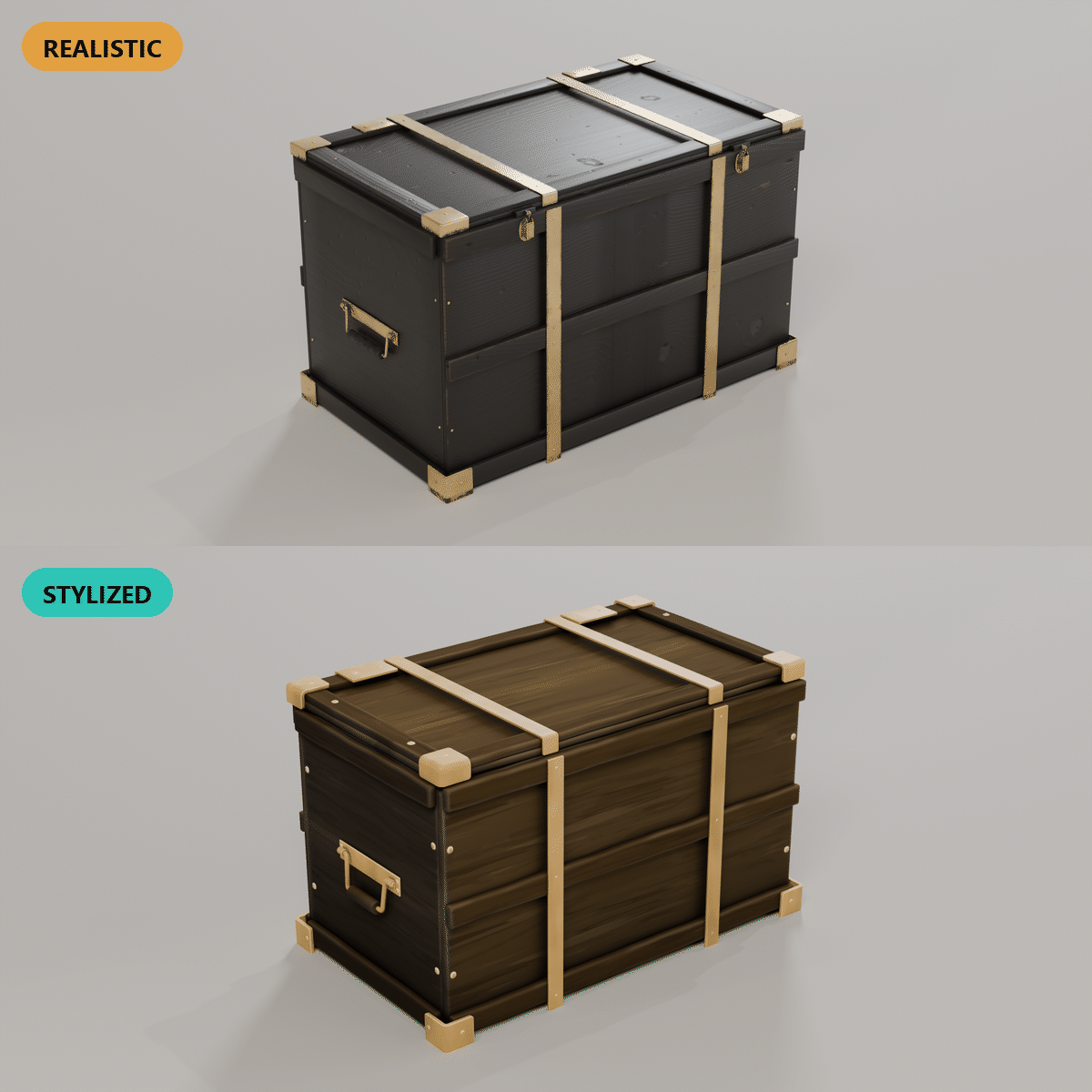
Two looks. One crate builder.
REALISTICSTYLIZED
▶ Z-Braced turning, rendered in both looks with the same seeds: Realistic on one side of the turn, Stylized on the other.
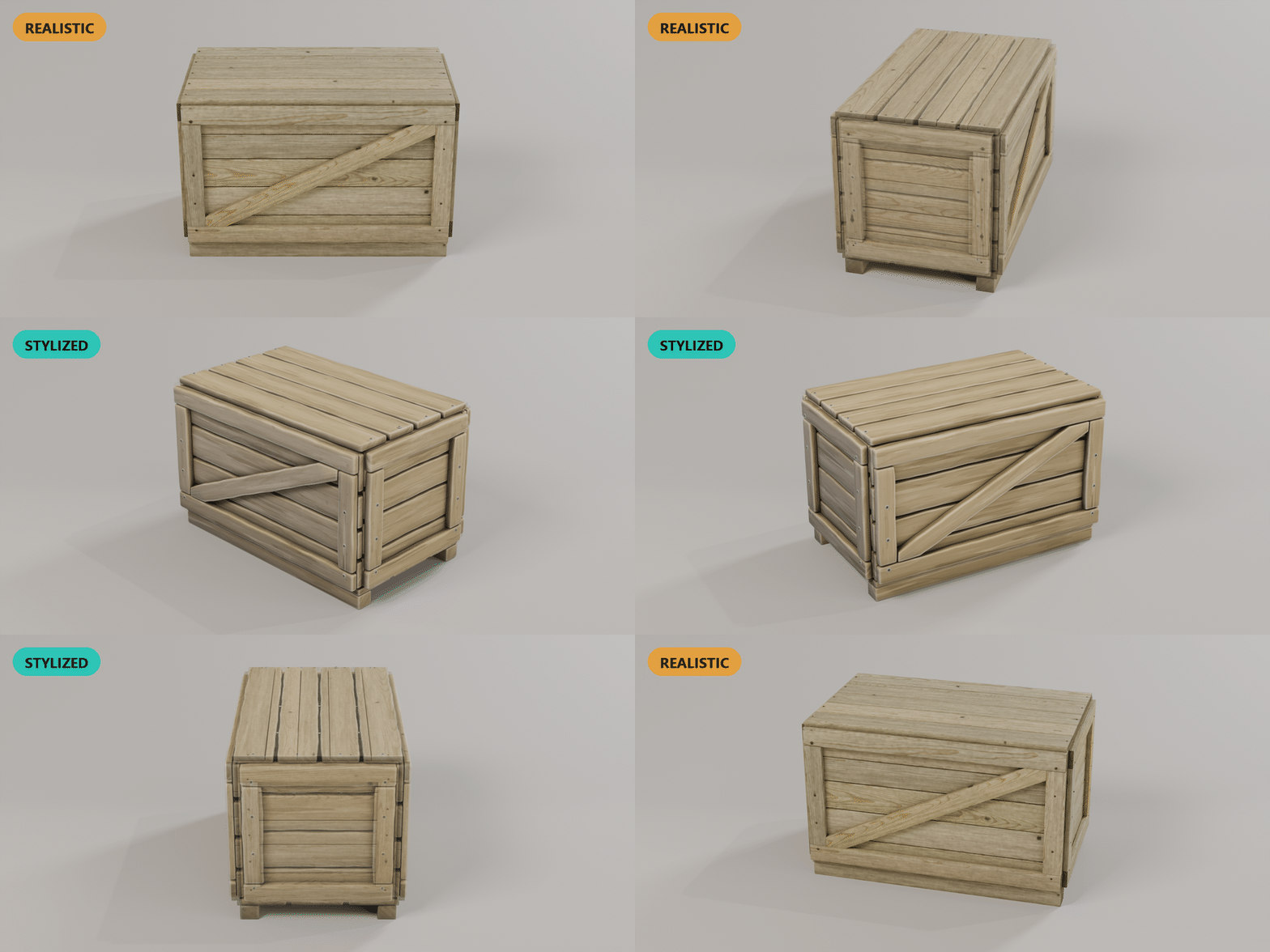
Press Add Crate and you get a complete crate: planks, frame, nails and the hardware of the style you picked. Then every part stays live. Drag a slider and the crate rebuilds itself. Every new crate gets its own random seeds, so two crates of the same style still come out different.
Endless crates. Every one your own.
The 16 styles are only where you start. Change any of hundreds of settings, put any handle, lid, latch or damage on any crate, and every new crate gets fresh random seeds. The combinations are practically endless, in Realistic and in Stylized.
16 STARTING STYLESHUNDREDS OF SETTINGSFRESH SEEDS EVERY CRATE2 LOOKS
Technical Specifications
| ● Software | Blender 4.2 LTS, 4.5 LTS and 5.2 LTS |
| ● Render engine | Cycles (the live crate also renders in EEVEE in 5.2 LTS) |
| ● Tested on | Windows |
| ● Dependencies | None, everything comes in one .zip |
| ● Output | One mesh with Base Color, Normal, Roughness, Metallic, Specular, Height and AO maps, in 1K, 2K or 4K |
| ● Export | FBX, OBJ with its .mtl, or GLB, with every map as PNG |
| ● Starting styles | 16, in 5 categories |
| ● Version | 0.4.3 |
STEP · 01
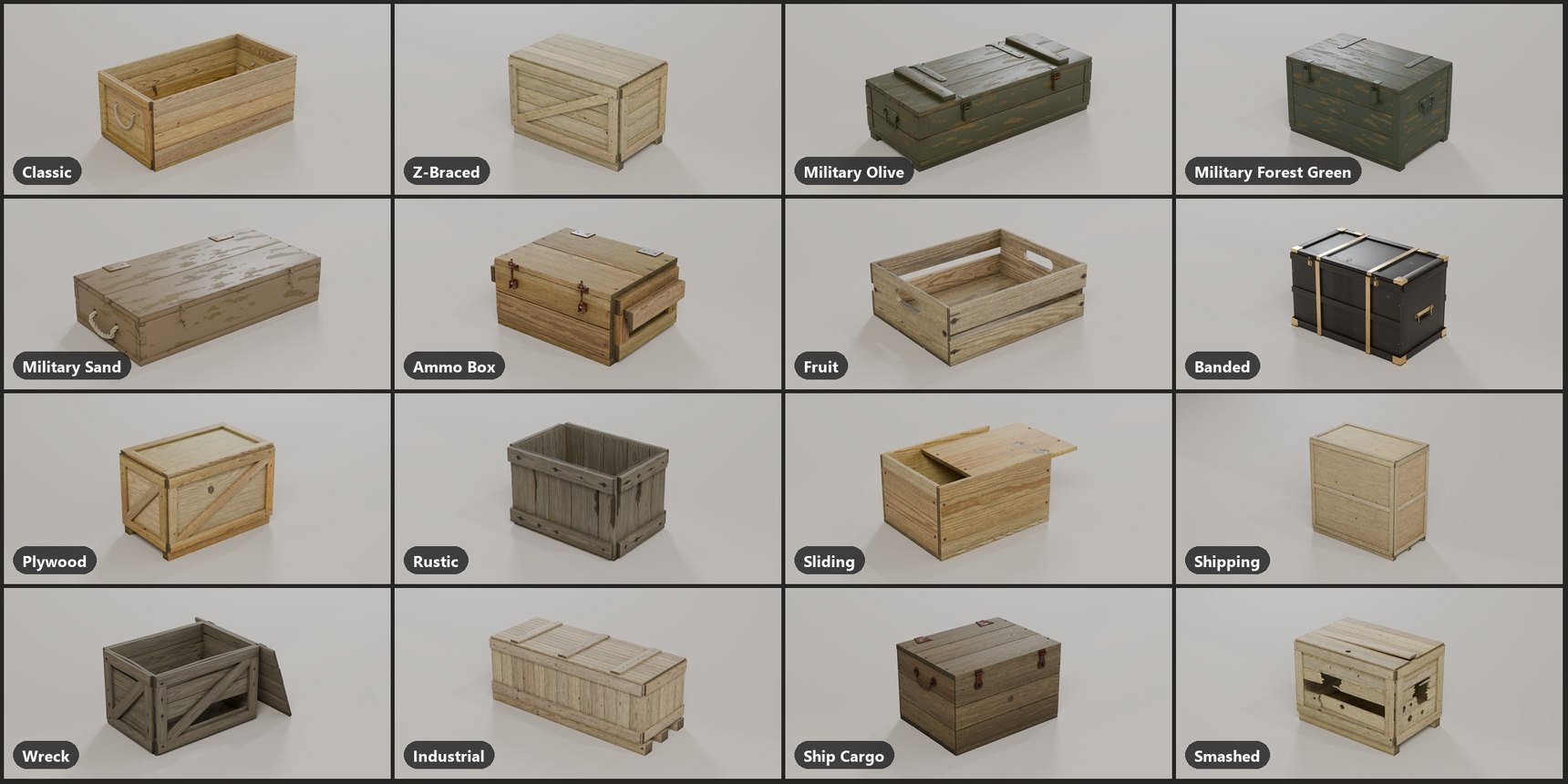
Sixteen starting points
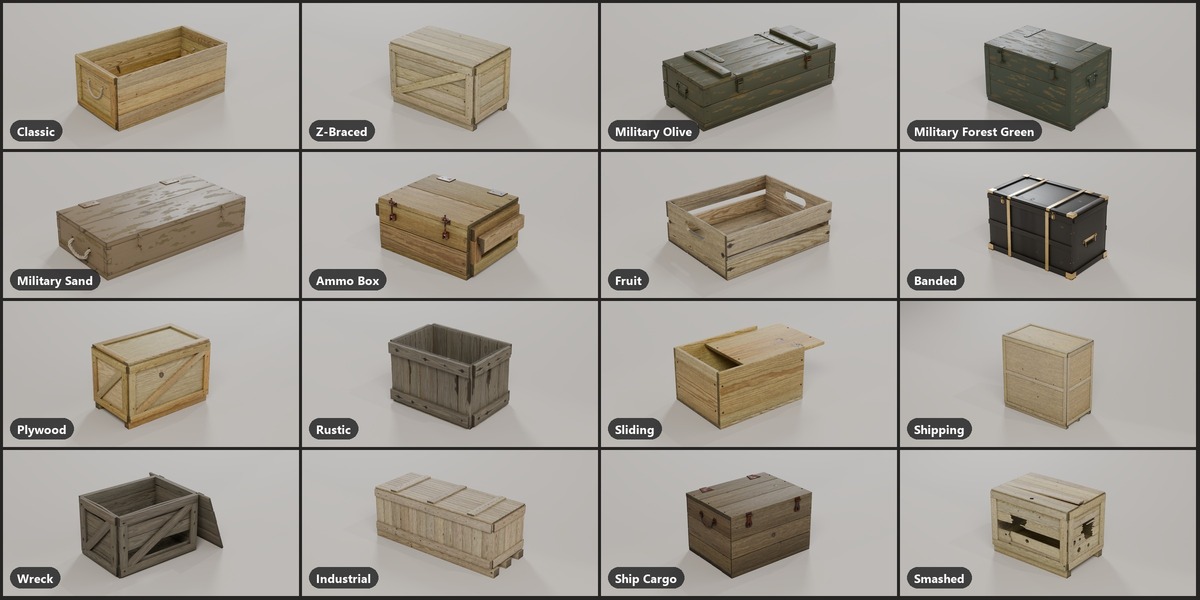
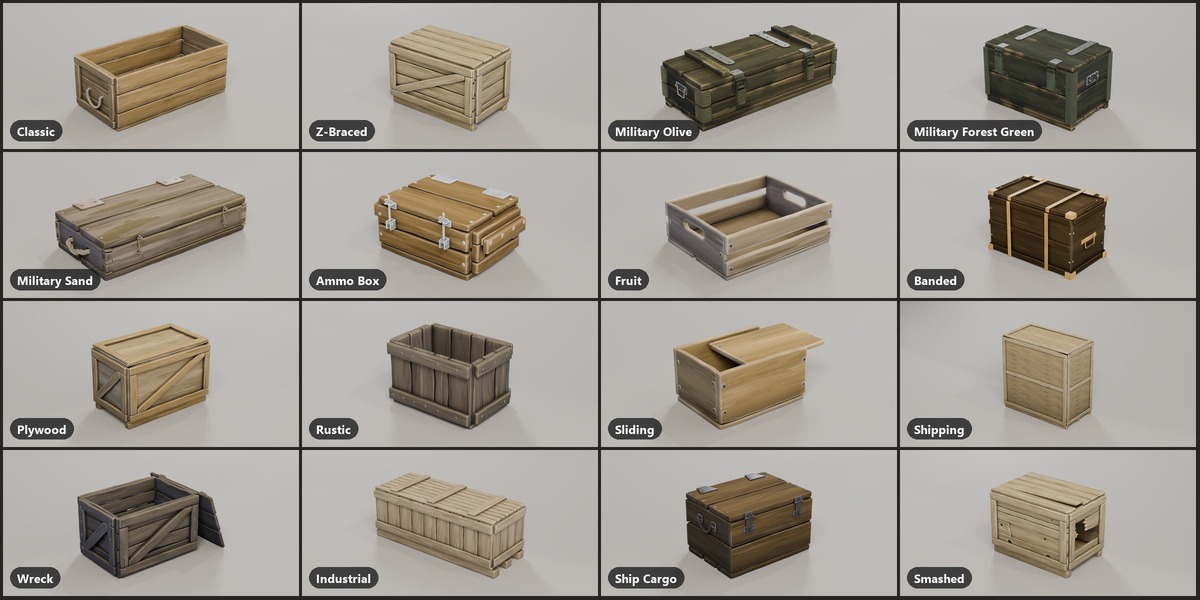
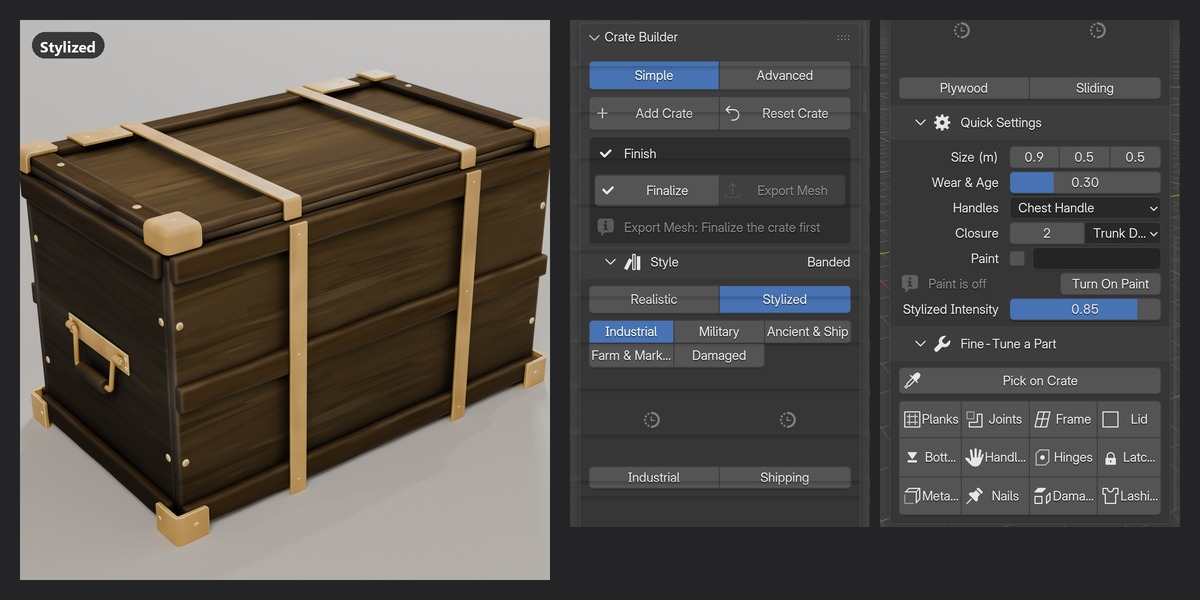
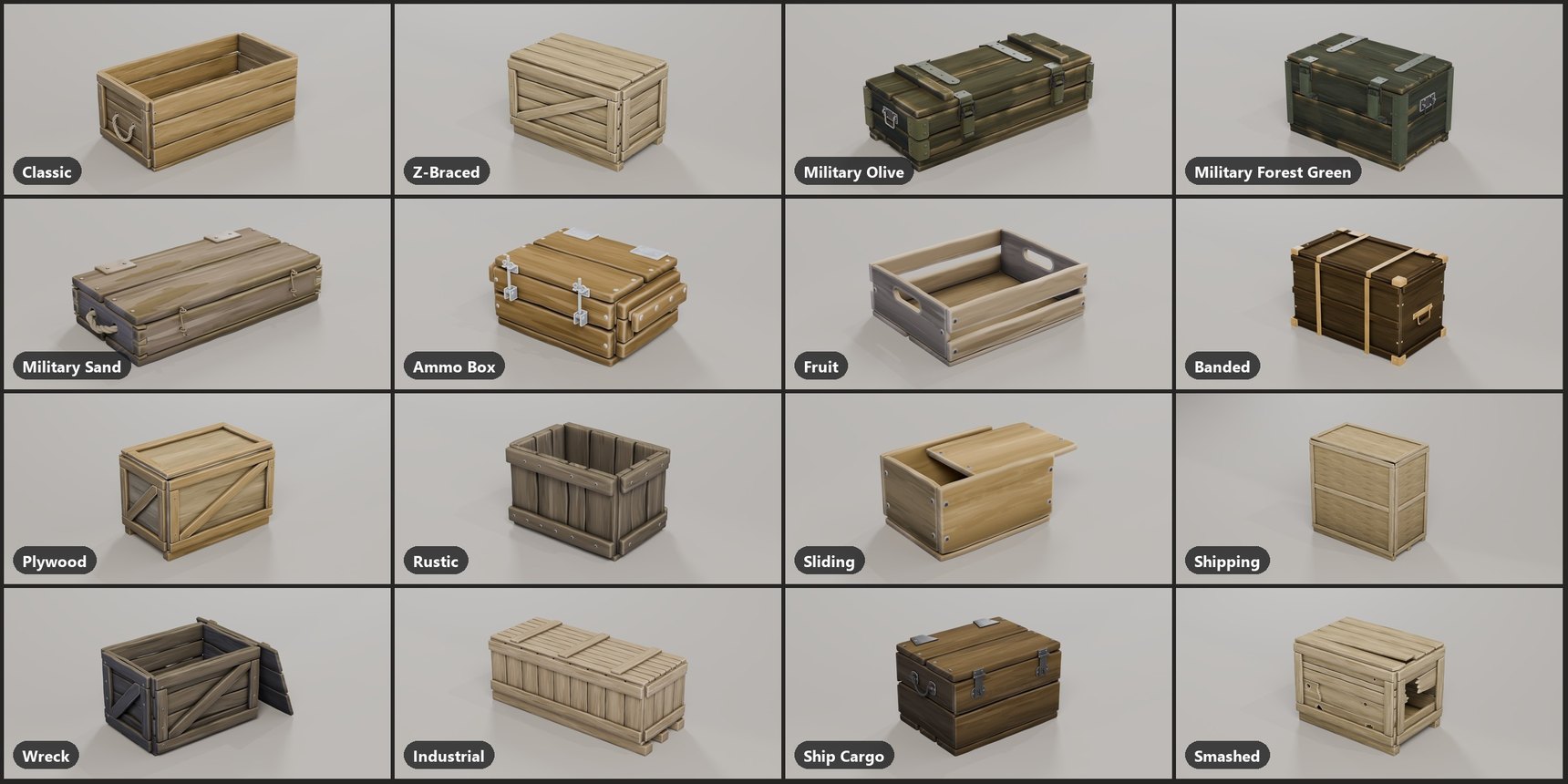
The gallery has 16 styles to start from, sorted into Industrial, Military, Ancient & Ship, Farm & Market and Damaged. Pick one, press Add Crate, and keep going from there. Change the seeds and the same style gives you another crate. Save your own settings as a style and it shows up next to mine.
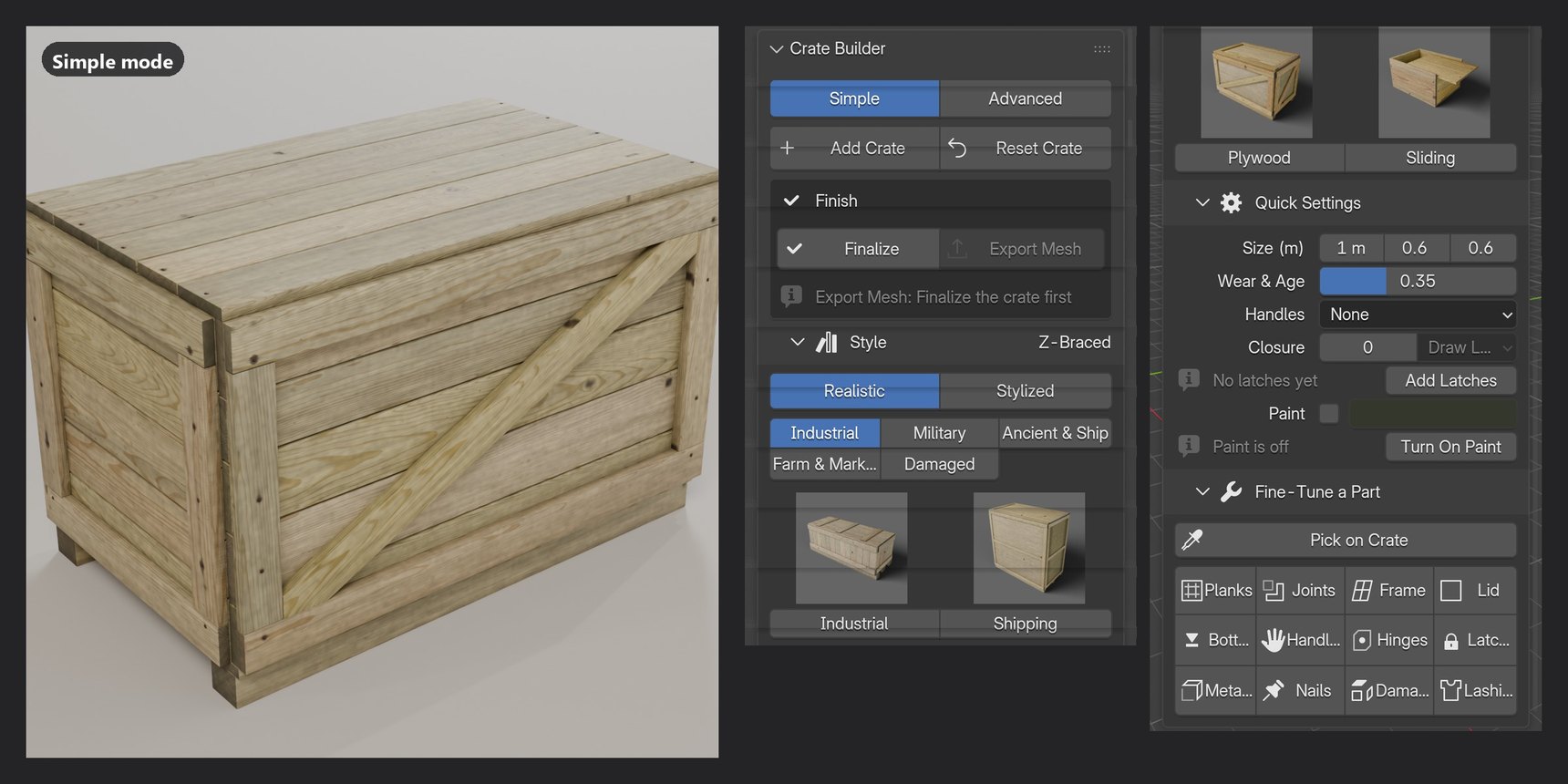
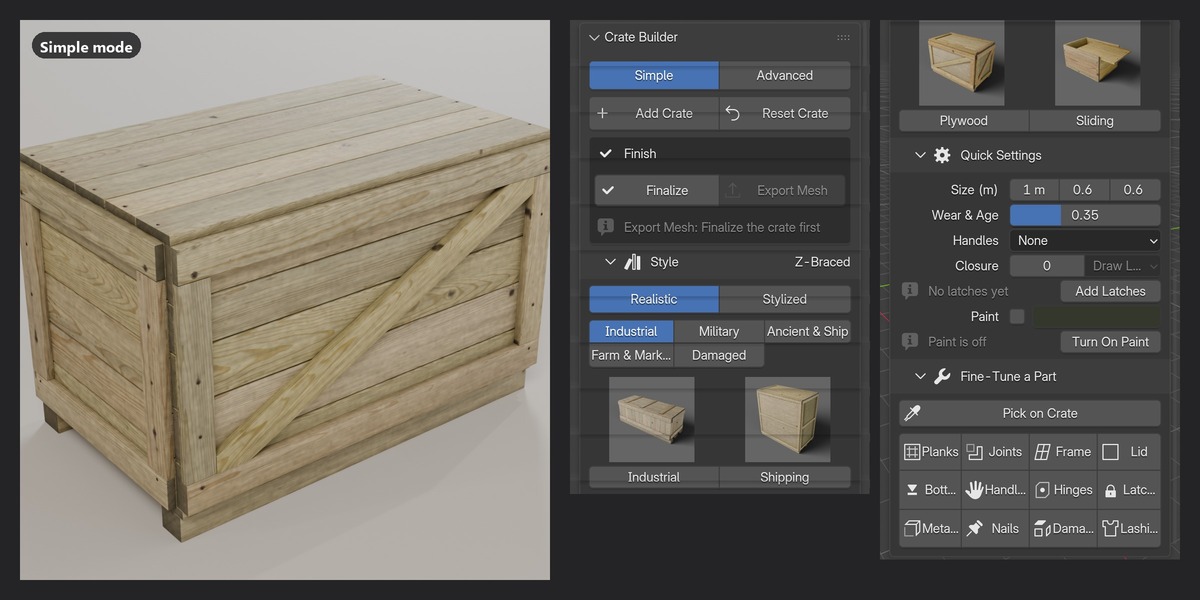
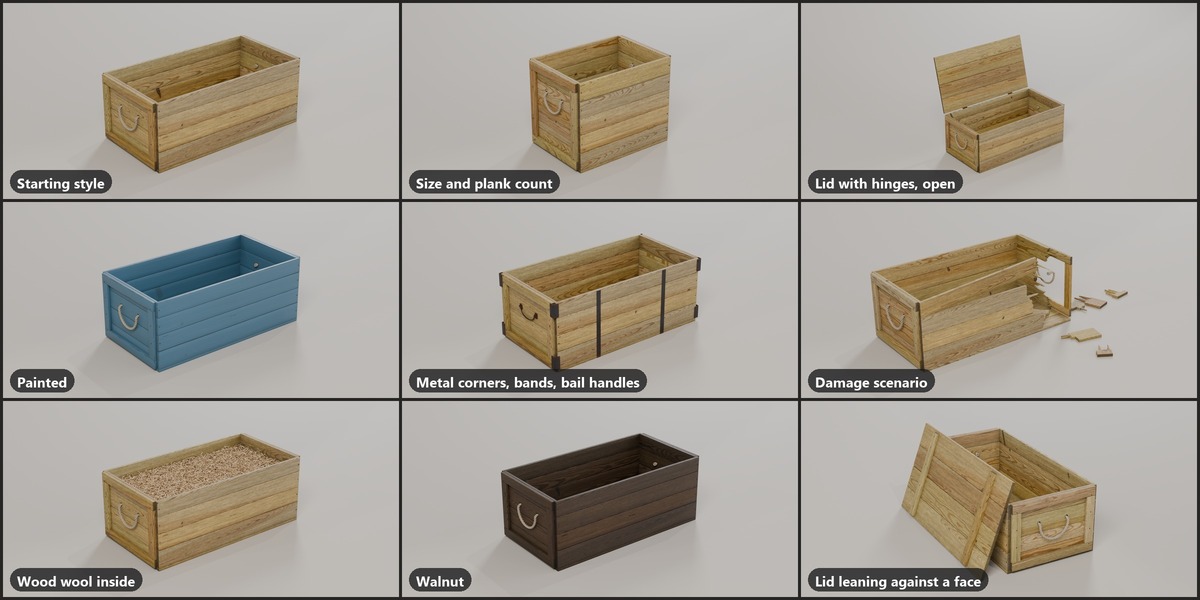
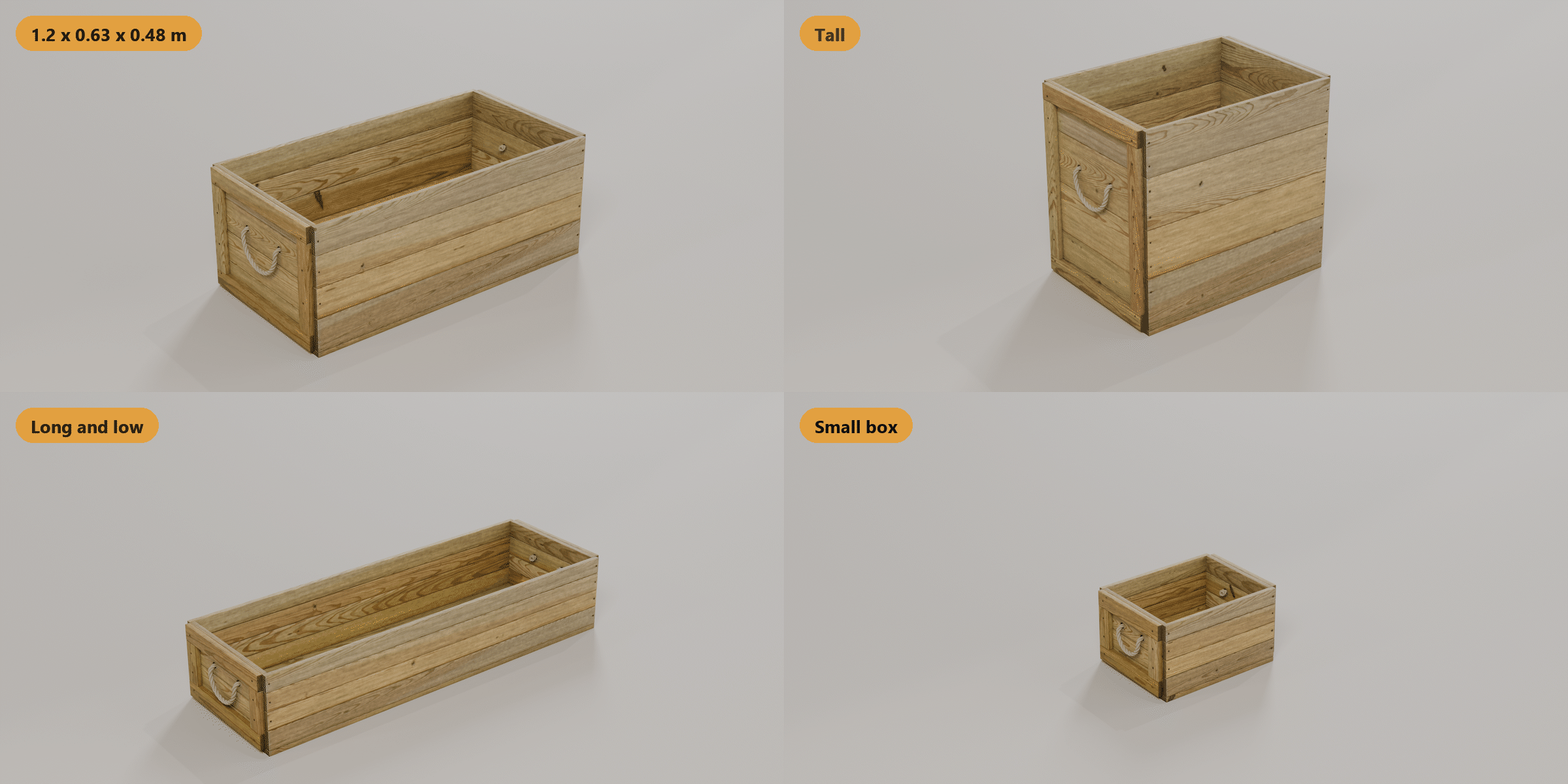
▶ Width, depth and height in meters. The planks, nails and frame follow.
STEP · 02
Realistic or Stylized
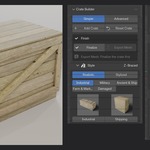
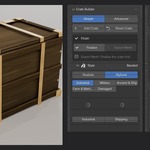
Above the gallery you choose the look: Realistic, with detailed wood grain, knots and edge wear, or Stylized, with painted wood, soft shading and a light painted edge on the metal. A crate keeps the look it was made with. If you want the other one, Reset Crate replaces it by a fresh crate at the same spot, and Ctrl+Z brings the old one back.
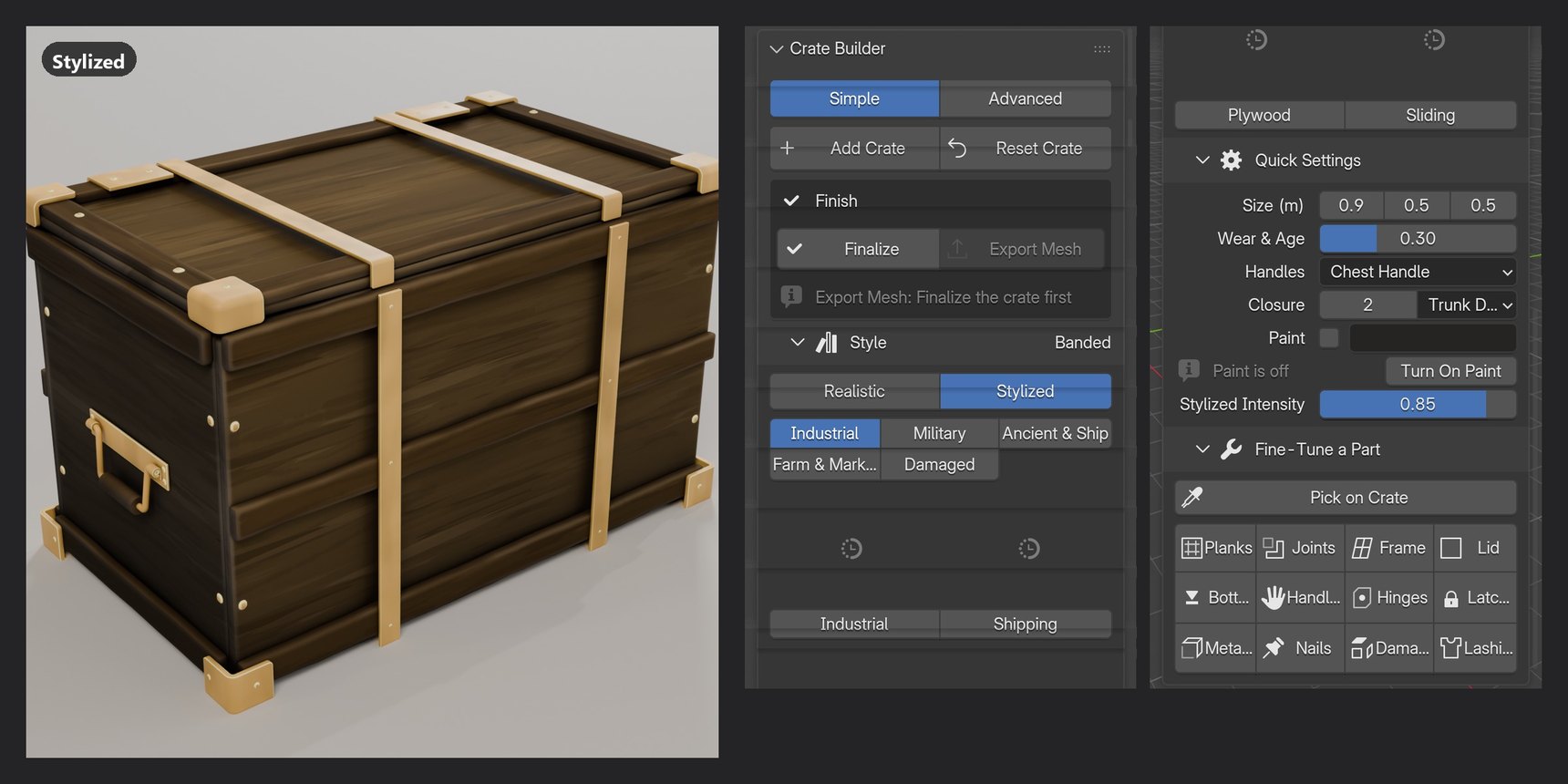
▶ Banded in the Realistic look, then in the Stylized look.
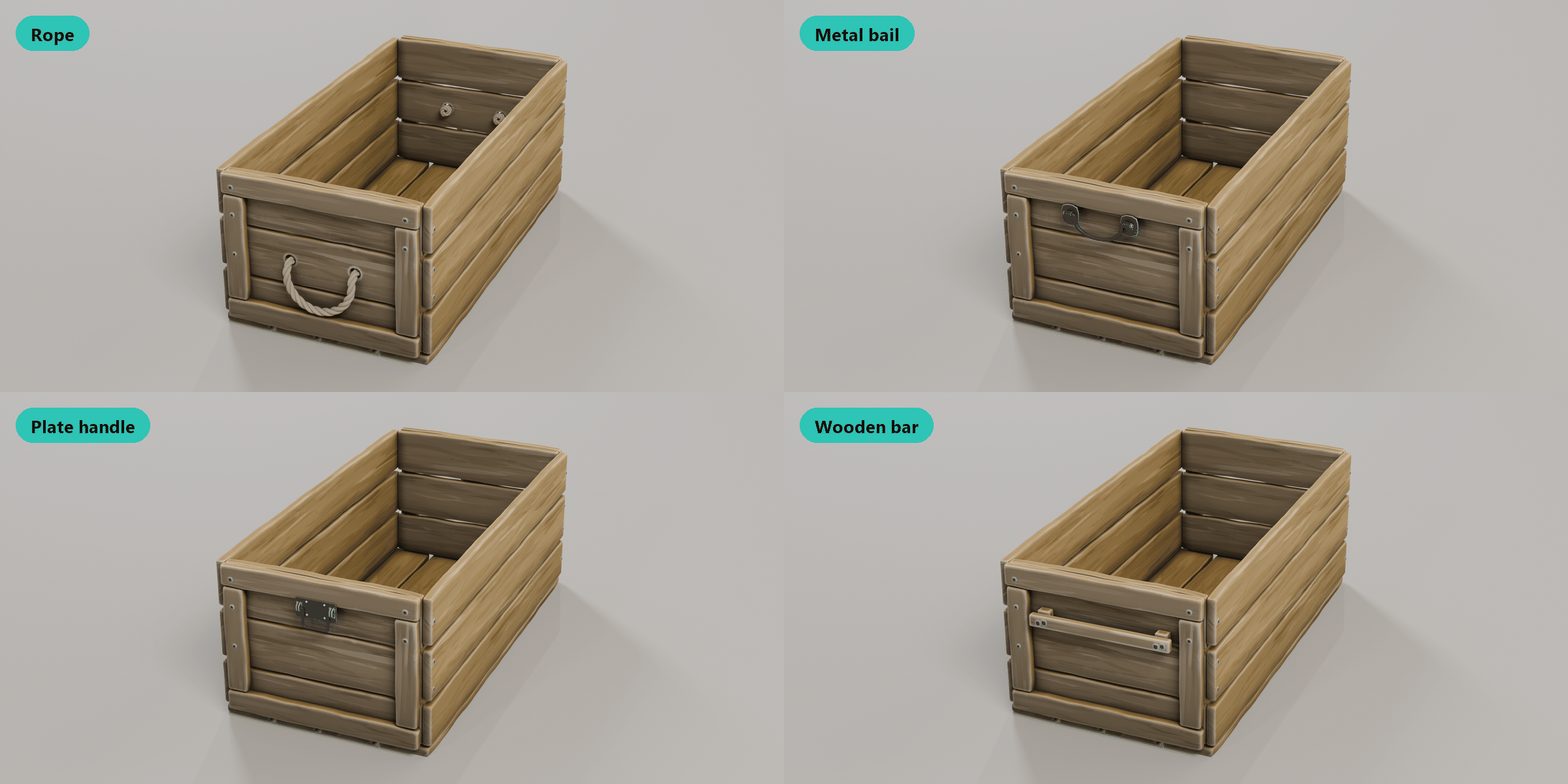
▶ Handles in the Stylized look: rope, metal bail, plate handle, wooden bar.
STEP · 03
Change anything
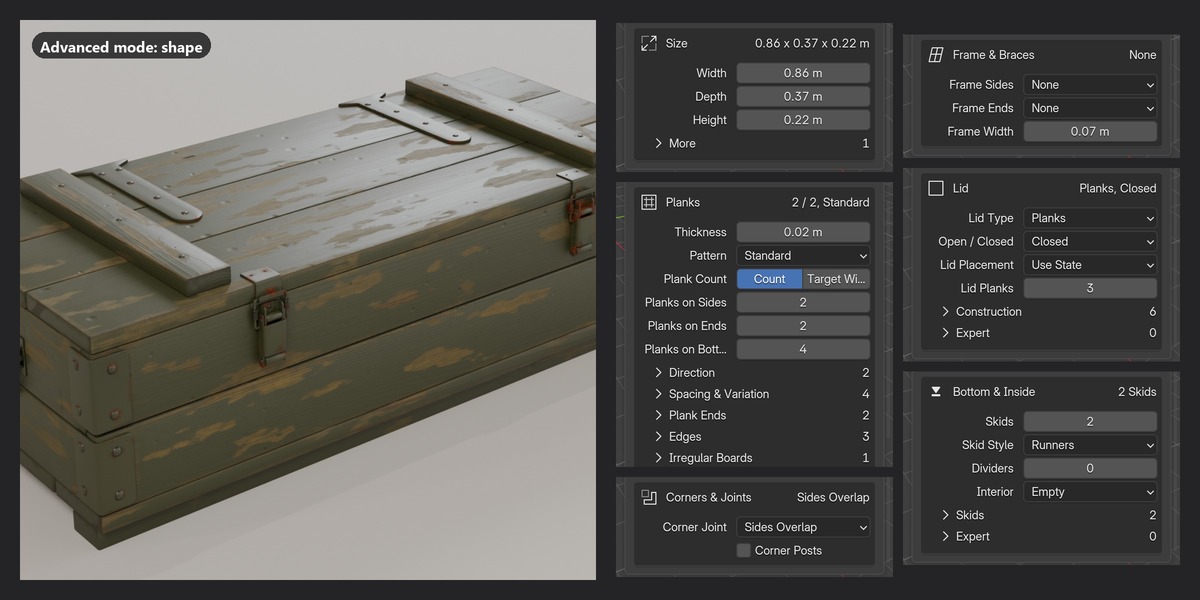
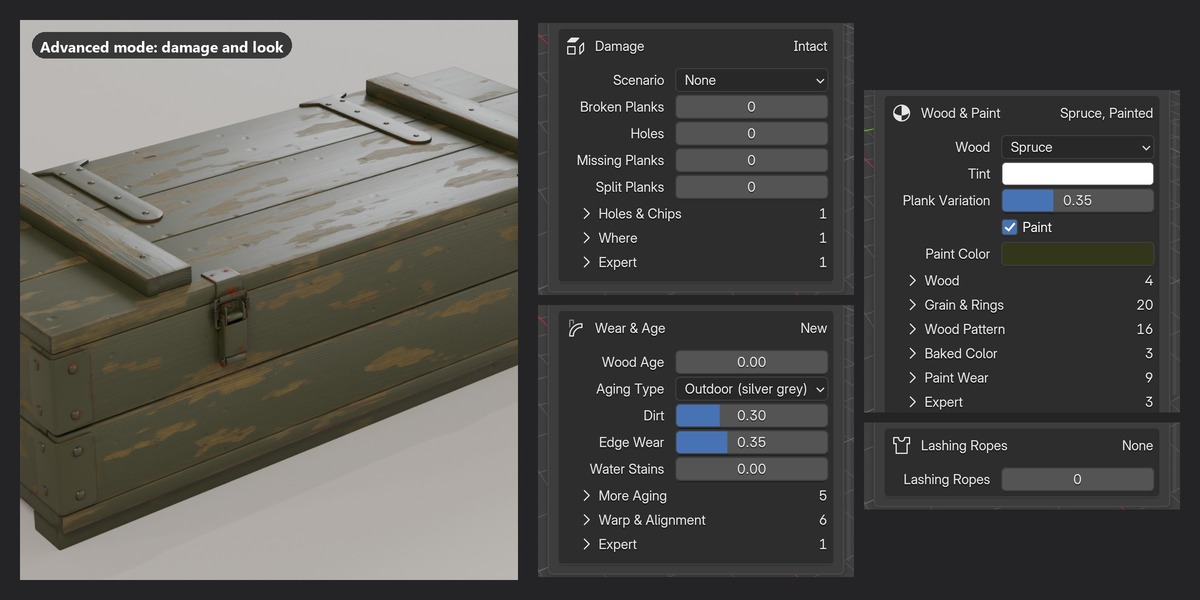
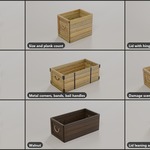
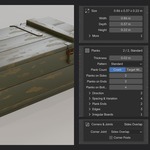
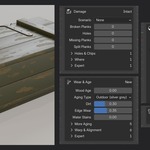
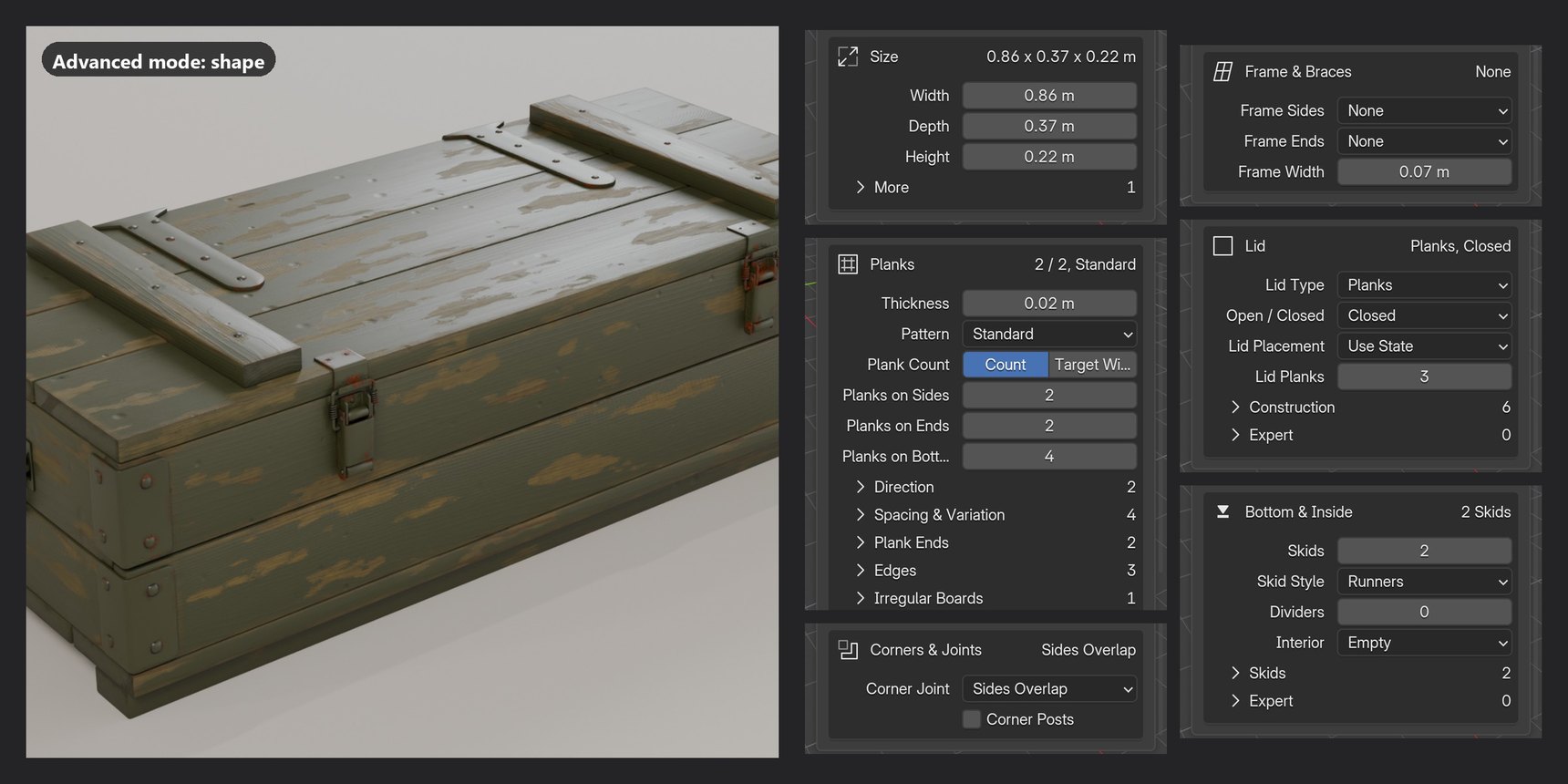
A style is only where you start. Every crate keeps hundreds of settings, sorted by part: size and proportions, plank count, width and gaps, corner joints, frame and braces, lid and how it sits, handles, hinges, latches, padlocks, metal corners and bands, nails and bolts, wear, damage, paint and the wood itself.
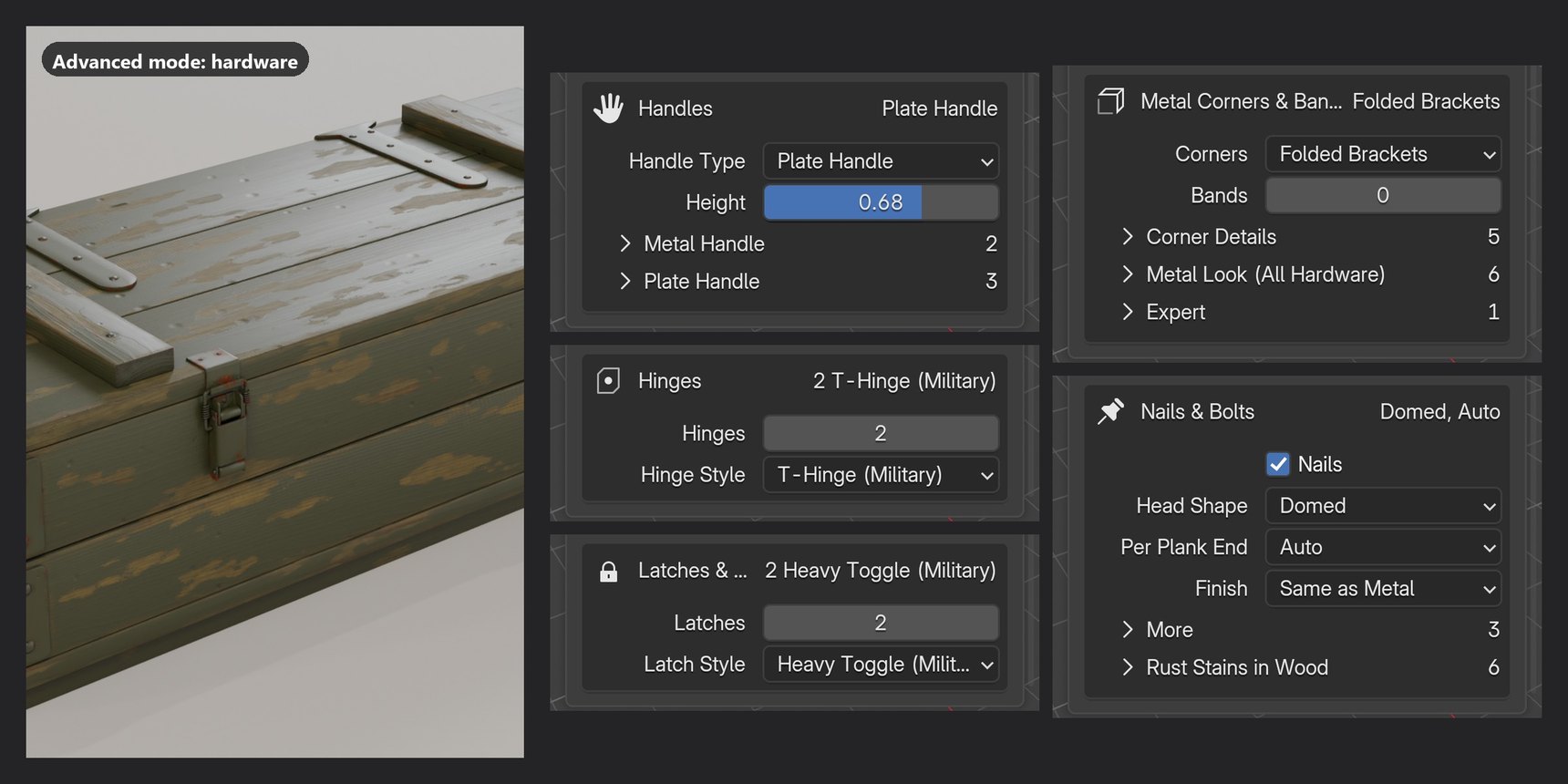
Simple mode keeps the essentials on one screen. Advanced shows every setting, and you can pick a part right on the crate to see only its settings. If a setting is greyed out, the panel tells you why and what to turn on.
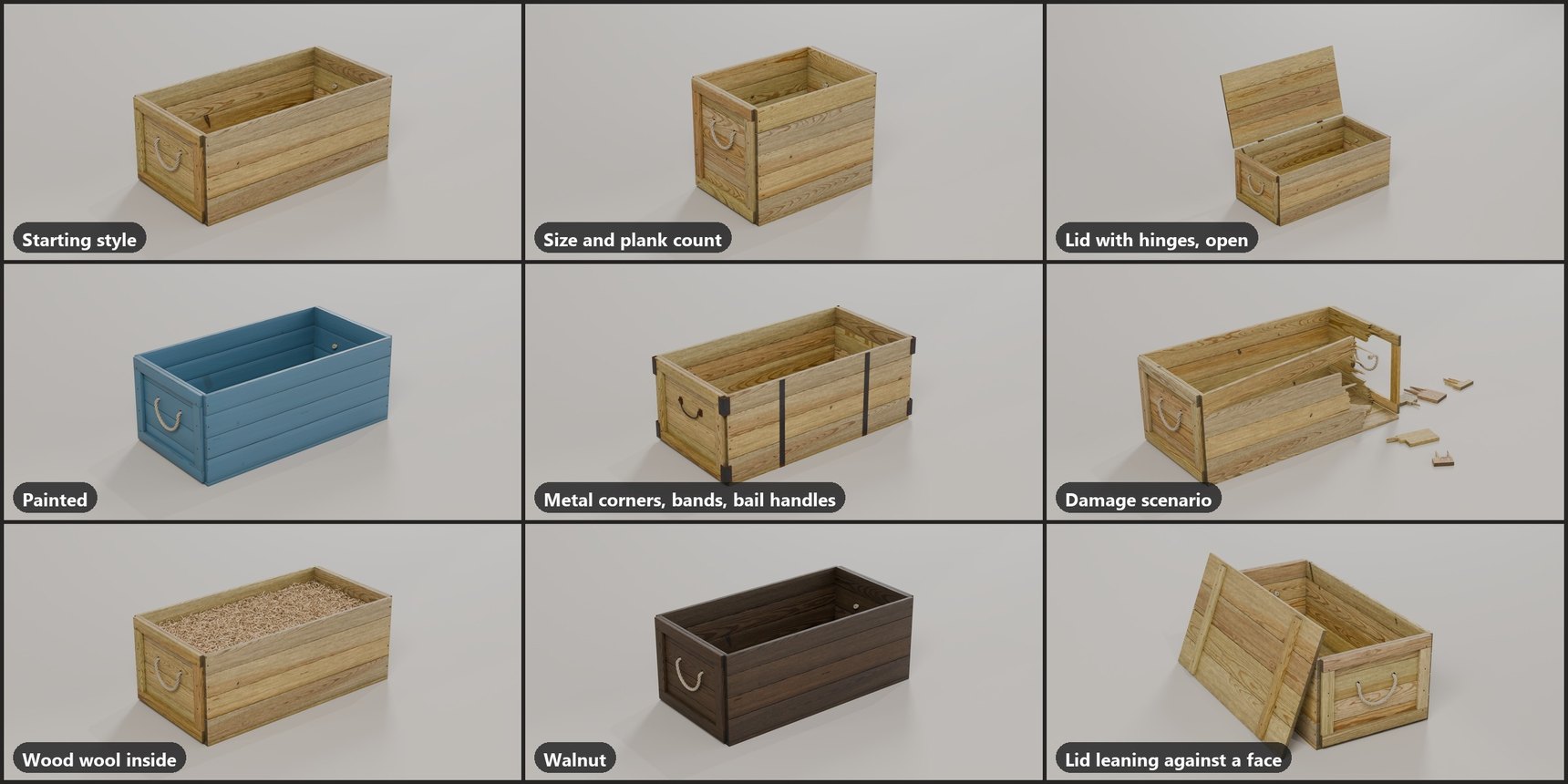
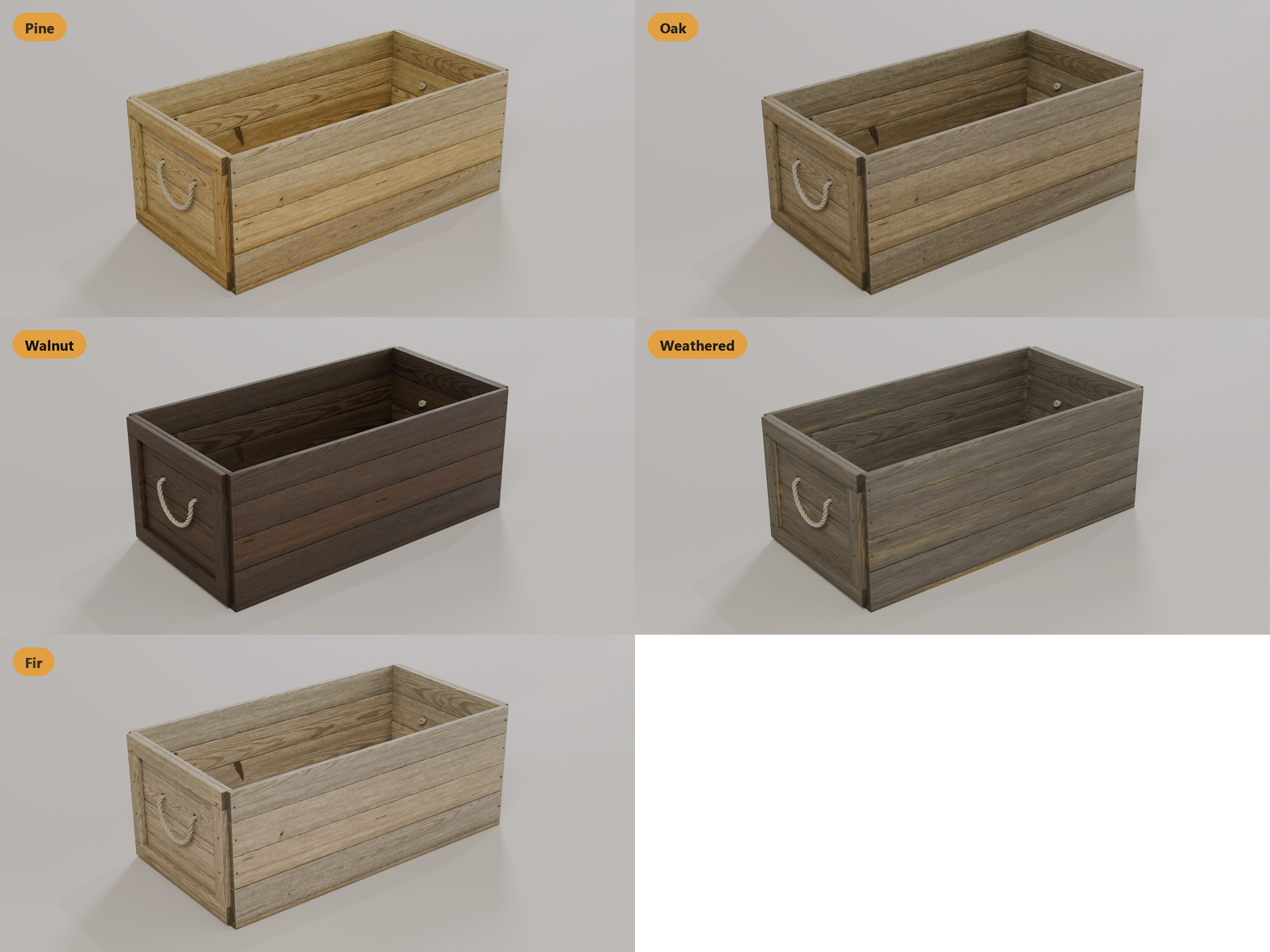
▶ Pine, oak, walnut, weathered boards, fir: same crate, other wood.
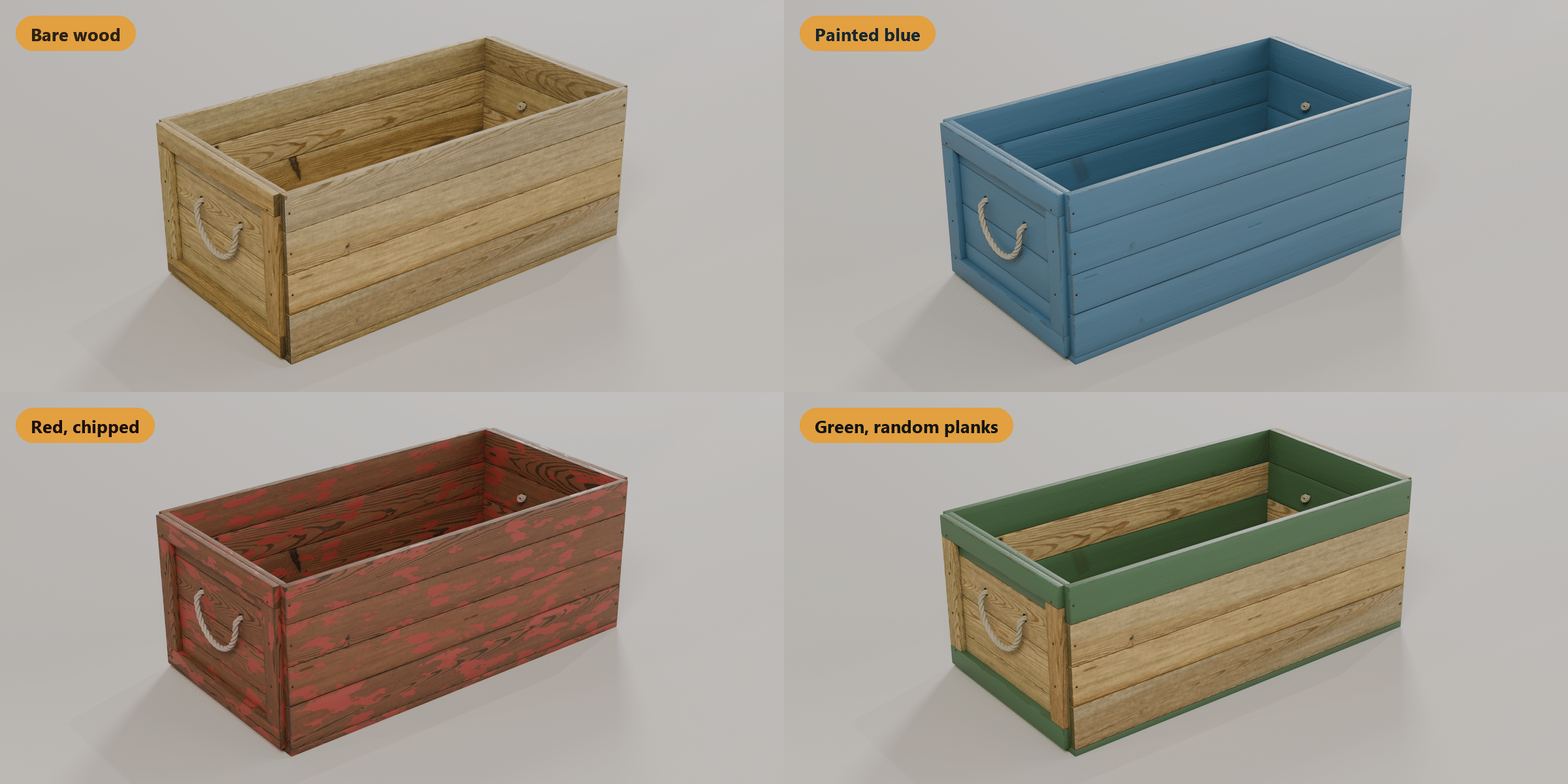
▶ Bare wood, then blue paint, chipped red, and paint on a few random planks.
STEP · 04
Built like a real crate
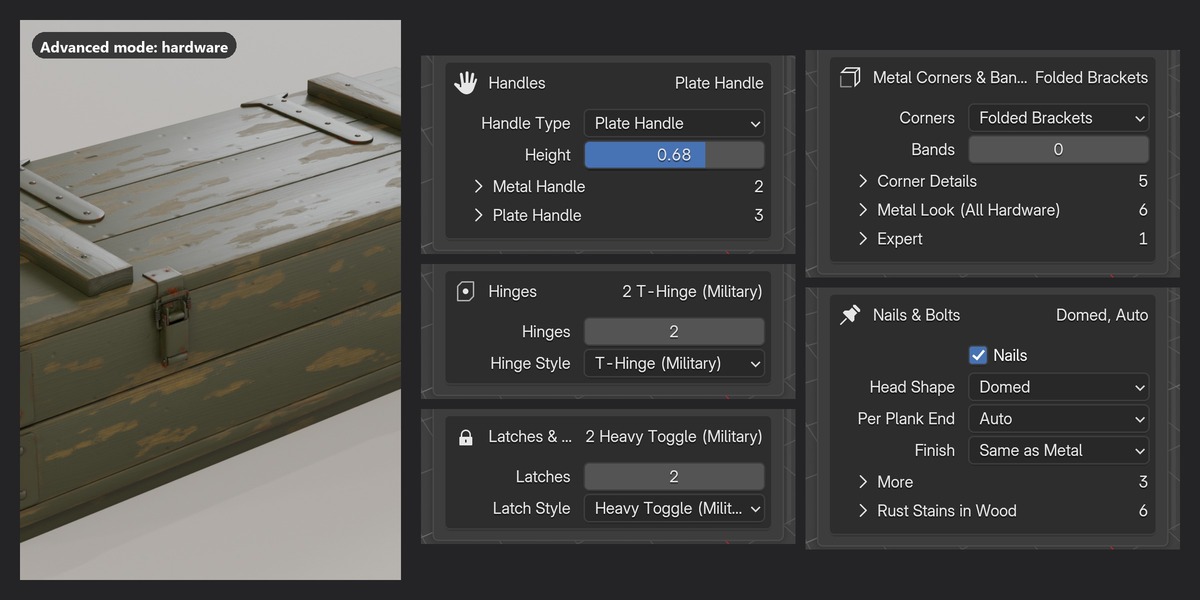
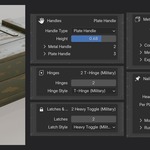
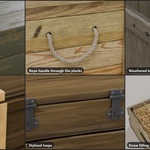
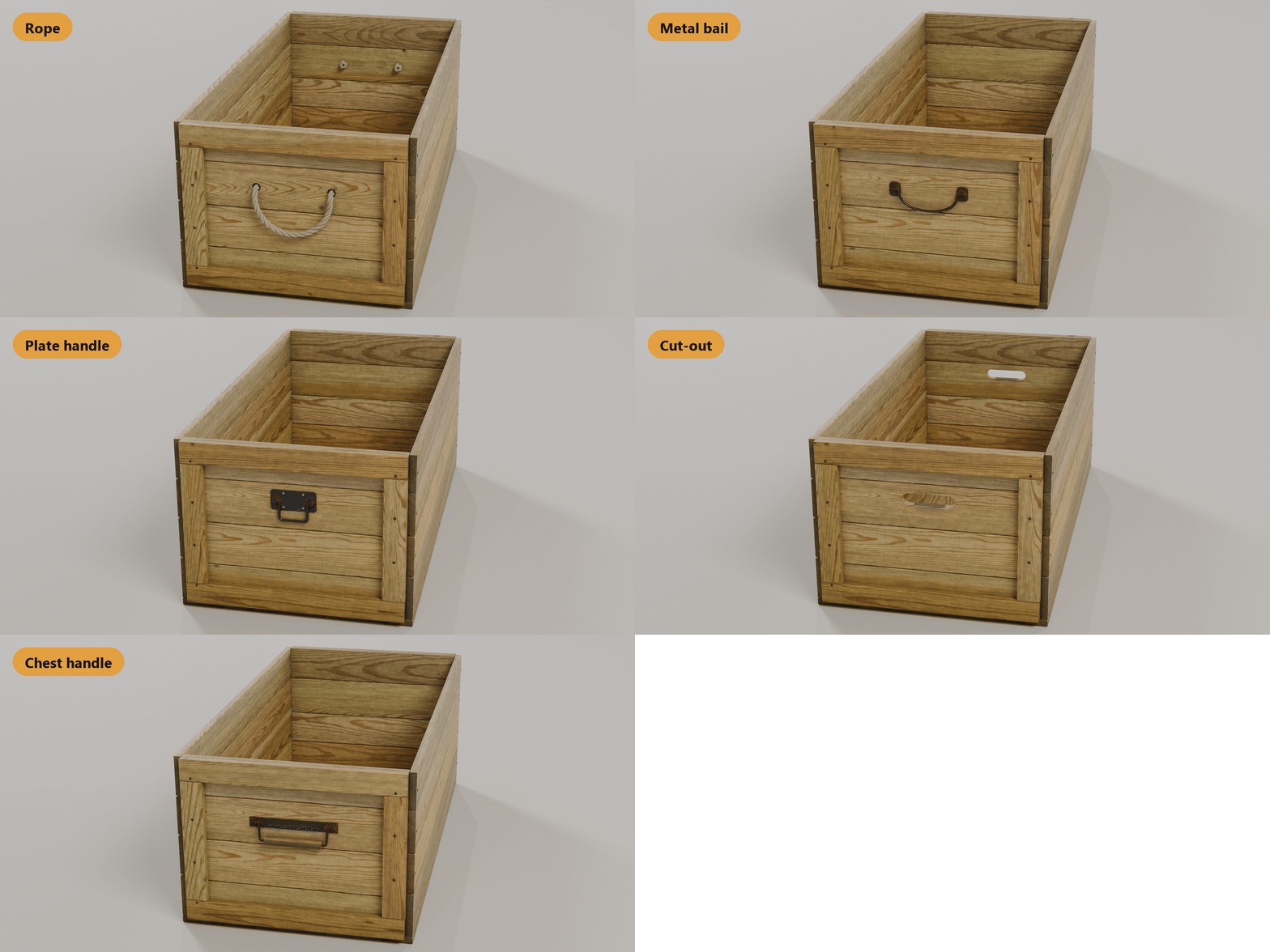
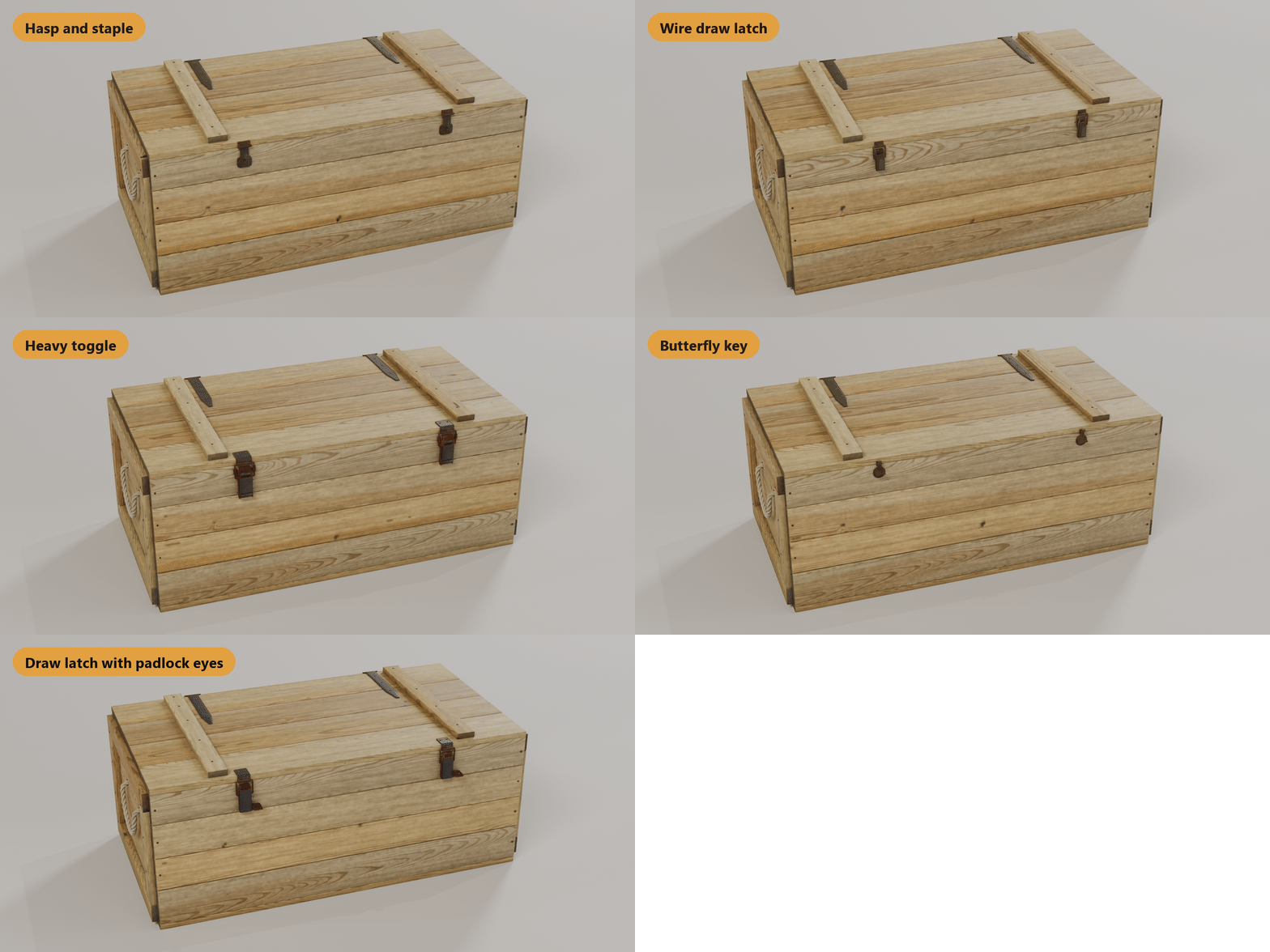
The hardware is modelled, not painted on. The nails are real geometry. Hinges are folded and rolled like real ones, latches have their pins and keepers, ropes go through drilled holes or metal fittings and are knotted or held in end cups. There are 14 handle types (the plate handle alone comes in 10 versions), 31 latches, 10 hinges, 16 rope fittings, 4 padlocks, 7 corner joints, and 8 metal finishes from black iron to brass.
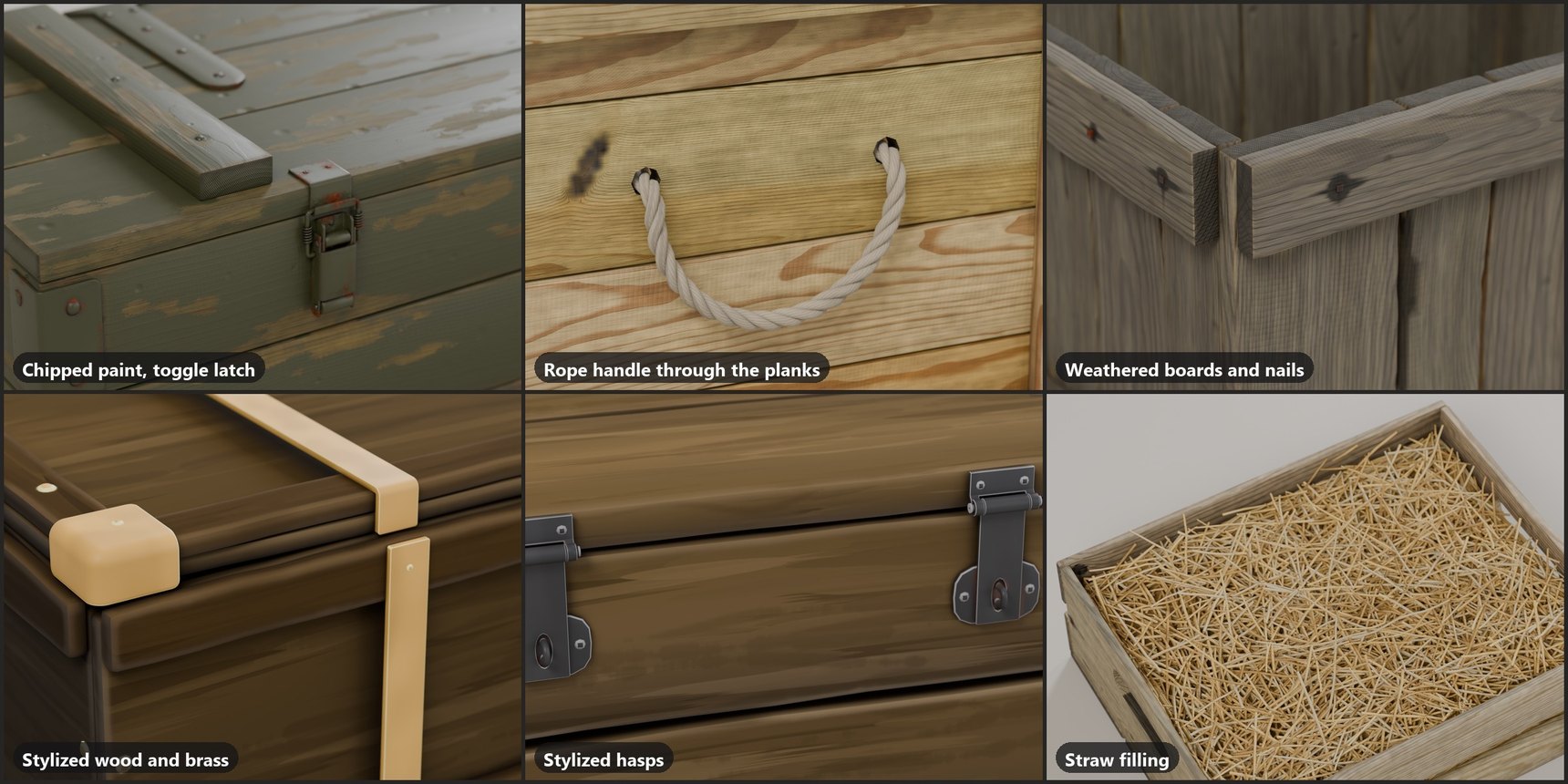
▶ Rope, metal bail, plate handle, cut-out, chest handle. One list, on any crate.
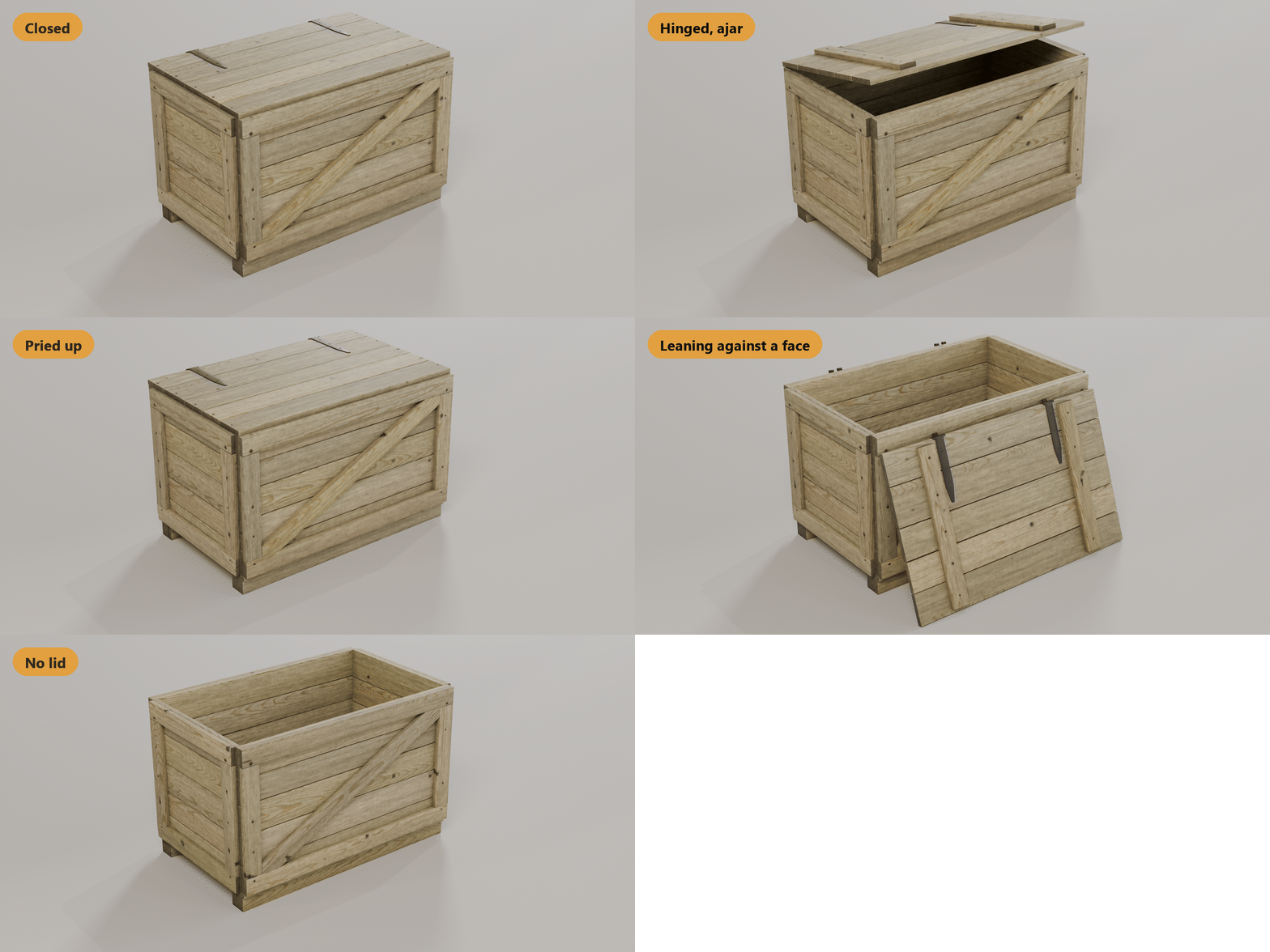
▶ Closed, hinged and ajar, pried up, leaning against a face, or no lid at all.
▶ Five of the 31 latches, on the same lid.
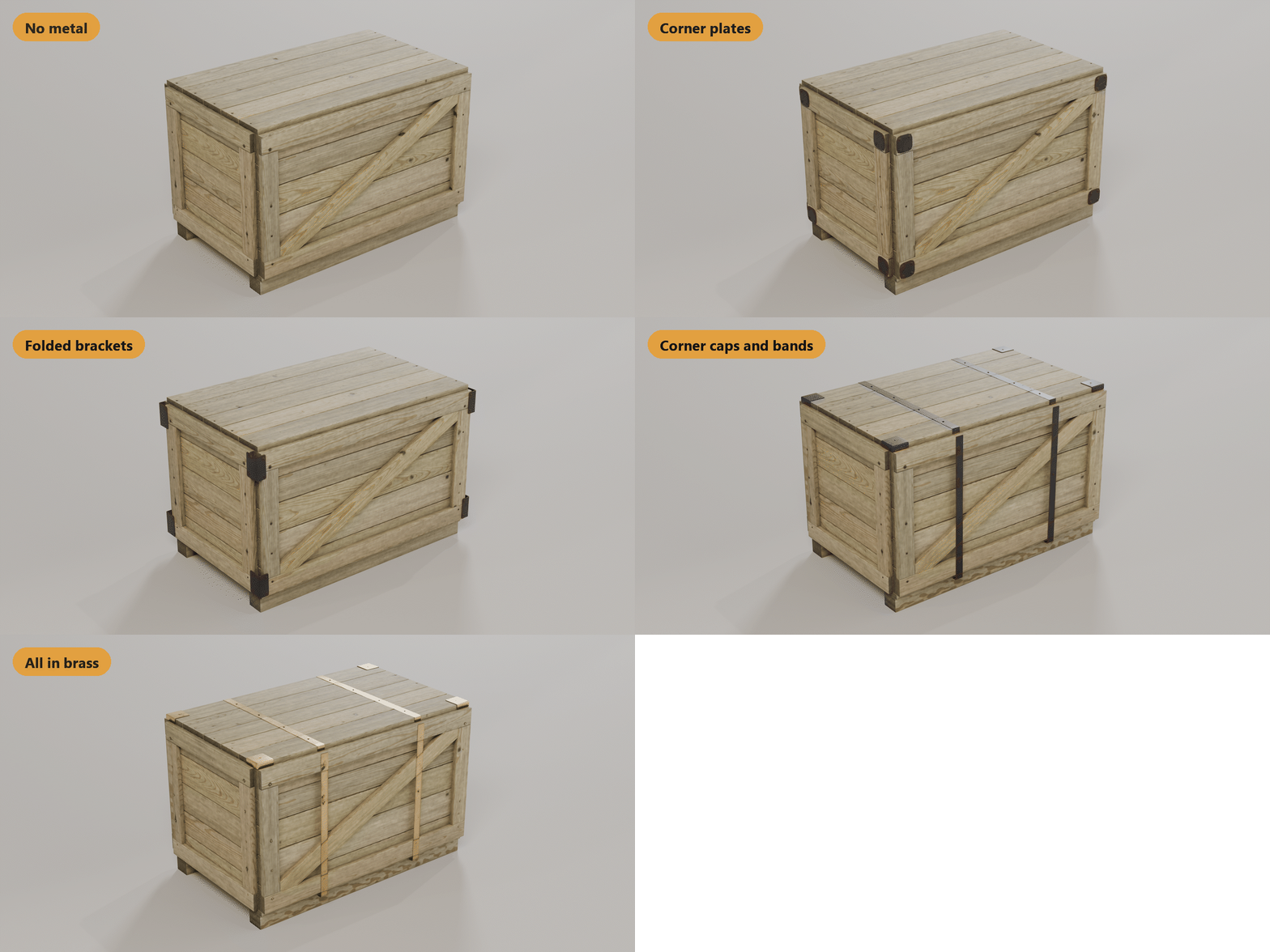
▶ Corner plates, folded brackets, caps and bands, then all of it in brass.
STEP · 05
Wear, damage and paint
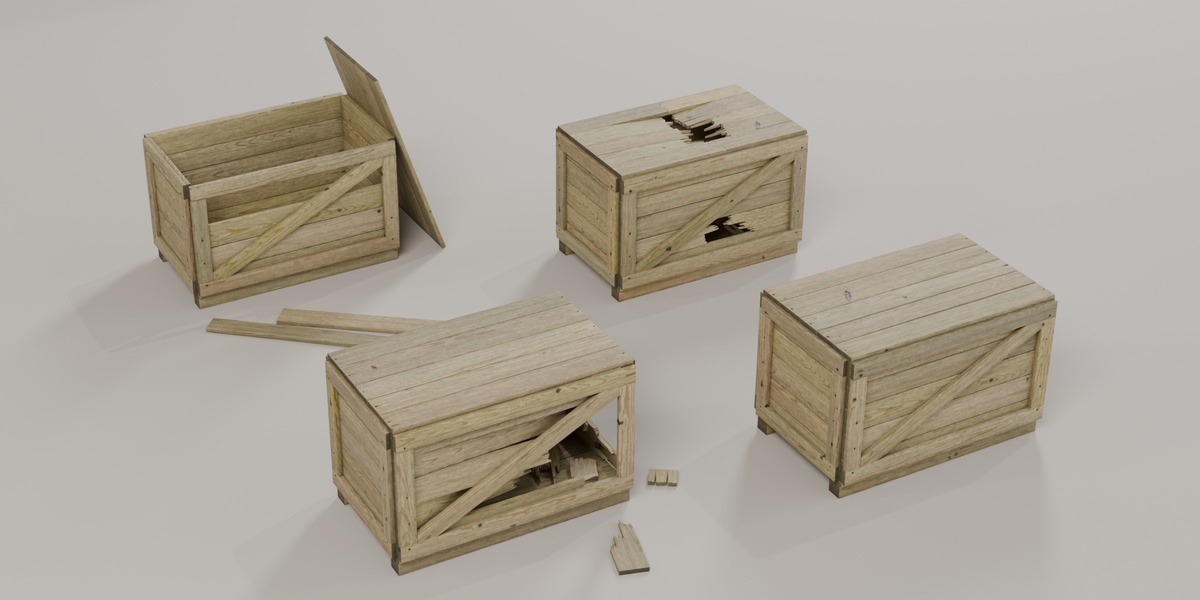
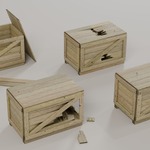
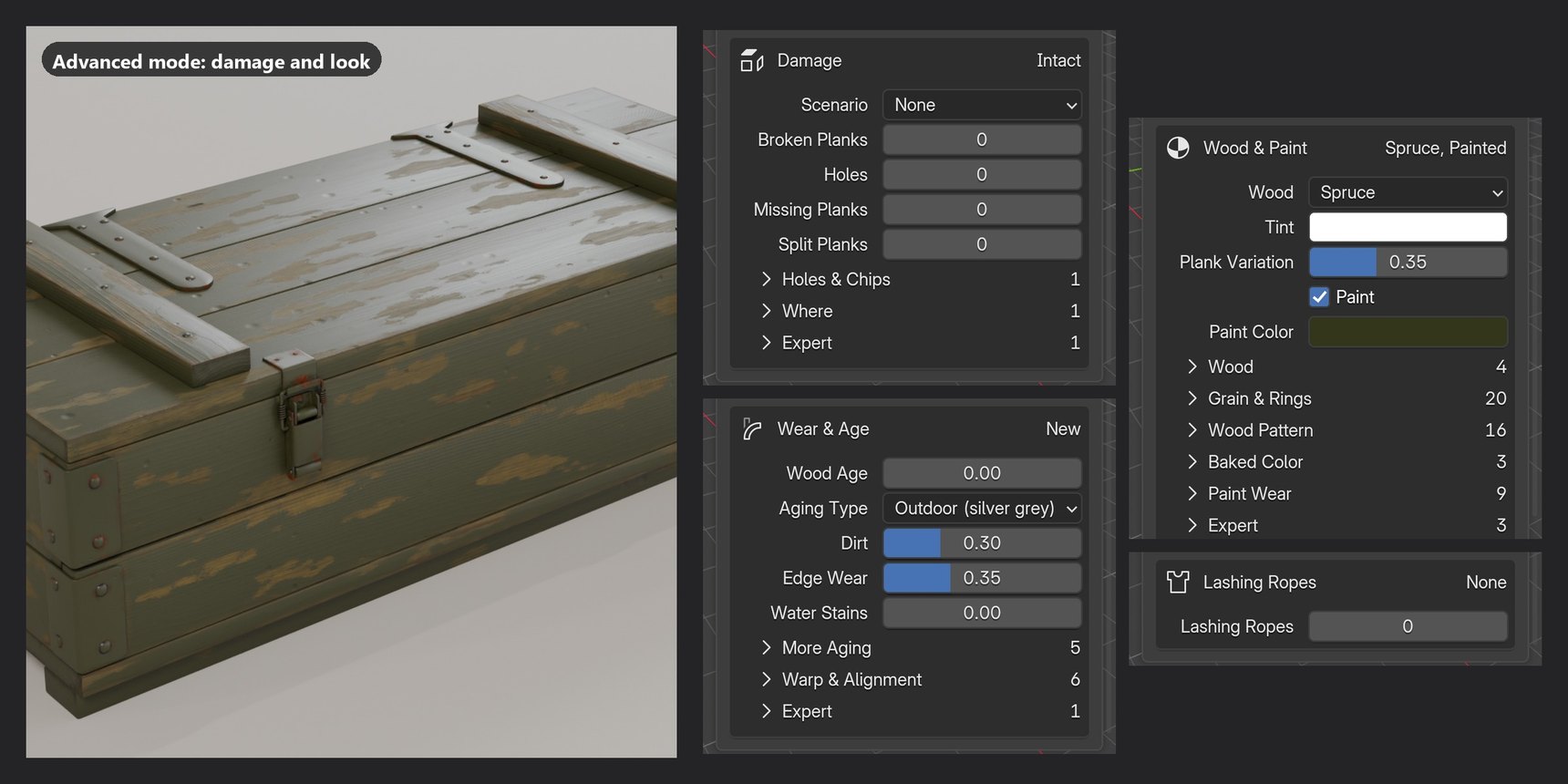
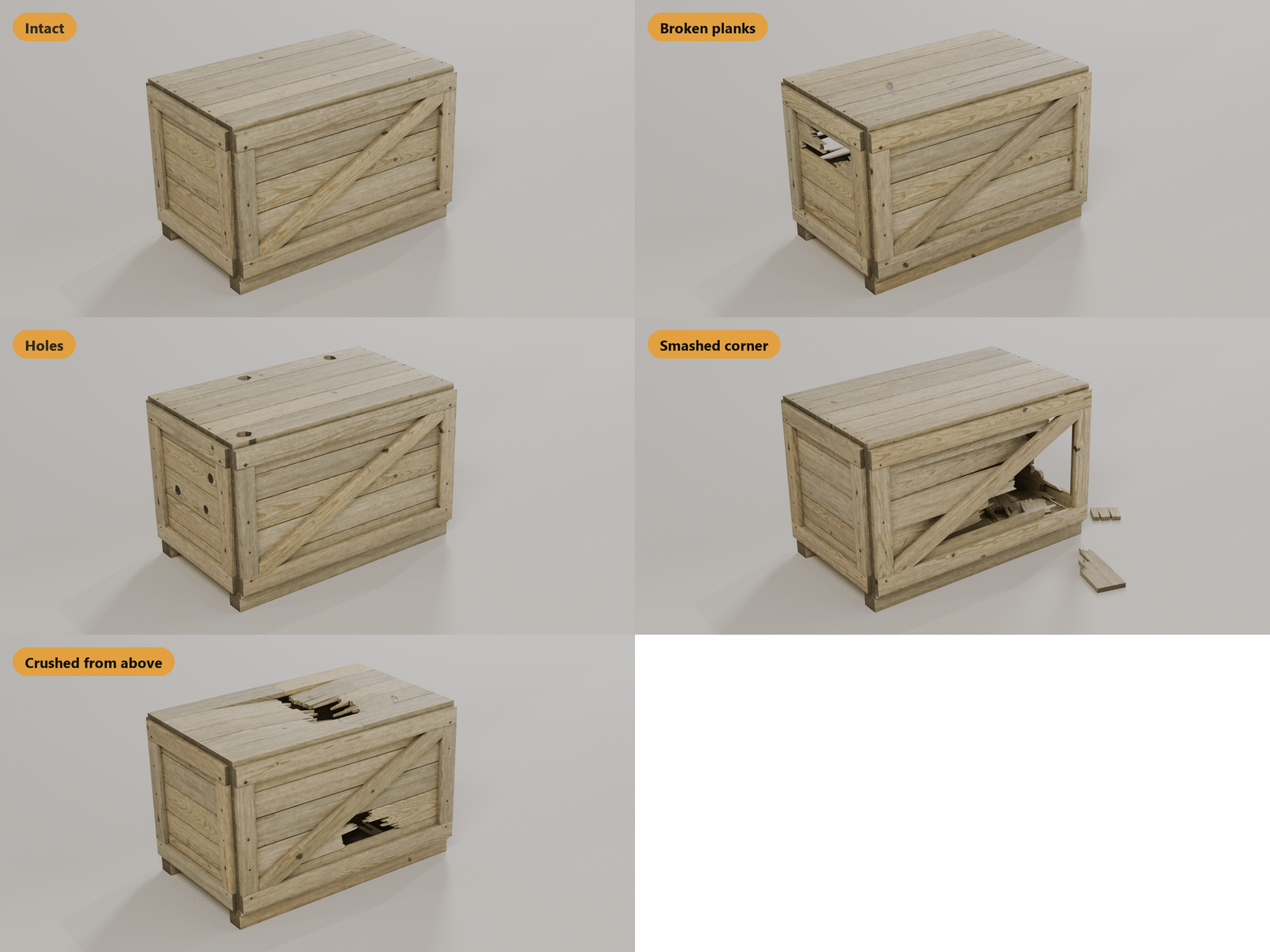
Age the wood, add dirt and stains, round the edges, warp the planks. Break planks with 18 kinds of breaks, punch holes, pull planks off, or pick one of 50 damage scenarios, from a forklift hit to moss or a collapsed, abandoned crate.
Paint goes on top of the wood grain. It chips and wears at the edges, and you can choose where it goes: the whole crate, the lid, the sides or a few random planks.
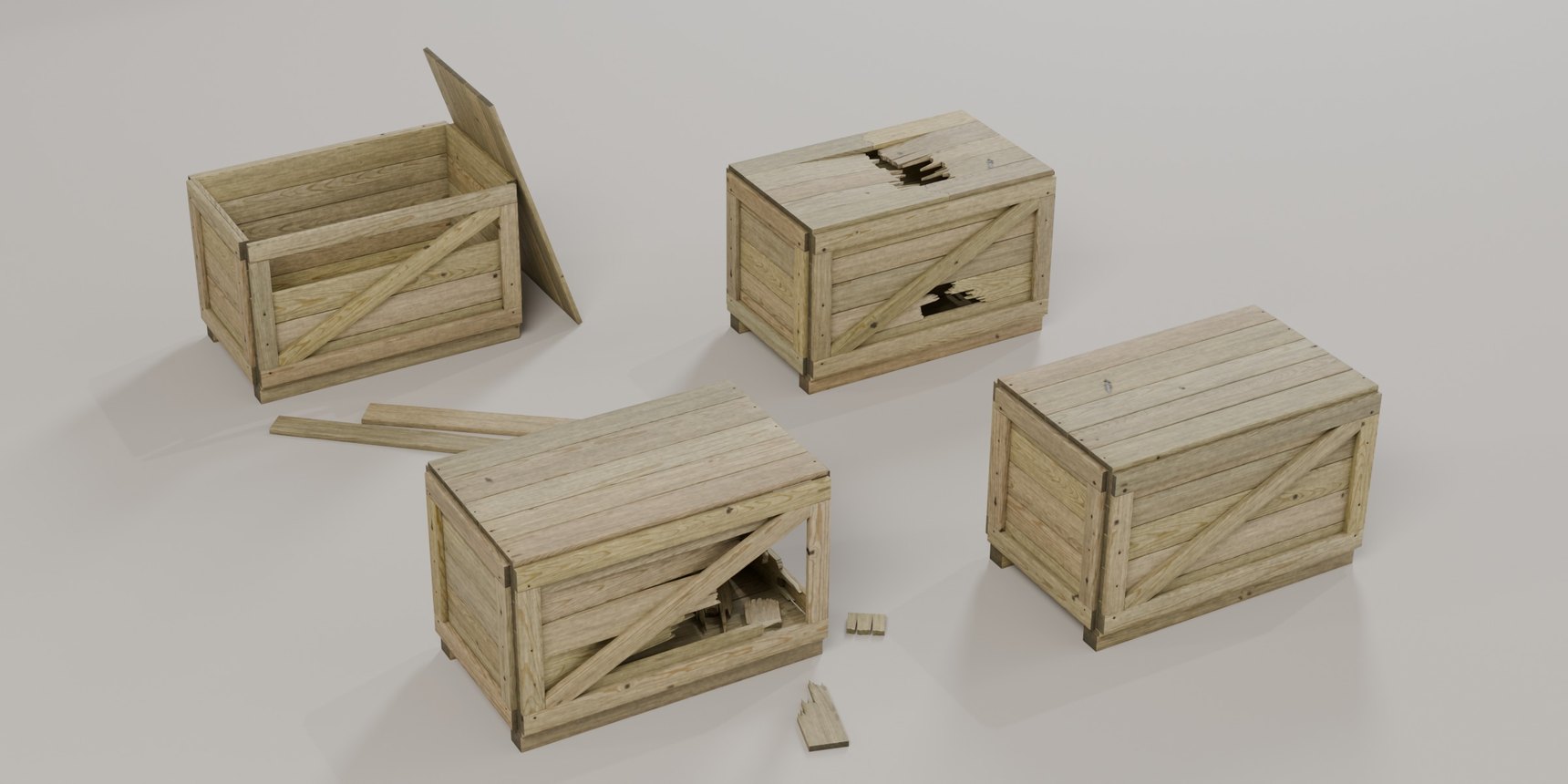
▶ Intact, broken planks, holes, a smashed corner, a crushed top.
STEP · 06
What goes inside, and whole lots
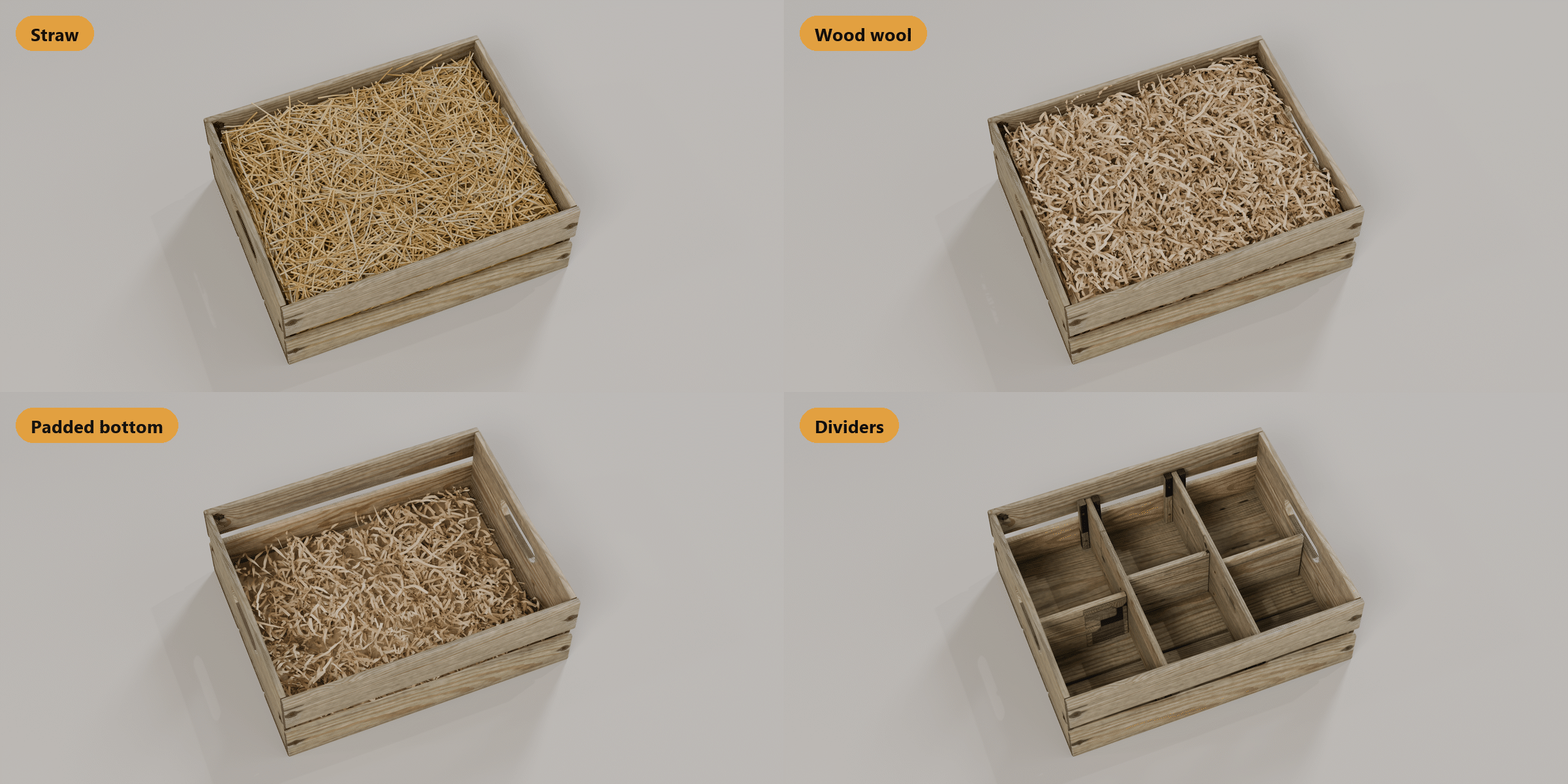
Open crates can be filled with straw, wood wool, a kraft paper liner, slotted wooden dividers or a padded bottom. You set how full it is, and it can overflow the rim or spill through broken planks.
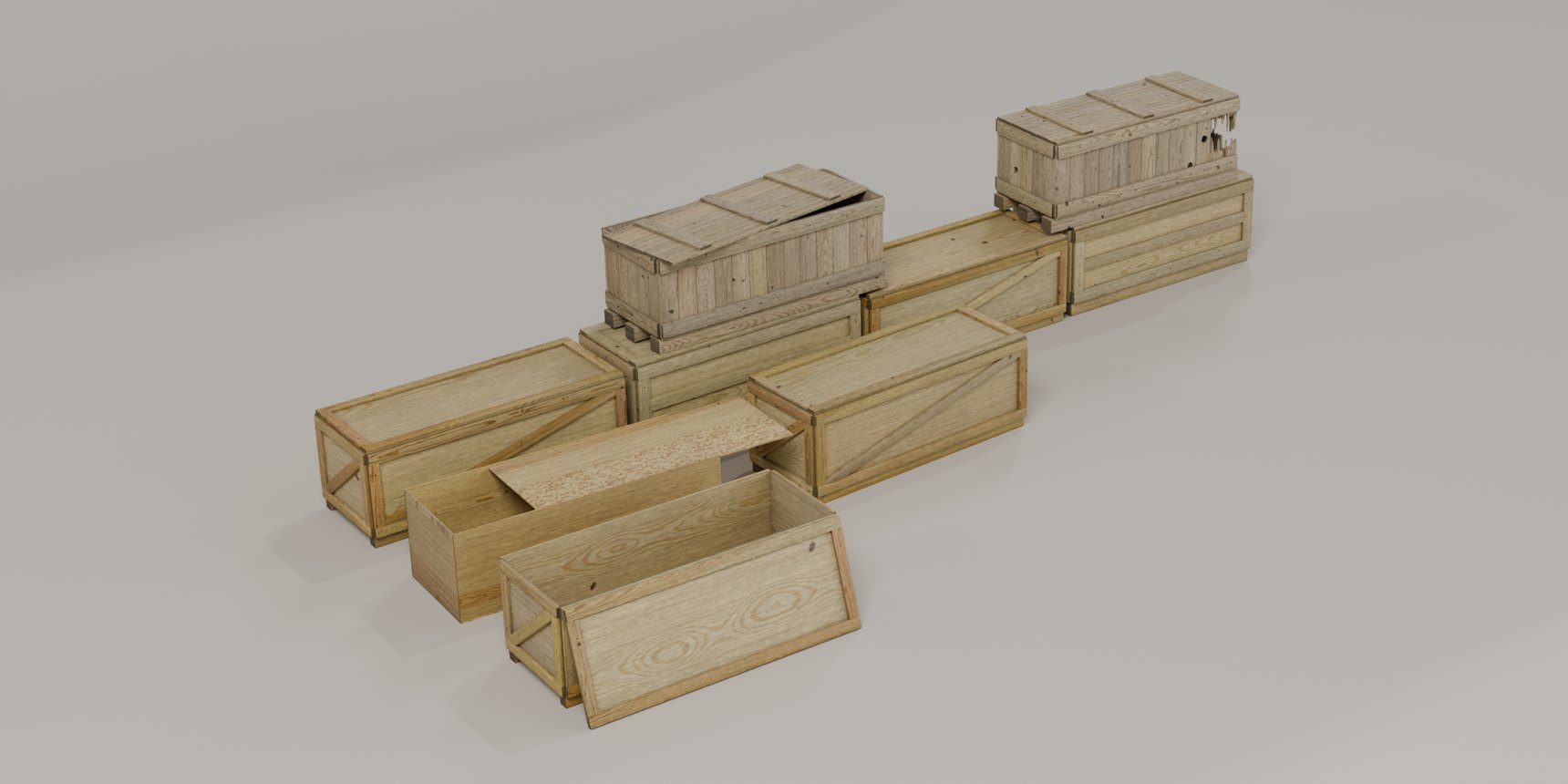
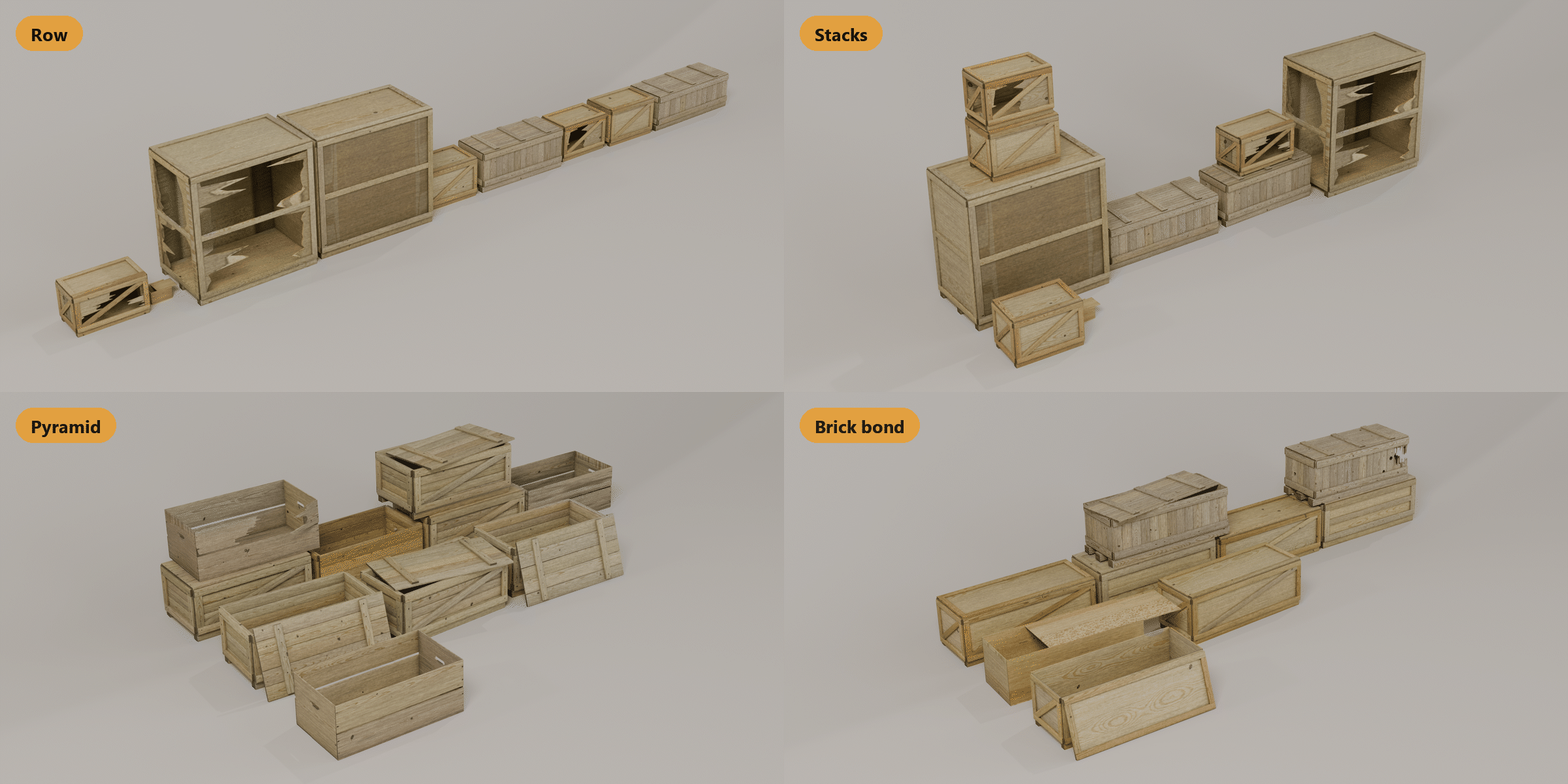
Need a whole warehouse corner? Add Lot drops up to 50 crates at once, in a row, a grid, stacks, a brick bond, a pyramid or a fallen heap, each one resting on the floor or on another crate. Variations makes a grid of different crates from the one you selected.
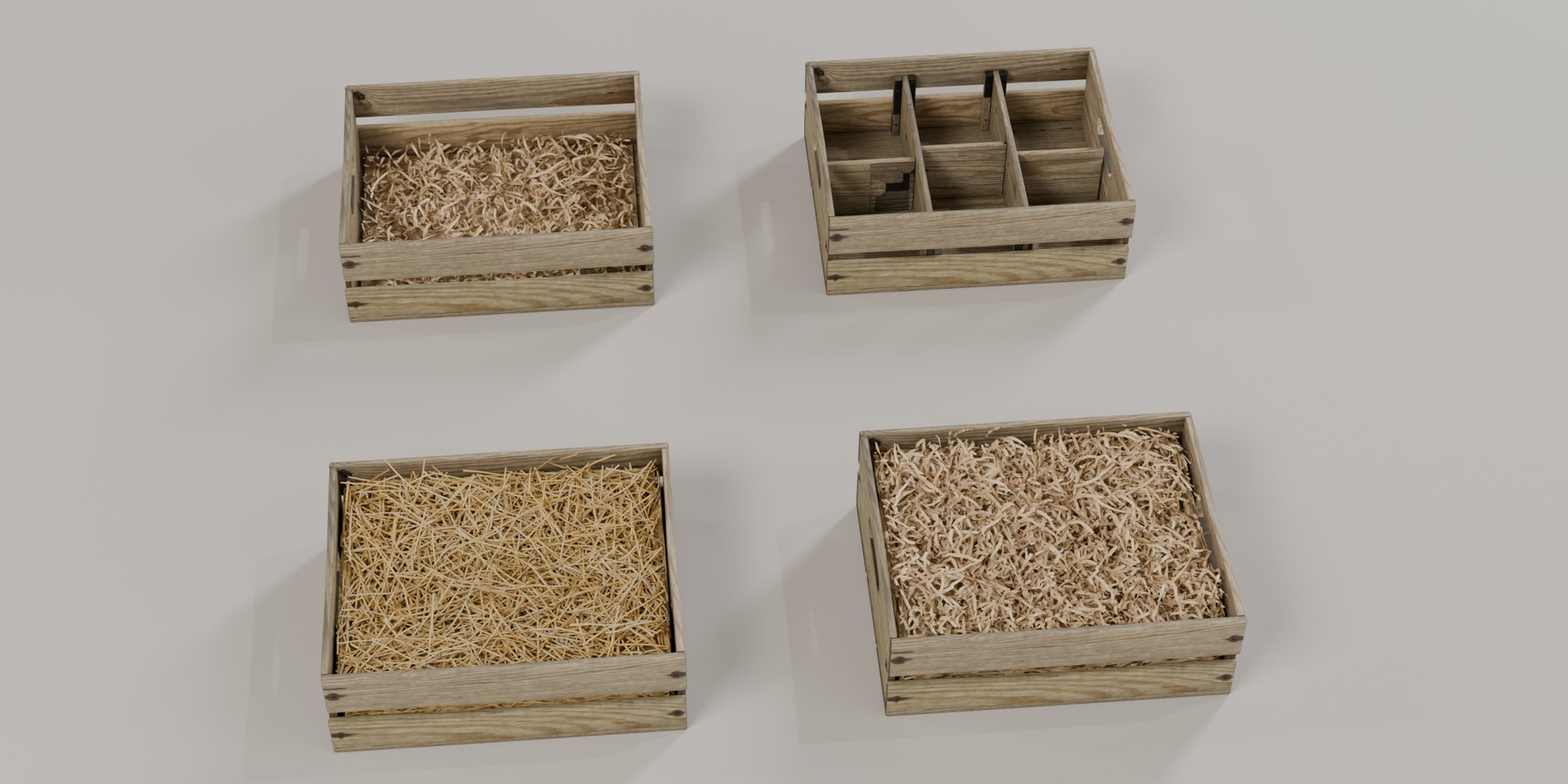
▶ Straw, wood wool, a padded bottom, dividers.
▶ Add Lot: a row, stacks, a pyramid, a brick bond.
STEP · 07
Finalize: one mesh, real texture maps
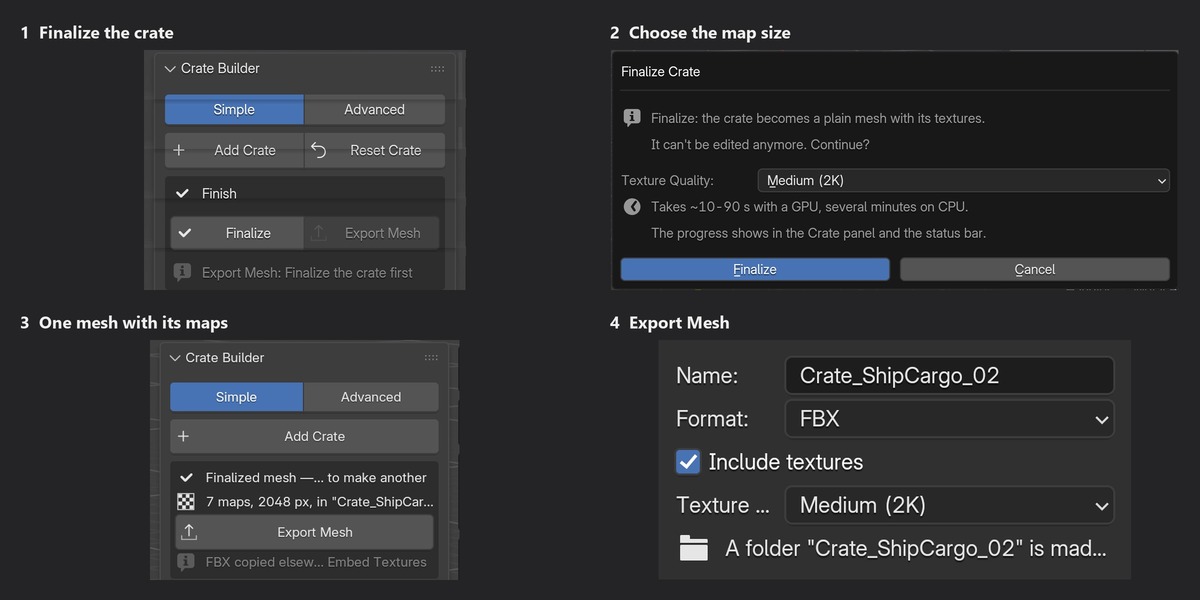
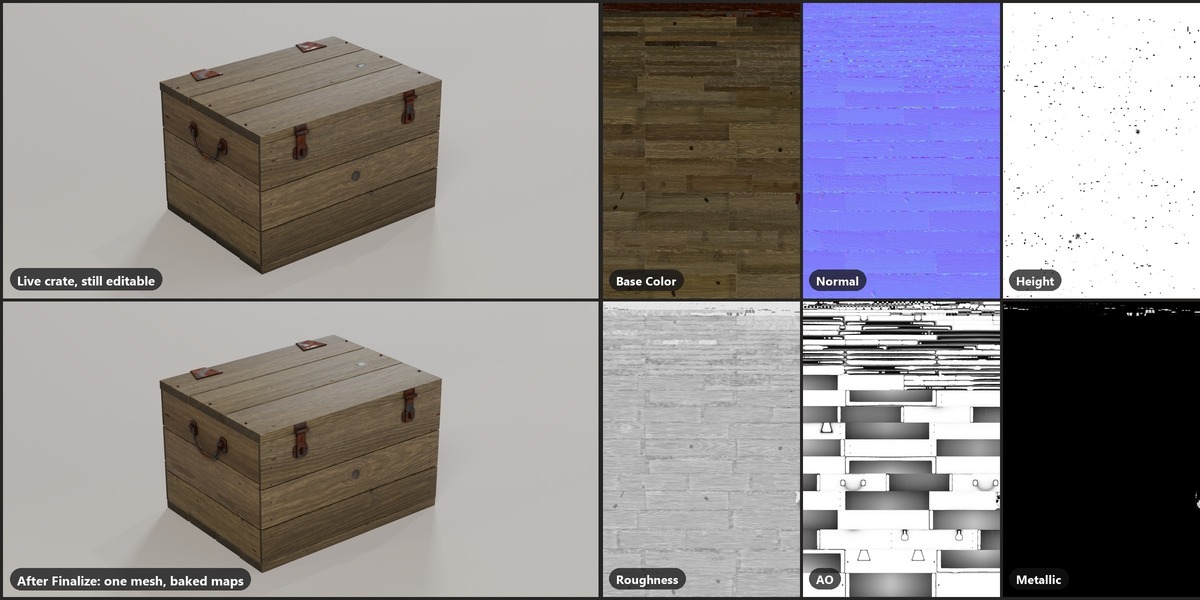
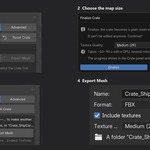
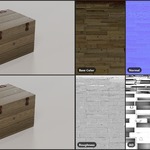
While you work, the crate stays procedural. When it looks right, click Finalize. The crate is baked as you see it into texture maps: Base Color, Normal, Roughness, Metallic, Specular, Height and AO, plus Opacity when part of the crate is see-through. You choose 1K, 2K or 4K. The result is one ordinary mesh with one material, and File > Export works with the default settings.
A finalized crate can't be edited anymore, so save your settings first if you want to come back to them.
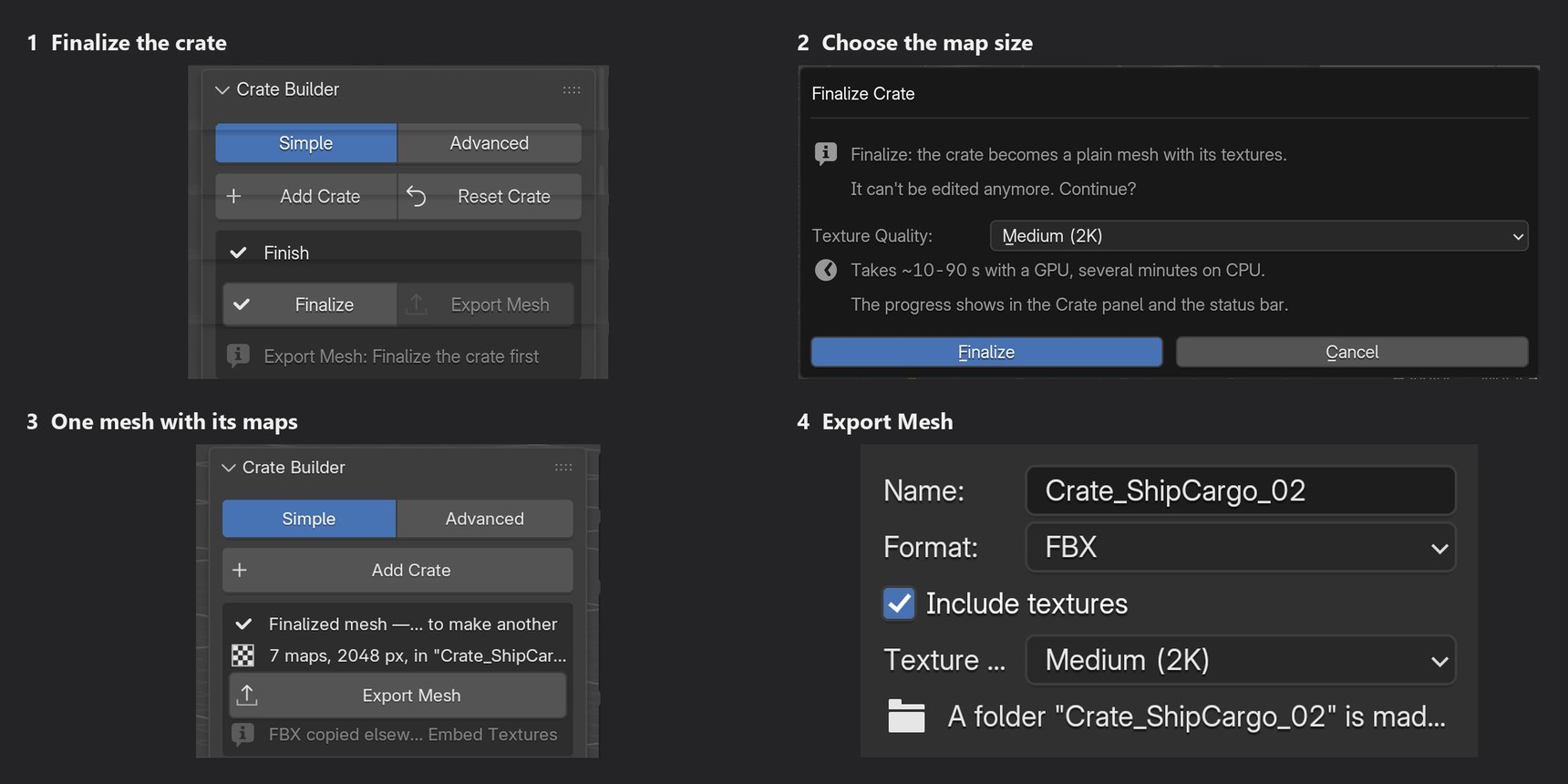
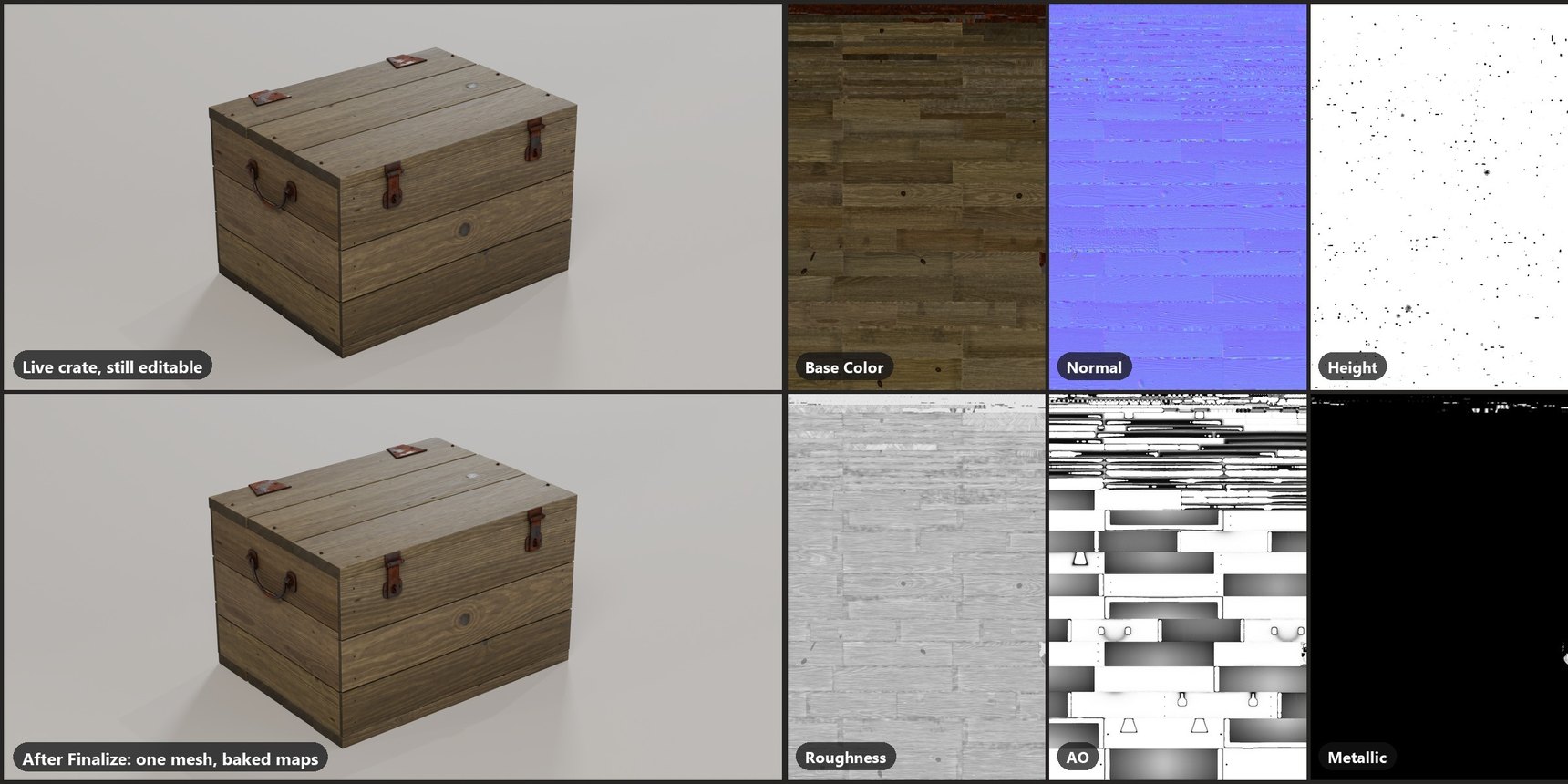
▶ Finalize bakes what you see into maps: Base Color, Normal, Roughness, AO and more.
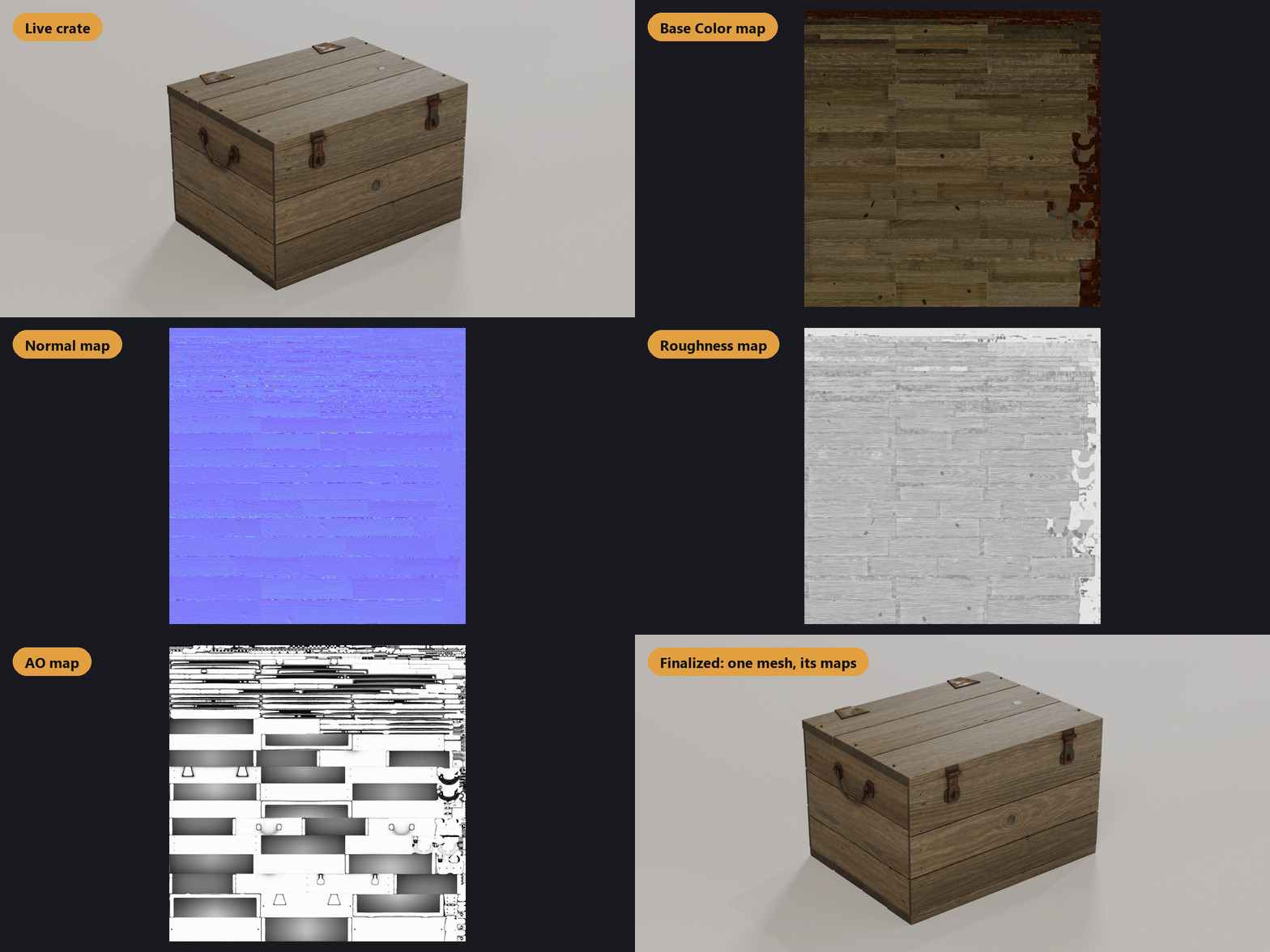
STEP · 08
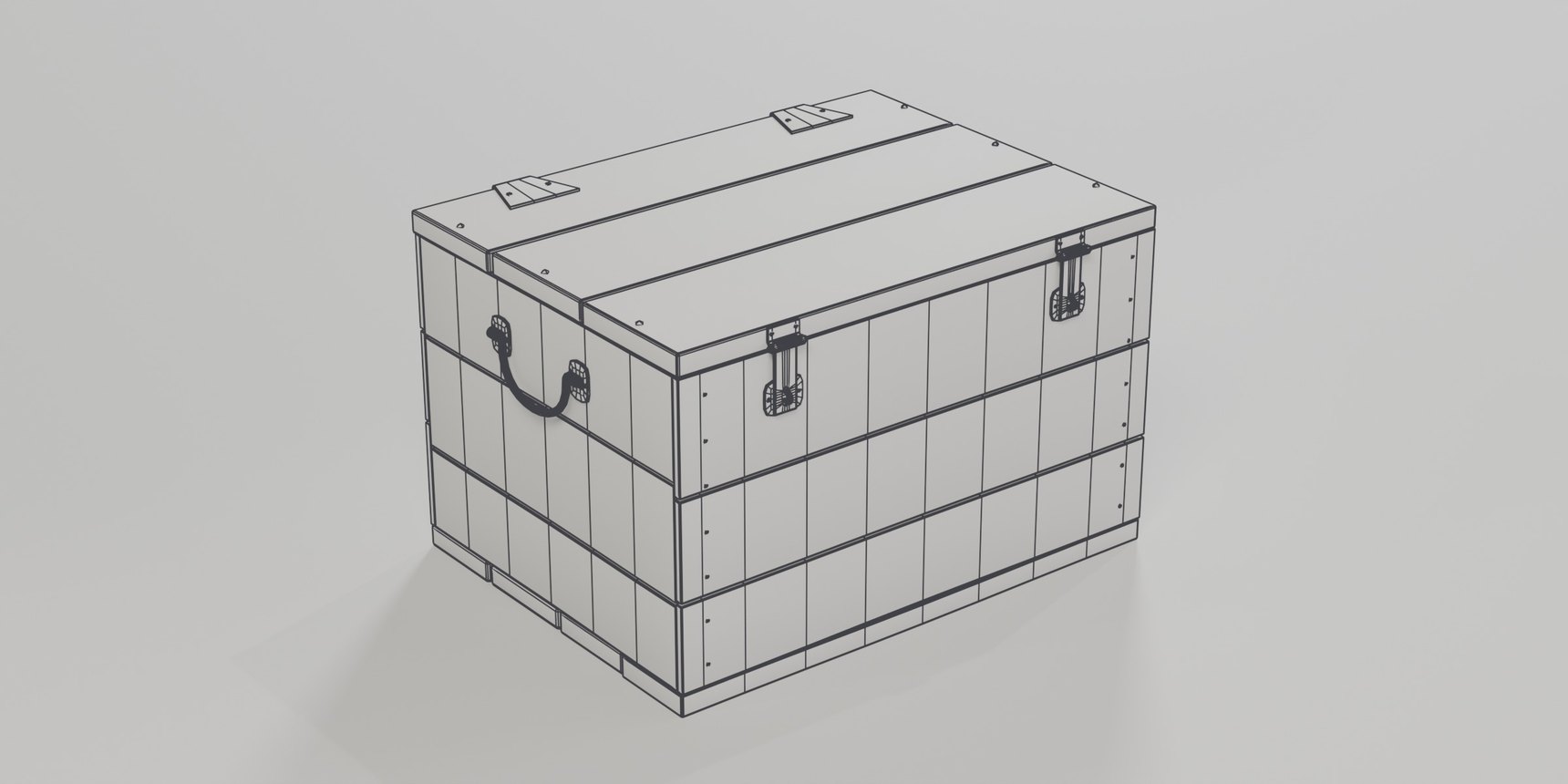
Clean topology
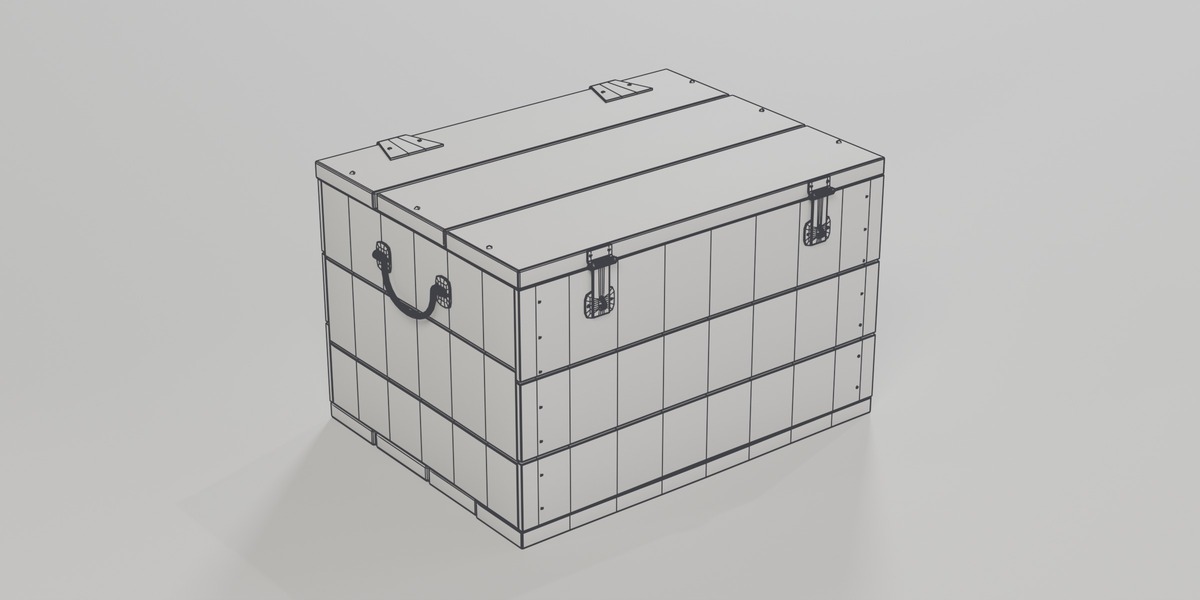
The crate is built from quads, plank by plank, with no booleans. After Finalize you get one tidy mesh with UVs laid out for its maps.
STEP · 09
Export Mesh
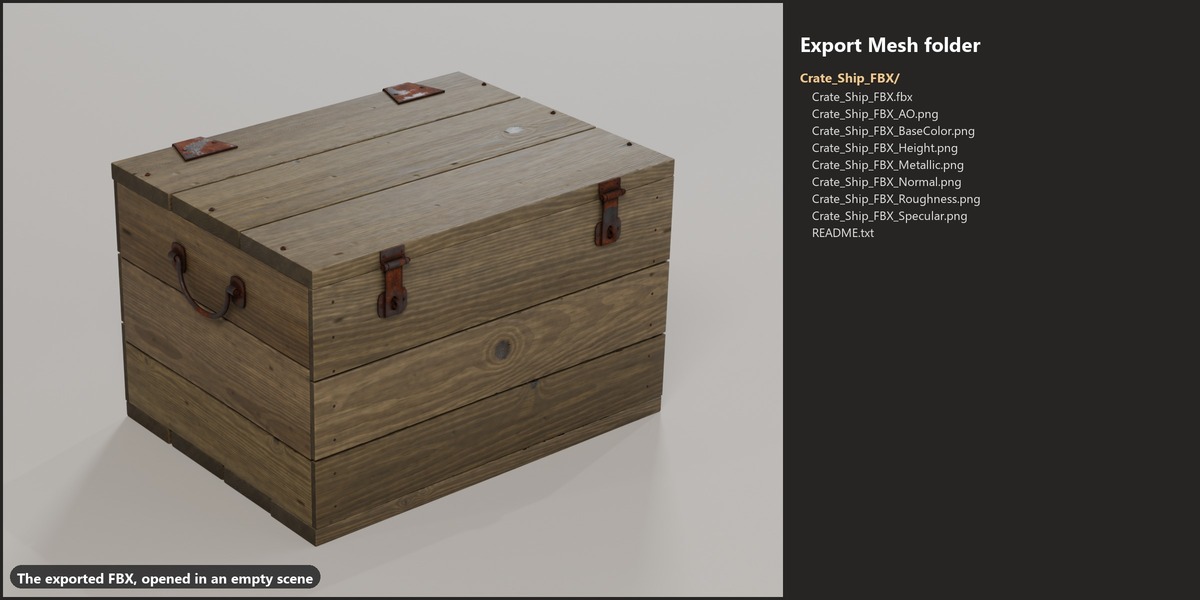
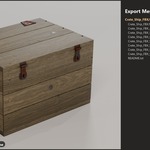
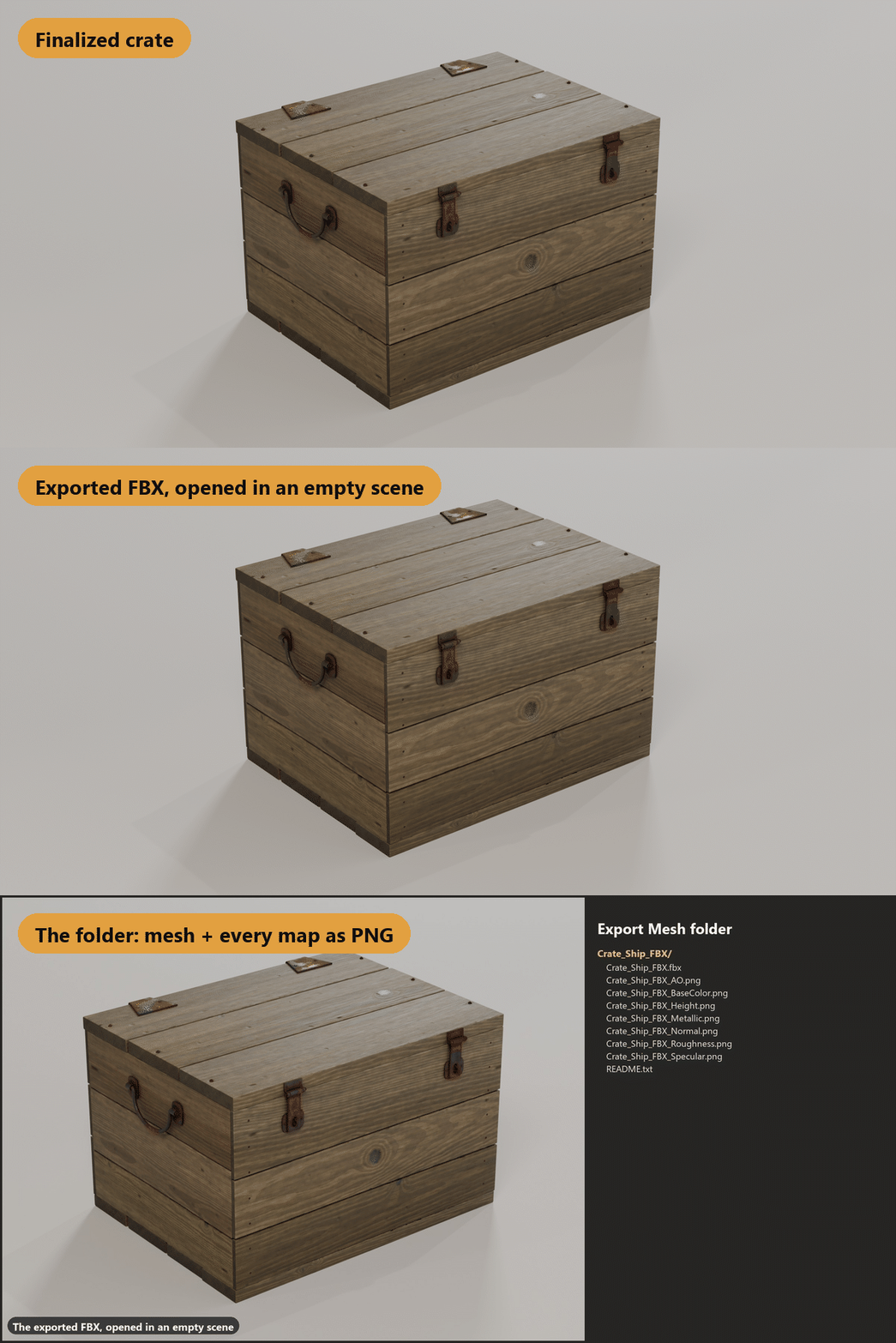
Select a finalized crate and click Export Mesh. You get a folder with the mesh as FBX, OBJ with its .mtl, or GLB, and every map as a PNG file. These are standard files that game engines and 3D applications can import. The normal map uses the OpenGL convention.
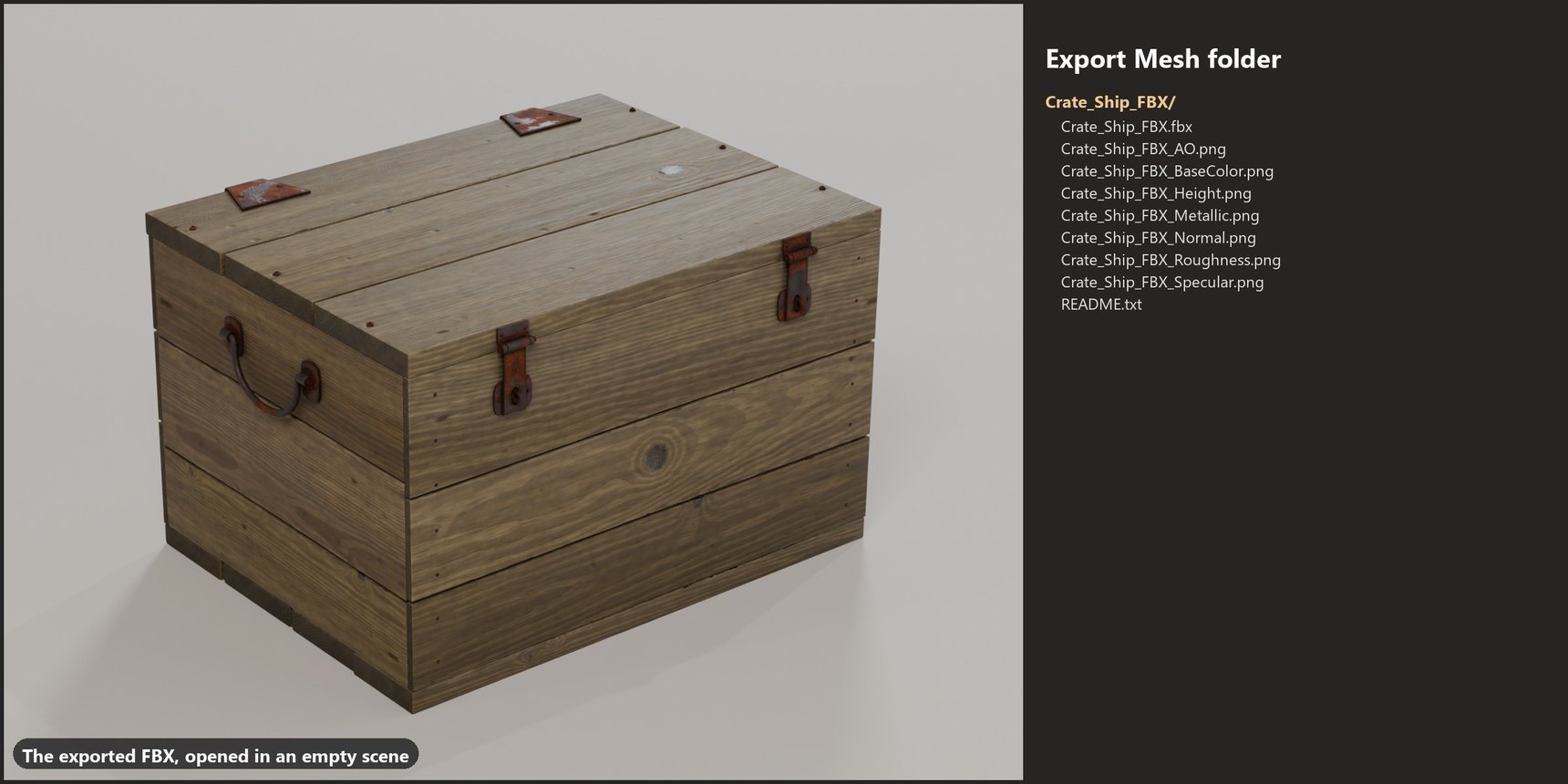
▶ Export Mesh writes the mesh and every map. Here, the FBX opened in an empty scene.
What you can do with the crates
GPL-3.0COMMERCIAL USENO ROYALTIES
| Renders, animations, films | Yes |
| Games and real-time projects | Yes |
| Client and commercial work | Yes |
| Change and share the add-on code (GPL) | Yes |
| Resell the crates on their own as an asset pack | No |
The add-on's code is released under the GNU General Public License, version 3 or later (GPL-3.0-or-later). The full license comes with the download.
Everything you make with it is yours: you can use the crates you create, their renders and their exported meshes and texture maps in personal and commercial projects, including games, films and client work, without any royalty. The only thing I ask is that you don't resell the crates on their own as an asset or model pack.
Getting started
1. Keep the .zip as it is. In Blender, open Edit > Preferences > Get Extensions, click the drop-down menu in the top right corner, choose Install from Disk and pick the .zip. Dragging the .zip into the Blender window works too.
2. In the 3D Viewport, press N and open the Crate tab.
3. Choose Realistic or Stylized above the gallery, pick a style and press Add Crate.
4. Move the sliders. When you are happy, save your .blend, then Finalize and Export Mesh if you need the crate outside Blender.
A README with the same steps comes with the add-on.
Compatibility
Blender 4.2 LTS, 4.5 LTS and 5.2 LTS. Tested on Windows. Made for Cycles; the live crate also renders in EEVEE in 5.2 LTS. Finalize uses Cycles to bake, and a GPU makes it much faster.
Known limits
A slider step usually takes between a third of a second and 0.7 s on my machine. On some styles it can take up to about a second and a half, and Blender 4.2 and 4.5 add about a third of a second. Making this faster is the first thing on my list.
Finalize takes from ten seconds to a minute and a half with a GPU. On the CPU it can take several minutes, and Blender may look frozen while it bakes the longest map. Just let it finish.
Straw, wood wool and big lots add a lot of polygons. Keep an eye on the count for real-time use.
In another renderer or engine the crate looks very close to what you see in Blender, but not identical to the pixel.
I have only tested it on Windows so far.
What I'm working on next
Faster sliders, so every crate follows your hand without a wait.
Weathering moods you can lay over any style: desert, salt and sea, damp forest, clean warehouse, abandoned attic, field depot.
A finish for each piece of hardware on its own, so the hinges can be brass while the corners stay black iron.
Picture help in the panel, so you can see what a setting does before you touch it.
More starting styles.
These are plans, not promises with dates. Tell me what you need most and it moves up the list.
FAQ
Do I need to know Geometry Nodes or Python?
No. Everything is sliders, lists and buttons in the Crate tab of the 3D Viewport sidebar.
Are the 16 styles all I get?
No. They are starting points. Each one opens hundreds of settings, and new seeds give you a new crate from the same style. You can save your own crates as styles.
Can I use the crates I make in commercial work?
Yes. Renders, animations, games, client work, anything. What you can't do is resell the crates on their own as an asset pack.
Can I switch a crate from Realistic to Stylized?
Not on an existing crate, because the two looks use different settings. Pick the other look above the gallery and press Reset Crate: you get a fresh crate at the same place.
Can I edit a crate after Finalize?
No, it's a plain mesh at that point. Save your .blend before you finalize, or save your settings as a style so you can build it again.
Where do the texture maps go?
Into a "textures" folder next to your saved .blend. If the file isn't saved yet, the add-on tells you where they went. Save first to keep everything together.
Can I use the crates in a game engine?
Yes. Finalize, then Export Mesh as FBX, OBJ or GLB: standard formats that game engines import, with the maps as plain PNG files. The normal map is OpenGL style; flip the green channel if your engine wants DirectX normals.
Which render engines work?
The add-on is made for Cycles, and Finalize bakes with Cycles. In 5.2 LTS the live crate renders in EEVEE too. A finalized crate is a plain mesh with image textures, so other render engines can use it too.
Does it work on macOS or Linux?
I've only tested it on Windows so far, so I can't promise it.
How do updates work?
New versions show up in your Superhive downloads. Updates and support are included for 12 months after purchase, like every product on Superhive.
