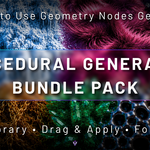
Procedural Generator Bundle Pack
 Voyde Procedural


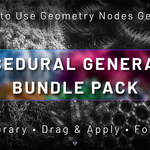
Documentation
Everything you need to install and start using the Procedural Generator Bundle Pack.
Installation
- Download and extract the product.
- Open Blender.
- Go to Edit → Preferences → File Paths → Asset Libraries.
- Click the + button and select the extracted Asset Library folder.
- Open the Asset Browser.
- Choose the library and simply Drag & Apply any generator.
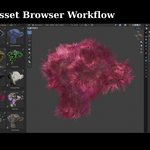
Drag & Apply Workflow
01 — Browse
Open the Asset Browser and select one of the included generators.
Open the Asset Browser and select one of the included generators.
02 — Drag & Apply
Drag the asset into your scene and apply it to your object.
Drag the asset into your scene and apply it to your object.
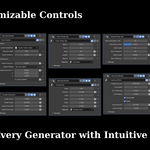
03 — Customize
Adjust the exposed Geometry Nodes controls directly inside the modifier panel.
Adjust the exposed Geometry Nodes controls directly inside the modifier panel.
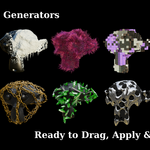
Included Generators
- Arc Generator
- Bubble Wrap Generator
- Chain Wrap Generator
- Crystal Generator
- Droplet Generator
- Freezing Effect Generator
- Fur Generator
- Lego Generator
- Liquid Generator
- Trash Scatter Generator
Requirements
- Blender 5.0 or newer
- Geometry Nodes
- Asset Browser
- Cycles & Eevee Compatible
Important Notes
- All generators are fully procedural and non-destructive.
- Designed to work with your own meshes.
- Apply Ctrl + A → Scale before use for the most consistent results.
- Results may vary depending on mesh topology, density and object scale.
Drag. Apply. Create.
Enjoy a fast Asset Library workflow with ten customizable procedural Geometry Nodes generators.
$9$6.30
Have questions about this product?
Login to message
| Published | 3 months ago |
| Blender Version | 4.0 - 5.2 |
| Render Engine Used | Cycles, Eevee |
| License | Royalty Free |
Discover more products like this
procedural-generator Blender asset blender addon geometry nodes blender modifier geometry nodes generator 3d assets Procedural Workflow procedural modeling procedural Generator