Procedural Neon Sign Generator Blender Geometry Nodes
 Enormous




Overview
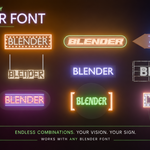
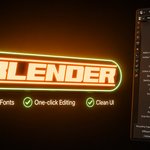
The Procedural Neon Sign Generator is a Geometry Nodes setup that allows you to quickly create customizable neon signs inside Blender.
Instead of building each sign from scratch, simply duplicate one of the included examples and customize it using the modifier panel.
No Geometry Nodes editing is required for normal use.
Requirements
- Blender 5.1.2 or newer
Included Files
- Procedural_Neon_Sign_Generator.blend
- README & License.pdf
Customization
The generator allows you to customize:
- Text
- Fonts
- Backboard Shape
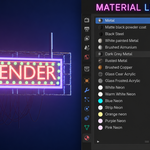
- Materials
- Mounting Poles
- Cable System
Workflow
- Open the .blend file.
- Duplicate an existing neon sign.
- Edit the text.
- Choose a font.
- Adjust materials and other settings.
- Use the sign in your own project.
Licensing
This product is provided under a Royalty-Free license.
✔ Personal & Commercial Use
✘ Redistribution prohibited
✘ Resale prohibited
Notes
- No external add-ons are required.
- All controls are exposed in the modifier panel.
- Designed for easy customization without editing Geometry Nodes.
$24.99
Have questions about this product?
Login to message
| Published | 3 months ago |
| Blender Version | 5.1 - 5.2 |
| Render Engine Used | Blender-Internal, Cycles, Eevee |
| License | Royalty Free |
Discover more products like this
Blender asset geometry nodes material library futuristic node setup neon sign modifier Custom Text cyberpunk sci fi blender procedural-generator