Procedural Neon Sign Generator Blender Geometry Nodes
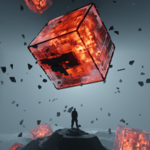 Enormous


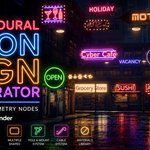
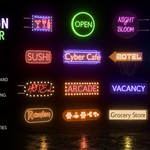
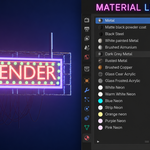
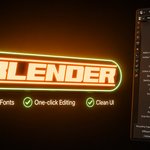
How do I create a new neon sign?
Simply open the included .blend file, duplicate one of the existing neon signs, and customize the text, fonts, materials, and other settings using the modifier panel. No Geometry Nodes editing is required for normal use.
I found a bug. What should I do?
Please contact me with a description of the issue and, if possible, screenshots or the Blender version you're using. I'll do my best to resolve it.
Are future updates included?
Any updates released for this product will be available according to the marketplace's update policy.
Are the example neon signs included?
Yes. Several example signs are included to help you get started quickly.
Does this work as a Blender add-on?
No. This is a Geometry Nodes .blend file, not a Blender add-on. Simply open the file, duplicate an existing sign, and start customizing.
Can I share or resell the .blend file?
No. Redistribution, resale, or uploading the original or modified .blend file to other marketplaces or websites is not permitted.
Can I modify the generator?
Yes. You're free to customize the generator for your own projects.
Can I use this in commercial projects?
Yes. You may use the generated neon signs in personal and commercial projects, including client work, games, animations, films, and renders.
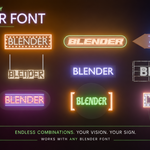
Can I use my own fonts?
Yes. You can select and use any font installed on your system.
Which Blender version is supported?
This product requires Blender 5.1.2 or newer.
Do I need Geometry Nodes knowledge?
No. All controls are exposed in the modifier panel. Simply duplicate an existing sign and customize it to your needs.
$24.99
Have questions about this product?
Login to message
| Published | 3 months ago |
| Blender Version | 5.1 - 5.2 |
| Render Engine Used | Blender-Internal, Cycles, Eevee |
| License | Royalty Free |
Discover more products like this
neon sign blender geometry nodes Custom Text node setup procedural-generator modifier futuristic Blender asset sci fi material library cyberpunk