Procedural Prison Fence - WWII Era Concrete & Barbed Wire Generator
 Hannes Werner



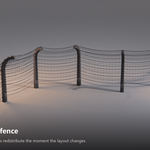
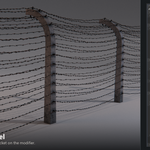

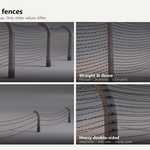
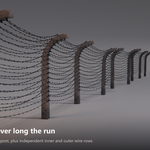
Which Blender versions does this work with?
Blender 4.5 LTS and newer. Tested in 4.5.5, 5.0.1 and 5.3, with identical results in all three. It works in both Cycles and EEVEE.
Is this an add-on? Do I have to install anything?
No. It is a Geometry Nodes group inside a .blend file, so there is nothing to install and nothing to keep updated. Open the file, or point your Asset Browser at it and drag the node group onto any curve.
Because it is plain .blend data rather than Python, it will not break when Blender changes its add-on API.
Can I use it in commercial work?
Yes. Use it in client work, film, games, archviz and personal projects, commercial or not, with no attribution required.
What you cannot do is redistribute or resell the asset itself, on its own or inside another asset pack.
How do I export the fence to another program?
Two steps, in this order:
Tick Realize for Export at the bottom of the modifier panel.
Object > Convert To > Mesh.
You then have one ordinary mesh with its material slots intact, ready for FBX, OBJ, USD or anything else.
The first step matters. The posts, barbs and insulators are Geometry Nodes instances, which is what keeps long fences light in the viewport. If you convert without realizing them first, you get the wire and nothing else.
Why can't I click Apply on the modifier?
Blender does not allow geometry-changing modifiers to be applied to curve objects. You get "Cannot apply constructive modifiers on curve". That is a rule about curves in general, not a limitation of this asset.
Use Object > Convert To > Mesh instead, exactly as the error message suggests, and tick Realize for Export first.
Can I use my own barbed wire or insulator meshes?
Yes. Wire Holder and Wire Spikes are object inputs on the modifier. Point them at your own meshes and the generator distributes yours along the fence instead, with all the same spacing, scale and rotation controls.
The three materials are inputs too, so you can drop in your own concrete, metal and ceramic without touching the node group.
Does it follow corners?
Yes. Any Blender curve works: poly, Bézier and NURBS. Straight runs, corners and long sweeping perimeters all behave, and the fence updates as you edit the curve.
On corners tighter than roughly your post spacing, neighbouring posts can start to crowd each other. Widen the corner slightly or lower Post Distance for that stretch.
How heavy is it? Will it slow my scene down?
At default settings it is about 23,700 vertices on the 5 m example curve, roughly 4,800 per metre, and the topology is all quads with no triangles.
Cost scales with your settings, so for background fences drop Profile Resolution to 3, reduce Wire Amount and raise Spikes Spacing. That cuts the count dramatically and is invisible at distance. Keeping Realize for Export switched off also keeps the posts and barbs instanced, which is much lighter on long runs.
All my posts look identical. Is that a bug?
No, the randomisation values simply ship at zero so you start from a clean, uniform fence.
Open the Randomization section and raise Scale, Offset X and Rotation Z. Offset X varies the apparent spacing, Rotation Z gives each post its own lean, and Scale varies the height. Around 0.22 / 0.24 / 0.15 is a good starting point for a long run, and Seed gives you a different arrangement from the same values.
The tops of my posts look wrong
Check Arc Radius. Values between roughly 0.02 and 0.12 collapse the curved top into a small angled stub that reads as a modelling error.
Use exactly 0.0 for a clean flat post top, or 0.2 and above for a deliberate hook. Around 0.8 matches the historical reference most closely.
Have questions about this product?
Login to message
| Published | 2 months ago |
| Blender Version | 4.5 - 5.2 |
| Render Engine Used | Blender-Internal, Cycles, Eevee |
| License | Royalty Free |