 Mrs Eliza
Can I edit the shape of a knot?
Yes. Knots are curve objects, so you can enter Edit Mode and move their control points. However, adjusting the Tightness slider afterwards blends between the stored shapes and may undo your manual edits.
Why did my saved presets disappear after reinstalling the add-on?
Presets are stored in presets.json inside Blender's user configuration folder under rope_knot_generator. Reinstalling the add-on does not normally remove them, but using a fresh Blender configuration will make the existing presets unavailable.
Why does Bake Textures fail?
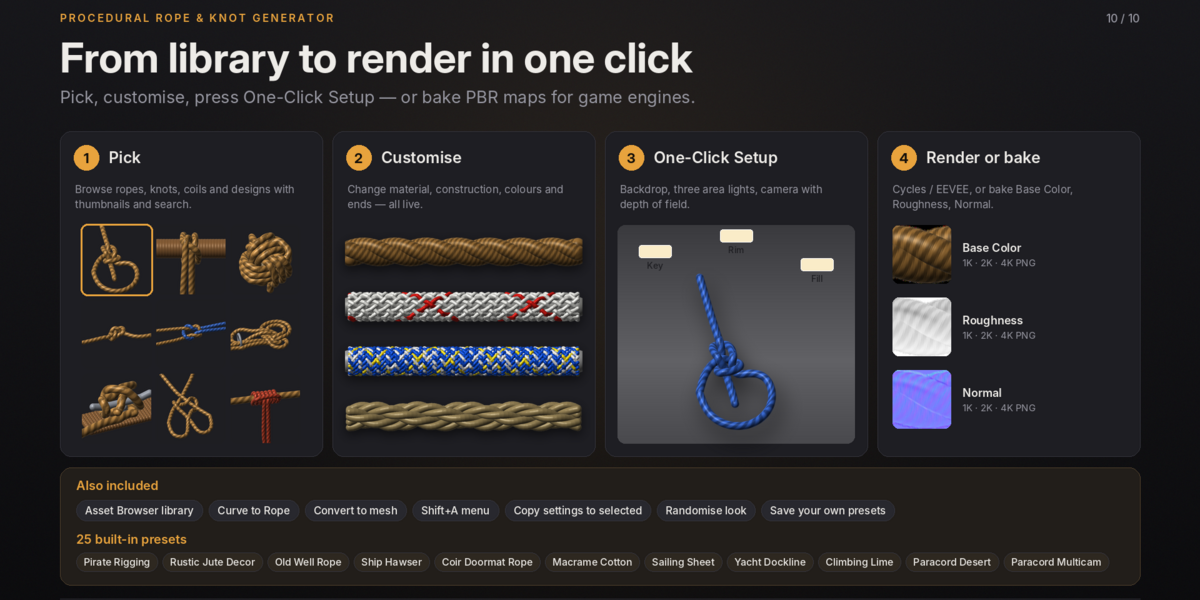
Save the .blend file first, ensure the destination folder is writable, and confirm that Cycles is available. Texture baking always uses Cycles.
Why are the knot props getting in the way?
Disable Show Props on the knot, or turn off Include Props in the Library before adding knots.
Why does scaling a knot make the rope too thick or too thin?
Knots are sized using the Diameter setting, not object scale. Reset the object's scale and adjust Diameter in the Rope panel.
Why does the rope look like a plain grey tube?
Switch the viewport to Material Preview or Rendered mode to see the fibre material. Solid mode does not display the material properly.
Have questions about this product?
Login to message
| Published | over 2 years ago |
| Blender Version | 4.0 - 5.0 |
| Render Engine Used | Blender-Internal, Cycles, Eevee |
| Misc Data | Uvs-Unwrapped, Rigged, Animated, Low-High-Resolution, Normal-Mapped, Textured |
| License | GPL |
Discover more products like this
3d assets knot creator rope generator blender addon rope simulation procedural rope blender 3d procedural modeling realistic rope knot generator 3D rope modeling rope and knot builder