 P2_limit_sadge


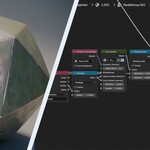
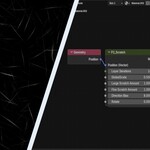
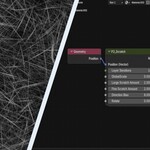
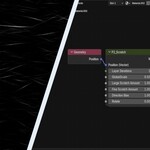
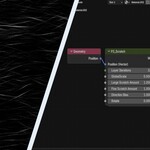
# WHAT IS PROCEDURAL SCRATCH MASK NODE
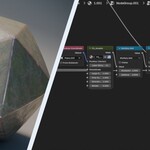
Procedural Scratch Mask Node is a Blender node group that generates a grayscale scratch mask from a Position input.
Use it inside an existing shader setup to create controllable procedural scratch patterns for roughness, color mixing, detail breakup, or baking workflows.
# PROCEDURAL SCRATCH MASKS
This product is not a finished material. It is a focused utility node for generating scratch masks that can be reused wherever procedural surface detail is needed.
The output is a grayscale mask suitable for roughness modulation, color mixing, detail blending, or texture baking.
# CONTROL SCRATCH SCALE AND DIRECTION
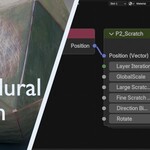
Use Layer Iterations, Global Scale, Large Scratch Amount, and Fine Scratch Amount to shape the scratch density and scale.
Use Direction Bias and Rotate to control the scratch flow and orientation.
# FEATURES
- Procedural grayscale scratch mask generation
- Large and fine scratch controls
- Directional bias for art-directable scratch flow
- Rotation and scale controls
- Works with Object, Generated, or UV coordinates
- Useful for live shader workflows and baking
- Blender 5.0 compatible
# WHY BUY PROCEDURAL SCRATCH MASK NODE
- Focused scratch mask utility node
- Adjustable procedural material detail
- Useful for existing shader setups
- Good fit for directional scratch breakup
- Can be used for baking scratch masks into texture-based workflows
# HOW TO USE
1. Add the node group to your material
2. Connect a coordinate source to the Position input
3. Adjust the scratch controls to shape the pattern
4. Use the mask output wherever scratch-based variation is needed
5. Bake the result if you want to use it in a texture-based workflow
# NOTES
A Position input is required. If no Position input is connected, the node will not produce a visible mask.
This is a procedural shader/material utility, not a finished material or painted texture pack.