Procedural Weather Pro — One-Click Procedural Sky, Clouds, Stars & Lightning
 blenderustad


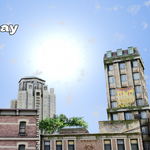
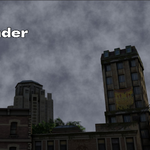
Does the moon look like a flat texture or a real sphere?
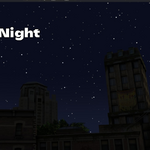
It's rendered as a solid, opaque disc with procedural craters, maria, and surface noise, so stars pass behind it and it reads as a real cratered moon, not a flat glow.
Can I still keyframe things manually?
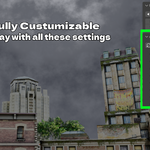
Yes. Every slider (Elevation, Strength, cloud coverage, and so on) is a standard Blender property, so you can keyframe any of them for a custom timed transition on top of the built-in animated effects.
Does it animate on its own, or do I need to keyframe everything?
Cloud drift, star twinkle, and lightning strikes are frame-driven. Set the speed or amount once, then press Play or scrub the timeline and they animate automatically, in the viewport and in renders.
Can I create my own presets?
Yes. Presets are plain JSON files in the add-on's Presets folder. Duplicate one, adjust the values, and drop it back in. No Python needed.
What presets are included?
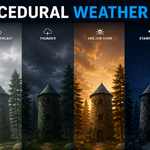
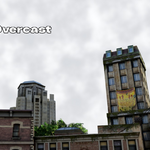
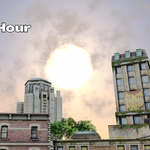
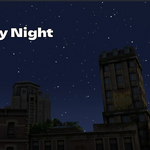
Sunny Day, Bright Overcast, Golden Hour, Thunder, Starry Night, and Dark Night.
How do I start using it?
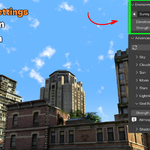
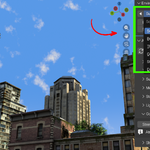
Open the 3D Viewport sidebar with N, go to the Weather Pro tab, and click Create Sky. That builds the world and lights and applies the current preset.
Is this a regular add-on or a Blender extension?
It installs as a Blender extension. Use Edit > Preferences > Get Extensions > Install from Disk, or drag the ZIP straight into the Blender window.
Does it work in Cycles?
The sky, clouds, sun, moon, stars, and lightning are shader-based and render in both engines. The God Rays effect is specifically an atmospheric light-shaft look built for Cycles, as noted in the panel itself.
Which Blender versions does it support?
Blender 4.2.0 and newer. It's built and tested on Blender 5.1 using EEVEE.
Do I need any HDRI or texture files?
No. Everything is generated with shader nodes. There are no images to download, install, or manage.
What does Procedural Weather Pro actually do?
It builds a complete sky, sun, moon, stars, clouds, and optional lightning as a procedural node network inside Blender's World shader, controlled through a sidebar panel instead of the shader editor.
$14.89
Have questions about this product?
Login to message
| Blender Extension Compatible | Yes |
| Sales | 10 |
| Published | 3 months ago |
| Blender Version | 3.2 - 5.2 |
| Extension Type | Add-on |
| Render Engine Used | Blender-Internal, Blender-Game-Engine, Cycles, Eevee |
| License | Mit |
