 HanaYou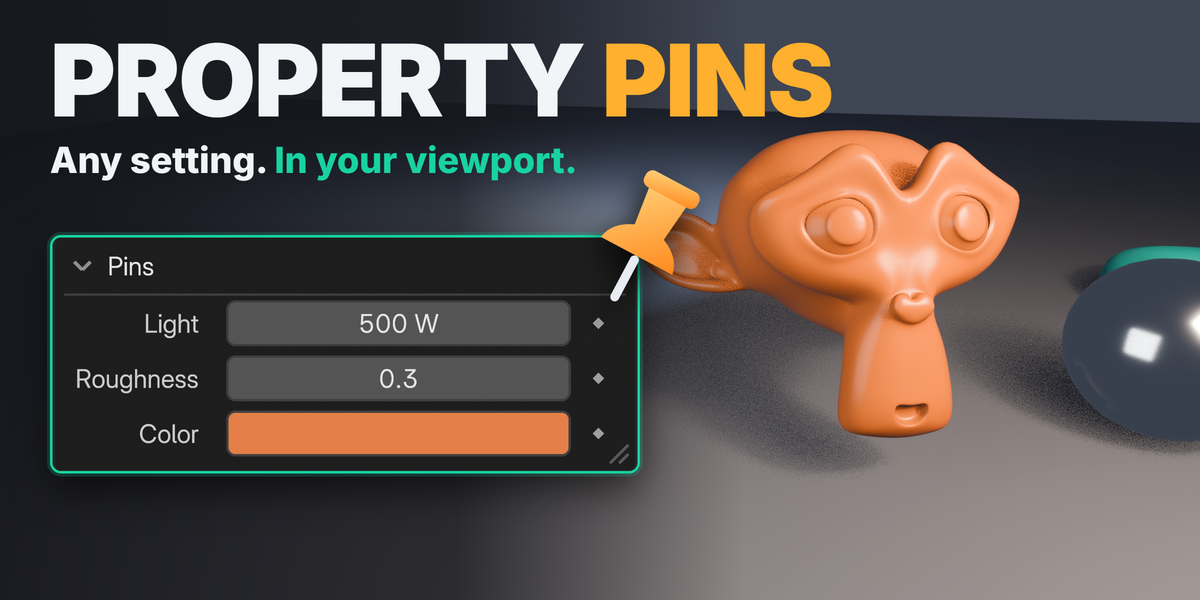
 VIEWPORT ADD-ON
Pin any property.
Edit it in the viewport.
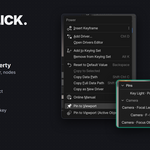
Right-click almost any property and choose Pin to Viewport. It joins a small HUD on top of your viewport, where you drag, type, toggle and keyframe it without going back to the Properties editor. 3D Viewport and node editors, Blender 4.3 to 5.2.
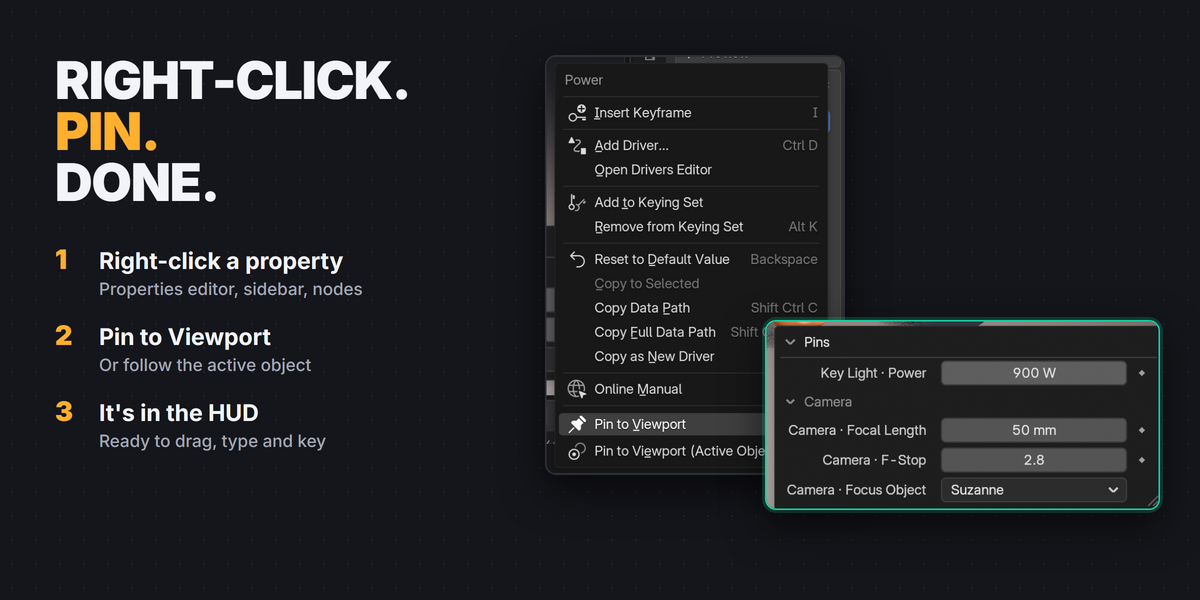
Right-click → Pin to Viewport → drag, type, toggle, key
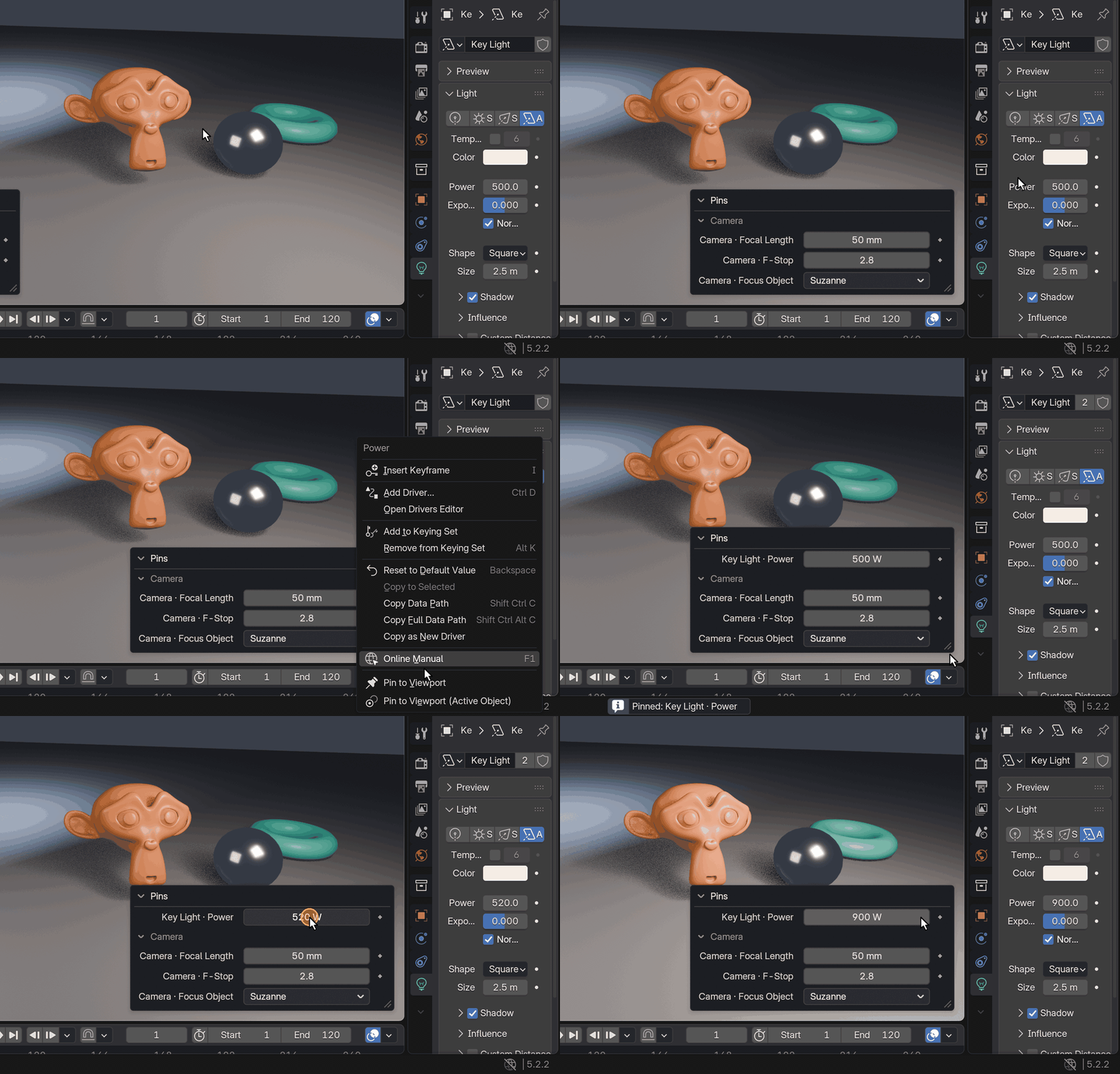
Lights, cameras, materials, modifiers, node inputs, render settings and more.
Lighting a shot means jumping between the light, the camera and the material tabs again and again. Property Pins keeps the handful of values you are tuning right where you are looking, together in one place.
How it works
Right-click → Pin → Edit
1
Right-click
Any property in the Properties editor, the sidebar or a node.
2
Pin to Viewport
The value joins the HUD in the 3D Viewport.
3
Edit
Drag it, type it with units and math, toggle it, key it.
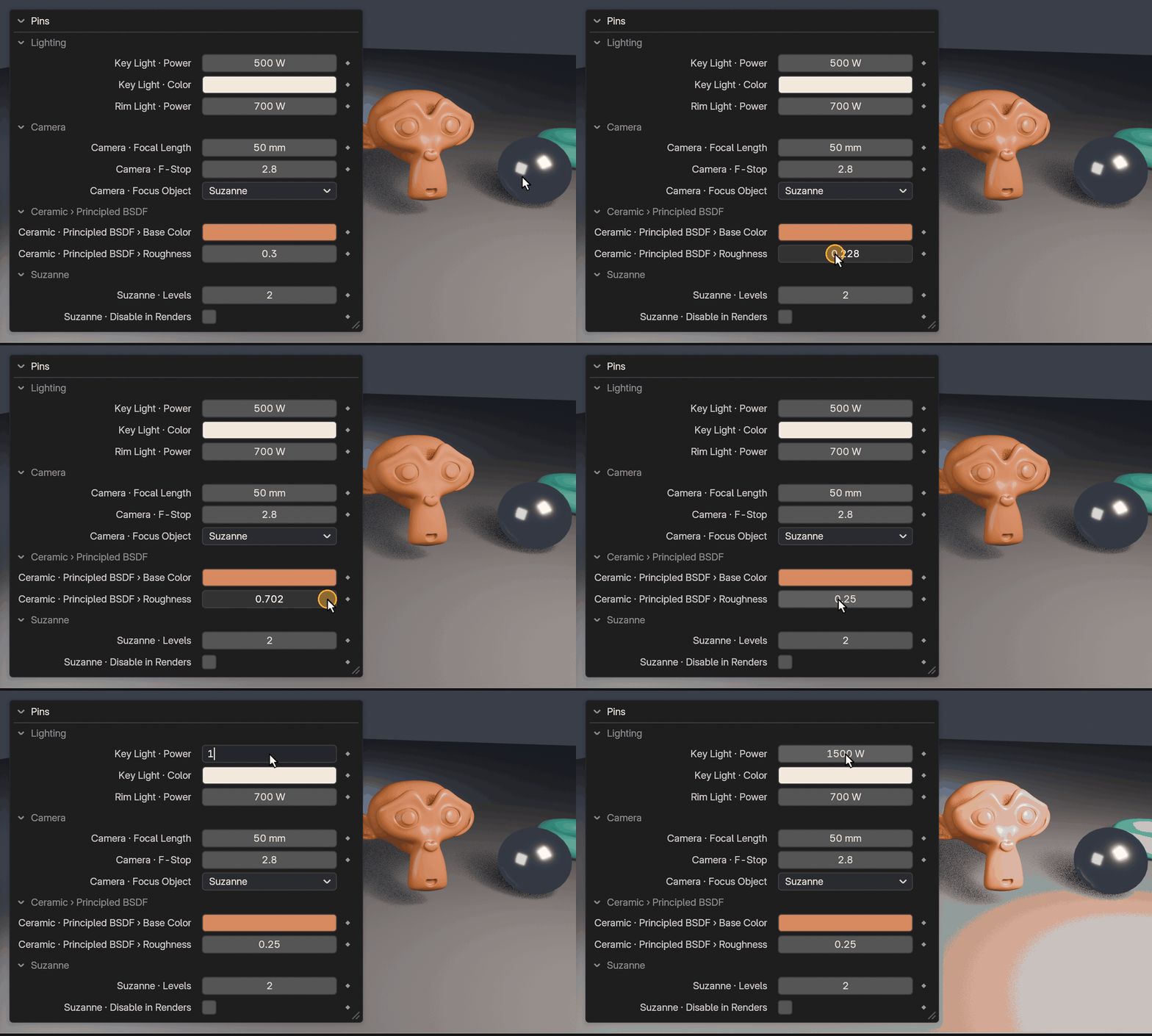
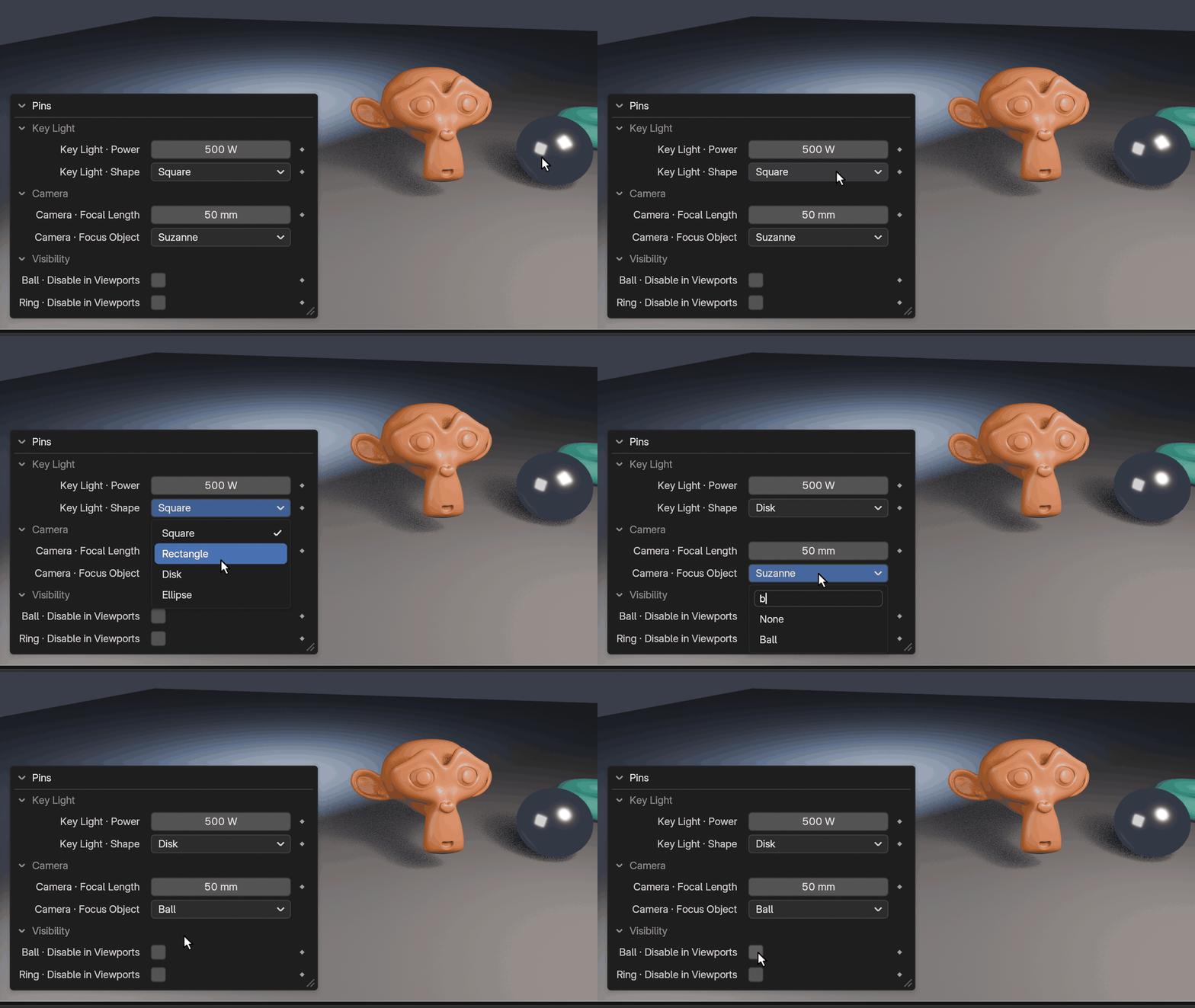
Every kind of value
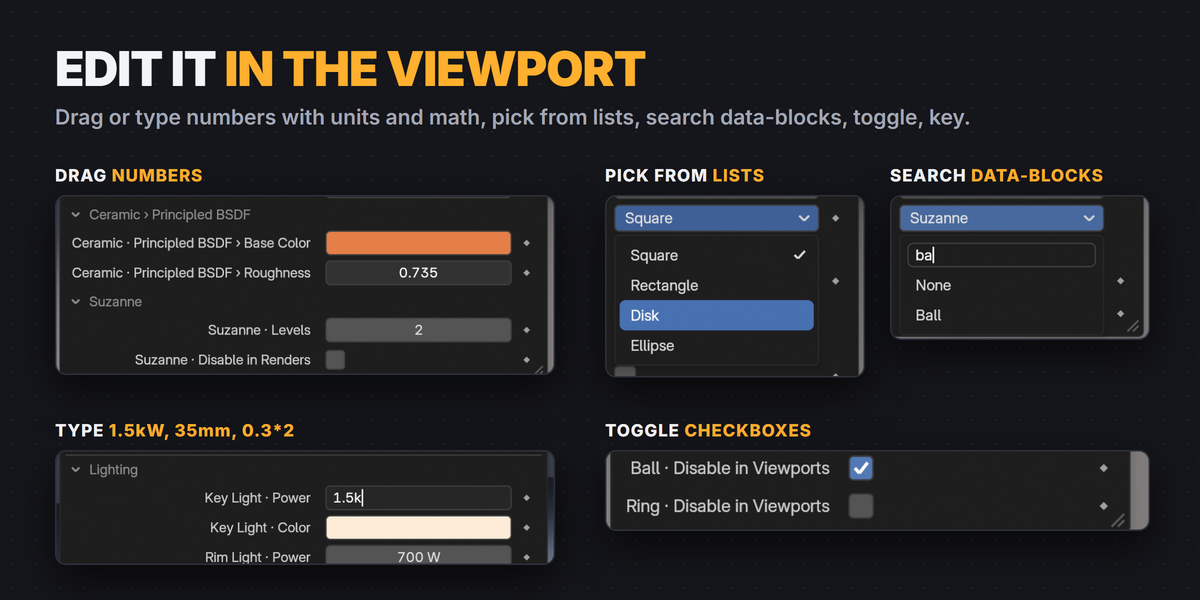
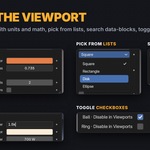
Numbers, lists, checkboxes and colors
Drag or type numbers (units and math work: 35mm, 1.5kW, 0.3*2), pick from dropdowns, search a data-block list, flip checkboxes, and open the native color picker from a swatch. Vectors get one field per component.
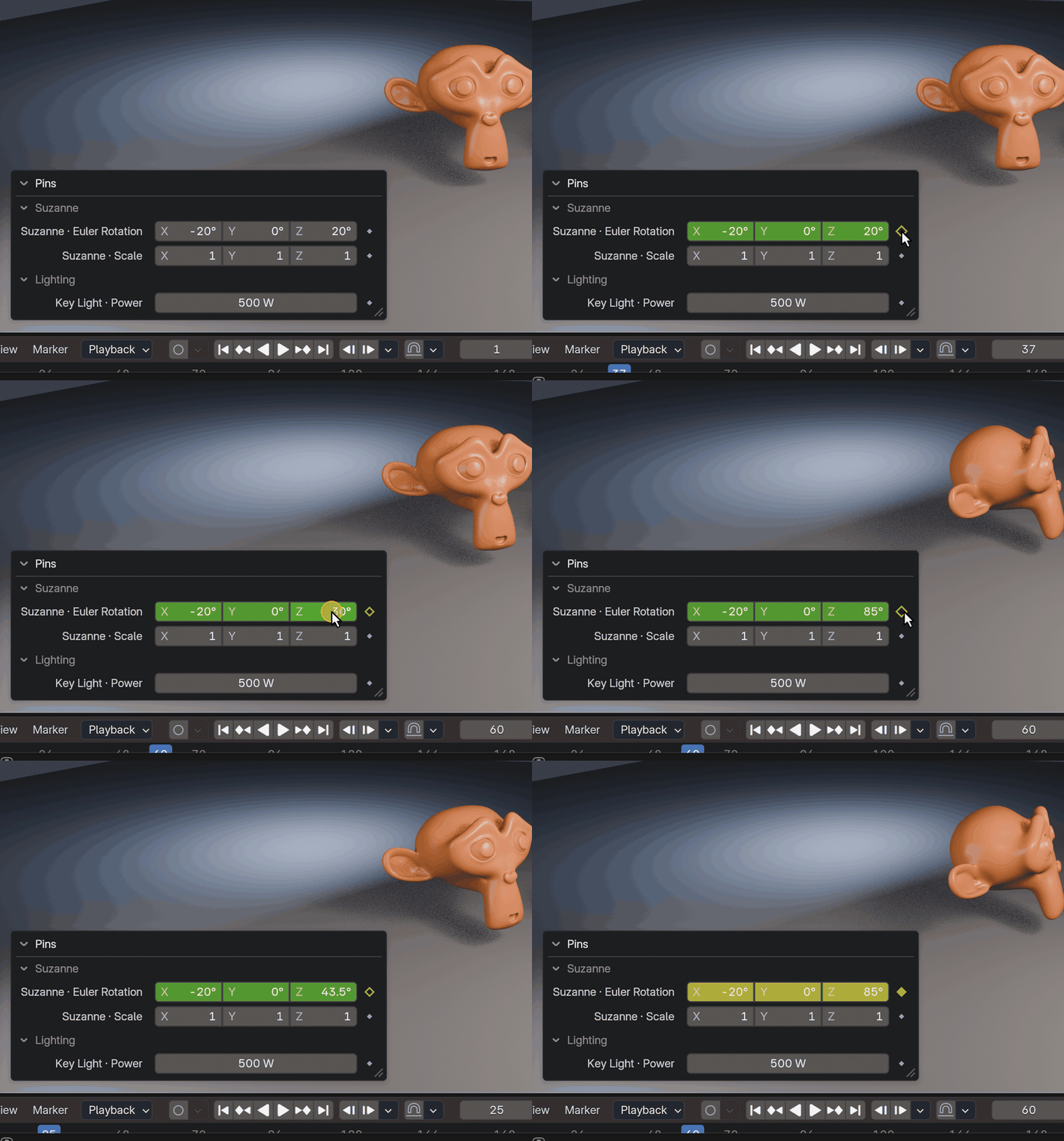
Keyframes
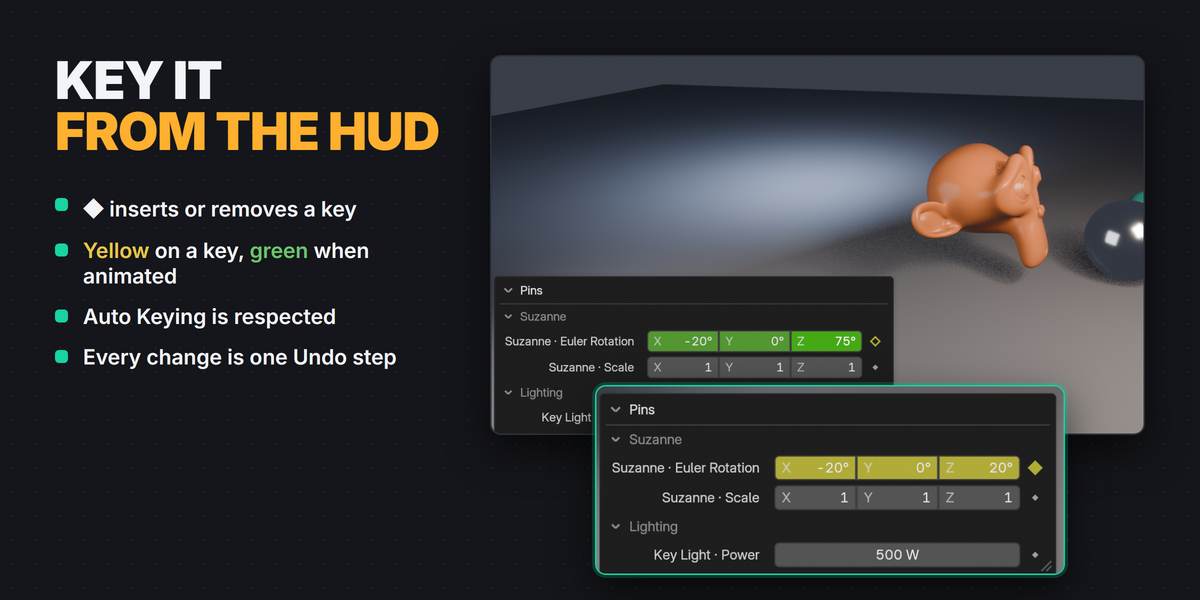
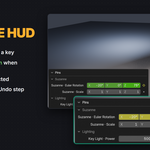
Key it from the HUD
Click ◆ to insert a keyframe, or remove it on a frame that has one. Fields turn yellow on a key and green when animated, like the Properties editor. Auto Keying is respected and every change is one Undo step.
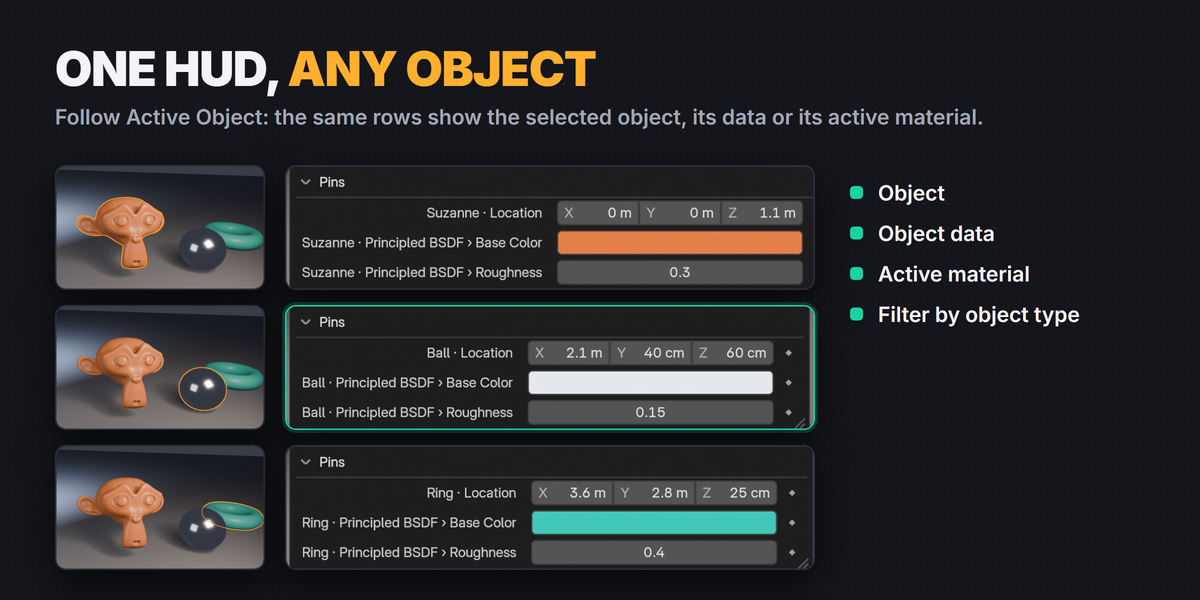
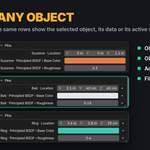
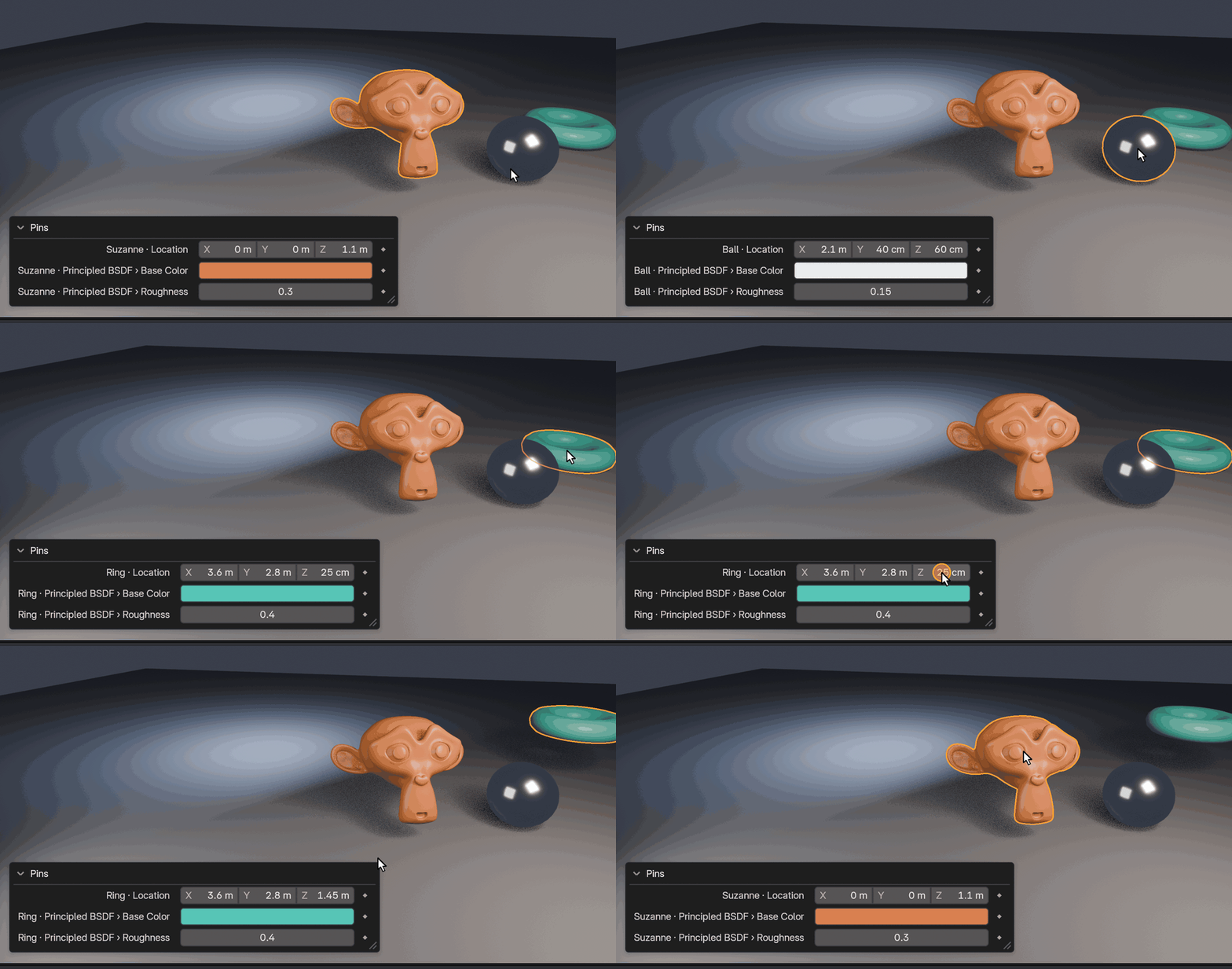
Follow Active Object
One row, whichever object is selected
Pin a property of the active object, its data or its active material. Select another object and the same rows show that object’s values, so one HUD works for the whole scene.
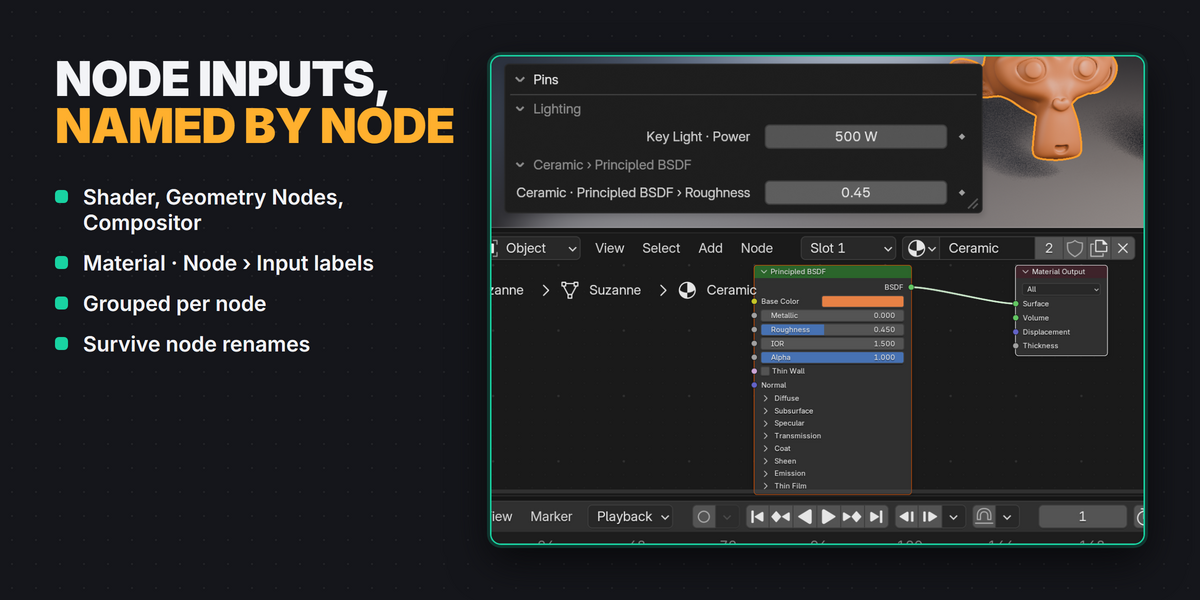
Node properties
Shader, Geometry Nodes and Compositor inputs
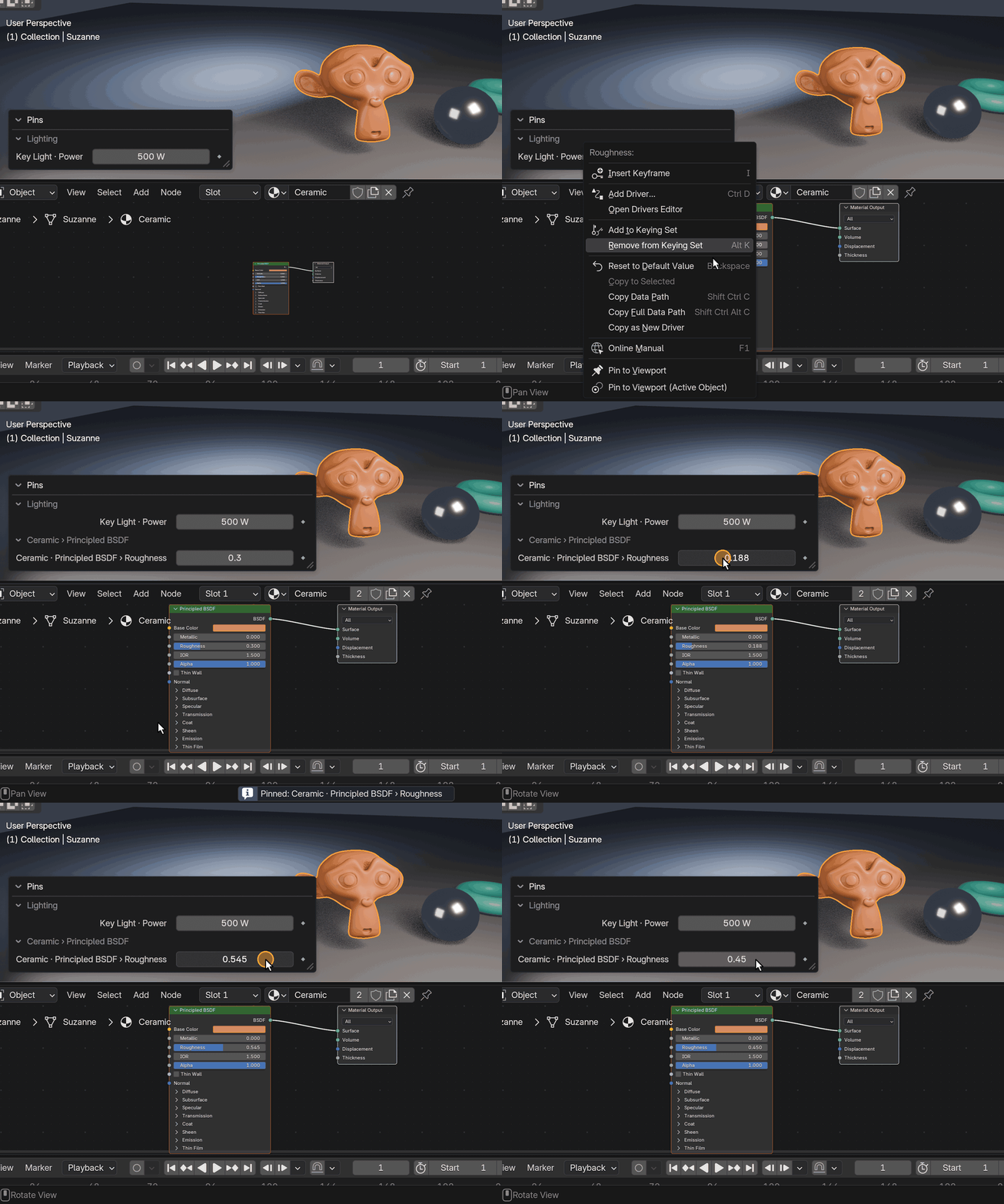
Node inputs show their node, for example Ceramic · Principled BSDF › Roughness, and pins of one node are grouped together. They keep working when you rename the node. The node editor can show its own HUD too.
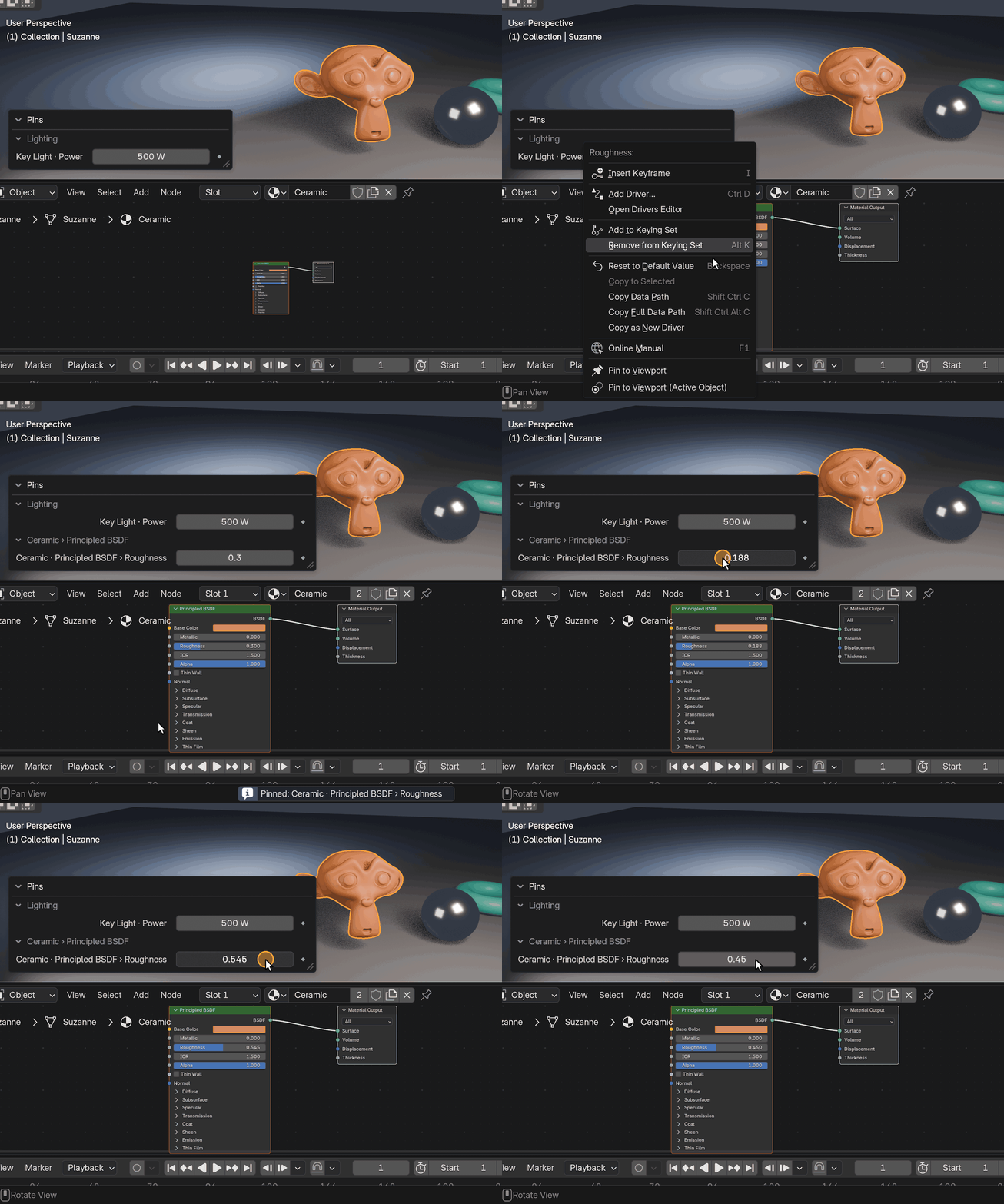
Organize
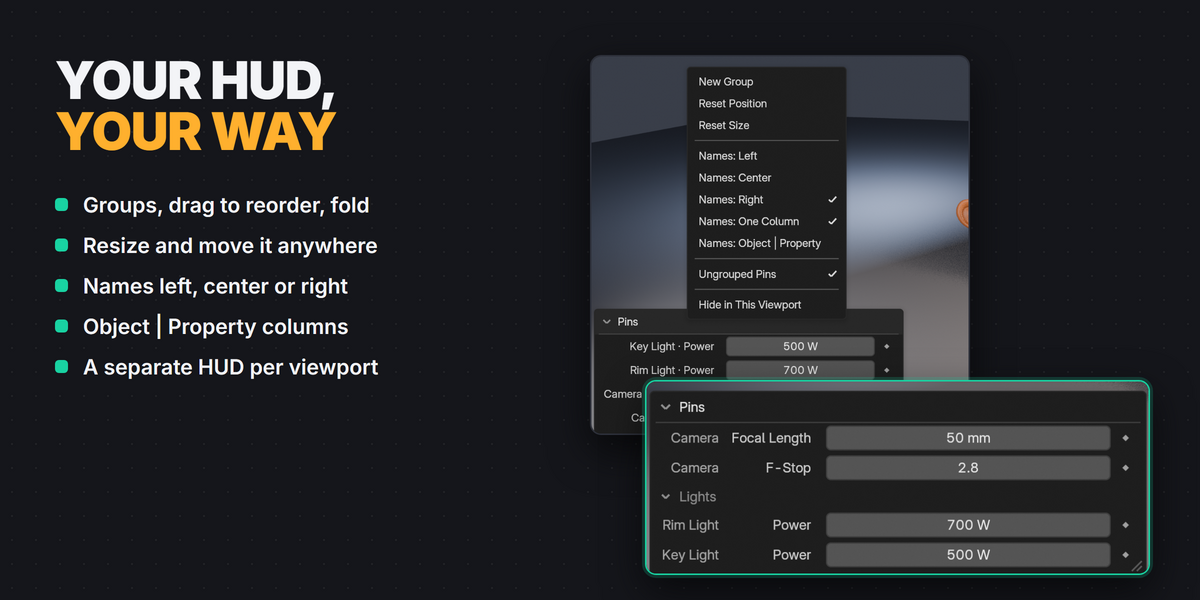
Everything happens in the HUD
Make groups, drag pins between them, fold them, rename pins, resize the HUD and choose how names are shown, with no popups and no extra panels. Every viewport remembers its own position, size, folding and visible groups, saved with the file.
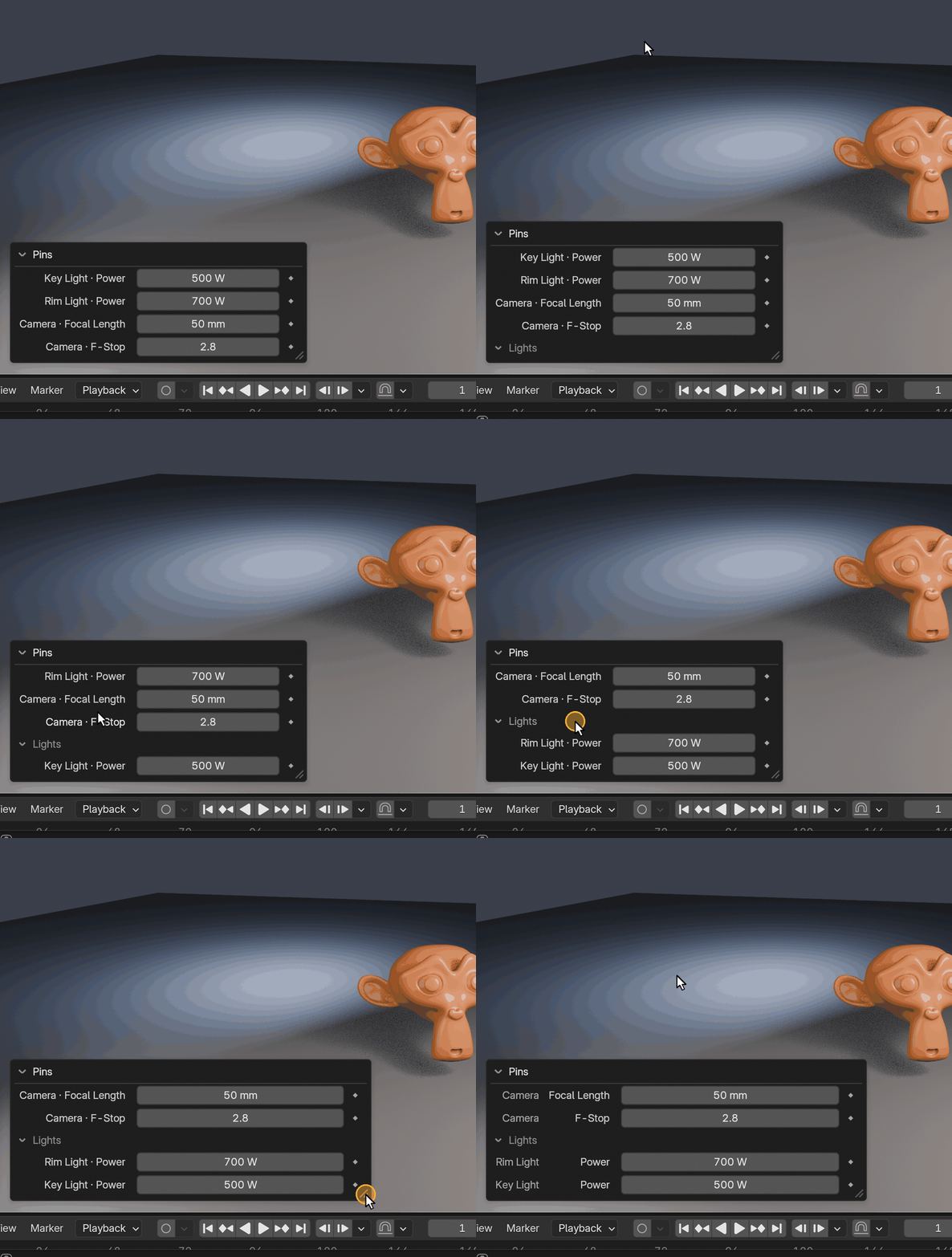
Also included
Compatibility
| Blender | 4.3 to 5.2 |
| Editors | 3D Viewport, Shader Editor, Geometry Nodes, Compositor, Image Editor |
| Tested | Windows with 4.3.2, 4.5.9 LTS and 5.2.2 LTS. macOS and Linux are expected to work but were not part of release testing. |
| Package | Extension package (recommended) and regular add-on ZIP. Install one of them. |
Good to know
- Pins are saved in the .blend file, per scene. The HUD is an overlay and never appears in renders.
- Gizmos and node editor widgets get clicks before the HUD. If a field under one doesn’t respond, move the HUD a little.
- Matrices and arrays with more than 32 values are shown read-only.
- Updates are free for every buyer. Full instructions are in the Documentation tab.
Licensed under GPL-3.0-or-later.