propScatter
 3D CADence


PropScatter Documentation
Quick setup and workflow guide
Overview
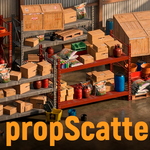
PropScatter is a Blender addon for fast prop placement and layout. The toolkit includes Paint, Align, Normal Align, Equal Spacing, Move by Poly Shift, Move by Scale, Grid Packer, Object Groups, Pivot, and Randomize.
Installation
- Download the addon ZIP from your purchase page.
- In Blender go to Edit > Preferences > Add-ons > Install.
- Select the ZIP file and enable PropScatter.
- Open the 3D Viewport sidebar (N) to access the panel.
Quick Start
- Select source objects (props).
- Open PropScatter > Paint.
- Add objects to the source list (or use selected objects).
- Choose target mode: Targets / Surface / Scene / Plane / Grid.
- Paint in viewport and click Apply to confirm.
Main Tools
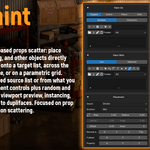
Paint — brush-based prop scattering with source/target control, transform variation, preview, and overlap cleanup.
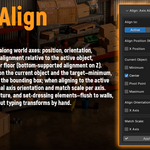
Align — align objects by bounds/pivot to active object, cursor, origin, or floor.
Normal Align — orient objects to surface normals with offsets and spin.
Equal Spacing — distribute selected objects with even spacing on X, Y, and Z.
Move by Poly Shift — brush-based move/rotate/scale for many objects.
Move by Scale — compress or expand the full layout around a center.
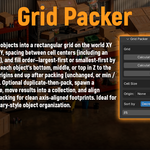
Grid Packer — pack selected objects into a clean floor grid.
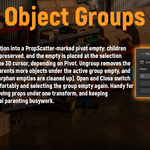
Object Groups — create and manage grouped pivots with proper parenting.
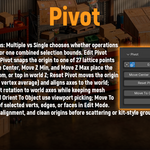
Pivot — fast origin placement and orientation utilities.
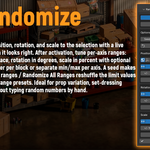
Randomize — non-destructive position/rotation/scale variation with seed.
Tips
- Use Preview Only in heavy scenes before applying.
- Use Instance mode for better memory efficiency.
- Use overlap cleanup when creating dense layouts.
Troubleshooting
- If the panel is not visible, verify the addon is enabled in Preferences.
- If painting places nothing, check source list and target mode.
- If performance drops, switch viewport display to bounds/points and use Preview Only.
Support
For support, contact through Blender Market messages and include:
- Blender version
- Operating system
- Short reproduction steps
- Screenshot or video (recommended)
Discover more products like this
align objects environment dressing pivot-tools kitbash randomize transform scatter prop placement architectural visualization object groups grid layout set dressing paint scatter