 Blender Wave


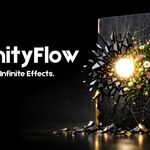

ProximityFlow — Animate Any Mesh With Zero Keyframes
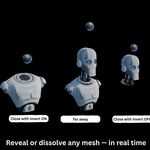
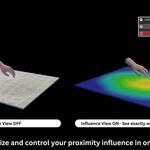
Move one target object near your mesh and watch dissolve, wireframe, displacement, growth, and shell effects react live in the viewport. No keyframes. No drivers. No node trees.
60 seconds — every effect in this addon, back to back.
Built for anyone who is tired of hand-keying reveal, growth, or dissolve animations one frame at a time. If you can move an Empty, you can direct the effect.
Six Effects, One Panel
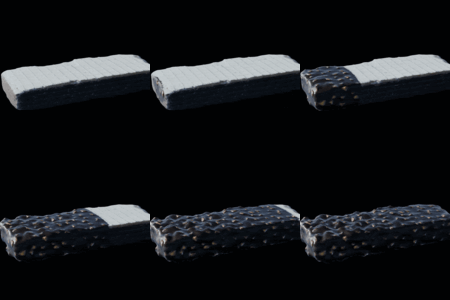
Proximity Masking
Dissolve or reveal geometry as your target crosses the surface. One toggle flips dissolve into reveal.
Aesthetic Wireframe
Turn any mesh into a proximity-driven wire grid. Stack it with masking for a sci-fi dissolve.
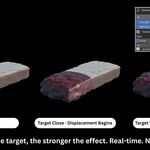
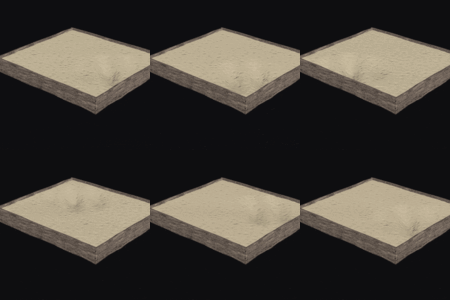
Dynamic Displacement
Push and warp the surface where the target gets close. Four procedural textures — Clouds, Marble, Wood, Musgrave — for sand, water, terrain, and organic surfaces.
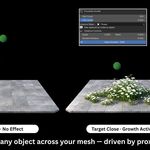
Proximity Growth
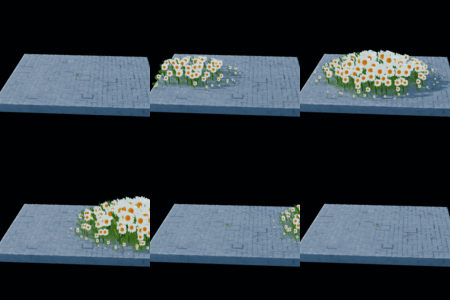
Grow hair strands or any instanced object — flowers, crystals, grass — across your mesh, driven by the same target. Scale, random rotation, and alignment in one click.
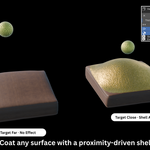
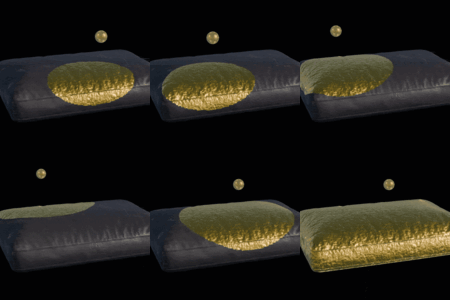
Variable Thickness — Material Coating
Grow a solid shell over a surface as the target approaches — gold spreading over leather, ice forming over stone, armor plating a character. Assign a separate coating material and flip shell direction with one toggle.
Proximity Wave
Propagate a wave across the surface as the target passes — height, width, speed, and narrowness all live. Independent X/Y motion and a cyclic loop toggle for a continuous pulse. Built for water, fabric, and energy-field effects.
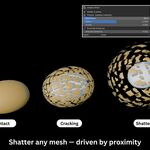
Shatter Effect
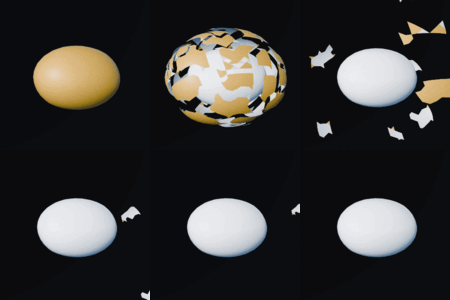
Break a mesh into flying fragments with one click. Fragment count, blast power, chaos, and gravity are independent controls, and proximity decides which area shatters first.
Under the Hood
- ✦ Multiple independent proximity layers on the same object, each with its own target
- ✦ Motion Path — attach the target to a curve and the effect animates itself
- ✦ Five falloff types — Linear, Smooth, Sharp, Sphere, Root
- ✦ One-click keyframing of min/max influence distance
- ✦ Auto Subdivide — add mesh density before effects, up to 6 levels
- ✦ Per-layer viewport visibility toggles, and a panel that resets cleanly if Primary or Target is deleted
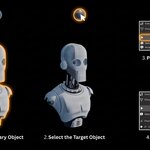
Set Up in 5 Steps
- 1Select your Primary mesh first
- 2Shift-select your Target object and make it active
- 3Press Generate New Layer in the ProximityFlow panel
- 4Add any effect from the panel
- 5Move your target and watch it react in real time
Questions Before You Buy
Will it work with my Blender version?
Tested on Blender 3.6 through 5.1. If a future Blender version breaks it, the fix is a free update.
Do I need to know geometry nodes or shader nodes?
No. Every effect is driven from the panel — no node tree to build or understand.
What happens after I buy — is this a one-time purchase?
Yes, $19 once. Every future update is included — download the latest version anytime from your order history.
What if I run into a bug or can't get an effect working?
Message me directly and I'll get back to you — most issues are solved same day.
ProximityFlow — $24
One purchase. Every future update. Blender 3.6 – 5.1.
ProximityFlow by Blender Wave — available on Superhive and Gumroad