Proxy Control
 espinosa746


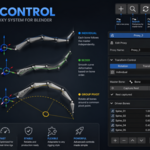
Blender Proxy Control — Documentation
Overview
Blender Proxy Control is a rigging addon designed to simplify the way you control complex bone chains. It allows you to drive multiple bones using a single controller while keeping your rig clean, stable, and easy to animate.
Unlike traditional setups, this addon does not use constraints and does not break your original hierarchy. Instead, it works through intermediate helper bones, preserving full compatibility with existing rigs and workflows.
Key Concept
At its core, Proxy Control works with two elements:
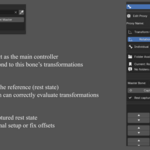
- Master Bone → the main controller
- Driven Bones → the bones affected by the master
The system calculates transformations in real time and applies them in a consistent way, regardless of bone orientation.
Why Use Proxy Control?
- Keep your rig clean and organized
- Avoid complex constraint setups
- Maintain original hierarchy integrity
- Achieve smooth and natural motion
- Work faster with fewer controls
Features
🔹 Multi-Bone Control
Control an entire chain of bones using a single master.
🔹 Multiple Rotation Modes
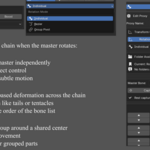
- Individual → each bone follows independently
- Bezier → smooth curved motion across the chain
- Group Pivot → rigid group rotation around a shared center
🔹 Curve-Based Motion
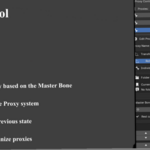
The curve system works based on the order of the bone list, meaning you define how the chain behaves simply by arranging the bones.
🔹 Per-Bone Influence
Adjust how much each bone reacts:
- Rotation influence
- Translation influence
- Optional boost for stronger effects
🔹 Axis Filtering
Limit movement to specific axes (X, Y, Z) for precise control.
🔹 Symmetry Support
Automatically mirror setups using standard naming conventions (_L / _R).
🔹 Real-Time Evaluation
Works instantly while animating (timeline, scrubbing, posing).
Important Behavior
✔ Axis-Independent Rotation
The system evaluates transformations in a shared space, ensuring that:
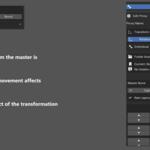
When the master rotates in a direction, all driven bones follow that same direction visually — even if their local axes are different.
This makes the system reliable for complex rigs and asymmetrical setups.
✔ Non-Destructive Workflow
- Does not modify your original bone hierarchy
- Uses helper bones (help_) internally
- Safe to integrate into existing rigs
Typical Use Cases
- Tails
- Tentacles
- Spines
- Mechanical chains
- Secondary motion systems
Basic Workflow
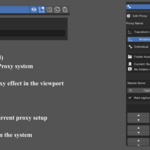
- Create a new Proxy
- Assign a Master Bone
- Add Driven Bones
- Capture the rest pose
- Animate the master and adjust influences
Notes
- Best results when driven bones are ordered correctly
- Designed for flexibility rather than strict physical simulation
- Works alongside existing rig systems
Conclusion
Blender Proxy Control is a powerful yet simple tool that bridges the gap between manual rigging and procedural control. It gives you cleaner setups, faster workflows, and more predictable results—without sacrificing compatibility or structure.
Have questions about this product?
Login to message
| Blender Extension Compatible | Yes |
| Sales | 30+ |
| Published | 5 months ago |
| Blender Version | 4.5 - 5.2 |
| Extension Type | Add-on |
| Render Engine Used | Cycles, Eevee |
| License | GPL |

Discover more products like this
proxy control rig tools Procedural Animation animation rigging character rig no constraints addon 3d animation blender bone control bezier rig