Psx Cycles | Ps1 Render Engine For Blender
 Leandro Marquez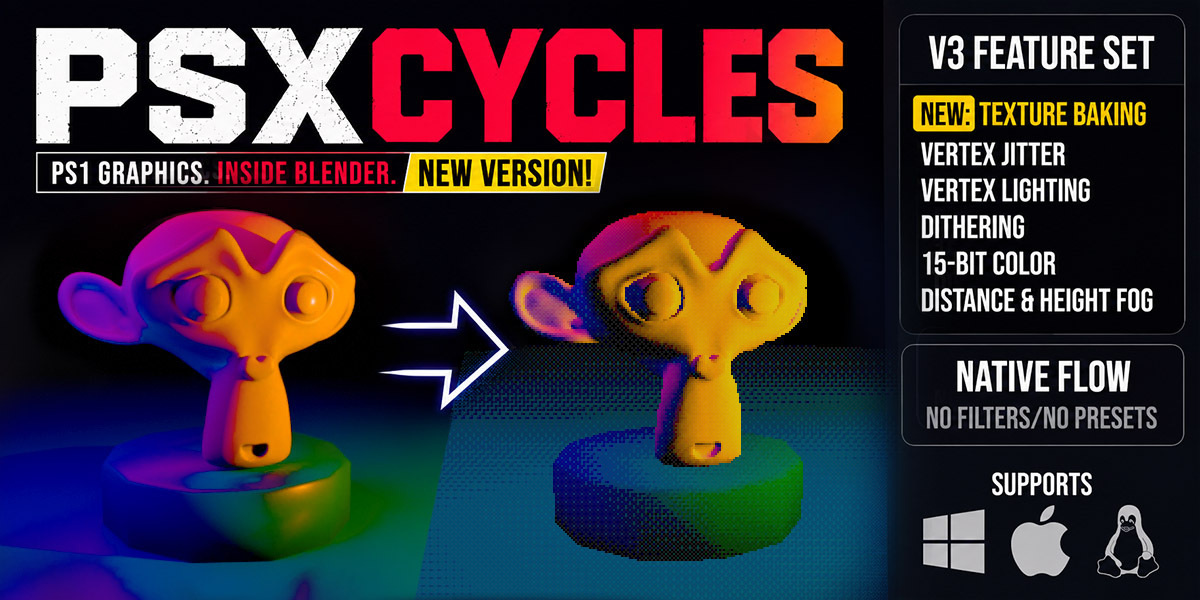




PSX Retro Renderer
Custom Software Render Engine for Blender
Overview
PSX Retro Renderer is a custom software rendering engine integrated into Blender as a Render Engine addon. It faithfully recreates the visual aesthetics and technical limitations of 5th-generation console hardware, specifically the original Sony PlayStation (PS1).
Key Features
Vertex Jitter (Coordinate Snapping)
Simulates the lack of sub-pixel precision found on retro hardware. Vertices snap to an integer grid based on the selected virtual resolution, producing the classic geometry wobble when objects or the camera move.
Affine Texture Mapping (Texture Warp)
Disables modern perspective-correct texture interpolation. Textures are interpolated linearly in screen space, producing the authentic warping and shearing artifacts characteristic of PS1 graphics.
Ordering Table (OT) Sorting
Recreates the original PlayStation's depth pipeline by replacing the hardware Z-buffer with a bucket-based Ordering Table. This reproduces classic rendering artifacts such as polygon clipping, incorrect overlap, and flickering surfaces.
15-bit Color & Bayer Dithering
Colors are quantized to 5 bits per channel (15-bit RGB), while a 4×4 Bayer dithering matrix reduces visible color banding, closely matching the appearance of original hardware.
Baked Procedural Materials (Bake-on-Change)
Procedural Blender shader networks (Principled BSDF, Checker, Noise, ColorRamp, Math, Mix, and others) are automatically evaluated and baked into temporary textures only when changes occur. This preserves full compatibility with Blender's material editor while maintaining fast rendering performance.
World Skybox Support
Supports Blender's World Environment Texture node for rendering background skyboxes.
Installation
Compress the addon folder into a ZIP file. Include the Python scripts,
psx_rasterizer.dll, andblender_manifest.toml, while excluding temporary or build files.Open Blender 4.2 or newer.
Navigate to Edit → Preferences → Get Extensions.
Open the menu in the upper-right corner and choose Install from Disk.
Select the ZIP package.
Enable PSX Retro Renderer from the Extensions list.
Getting Started
Open the Render Properties panel.
Set the Render Engine to PSX Retro Renderer.
Switch the viewport shading mode to Rendered to preview the software renderer in real time.
Render Settings
Resolution & Display
Target Resolution
Select the virtual framebuffer resolution. Choose from classic NTSC/PAL presets or dynamic fractions of Blender's Output resolution (such as Half or Quarter).
Viewport Scale
Scales the resolution used for real-time viewport rendering (100%, 50%, 25%, etc.) to balance image quality and performance.
Rasterization & Geometry
Vertex Jitter
Enables or disables coordinate snapping for authentic vertex wobble.
Jitter Scale
Controls the snapping grid size. Lower values produce more pronounced vertex movement and wobbling.
Affine Warp
Enables affine texture mapping. When active, textures warp realistically as viewing angles change.
Color & Depth Pipeline
15-bit Color
Reduces color precision from 24-bit RGB to authentic 15-bit RGB.
Dithering
Applies a 4×4 Bayer dithering pattern to reduce visible color banding.
Ordering Table Size
Controls the depth sorting resolution. Lower values (for example, 512) produce more sorting artifacts and polygon glitches, while higher values (such as 4096) provide more stable depth sorting.
-
$42.30 $47
For personal and individual use. One seat for one user.
-
$116.10 $129
For small teams and studios. Use PSX Cycles with up to 5 users.
-
$224.10 $249
For larger teams and studios. Use PSX Cycles with up to 15 users.
 Included
Includes 12 months of
- Support from Leandro Marquez
- Product updates
Extend this product’s Support Period +12 months: 25% of product price
Have questions before purchasing?
Login to message
| Blender Extension Compatible | Yes |
| Published | about 2 months ago |
| Blender Version | 4.2 - 5.2 |
| Extension Type | Add-on |
| Render Engine Used | Cycles |
| License | GPL |
Discover more products like this
Dithering psx game development low poly retro-graphics affine texture mapping render engine stylized rendering animation retro vertex snapping