Psx Cycles | Ps1 Render Engine For Blender
 Leandro Marquez




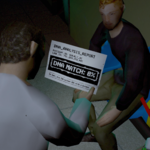


This is Affine Texture Mapping working as intended! Old Consoles did not have hardware support for perspective-correct texture mapping, causing textures to stretch and shear based on their angle to the camera. If you want modern, correct mapping, uncheck Affine Warp in the PSX Rasterization & Geometry panel under Render Properties.
-
$42.30 $47
For personal and individual use. One seat for one user.
-
$116.10 $129
For small teams and studios. Use PSX Cycles with up to 5 users.
-
$224.10 $249
For larger teams and studios. Use PSX Cycles with up to 15 users.
 Included
Includes 12 months of
- Support from Leandro Marquez
- Product updates
Extend this product’s Support Period +12 months: 25% of product price
Have questions before purchasing?
Login to message
| Blender Extension Compatible | Yes |
| Published | about 2 months ago |
| Blender Version | 4.2 - 5.2 |
| Extension Type | Add-on |
| Render Engine Used | Cycles |
| License | GPL |
Discover more products like this
game development psx stylized rendering render engine retro-graphics vertex snapping animation retro affine texture mapping low poly Dithering