 Nate
Nate
 Curtis Wilson

3DVision
about 4 years ago
Hello, sorry for the inconvenience, feel free to join the discord, we will find a solution to this problem.


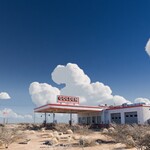
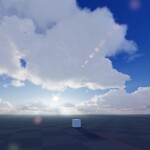
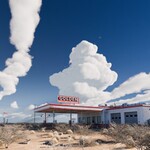
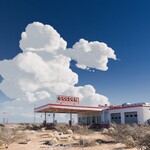
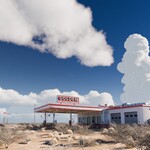
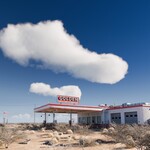
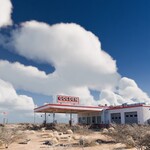
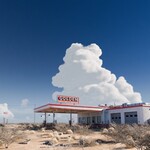
This item has an average rating of 4 from 83 ratings by the community.
Purchase this item to leave a review!
3DVision
about 4 years ago
Hello, sorry for the inconvenience, feel free to join the discord, we will find a solution to this problem.
3DVision
almost 5 years ago
Hello,
Use the market messenger to get help, you are in the product rating section.
3DVision
almost 5 years ago
Hello,
Sorry for the problems you are having, you can use the market messaging system to get help on a specific subject.
3DVision
about 5 years ago
Thank you, feel free to share your renderings with us via the messaging system.
3DVision
about 5 years ago
Hello,
Yes I apologize, for the moment there is no updated documentation. I produce tutorial videos to explain the basics to use the sky with the standard configuration. Working on the documentation at the same time, slows down the development process and bug fixes and we are really trying to make the sky 100% compatible for Cycle.
Documentation will be produced as soon as these major issues are resolved.
3DVision
about 5 years ago
Hello,
Thank you for your opinion.
We are working on a workaround for the camera problem that is due to the limit that the current versions of Blender set. When the volumes are visible on a large distance for example (40KM), if the value of "Clip Start" of the camera is not increased, the rendering is completely blurred and when we increase this value the clouds become clear, but the objects near the camera are not visible.
We have published a correction. This correction allows you to fix the distance of visibility of the camera by choosing between the default camera or three other possibilities, it does not solve the problem, but it allows you to quickly choose the most suitable configuration.
Here is another configuration you can try. In the volume settings replace the default end value of (40.000) "40KM" by (10.000) "10KM", then on the addon panel select (Blender Default).
This configuration allows you to have a standard scale scene and to see the clouds. You can also set the cloud height to "0.0".
3DVision
over 3 years ago
The addon works correctly, even with an RTX 2060, but if you try to use it only with your CPU, it's normal for it to be slow. A volumetric environment spanning several kilometers cannot be displayed with just one CPU.
3DVision
over 3 years ago
We are sorry, we know that some people will be disappointed but to illustrate, when a patient is suffering from a condition that may be fatal, it is better to remove the diseased area to save his life and this is exactly what we have done, just as the Blender Foundation has abandoned the branch (Blender game) to save the development of the main branch.
This pack contains version 7.0.43 (No Clouds)
This pack contains version 7.0.43
This pack contains version 7.0.43
Have questions about this product?
Login to message
| Blender Extension Compatible | Yes |
| Sales | 5700+ |
| Rating | 83 ratings |
| Published | about 7 years ago |
| Blender Version | 4.5 - 5.2 |
| Extension Type | Add-on |
| Render Engine Used | Cycles, Eevee |
| License | GPL |
skies spring summer21 Eevee sky spring20 Realtime Lens Flares environment summer20 cycle procedural sky bfcm20 bcon19 true-sky blender 3d volumetric clouds hdri skies environment texture sky hdr lighting realistic 32bit sky dome bfcm22 tree bfcm21 grass volumetric-clouds Flare bfcm23 world map hdri skies spring23 summer23 spring21 spring22 free physical starlight hdr lighting summer24 Workflow lens dirt environment nature bfcm24 bcon22 hdri hdri-studio bfcm19 flared procedural shader spring24 summer22 2.80 rig Pro-Lighting Skies winter24 hdr free
 arto
arto
 daniel duran
 denys geel
 Martin Ackerl
 Robert Silesius
 Thane D Clark
 ondrej semotan
 Ed Tannenbaum